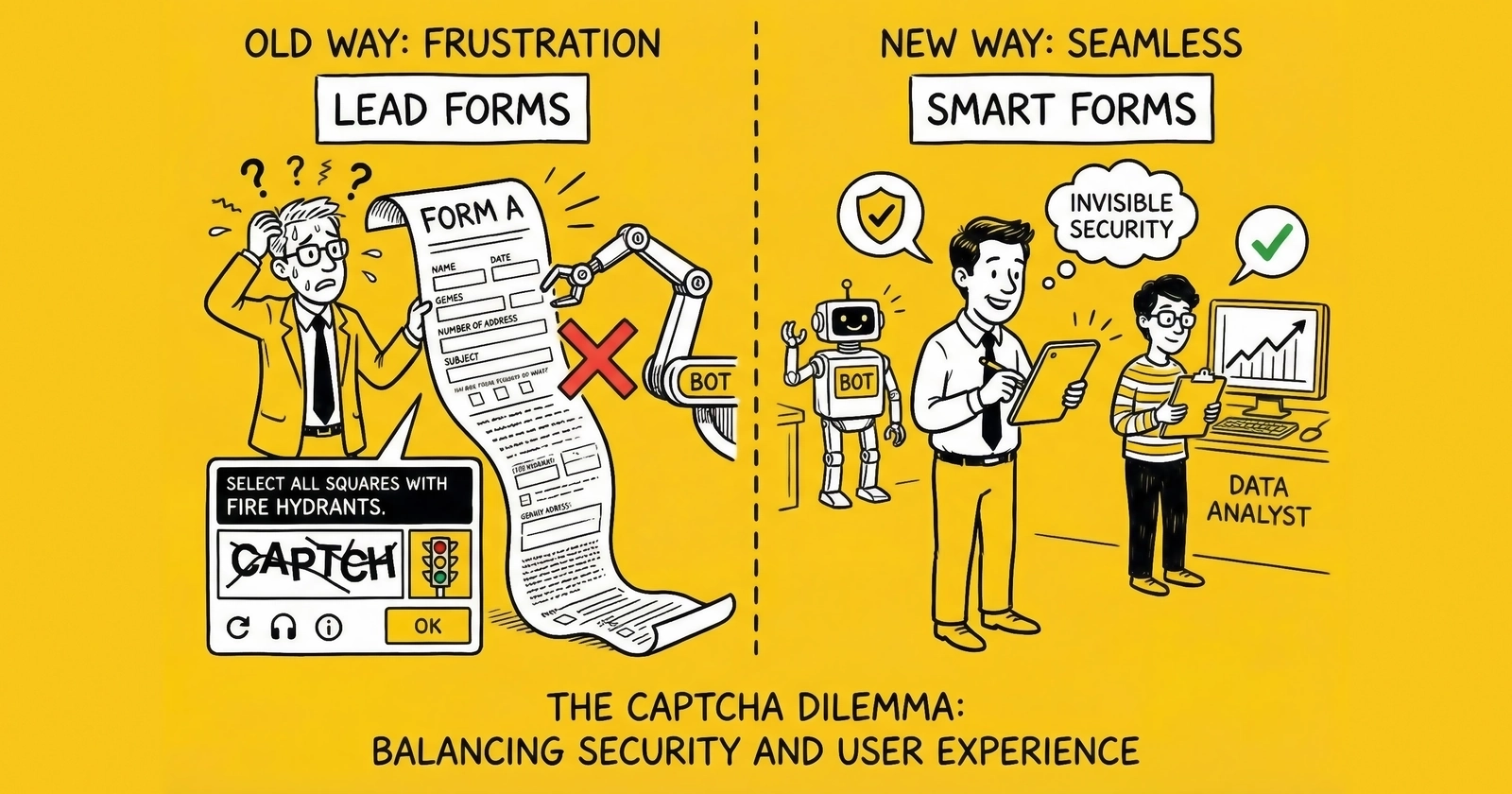
Learn how to protect your lead generation forms from bot attacks while maintaining conversion rates. This guide covers CAPTCHA technologies, behavioral detection, implementation strategies, and the real numbers behind bot prevention ROI.
Your lead form looks successful. Conversions are up. Volume is hitting targets. Then you start making calls. Disconnected numbers. Fake emails. Leads that never answer. You check your server logs and discover the truth: 30% of your submissions came from bots.
This is not a hypothetical scenario. According to Imperva’s 2024 Bad Bot Report, 32% of all internet traffic is now automated – and nearly half of that traffic is malicious. For lead generation forms, the numbers are worse. Industry data from fraud prevention platforms shows bot submission rates between 15-40% on unprotected forms, with some high-value verticals like insurance and mortgage experiencing rates above 50%.
The bot problem is not getting better. It is getting worse, faster. AI-powered bots now mimic human behavior convincingly enough to bypass basic CAPTCHA systems. They complete forms at human-like speeds. They move mice in curved paths. They pause between fields. And they cost lead generators millions in wasted ad spend, poisoned data, and destroyed buyer relationships.
This guide covers what works in 2024-2025: the CAPTCHA technologies that actually stop bots, the behavioral detection signals that catch what CAPTCHA misses, implementation strategies that protect without destroying conversions, and the math that justifies your investment in bot prevention. For a deeper understanding of fraud patterns, see our lead fraud detection and prevention guide.
The Scale of the Bot Problem in Lead Generation
Before diving into solutions, you need to understand what you are fighting.
Bot Traffic Statistics: The 2024-2025 Reality
The numbers have shifted significantly in the past two years:
| Metric | 2023 | 2024 | Trend |
|---|---|---|---|
| Total bot traffic share | 28% | 32% | Rising 15% YoY |
| Bad bot traffic share | 15% | 17% | Rising 13% YoY |
| Advanced bot sophistication | 28% | 51% | Nearly doubled |
| CAPTCHA bypass rate (basic) | 35% | 48% | Rising rapidly |
Source: Imperva Bad Bot Report 2024, Arkose Labs State of Bot Attacks Report
The shift toward “advanced” bots is the critical trend. In 2022, most bot attacks used simple scripts that any CAPTCHA could stop. Today, more than half of malicious bot traffic comes from sophisticated systems that rotate residential IPs, execute JavaScript, and simulate human behavioral patterns.
Why Lead Forms Are Primary Targets
Lead forms present attractive targets for multiple attacker types:
Affiliate Fraud Operators submit fake leads through affiliate tracking links to earn commissions on worthless submissions. A single bot can generate thousands of “leads” per day at costs approaching zero.
Competitor Sabotage fills your forms with garbage data, hoping to waste your sales team’s time and corrupt your optimization data. Some competitors buy your leads specifically to ensure those consumers never reach you.
Data Harvesters probe forms to test contact information validity. A phone number that triggers an error message confirms it exists. This intelligence feeds larger fraud operations.
Scraper Networks test form endpoints for vulnerabilities while collecting intelligence about your infrastructure.
The True Cost of Bot Submissions
Bot submissions impose costs far beyond the immediate fake lead, creating damage that compounds across your operation.
Direct Financial Impact
The immediate costs add up quickly. Ad spend on bot clicks preceding form submission runs $2-50+ per fake lead, depending on your traffic sources and bidding strategy. Lead validation services process worthless data at $0.10-0.50 per lead, money spent confirming what you could have prevented. CRM storage and processing adds $0.01-0.05 per record for data that actively degrades your database quality. When sales teams attempt contact, labor costs reach $5-15 per lead for calls that never connect and follow-ups that never convert.
Downstream Cascade Effects
The indirect costs often exceed direct expenses. Buyer chargebacks when fake leads reach customers cost 100% of the sale price plus the relationship damage that follows. Optimization algorithms training on fraudulent signals produce unmeasurable but real degradation in campaign performance. Reputation damage from declining quality metrics leads to lost buyer relationships and reduced distribution capacity. Perhaps most concerning, compliance exposure from calling numbers attached to fabricated consent creates liability of $500-1,500 per violation under TCPA.
A single fake lead at $30 CPL can represent $50-100 in total cost when downstream impacts are included. At 25% bot submission rates, you are effectively paying 33% more per real lead than your dashboard suggests.
CAPTCHA Technologies: What Works in 2024-2025
CAPTCHA (Completely Automated Public Turing test to tell Computers and Humans Apart) remains the first line of defense. But the landscape has changed dramatically from the days of distorted text that humans could barely read.
reCAPTCHA v3: The Invisible Standard
Google’s reCAPTCHA v3 dominates the market, running on over 7 million websites. Unlike previous versions, v3 operates invisibly – no checkbox, no image challenges. It scores every visitor from 0.0 to 1.0 based on behavioral signals.
How reCAPTCHA v3 Works
The system operates through a four-stage process. First, JavaScript loads on your page and begins analyzing visitor behavior from the moment of arrival. Mouse movements, scroll patterns, keystroke dynamics, and browsing history then inform a risk score that builds continuously. When the form submits, your server receives this score as a decimal between 0.0 and 1.0. Finally, you decide whether to accept, challenge, or reject based on your configured threshold.
Score Interpretation
| Score Range | Risk Level | Recommended Action |
|---|---|---|
| 0.7-1.0 | Low | Accept submission |
| 0.4-0.6 | Medium | Add verification step or flag for review |
| 0.0-0.3 | High | Block or require additional challenge |
Strengths and Limitations
The system’s advantages center on frictionless user experience. Zero friction for most legitimate users means no checkbox clicks or image puzzles. Continuous learning improves detection over time as Google’s models evolve. The free tier handles up to 1 million assessments monthly, sufficient for most mid-sized operations. Integration works with most form platforms through straightforward JavaScript implementation.
The weaknesses matter equally for planning purposes. The system relies entirely on Google’s algorithm – you cannot tune detection logic or access underlying signals. Privacy concerns arise in regulated industries since all data flows to Google’s servers. Score-only output provides limited actionability when you need to understand why a submission was flagged. Most critically, advanced bots increasingly defeat the scoring system through behavioral mimicry.
Pricing and Effectiveness
Google offers the free tier for up to 1 million assessments monthly. Enterprise features cost $1 per 1,000 assessments and add detailed score reasons, password leak detection, and account defender capabilities.
In 2024 testing by security researchers, reCAPTCHA v3 stopped 76-84% of basic bot attacks but only 52-61% of advanced bots using residential proxies and human-like behavior patterns.
reCAPTCHA v2: The Checkbox Fallback
The “I’m not a robot” checkbox remains widely deployed as a fallback when v3 scores are inconclusive. The user experience follows a simple flow: the user clicks the checkbox, and if the risk score is low, submission proceeds immediately. For medium or high risk scores, an image challenge appears requiring the user to select images containing specific objects like traffic lights, crosswalks, or storefronts.
Strengths and Limitations
The advantages of v2 stem from its explicit verification requirement. Higher friction creates genuine human verification that bots cannot easily circumvent. Image challenges remain harder for bots to solve than invisible analysis, and the clear pass/fail result simplifies implementation logic. The checkbox serves effectively as a fallback option when v3 alone proves insufficient for your risk tolerance.
The drawbacks center on user experience costs. The challenge adds 10-30 seconds to form completion, time that frustrates legitimate users and increases abandonment. Accessibility challenges arise for visually impaired users who cannot easily complete image selection. CAPTCHA-solving services bypass the system at $0.50-3.00 per 1,000 solves, making it ineffective against determined attackers. Conversion rate impact ranges from 3-10% depending on implementation and audience.
When to Use v2
Deploy v2 as a fallback when v3 scores fall below your threshold, not as primary protection. It fits high-fraud verticals where bot traffic exceeds 30% and the cost of fake leads justifies friction. Use it when form submissions carry high enough value – $50+ per lead – to warrant the conversion trade-off. Never rely on v2 as your only protection layer. Our guide on high-converting lead forms covers how to minimize friction while maintaining security.
hCaptcha: The Privacy-First Alternative
hCaptcha emerged as the primary alternative for organizations concerned about sending user data to Google. It powers millions of websites including Cloudflare’s free tier protection.
The platform differentiates itself through privacy architecture and business model. User data stays with the website owner rather than flowing to hCaptcha’s servers, addressing GDPR and CCPA concerns directly. Uniquely, hCaptcha pays publishers for human verification – your users’ solved challenges train machine learning models, and you receive compensation. The system is GDPR-compliant by design and offers both invisible and challenge-based modes similar to reCAPTCHA’s v3/v2 split.
Performance Comparison with reCAPTCHA
| Factor | reCAPTCHA v3 | hCaptcha Invisible |
|---|---|---|
| Bot detection rate | 76-84% | 72-80% |
| Advanced bot detection | 52-61% | 48-58% |
| Conversion impact | 1-3% | 2-4% |
| Privacy compliance | Moderate | High |
| Enterprise pricing | $1/1,000 | $0.99/1,000 |
Choose hCaptcha when privacy regulation drives your architecture decisions. Organizations subject to GDPR, CCPA, or similar frameworks benefit from the data isolation model. If your organization prefers not to share behavioral data with Google for competitive or policy reasons, hCaptcha provides comparable protection. The integration requires slightly more developer effort than reCAPTCHA, but teams seeking enterprise features without Google lock-in find the trade-off worthwhile.
Cloudflare Turnstile: The New Contender
Launched in 2022 and significantly improved through 2024, Cloudflare Turnstile offers a no-CAPTCHA approach that runs as a managed challenge.
How Turnstile Works
The system operates through progressive verification. A widget loads on your page and immediately begins browser environment checks behind the scenes. If those checks pass, verification completes invisibly in 1-2 seconds. When the system detects suspicious signals, additional non-interactive challenges run automatically – browser fingerprinting, proof-of-work computations, and behavioral analysis. Throughout this process, the user sees only a brief loading animation, never a puzzle or checkbox.
Strengths and Limitations
Turnstile’s advantages center on speed and simplicity. No image puzzles or checkboxes means zero cognitive load for users. The service is free for unlimited use, a significant cost advantage for high-volume operations. Integration with Cloudflare’s massive bot intelligence network provides detection signals from billions of requests across millions of websites. For legitimate users, Turnstile completes faster than reCAPTCHA – median 0.5 seconds versus 2.3 seconds.
The limitations reflect Turnstile’s relative youth. As newer technology, it has less track record than reCAPTCHA’s decade-plus deployment history. The system requires a Cloudflare account, though a free tier is available. Documentation and community support lag behind Google’s extensive resources. Like other CAPTCHA systems, the detection algorithms are proprietary and non-configurable.
Cloudflare reports Turnstile blocks 95%+ of automated traffic, though independent testing suggests 78-88% is more realistic for sophisticated attacks targeting high-value lead forms.
Arkose Labs MatchKey: Enterprise-Grade Protection
For high-value lead generation operations – particularly in insurance, mortgage, and financial services – enterprise solutions like Arkose Labs provide deeper protection.
How Arkose Works
The system layers multiple detection methods with escalating verification. Behavioral biometrics analyze visitor interaction patterns from initial page load through form completion. Device fingerprinting identifies known bot hardware and software configurations, flagging matches to automation frameworks. When risk signals elevate, unique 3D challenges appear – spatial reasoning puzzles that cannot be solved by image recognition APIs. Continuous authentication then tracks behavior throughout the session, catching bots that pass initial verification but behave mechanically afterward.
Why It Matters for Lead Gen
The 3D challenges specifically target CAPTCHA-solving services. Unlike 2D image selection, which services solve at $0.50-3.00 per 1,000 through human workers overseas, Arkose’s spatial reasoning challenges require genuine human cognition that cannot be economically outsourced. This closes the bypass loop that undermines standard CAPTCHA systems.
Enterprise contracts typically start at $2,500-5,000 monthly for mid-sized operations, scaling with traffic volume. Consider Arkose when lead values exceed $50 average, when bot submission rates exceed 25% despite other protections, when you operate in heavily targeted verticals like insurance, finance, or solar, or when buyer contracts require demonstration of fraud prevention infrastructure.
Beyond CAPTCHA: Behavioral Detection and Bot Management
CAPTCHA is necessary but not sufficient. The sophisticated bots attacking high-value lead forms in 2024 are purpose-built to defeat CAPTCHA systems. Complete protection requires layered behavioral detection.
Behavioral Signals That Identify Bots
Mouse Movement Analysis
Humans move mice in curved, slightly erratic paths with micro-corrections as they navigate toward targets. Bots typically move in straight lines or Bezier curves with mathematically perfect arcs that no human hand produces.
The detection patterns reveal automation clearly. Straight-line movements between form fields indicate programmatic control. Identical movement patterns across sessions suggest scripted replay rather than human interaction. Missing micro-movements during pause periods – humans naturally shift the mouse even when waiting – expose bot behavior. Most telling, cursors that appear at form fields without traveling to them reveal JavaScript-based field focusing rather than physical navigation.
Keystroke Dynamics
Human typing exhibits characteristic patterns that prove difficult to simulate. We type faster on familiar letter combinations and slow down when thinking about spelling or content. Inter-keystroke timing varies naturally based on finger distance and word familiarity.
Bot indicators stand out against this natural variation. Perfectly uniform inter-key timing suggests mechanical input. All fields completing in identical timeframes reveals automated fill operations. Paste patterns without preceding keyboard activity – text appearing instantly without keystroke events – exposes clipboard injection. Typing speeds exceeding 150 WPM consistently surpass human capability and indicate automated input.
Form Completion Timing
Effective detection tracks not just total time but time distribution across fields.
| Form Length | Human Minimum | Bot Indicator |
|---|---|---|
| 5 fields | 15 seconds | Under 5 seconds |
| 10 fields | 30 seconds | Under 12 seconds |
| 20+ fields | 60 seconds | Under 25 seconds |
Scroll and Focus Behavior
Humans scroll to read content, focus fields by clicking, and exhibit natural pauses when considering responses. Bot behavior diverges from this pattern in detectable ways. Bots often complete forms without scrolling to see all fields – they know the field names without needing to read labels. They focus fields via JavaScript injection rather than user interaction, producing focus events without corresponding click events. Many bot submissions occur without any scroll events registered, impossible for forms that extend below the viewport fold. Focus events appearing in non-sequential order – jumping from field 3 to field 7 to field 1 – reveals programmatic rather than human navigation.
Device Fingerprinting
Device fingerprinting creates a unique identifier based on hardware and software characteristics, providing detection capabilities that behavioral analysis alone cannot match.
Core Fingerprint Elements
The fingerprint assembles from multiple browser and system attributes. Browser type, version, and installed extensions form the foundation. Screen resolution and color depth add hardware specificity. Operating system and language settings contribute demographic context. WebGL renderer and vendor information reveal graphics hardware details. Canvas rendering signatures – subtle variations in how browsers draw graphics – create nearly unique identifiers. Audio context fingerprints leverage variations in audio processing. Installed fonts reflect individual system configuration. Timezone and locale settings complete the profile.
Why Fingerprinting Matters
Bots using residential proxies can mask IP addresses effectively, appearing to come from legitimate ISP connections rather than data centers. Device fingerprinting cuts through this masking by identifying the actual hardware generating requests.
The patterns fingerprinting reveals prove powerful. The same fingerprint submitting from multiple IP addresses indicates a single machine rotating through proxy connections. Fingerprints matching known bot frameworks like Selenium or Puppeteer immediately flag automated traffic. Missing expected browser features – bots often omit full JavaScript execution for performance – expose automation. Fingerprint characteristics inconsistent with claimed browser type, such as Chrome identifiers with Firefox rendering behavior, reveal spoofing attempts.
Implementation Options
FingerprintJS offers both open source and commercial versions, pricing at $0.001-0.01 per identification depending on volume and features. ThreatMetrix provides enterprise-grade fingerprinting at typically $10,000+ annually. HUMAN Security, formerly White Ops, offers comprehensive bot management with fingerprinting as a core component at enterprise pricing. Custom implementation remains an option for teams with development resources, with costs varying based on sophistication requirements.
IP Intelligence
IP analysis provides context that other signals cannot, revealing the network infrastructure behind each submission.
IP Risk Signals
| Signal | Legitimate | Suspicious | High Risk |
|---|---|---|---|
| IP Type | Residential ISP | Mobile carrier | Datacenter/VPN |
| Geographic consistency | Matches form data | Minor variation | Different country |
| Request velocity | 1-2 per session | 5-10 per hour | 50+ per hour |
| Historical reputation | Clean | Limited history | Known fraud source |
IP Intelligence Providers
Several vendors offer IP analysis at different price points. MaxMind GeoIP provides basic geographic and ISP data at $0.0001 per query, suitable for high-volume operations needing baseline intelligence. IPQualityScore offers deeper fraud signals at $0.001-0.01 per query, including VPN detection and historical reputation data. Digital Element provides enterprise-grade IP intelligence with custom pricing for complex requirements. IP2Location offers a free tier for development and testing, with paid plans starting at $49/year for production use.
Honeypot Fields
The simplest detection method remains highly effective against unsophisticated bots, providing protection with zero implementation cost and zero user friction.
Implementation
The technique exploits a fundamental difference between human and automated form completion. Add a hidden form field using CSS display:none or off-screen positioning. Label it with something attractive to bots – “website,” “url,” or “company” work well as field names that appear standard. Legitimate users never see this field and therefore never fill it. Bots completing forms programmatically enumerate all fields and fill them systematically, including the hidden trap. Any submission containing honeypot data gets flagged as bot traffic.
Honeypots catch 40-60% of basic bot submissions with zero false positives and zero user friction. The technique costs nothing to implement and maintains afterward.
The limitation is straightforward: sophisticated bots analyze CSS and skip hidden fields. Honeypots should serve as one layer in a multi-layer defense, never as the sole protection mechanism.
Implementation Strategy: Protecting Without Destroying Conversions
Every protection measure carries conversion cost. The goal is not maximum security but optimal security – stopping bots while losing minimal legitimate leads.
The Layered Defense Model
Effective bot prevention uses multiple layers, each catching what previous layers missed. The goal is applying friction proportional to risk – most legitimate users experience zero delay while suspicious traffic faces escalating verification.
Layer 1: Passive Signals (Zero Friction)
The first layer operates entirely invisibly. JavaScript-based behavioral analysis tracks mouse movements, keystroke timing, and scroll patterns. Device fingerprinting creates unique identifiers for each browser and hardware combination. IP intelligence scoring evaluates network characteristics and reputation. Session pattern analysis examines navigation paths and timing across page loads. None of these signals require user action.
Layer 2: Invisible Challenges (Minimal Friction)
The second layer adds verification that users rarely notice. reCAPTCHA v3 or Cloudflare Turnstile run background assessments during form completion. Browser environment checks verify JavaScript execution capabilities and expected browser features. WebGL and Canvas verification confirms consistent rendering behavior.
Layer 3: Interactive Challenges (Moderate Friction)
When passive signals and invisible challenges prove inconclusive, interactive verification engages. Checkbox CAPTCHA appears for medium-risk scores – the familiar “I’m not a robot” prompt. Simple image selection challenges emerge for elevated risk levels. SMS or email verification provides identity confirmation for high-risk submissions that you still want to capture rather than block.
Layer 4: Hard Blocks (High Friction)
The final layer applies maximum friction or outright denial. Full CAPTCHA challenges with complex image selection appear for very low trust scores. Phone verification for known-bad indicators requires call or SMS confirmation. Manual review queues catch edge cases that automated systems cannot confidently classify.
Score-Based Routing
Combine signals into a composite risk score that determines user experience:
Risk Score Components:
- CAPTCHA score: 40% weight
- Behavioral signals: 25% weight
- Device fingerprint: 20% weight
- IP intelligence: 15% weight

Score Thresholds:
- 80-100: Green path (submit immediately)
- 60-79: Yellow path (invisible secondary check)
- 40-59: Orange path (checkbox challenge)
- 20-39: Red path (full CAPTCHA + verification)
- 0-19: Block with manual review option
A/B Testing Bot Prevention
You cannot optimize what you do not measure. Test protection levels against conversion impact to find your operation’s optimal balance.
Test Structure
Design experiments that isolate protection impact. The control group uses your current protection level as baseline. Variant A adds one layer of passive detection – behavioral analysis or fingerprinting without visible changes. Variant B adds invisible CAPTCHA like reCAPTCHA v3 or Turnstile. Variant C requires checkbox CAPTCHA for all submissions, establishing the upper bound of friction impact.
Metrics to Track
Measure both protection effectiveness and business impact. Form conversion rate – visits to submissions – reveals friction impact. Bot detection rate shows the percentage of submissions flagged as automated. False positive rate tracks legitimate users incorrectly flagged, critical for calibrating thresholds. Downstream lead quality metrics like contact rate and buyer acceptance confirm that protection improvements translate to better outcomes.
Expected Trade-offs
| Protection Level | Bot Block Rate | Conversion Impact |
|---|---|---|
| Passive only | 40-55% | 0-1% |
| Invisible CAPTCHA | 65-80% | 1-3% |
| Checkbox CAPTCHA | 80-90% | 5-12% |
| Full challenges | 92-98% | 15-25% |
Mobile-Specific Considerations
Mobile traffic now represents 60%+ of lead form visits. Bot protection must account for mobile-specific patterns that differ fundamentally from desktop behavior.
Mobile Detection Challenges
The behavioral signals that work on desktop require adaptation for mobile contexts. Touch events replace mouse movements, providing different behavioral signals that require separate analysis models. Screen readers and accessibility features common on mobile devices trigger false positives in systems calibrated for desktop patterns. Limited JavaScript execution on older devices and mobile browsers affects fingerprinting completeness. Battery-saving modes alter behavioral consistency by throttling background processes.
Mobile-Optimized Approach
Effective mobile protection requires deliberate accommodation. Weight touch event analysis over mouse movement detection, training models specifically on mobile interaction patterns. Reduce CAPTCHA challenge complexity since mobile image selection proves more cumbersome than desktop interactions. Allow longer completion timeframes – mobile typing runs 40-60% slower than desktop input for most users. Most critically, test on actual devices rather than desktop emulators, which cannot replicate true mobile JavaScript execution environments and touch dynamics.
Vendor Comparison: Costs, Features, and Fit
Selecting the right bot prevention technology depends on your traffic volume, lead values, and technical capabilities.
Free and Low-Cost Options
Operations under $10,000 monthly ad spend or those just starting bot prevention find adequate protection in free-tier solutions.
| Solution | Cost | Bot Detection | Integration Effort |
|---|---|---|---|
| reCAPTCHA v3 | Free (up to 1M/month) | 75-85% | Low |
| Cloudflare Turnstile | Free | 78-88% | Low |
| hCaptcha Free | Free (limited) | 70-80% | Medium |
| Honeypot (DIY) | Developer time only | 40-60% | Low |
The recommended stack for starters combines reCAPTCHA v3 with a honeypot field and basic timing validation. This combination achieves 75-85% bot detection with under 2% conversion impact, providing strong baseline protection at zero ongoing cost.
Mid-Market Solutions
Operations spending $10,000-100,000 monthly with established lead flows justify investment in paid protection that offers enterprise features and better detection rates.
| Solution | Monthly Cost | Bot Detection | Enterprise Features |
|---|---|---|---|
| reCAPTCHA Enterprise | $500-2,000 | 85-92% | Yes |
| hCaptcha Enterprise | $400-1,800 | 82-90% | Yes |
| ClickCease (with forms) | $300-1,500 | 80-88% | Partial |
| DataDome | $1,000-5,000 | 88-94% | Yes |
The recommended stack for mid-market operations combines reCAPTCHA Enterprise with FingerprintJS and an IP intelligence API. This layered approach achieves 88-93% bot detection with 2-4% conversion impact, providing sophisticated protection that scales with growing operations.
Enterprise Solutions
High-value verticals like insurance, mortgage, and legal – or operations spending $100,000+ monthly – find enterprise solutions deliver ROI despite significant annual costs.
| Solution | Annual Cost | Bot Detection | Key Differentiator |
|---|---|---|---|
| Arkose Labs | $30,000-150,000 | 94-98% | 3D challenges |
| HUMAN (White Ops) | $50,000-200,000 | 95-99% | Behavioral depth |
| Akamai Bot Manager | $25,000-100,000 | 93-97% | Edge protection |
| PerimeterX (HUMAN) | $30,000-120,000 | 94-98% | ML sophistication |
When Enterprise Investment Makes Sense
The decision becomes straightforward when you calculate bot exposure honestly. Consider an operation with 50,000 monthly leads and an estimated 25% bot rate – that means 12,500 bot leads. With a clean CPL of $30, the effective CPL including bots rises to $40. Monthly bot cost reaches $125,000 when you factor in the full impact: wasted ad spend, validation costs, sales time, and buyer chargebacks.
At $125,000 monthly exposure, a $50,000 annual solution pays for itself in under three weeks. The math only improves at higher volumes and higher lead values.
Integration and Technical Implementation
Standard Implementation Pattern
Step 1: Add CAPTCHA JavaScript
<!-- reCAPTCHA v3 Example -->
<script src="https://www.google.com/recaptcha/api.js?render=YOUR_SITE_KEY"></script>
Step 2: Execute on Form Submit
document.getElementById('lead-form').addEventListener('submit', function(e) {
    e.preventDefault();
    grecaptcha.execute('YOUR_SITE_KEY', {action: 'submit'}).then(function(token) {
        document.getElementById('g-recaptcha-response').value = token;
        e.target.submit();
    });
});
Step 3: Server-Side Verification
# Python example
import requests

def verify_recaptcha(token, ip_address):
    response = requests.post('https://www.google.com/recaptcha/api/siteverify', {
        'secret': 'YOUR_SECRET_KEY',
        'response': token,
        'remoteip': ip_address
    })
    result = response.json()
    return result.get('score', 0) >= 0.5  # Threshold configuration
Step 4: Behavioral Collection
// Track form completion timing
const formStart = Date.now();
const fieldTimings = {};

document.querySelectorAll('input, select').forEach(field => {
    field.addEventListener('focus', () => {
        fieldTimings[field.name] = { focus: Date.now() };
    });
    field.addEventListener('blur', () => {
        fieldTimings[field.name].blur = Date.now();
    });
});

// Include in submission
document.getElementById('behavior-data').value = JSON.stringify({
    totalTime: Date.now() - formStart,
    fieldTimings: fieldTimings
});
Platform-Specific Guides
WordPress
The WordPress ecosystem offers straightforward integration paths. Gravity Forms includes built-in reCAPTCHA support requiring only API key configuration. WPForms provides both reCAPTCHA and hCaptcha plugins for platform flexibility. Contact Form 7 integrates through a reCAPTCHA v3 plugin that adds invisible protection to all forms.
Unbounce
Unbounce requires more manual configuration but supports full functionality. Use the Script Manager to add CAPTCHA JavaScript to your landing pages. Custom HTML blocks enable behavioral tracking implementation. Server-side verification requires webhook configuration to send tokens to your processing endpoint.
ClickFunnels
ClickFunnels presents the most limitations. Custom code must be added through page settings, requiring developer expertise. Limited flexibility in form processing makes advanced detection difficult. Operations with significant volume should consider external form processors that offer full control over protection implementation.
Custom Forms
Custom form implementations provide maximum control and optimization potential. Full control over every detection layer and routing decision enables precise tuning. Custom forms are recommended for operations spending $25,000+ monthly where the optimization value justifies development investment. The flexibility allows maximum optimization of detection effectiveness against conversion impact.
Common Implementation Mistakes
Several patterns consistently undermine bot prevention effectiveness, often through well-intentioned but misguided implementation choices.
Client-Side Only Validation
Never rely solely on JavaScript validation. Bots can bypass client-side checks entirely by posting directly to form endpoints, rendering all your detection code irrelevant. Server-side verification must validate every submission regardless of client-side signals.
Static Score Thresholds
CAPTCHA scores vary by industry, traffic source, and time. A threshold that works today may fail next month as bot tactics evolve and traffic patterns shift. Continuously monitor score distributions and adjust thresholds based on actual quality outcomes.
Ignoring Mobile
Testing only on desktop misses mobile-specific bot attacks and may create false positives for legitimate mobile users. Mobile behavioral patterns differ fundamentally from desktop, requiring separate calibration and testing on actual devices.
All-or-Nothing Blocking
Hard blocking at strict thresholds loses legitimate leads who trigger false positives. Use progressive challenges that apply harder verification for higher risk rather than binary accept/reject decisions. The goal is capturing legitimate leads, not achieving perfect bot rejection.
Forgetting to Monitor
Bot attacks evolve constantly as attackers develop new techniques and probe for weaknesses. Weekly review of detection rates, false positives, and quality metrics is essential maintenance. A “set and forget” approach guarantees declining effectiveness within 60-90 days as attackers adapt to your defenses.
Measuring Bot Prevention ROI
The ROI Formula
Bot Prevention ROI = (Fraud Prevented - Prevention Costs) / Prevention Costs

Where:
Fraud Prevented = Bot Leads Blocked x Cost per Bot Lead
Cost per Bot Lead = CPL + Downstream Costs (validation, sales time, chargebacks)
Prevention Costs = Technology + Implementation + Maintenance
Example Calculation
Scenario:
- Monthly lead volume: 25,000
- Average CPL: $35
- Pre-prevention bot rate: 28%
- Post-prevention bot rate: 4%
- Prevention solution cost: $800/month
- Downstream cost per bot lead: $15
Calculation:
- Bot leads before: 25,000 x 28% = 7,000
- Bot leads after: 25,000 x 4% = 1,000
- Bots prevented: 6,000
- Cost per bot lead: $35 + $15 = $50
- Fraud prevented: 6,000 x $50 = $300,000
- Prevention cost: $800
- Net savings: $299,200
- ROI: 37,300%
Even with conservative assumptions, bot prevention ROI typically exceeds 1,000% for operations with meaningful bot exposure.
Metrics to Track
Effective monitoring operates on three cadences, each serving distinct optimization purposes.
Weekly Review
Weekly metrics catch tactical degradation before it becomes costly. Track bot detection rate – the percentage of submissions flagged as automated – to identify sudden shifts in attack patterns. Monitor false positive rate to ensure legitimate users are not incorrectly failing challenges. Compare conversion rate by protection level to detect friction creep. Watch score distribution changes that might indicate bot adaptation or traffic source shifts.
Monthly Analysis
Monthly analysis connects protection to business outcomes. Examine lead quality metrics by risk score tier to validate that protection actually improves downstream performance. Correlate buyer feedback with risk scores to identify where detection accuracy needs improvement. Track return rate by detection classification to measure real-world effectiveness. Calculate cost per clean lead – actual cost, not dashboard-reported CPL – to understand true economics.
Quarterly Review
Quarterly reviews assess strategic positioning. Analyze prevention technology effectiveness trends to identify whether your stack remains adequate. Document new attack pattern identification to inform future protection investments. Conduct vendor performance reviews to ensure you are getting expected value. Optimize budget allocation based on accumulated performance data across protection layers.
Frequently Asked Questions
How much does CAPTCHA hurt form conversion rates?
Modern invisible CAPTCHA solutions like reCAPTCHA v3 and Cloudflare Turnstile typically impact conversion rates by 1-3% when properly implemented. Checkbox challenges add 3-8% conversion loss. Full image challenges can reduce conversions by 10-20%. The key is layered implementation – use friction only when risk signals justify it.
What is the best CAPTCHA for lead generation forms?
For most lead generation operations, reCAPTCHA v3 with score-based routing provides the optimal balance of protection and conversion. Start with v3 as the base layer, fall back to v2 checkbox for medium-risk scores, and reserve full challenges for high-risk submissions. If privacy regulations are a concern, hCaptcha or Cloudflare Turnstile offer GDPR-friendly alternatives with similar effectiveness.
How do I know if my forms have a bot problem?
Key indicators include: phone contact rates below 50%, email bounce rates above 10%, sudden volume spikes without traffic source changes, identical or pattern-based data across submissions, form completion times under 10 seconds, and buyer complaints about lead quality. If three or more of these apply, bot traffic is likely present.
Can bots solve reCAPTCHA and hCaptcha?
Yes. CAPTCHA-solving services employ human workers who solve challenges for $0.50-3.00 per 1,000 solutions. Advanced bots increasingly use machine learning to solve image challenges directly. This is why CAPTCHA alone is insufficient – behavioral detection, device fingerprinting, and IP intelligence provide layers that CAPTCHA-solving services cannot bypass.
What is the difference between bot detection and CAPTCHA?
CAPTCHA is a specific challenge mechanism – it asks visitors to prove they are human through interaction. Bot detection is broader, analyzing behavior, device characteristics, and network signals to identify automated traffic without requiring user action. Best practice combines both: passive detection for most traffic, CAPTCHA challenges only when detection signals are inconclusive.
How do I reduce false positives with bot detection?
False positives occur when legitimate users trigger bot detection. Reduce them by: using multiple signal layers rather than single-point thresholds, testing on actual mobile devices (not emulators), adjusting thresholds based on conversion impact data, providing alternative verification paths (email or SMS) for flagged submissions, and continuously monitoring demographic patterns in blocked traffic.
Should I block or challenge suspicious traffic?
Challenge rather than block for most scenarios. Hard blocks risk losing legitimate users with unusual characteristics (VPN users, corporate networks, accessibility tools). Progressive challenges – starting minimal and increasing with risk – preserve more legitimate leads while still catching bots. Reserve hard blocks for definitive bot indicators like datacenter IPs combined with zero behavioral signals.
How often should I update my bot prevention settings?
Review detection thresholds weekly based on quality metrics. Evaluate technology effectiveness monthly. Conduct comprehensive protection audits quarterly. Bot attackers adapt constantly – your defenses must evolve accordingly. A “set and forget” approach guarantees declining effectiveness within 60-90 days.
What is the minimum viable bot prevention for a new lead form?
Start with reCAPTCHA v3 (free tier), a honeypot hidden field, and basic form timing validation. This combination stops 70-80% of bot traffic with minimal implementation effort and zero ongoing cost. As lead volume grows and values increase, add device fingerprinting and IP intelligence.
Do I need different bot prevention for different traffic sources?
Yes. Traffic from different channels shows different bot patterns. Search traffic typically has lower bot rates than display or social. Affiliate traffic often has higher bot rates due to incentive misalignment. Segment your detection metrics by traffic source to identify problem channels and apply appropriate protection levels.
Key Takeaways
Bot submissions represent 15-40% of unprotected lead forms, with costs extending beyond wasted CPL to include poisoned optimization, buyer chargebacks, and damaged relationships. Prevention is not optional for serious operations.
CAPTCHA alone is insufficient. Modern bots defeat basic CAPTCHA through solving services and machine learning. Effective protection requires layered defense: behavioral analysis, device fingerprinting, IP intelligence, and CAPTCHA working together.
Invisible protection preserves conversions. reCAPTCHA v3, Cloudflare Turnstile, and behavioral detection run without user friction. Reserve interactive challenges for elevated-risk submissions only.
The ROI of bot prevention typically exceeds 1,000%. A $50 bot lead blocked saves the full CPL plus $15-25 in downstream costs. Prevention technology paying for itself in days, not months, is standard.
Test protection against conversion impact. Every additional layer costs some legitimate leads. A/B test protection levels to find your operation’s optimal balance between detection rate and conversion preservation.
Monitor continuously because attacks evolve. Weekly review of detection rates, false positives, and quality metrics catches degradation before it becomes costly. Quarterly technology audits ensure your stack remains current.
Choose technology based on lead value and volume. Free solutions work for starting operations. Mid-market solutions fit $10,000-100,000 monthly spend. Enterprise solutions become economical when monthly bot exposure exceeds $100,000.
Behavioral signals catch what CAPTCHA misses. Form timing, mouse movement, keystroke dynamics, and session patterns identify sophisticated bots that solve challenges successfully. Never rely on a single detection method.
Sources
- Imperva Bad Bot Report - Annual industry report documenting bot traffic statistics, with 2024 data showing 32% of internet traffic is automated
- Google reCAPTCHA v3 Documentation - Official implementation guide for invisible CAPTCHA scoring system
- hCaptcha Documentation - Technical reference for the privacy-focused CAPTCHA alternative
- Cloudflare Turnstile - Cloudflare’s managed challenge solution with no-CAPTCHA user experience
- Cloudflare Turnstile GA Announcement - Technical details on Turnstile’s progressive verification approach
- FingerprintJS - Browser fingerprinting technology for device identification and fraud prevention
- Arkose Labs - Enterprise bot management platform with 3D challenge technology
- MaxMind GeoIP - IP intelligence database for geographic and ISP identification