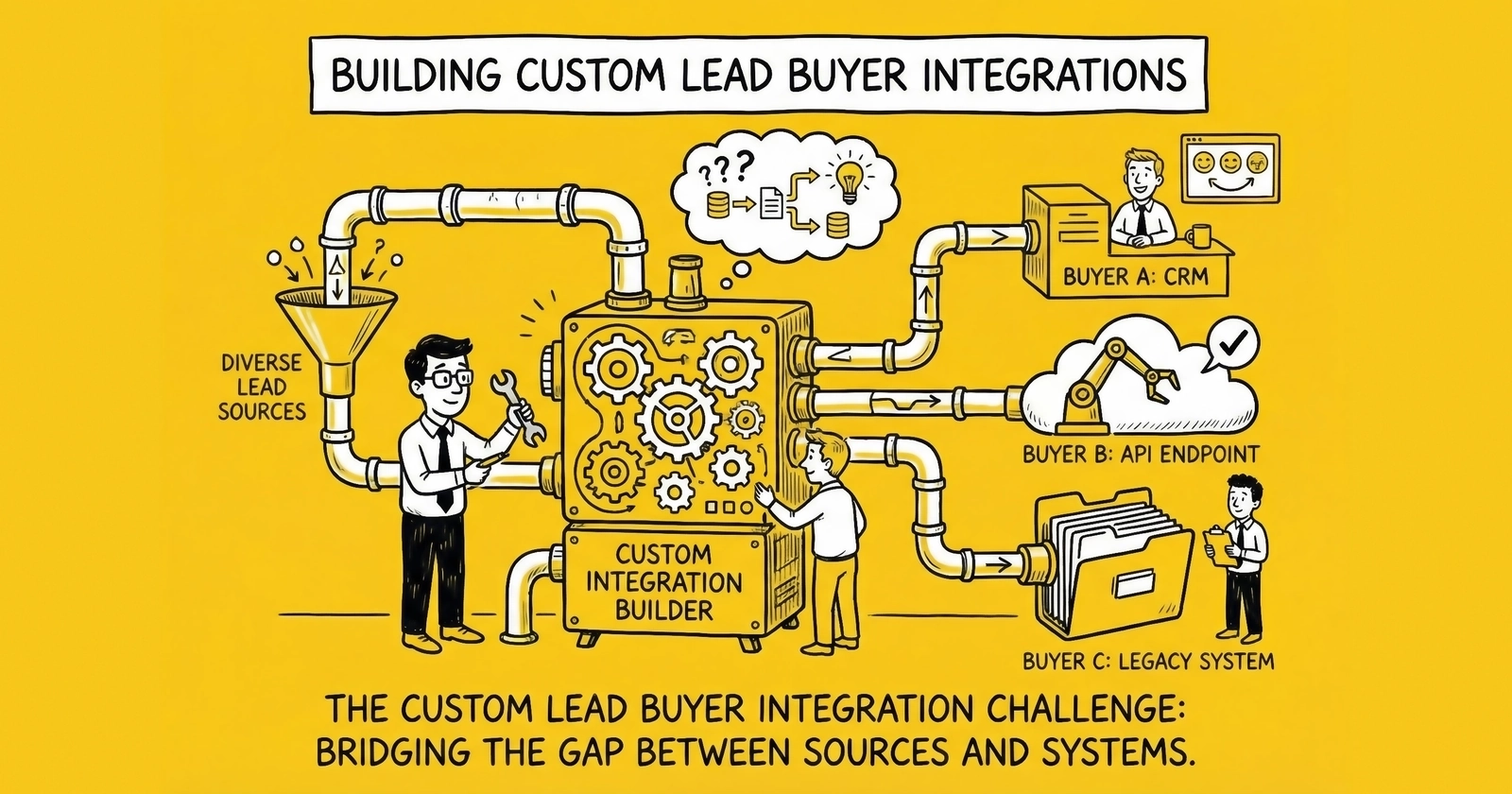
The integration you build today determines whether leads arrive reliably for years. Master custom buyer integrations and you unlock enterprise relationships that competitors cannot match.
A lead sits in your distribution platform, ready for delivery. The buyer has agreed to pay $52 for this auto insurance lead. Your system initiates the HTTP POST to their endpoint. Thirty seconds later, no response. Forty-five seconds. Then a timeout error. The buyer’s system never received the lead, and you just lost a $52 transaction.
This scenario plays out thousands of times daily across the lead generation industry. The difference between operators who scale to seven-figure monthly revenues and those who plateau at five figures often comes down to one thing: the quality of their buyer integrations.
Custom buyer integrations are the connective tissue of lead distribution. They translate between your data formats and your buyer’s requirements, handle the inevitable failures gracefully, and maintain the reliability that keeps enterprise buyers writing checks month after month. Building them well is not optional – it is the foundation of a professional operation.
This guide covers everything you need to build custom lead buyer integrations that work at scale: the technical architecture, the field mapping strategies, the error handling patterns, and the monitoring systems that separate production-grade integrations from amateur implementations. For the foundational protocol, see our API lead posting guide.
Why Custom Buyer Integrations Matter
Before diving into technical details, understand why custom integrations deserve significant investment. The answer involves economics, relationships, and competitive positioning.
The Economics of Integration Quality
Lead distribution is a transaction-intensive business. At 10,000 leads monthly, you execute 10,000 delivery transactions. Each transaction can succeed or fail. Each failure has a cost: the immediate revenue loss, the return processing overhead, the relationship friction with buyers, and the opportunity cost of leads that could have sold elsewhere.
Industry benchmarks show that well-integrated buyers accept 92-95% of delivered leads. Poorly integrated buyers accept 70-80%. For an operation delivering 5,000 leads monthly at $45 average revenue, the difference between 95% and 75% acceptance rates is $45,000 in monthly revenue – over $500,000 annually.
Integration quality compounds over time. Reliable integrations enable volume growth. Unreliable integrations cap your capacity because you cannot risk scaling volume when deliveries fail unpredictably. Those who invest early in integration infrastructure capture the compounding returns.
Enterprise Buyer Requirements
Enterprise buyers – the ones purchasing 5,000+ leads monthly at premium prices – have integration requirements that no off-the-shelf solution handles automatically. They operate proprietary CRM systems with custom field sets. They require specific data formats, authentication protocols, and response handling. They expect SLA-grade reliability with documented failover procedures.
Serving these buyers requires custom integration work. The platforms that can deliver this capability win the contracts. Those that cannot get relegated to smaller buyers who accept standard delivery methods at lower prices.
A single enterprise insurance carrier might purchase 50,000 leads monthly at $40 per lead – $2 million annually. Winning that contract requires demonstrating integration capability that meets their technical specifications. The integration investment pays for itself with one enterprise relationship.
Competitive Differentiation
Custom integration capability creates a moat. Once you have integrated deeply with a buyer’s systems – custom field mapping, specialized validation, bidirectional feedback loops – switching costs rise substantially. The buyer must invest in new integration development, testing, and validation to move to a competitor. This stickiness translates to pricing power and relationship longevity.
Competitors without integration capability cannot easily replicate these relationships. They lack the technical infrastructure and the operational expertise. Building this capability takes years of accumulated knowledge, failed deployments, and iterative improvement.
Integration Architecture Fundamentals
Custom buyer integrations follow recognizable patterns regardless of the specific buyer or platform. Understanding these patterns provides a framework for any integration you build.
The Delivery Transaction Lifecycle
Every lead delivery follows a predictable lifecycle with distinct phases. Each phase presents opportunities for success or failure, and professional integrations handle each phase explicitly.
Phase 1: Pre-Delivery Validation
Before transmitting lead data, validate that delivery prerequisites are met. Check that the buyer is not at capacity (daily, weekly, or monthly caps). Verify that the buyer’s endpoint is reachable. Confirm that required fields are present and formatted correctly. Validate consent documentation (TrustedForm certificate or Jornaya LeadiD). This validation prevents wasted delivery attempts and keeps your error rates low.
Phase 2: Data Transformation
Transform lead data from your internal format to the buyer’s required format. This includes field mapping (your “first_name” to their “FName”), value translation (your “1” for homeowner to their “Yes”), format conversion (your ISO dates to their MM/DD/YYYY), and data type coercion (strings to integers where required). Data transformation is where most integration complexity lives.
Phase 3: Authentication and Transmission
Authenticate with the buyer’s system using their required protocol: API keys, OAuth tokens, or HTTP basic authentication. Transmit the lead data via HTTP POST, SOAP call, or whatever protocol they specify. Capture the raw request and response for logging. Measure transmission latency for performance monitoring.
Phase 4: Response Processing
Parse the buyer’s response to determine outcome. Extract their internal lead ID for tracking. Identify acceptance, rejection, or error status. Capture rejection reason codes when applicable. Route the outcome to appropriate downstream processing: successful delivery, retry queue, or waterfall cascade.
Phase 5: Post-Delivery Actions
Update your lead record with delivery status. Fire webhooks to interested systems. Update buyer metrics (leads delivered, capacity consumed). Log the complete transaction for compliance and debugging. Trigger retry logic for transient failures.
Synchronous vs. Asynchronous Delivery
Buyer integrations operate in one of two modes, and your architecture must support both.
Synchronous Delivery
The buyer’s endpoint responds immediately with acceptance or rejection. Your system waits for the response before proceeding. This model supports real-time ping/post where you need immediate confirmation before showing the consumer a confirmation page.
Synchronous delivery requires strict timeout management. If the buyer does not respond within your timeout window (typically 5-30 seconds), you must decide: treat as failure and cascade, or queue for retry. Most production systems use 10-15 second timeouts for synchronous delivery.
Asynchronous Delivery
The buyer’s endpoint acknowledges receipt immediately, then processes the lead asynchronously. Final acceptance or rejection arrives later via webhook callback or polling. This model suits buyers with complex internal workflows that cannot complete within synchronous timeout windows.
Asynchronous delivery requires callback infrastructure: public endpoints to receive buyer notifications, authentication for those endpoints, and reconciliation logic to match callbacks with original deliveries. Many enterprise buyers operate exclusively in asynchronous mode.
Hub-and-Spoke Integration Pattern
The most scalable integration architecture uses a hub-and-spoke pattern. Your distribution platform serves as the hub, managing all buyer relationships through a consistent internal interface. Each buyer integration is a spoke, handling the specific requirements of that buyer.
The hub provides:
- Consistent logging and monitoring
- Unified retry and failover logic
- Centralized capacity management
- Common authentication handling
- Standardized performance metrics
Each spoke handles:
- Buyer-specific field mapping
- Custom data transformations
- Endpoint-specific authentication
- Response parsing for that buyer’s format
- Any buyer-specific business logic
This pattern isolates buyer complexity. A problem with one buyer integration does not affect others. New buyer integrations follow the same spoke structure, reducing development time.
Field Mapping Strategies
Field mapping translates between your internal data model and each buyer’s expected format. This seemingly simple requirement generates substantial complexity in real-world operations.
The Field Mapping Problem
Your system stores lead data in your format: first_name, last_name, phone_primary, email, state. A buyer expects different field names: FName, LName, PhoneNumber, EmailAddress, ST. Another buyer wants: applicant_first, applicant_last, contact_phone, contact_email, residence_state. A third expects: lead.contact.firstName, lead.contact.lastName, lead.contact.phones[0].number, lead.contact.emails[0].address, lead.address.state.
With 50 buyers, you potentially have 50 different field mappings. Each buyer’s mapping must handle:
- Field name translation
- Value transformation (encoding, formatting, defaults)
- Conditional logic (field A only when field B has certain value)
- Nested structures (flat to hierarchical, or vice versa)
Mapping Configuration Approaches
Static Configuration Files
The simplest approach uses configuration files that define mappings declaratively. A JSON or YAML file specifies the source field, destination field, and any transformation.
This example shows a conceptual mapping configuration:
Mapping for Buyer ABC:
  first_name -> FName (direct)
  last_name -> LName (direct)
  phone_primary -> PhoneNumber (format: strip non-digits, ensure 10 digits)
  state -> ST (direct)
  homeowner -> Homeowner (translate: 1=Yes, 0=No)
  dob -> DateOfBirth (format: MM/DD/YYYY)
Static configurations work well for straightforward mappings. They are easy to version control, review, and deploy. But they become unwieldy when transformations require complex logic.
Transformation Functions
For complex transformations, implement mapping functions that execute business logic. The configuration references the function; the function handles the complexity.
Example transformations requiring functions:
- Calculate age from date of birth
- Derive loan-to-value ratio from loan amount and property value
- Split full address into street, city, state, ZIP components
- Format consent disclosure language dynamically
- Construct nested JSON structures from flat fields
Separate simple mappings (handled by configuration) from complex mappings (handled by functions). This keeps configurations readable while supporting arbitrary complexity.
Mapping Template Systems
Sophisticated operations use template systems that combine configuration and code. The template defines the output structure with placeholders. The system populates placeholders from lead data, applying transformations as specified.
For example, a template might define the JSON structure the buyer expects, with placeholders like {{lead.firstName}} and {{formatPhone(lead.phone)}}. The template engine processes these placeholders, invoking transformation functions as needed.
Template systems require more infrastructure investment but provide maximum flexibility for diverse buyer requirements.
Handling Common Transformation Scenarios
Phone Number Formatting
Phone numbers arrive in countless formats: (555) 123-4567, 555-123-4567, 5551234567, +1-555-123-4567, 555.123.4567. Buyers expect specific formats, often just 10 digits or E.164 format (+15551234567).
Build a normalization function that strips all non-digit characters, validates resulting length (10 digits for US, 11 for +1 prefix), and formats according to buyer specification. Apply this function consistently across all buyer mappings.
Date Formatting
Dates create constant friction. Your system might store ISO 8601 (2024-03-15). A buyer expects MM/DD/YYYY (03/15/2024). Another expects MMDDYYYY (03152024). A third expects Unix timestamp (1710489600).
Centralize date handling in transformation functions. Store dates internally in ISO format. Transform to buyer-specific formats at delivery time. Handle timezone conversions when required.
Value Translation
Your system uses numeric codes (1=Yes, 0=No). The buyer expects text strings. Or vice versa. Or they use different codes entirely (Y/N instead of Yes/No).
Maintain translation tables for common fields. Apply translations during mapping. Log warnings when source values have no translation (indicates data quality or configuration issues).
Nested Structure Handling
Your system stores flat data. The buyer expects nested JSON:
Your data: first_name=John, last_name=Doe, street=123 Main, city=Austin, state=TX
Buyer expects:
{
  "applicant": {
    "name": { "first": "John", "last": "Doe" }
  },
  "address": {
    "street": "123 Main",
    "city": "Austin",
    "state": "TX"
  }
}
Template systems handle this elegantly. Alternatively, build structure transformation functions that construct nested objects from flat field lists.
Mapping Validation and Testing
Field mapping errors create delivery failures, often without clear error messages. The buyer’s system rejects the lead, returning a generic “validation failed” response that does not identify the problematic field.
Pre-Deployment Validation
Before deploying new mappings, validate against buyer specifications:
- All required fields are mapped
- Field names match buyer documentation exactly (case-sensitive)
- Data types are correct
- Enumerated values match allowed options
- Nested structures follow expected schema
Payload Simulation
Build tools that generate sample payloads from mapping configurations. Compare generated payloads against buyer specifications. Identify discrepancies before they cause production failures.
Buyer Testing Environments
Many enterprise buyers provide test endpoints that validate payloads without creating actual leads. Use these environments to verify mappings before production deployment. Send representative samples covering edge cases: optional fields missing, maximum field lengths, special characters, boundary values.
Error Handling Patterns
Errors are inevitable. Network connections fail. Buyer systems experience downtime. Data validation catches problems. The difference between amateur and professional integrations is how they handle these failures.
Error Classification
Categorize errors by recoverability. This classification determines the appropriate response.
Transient Errors (Retry)
- Network timeouts
- Connection refused (buyer system temporarily down)
- HTTP 503 Service Unavailable
- HTTP 429 Too Many Requests (rate limiting)
These errors may succeed on retry. Implement automatic retry with exponential backoff.
Client Errors (Do Not Retry)
- HTTP 400 Bad Request (payload validation failed)
- HTTP 401 Unauthorized (authentication failed)
- HTTP 403 Forbidden (access denied)
- HTTP 404 Not Found (endpoint incorrect)
These errors will not succeed on retry with the same request. They require investigation and correction: fix the payload, update credentials, or correct the endpoint URL.
Server Errors (Conditional Retry)
- HTTP 500 Internal Server Error
- HTTP 502 Bad Gateway
- HTTP 504 Gateway Timeout
These may indicate temporary buyer issues (retry) or systemic problems (do not retry repeatedly). Implement limited retry with monitoring. If retries consistently fail, escalate for investigation.
Retry Logic Implementation
Effective retry logic balances persistence with restraint. You want to recover from temporary failures without overwhelming struggling systems.
Exponential Backoff
First retry after 2 seconds. Second retry after 4 seconds. Third after 8 seconds. Fourth after 16 seconds. Fifth after 32 seconds. Cap maximum delay at 60 seconds. Cap total retries at 5-6 attempts.
This pattern gives transient issues time to resolve while limiting your retry volume.
Jitter
Add random variation to retry timing. If your system processes 1,000 leads during a 5-minute buyer outage, you do not want all 1,000 retrying at exactly the same moment when the buyer recovers. Jitter spreads retry load, preventing thundering herd problems.
Implementation: Add random delay of 0-25% to each calculated backoff interval.
Circuit Breaker Pattern
When a buyer’s endpoint fails repeatedly, stop hammering it. The circuit breaker pattern tracks failure rates. When failures exceed a threshold (e.g., 10 consecutive failures in 5 minutes), the circuit “opens” and stops delivery attempts to that buyer.
After a cooling period (e.g., 60 seconds), allow a single “probe” request. If it succeeds, close the circuit and resume normal operation. If it fails, keep the circuit open and wait longer before the next probe.
Circuit breakers protect both you and the buyer. They prevent resource exhaustion on your side and reduce load on the buyer’s struggling system.
Waterfall-on-Failure Logic
When primary delivery fails, do not simply abandon the lead. Implement waterfall logic that attempts delivery to secondary buyers.
The primary buyer at $52 times out after all retries. You have secondary buyers who would accept this lead at $45, $40, and $38. Cascade through them until someone accepts or options exhaust. This waterfall-on-failure approach typically recovers 20-40% of leads that initial delivery attempts fail.
Important: Recalculate optimal scenarios after each failure. Conditions may have changed since the original auction. A secondary buyer may have hit their cap. Prices may have shifted. Fresh calculation ensures you still deliver to the best available option.
Error Logging and Diagnosis
Log every error with context sufficient for diagnosis:
- Timestamp (UTC)
- Lead ID
- Buyer ID
- Endpoint URL
- Request payload (sanitized to remove PII in logs)
- Response status code
- Response body
- Error category (transient, client, server)
- Retry count
- Total elapsed time
Structure logs for machine parsing. You will need to aggregate and analyze error patterns at scale. Searching through unstructured log files is not sustainable.
Build dashboards that visualize error rates by buyer, by error type, and over time. Alert when error rates exceed thresholds. Investigate patterns that indicate systemic problems versus isolated failures.
CRM Integration Deep Dive
Many buyers operate standard CRM platforms: Salesforce, HubSpot, Velocify, industry-specific systems. Integrating with these platforms requires understanding their specific requirements and patterns.
Salesforce Integration
Salesforce dominates enterprise CRM, making Salesforce integration a competitive requirement for serving large buyers. Salesforce offers multiple integration approaches.
Web-to-Lead
The simplest approach. Salesforce provides a URL that accepts form data via HTTP POST. Submit lead data to this URL, and Salesforce creates a Lead record. Setup requires only configuring fields in Salesforce and embedding the endpoint URL in your delivery configuration.
Limitations: You receive minimal feedback beyond the HTTP response. You cannot check for duplicates, update existing records, or receive detailed error messages. Web-to-Lead suits simple, low-volume integrations.
Salesforce REST API
Full programmatic access to Salesforce data. Create Lead records, update them, query for duplicates, receive detailed error messages. The REST API supports bulk operations for high-volume scenarios.
Authentication uses OAuth 2.0. You need the buyer’s Connected App credentials: consumer key, consumer secret, and security token or authorization code flow. Implement token refresh handling since access tokens expire.
Response handling for REST API includes:
- HTTP 201 with Lead ID on success
- HTTP 400 with error details on validation failure
- HTTP 401 requiring token refresh
- HTTP 503 indicating temporary service issues
Salesforce Bulk API
For high-volume batch operations (thousands of leads at once), the Bulk API provides better performance than individual REST calls. Create a job, upload lead data in CSV or JSON format, poll for completion, and retrieve results.
Bulk API suits batch delivery scenarios rather than real-time ping/post distribution.
HubSpot Integration
HubSpot has grown significantly in the mid-market, making its API increasingly important. HubSpot’s API is generally more developer-friendly than Salesforce’s.
Authentication
HubSpot supports API keys and OAuth 2.0. OAuth is preferred for security. Store credentials securely and implement rotation procedures.
Contact Creation
The Contacts API accepts JSON payloads mapping to HubSpot’s property system. Unlike Salesforce’s relatively static Lead object, HubSpot treats contacts flexibly with custom properties.
Key consideration: HubSpot deduplicates by email address. If you submit a contact with an email that already exists, HubSpot updates the existing record rather than creating a duplicate. This behavior is usually desirable but requires awareness – if your buyer expects separate lead records for repeat inquiries, HubSpot’s native behavior may not match their expectations.
HubSpot Forms API
Alternative approach: Submit data as if it came from a HubSpot form. This integrates with HubSpot’s workflow automation, triggering sequences the buyer has configured for form submissions. Some buyers prefer this approach because it fits their existing processes.
Velocify and Vertical-Specific CRMs
Beyond the major platforms, industry-specific CRMs require custom integration work.
Velocify dominates mortgage and high-velocity sales environments. Velocify retrieves leads from over 1,400 integrated sources. Their posting format requires specific field mapping – “First_Name” becomes “FName,” and similar transformations. Major distribution platforms have pre-built Velocify integrations.
Insurance CRMs like AgencyZoom, EZLynx, and Applied Epic each have proprietary APIs. Request the buyer’s API documentation. Expect significant variation in API quality and documentation completeness.
Legal Case Management systems vary widely. Some provide standard REST APIs. Others require SOAP integration or proprietary protocols. A few accept only email or FTP delivery.
For each custom CRM integration:
- Request complete API documentation from the buyer
- Identify authentication requirements
- Map fields between your system and theirs
- Build and test the integration in their sandbox environment
- Deploy to production with monitoring
- Document the integration for future maintenance
Webhook Implementation
Webhooks enable bidirectional communication. The buyer’s system notifies your system when events occur: lead status changes, conversion tracking, return requests. Implementing webhook receipt requires specific infrastructure.
Webhook Receipt Infrastructure
Your webhook endpoint must be:
- Publicly accessible: The buyer’s system initiates connections to you
- Highly available: Missed webhooks mean missed data
- Secured: Prevent unauthorized parties from injecting false data
- Fast responding: Return acknowledgment quickly, process asynchronously
Typical architecture: A lightweight HTTP handler receives the webhook, validates authentication, stores the payload in a queue, and returns HTTP 200 immediately. A separate worker process consumes the queue and handles business logic.
This pattern ensures fast response (avoiding timeouts) while enabling complex processing without blocking the webhook endpoint.
Webhook Security Patterns
HMAC Signature Verification
The buyer includes a cryptographic signature in the request header, computed from the payload using a shared secret. Your endpoint recomputes the signature and compares. Mismatches indicate tampering or misconfiguration.
Implementation:
- Extract signature from header (typically X-Signature or similar)
- Extract raw request body
- Compute HMAC-SHA256 of body using shared secret
- Compare computed signature to received signature
- Reject request if signatures do not match
IP Whitelisting
Restrict your webhook endpoint to accept requests only from the buyer’s known IP addresses. This prevents attackers from reaching your endpoint even if they obtain the shared secret. Document your whitelist requirements and update when buyers change infrastructure.
Timestamp Validation
Prevent replay attacks by including timestamps in webhook payloads. Reject requests where the timestamp differs from current time by more than a few minutes. An attacker who captures a valid webhook cannot replay it hours later.
Idempotency
Buyers may retry webhooks if they do not receive acknowledgment. Your endpoint must handle duplicate deliveries gracefully. Include a unique event ID in each webhook. Track processed event IDs. When duplicates arrive, acknowledge them without reprocessing.
Common Webhook Event Types
Lead Status Changes
Buyer updates lead status: contacted, qualified, converted, closed-lost. Use these notifications to track downstream performance and update your attribution data.
Return Requests
Buyer marks lead as returnable and requests credit. Process the return in your billing system, potentially route the lead to secondary buyers, and update your source quality metrics.
Conversion Notifications
Buyer closes a sale from your lead. This data enables closed-loop attribution – the most valuable optimization data in lead distribution. Conversion data tells you which sources produce leads that actually close, not just leads that buyers accept.
Feedback Loops
Buyer provides quality feedback: lead answered, wrong phone number, not interested, excellent prospect. Use this feedback to adjust source quality scores, refine buyer matching, and improve future routing.
Testing and Validation
Integration failures are expensive. Testing reduces failure risk and speeds deployment.
Development Environment Testing
Before touching buyer systems, test integration logic locally:
- Validate field mapping produces expected output
- Confirm data transformations handle edge cases
- Verify error handling paths work correctly
- Test retry logic with simulated failures
Build mock endpoints that simulate buyer responses: success, validation errors, timeouts, server errors. Run your integration against these mocks to verify behavior under each scenario.
Buyer Sandbox Environments
Enterprise buyers typically provide test environments that validate payloads without creating actual leads. Use these environments extensively:
- Deploy integration to sandbox first
- Send representative lead samples
- Cover edge cases: optional fields missing, special characters, boundary values
- Verify response parsing handles buyer’s actual format
- Confirm authentication works with production-equivalent credentials
Do not skip sandbox testing to save time. The time saved is lost many times over when production issues require emergency debugging.
Production Deployment Strategy
Deploy new integrations gradually:
- Start with a few leads to verify production behavior
- Monitor error rates closely during initial period
- Increase volume gradually as confidence builds
- Maintain rollback capability if issues emerge
For modifications to existing integrations:
- Test changes in sandbox first
- Deploy during low-volume periods when possible
- Monitor closely for 24-48 hours post-deployment
- Compare error rates and delivery metrics to pre-change baselines
Regression Testing
Integrations interact with external systems that change without notice. Buyer endpoints get updated, authentication requirements change, and field specifications evolve. Build automated tests that verify integrations regularly, even when you have not changed them.
Weekly or daily automated tests that send test leads through each integration catch problems early – often before they affect production traffic.
Monitoring and Observability
You cannot fix problems you cannot see. Build monitoring that provides visibility into integration health.
Key Metrics to Track
Delivery Success Rate
Percentage of delivery attempts that succeed. Target: above 95%. Calculate per buyer and overall. Alert when rates drop 5%+ below baseline.
Response Time
Time from delivery initiation to response receipt. Track p50, p95, and p99 percentiles. Alert when p95 exceeds your timeout threshold – you are losing deliveries.
Error Rate by Category
Break down errors by type: timeout, authentication, validation, server errors. Spikes in specific categories indicate different problems. Timeout spikes suggest buyer performance issues. Validation spikes suggest mapping problems.
Retry Rate
Percentage of deliveries requiring retry. High retry rates consume resources and delay delivery even when ultimately successful. Target: under 10% requiring any retry.
Circuit Breaker Status
Track which buyer circuits are open versus closed. An open circuit means deliveries are not flowing to that buyer. Alert immediately when circuits open.
Dashboard Design
Build dashboards at multiple levels:
Executive Dashboard
Overall delivery success rate, revenue by buyer, top-level health indicators. Updated hourly. Enables quick assessment: “Is everything working?”
Operational Dashboard
Per-buyer metrics, error rates by type, response time distributions. Updated in real-time or near-real-time. Enables problem identification: “Which buyer is having issues?”
Diagnostic Dashboard
Transaction-level logs, specific error messages, recent failures. Enables root cause investigation: “Why is this buyer failing?”
Alerting Strategy
Alert on meaningful deviations, not arbitrary thresholds:
- Delivery rate drops 10%+ below 24-hour average
- Error rate doubles from baseline
- Response time p95 exceeds 80% of timeout threshold
- Circuit breaker opens for any buyer
- Any buyer goes 30+ minutes without successful delivery
Reduce noise by aggregating alerts. Five failures in 60 seconds warrant investigation. Five failures in 60 minutes might be normal variance.
Implement alert escalation. Initial alert goes to on-call engineer. If not acknowledged within 15 minutes, escalate to team lead. If not resolved within an hour, escalate to management.
Scaling Considerations
Integrations that work at 1,000 leads monthly may fail at 100,000. Plan for scale before you need it.
Connection Pooling
Opening new HTTP connections for each delivery is expensive. Connection pooling maintains persistent connections to frequently-used endpoints, reducing latency and resource consumption.
Implement connection pools per buyer endpoint. Size pools based on expected concurrent delivery volume. Monitor pool utilization to identify when scaling is needed.
Parallel Processing
At high volume, sequential delivery creates bottlenecks. A 500ms delivery time means 2 deliveries per second per worker. At 10,000 leads per hour, you need 3-5 workers just to keep up, assuming no retries or failures.
Design for parallel processing from the start:
- Delivery attempts run in parallel, not sequentially
- Each buyer integration operates independently
- Failure in one integration does not block others
- Workers scale horizontally to handle volume increases
Database Considerations
Lead delivery generates significant database activity: reading lead data, logging transactions, updating status, tracking metrics. At scale, database becomes the bottleneck.
Strategies for database scaling:
- Read replicas for reporting queries
- Write optimization (batch inserts, async writes where acceptable)
- Archival of historical data
- Careful indexing on frequently-queried fields
Geographic Distribution
Network latency affects delivery performance. If your servers are in Virginia and buyers are in California, every delivery incurs cross-country round trip time.
Options for reducing latency:
- Deploy delivery workers in multiple regions
- Use CDN edge locations for webhook receipt
- Maintain connections to geographically-distributed buyer endpoints from nearby infrastructure
Frequently Asked Questions
Q1: How long should integration development take?
Simple integrations (standard HTTP POST with straightforward field mapping) typically require 2-4 hours of development and 2-4 hours of testing. Complex integrations (OAuth authentication, nested data structures, custom response parsing, webhook implementation) require 1-3 days of development and 1-2 days of testing. Enterprise integrations with extensive requirements, sandbox environments, and formal acceptance testing may require 2-4 weeks from initiation to production.
Plan for 50% additional time beyond initial estimates. Unexpected complications are common: undocumented requirements, sandbox environment issues, buyer availability for testing, and edge cases discovered during validation.
Q2: What authentication methods should I support?
At minimum, support: API keys (passed in headers or query parameters), HTTP Basic Authentication, and OAuth 2.0 (both client credentials and authorization code flows). These cover the vast majority of buyer requirements. Less common but occasionally required: HMAC request signing, custom token schemes, and client certificate authentication.
Build authentication as a pluggable component so adding new methods does not require restructuring existing integrations.
Q3: How do I handle buyer API changes?
Buyer APIs change without notice. Build defensively: Ignore unexpected fields in responses rather than failing. Log warnings when responses differ from expected format. Monitor for schema changes through automated testing. Maintain versioned integration configurations so you can rollback if changes cause problems.
Establish communication channels with buyer technical contacts. Request advance notice of API changes. Join buyer developer programs or mailing lists when available.
Q4: What timeout values should I use?
For synchronous delivery in real-time distribution, use 10-15 second timeouts. This balances speed (you cannot wait forever) against buyer processing time (complex systems need time). For asynchronous acknowledgment (buyer confirms receipt, processes later), 5-10 seconds is sufficient.
For webhook callbacks you receive, respond within 5 seconds. If processing takes longer, acknowledge immediately and process asynchronously.
Q5: How many retry attempts are appropriate?
Standard practice is 3-5 retry attempts with exponential backoff. First retry at 2 seconds, second at 4 seconds, third at 8 seconds, fourth at 16 seconds, fifth at 32 seconds. Total retry window of approximately 60-90 seconds before declaring permanent failure.
For transient errors (timeouts, 503s), retry the full count. For client errors (400s), do not retry – the same request will fail again. For server errors (500s), retry cautiously with circuit breaker protection.
Q6: Should I queue failed deliveries for later retry?
Yes, for transient failures. Maintain a retry queue with configurable delay. Leads in the queue retry periodically (every 5-15 minutes) until they succeed or exceed maximum age (typically 24-48 hours). Old leads have diminishing value, so do not retry indefinitely.
For permanent failures (invalid data, authentication problems), do not queue for retry. Route to waterfall buyers or disposition as unsold.
Q7: How do I test integrations without affecting buyer production data?
Request sandbox or test environments from buyers. Most enterprise buyers provide these. Test environments accept leads without creating actual records, return realistic responses, and allow you to verify integration behavior safely.
For buyers without test environments, coordinate testing during low-volume periods. Send clearly-marked test leads that the buyer can identify and delete. Limit test volume and clean up promptly.
Q8: What data should I log for compliance and debugging?
Log complete transaction records: timestamp, lead ID, buyer ID, request payload (with PII handling appropriate to your compliance requirements), response status, response body, and any error details. Store logs for 2-5 years depending on regulatory requirements and your retention policy.
For debugging, ensure you can reconstruct the exact request sent to each buyer. For compliance, ensure you can prove what data was transmitted, when, and what response was received.
Q9: How do I handle buyers who require different delivery formats?
Build format transformation as a separate layer from field mapping. Your integration constructs a normalized payload, then transforms to buyer-specific format: JSON, XML, form-urlencoded, SOAP, CSV. Common formats should be reusable components. Unusual formats require custom implementation.
Store format specifications in configuration. Avoid hardcoding formats in integration logic. This enables adding new formats without code changes.
Q10: What makes an integration “production-ready”?
Production-ready integrations have: comprehensive error handling for all failure modes, retry logic with exponential backoff, circuit breaker protection, complete logging for debugging and compliance, monitoring and alerting for key metrics, documentation of field mappings and configuration, tested rollback procedures, and validated behavior in buyer sandbox environments.
The integration should handle failure gracefully – no unhandled exceptions, no silent failures, no data loss. Operations staff should be able to diagnose issues using logs and dashboards without requiring developer intervention for routine problems.
Key Takeaways
-
Custom buyer integrations are infrastructure investments that pay compounding returns. The difference between 95% and 75% acceptance rates is hundreds of thousands of dollars annually. Build integrations that work reliably at scale.
-
Understand the delivery transaction lifecycle. Pre-delivery validation, data transformation, authentication and transmission, response processing, post-delivery actions. Each phase requires explicit handling.
-
Field mapping complexity grows with buyer count. Implement configuration-driven mapping with transformation functions for complex cases. Validate mappings before deployment. Test edge cases thoroughly.
-
Classify errors and respond appropriately. Retry transient errors with exponential backoff. Do not retry client errors. Implement circuit breakers to protect against cascading failures. Waterfall to secondary buyers when primary delivery fails.
-
CRM integrations require platform-specific knowledge. Salesforce Web-to-Lead for simple cases, REST API for full capability. HubSpot deduplicates by email. Vertical-specific CRMs vary dramatically in API quality.
-
Webhook security is non-negotiable. Implement HMAC signature verification, IP whitelisting, timestamp validation, and idempotent processing. Missed webhooks mean missed data.
-
Test integrations in sandbox environments before production. Deploy gradually. Monitor closely during initial period. Maintain rollback capability.
-
Build monitoring from the start. Track delivery success rate, response time, error rates by category, retry rates, and circuit breaker status. Alert on meaningful deviations from baseline.
-
Design for scale before you need it. Connection pooling, parallel processing, database optimization, and geographic distribution become necessary as volume grows.
-
Document everything. Field mappings, configuration options, error codes, testing procedures, and troubleshooting guides. Future maintenance depends on documentation created during development.
Sources
- Salesforce REST API Documentation - Official Salesforce REST API guide for lead creation, authentication, and response handling
- HubSpot CRM Contacts API - HubSpot’s official API documentation for contact creation and management
- Martin Fowler: Circuit Breaker Pattern - Foundational article on the circuit breaker pattern for handling cascading failures
- OAuth 2.0 Specification - OAuth 2.0 authorization framework specification for API authentication
- RFC 7235: HTTP Authentication - IETF specification for HTTP authentication mechanisms including Basic Auth
- RFC 2104: HMAC - HMAC keyed-hashing specification for webhook signature verification
- Wikipedia: Exponential Backoff - Algorithm documentation for retry logic with exponential backoff
- AWS: What Is an API? - AWS overview of API fundamentals and integration patterns
Technical specifications and platform capabilities current as of December 2025. Integration requirements vary by buyer and platform; verify specific requirements directly with each buyer.