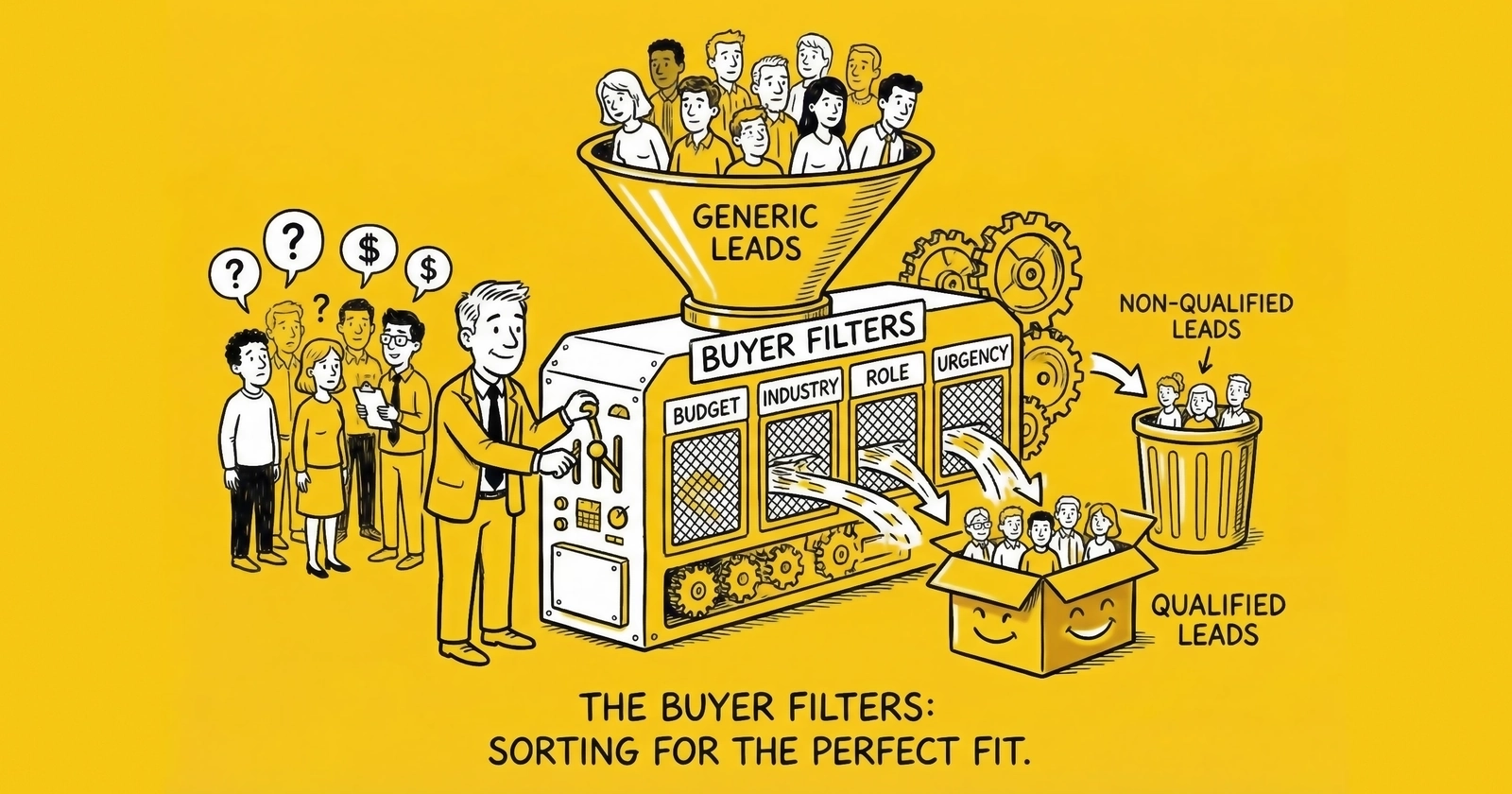
A comprehensive guide to configuring buyer filters that maximize conversion, reduce returns, and build sustainable lead buying operations. Learn the filter categories, optimization strategies, and common mistakes that separate profitable buyers from those burning cash.
You sign a deal with a lead vendor promising 500 leads per week at $45 each. The projections look clean: your team converts at 8%, customer lifetime value is $2,400, and that works out to a comfortable 3.2:1 return on lead spend. Six weeks later, reality arrives. Your actual contact rate hovers at 38%. Half the leads never answer despite 12 call attempts. The consumers who do answer claim they never requested information. Your sales manager wants to know why conversion dropped to 2.3%. Your CFO wants to know where $90,000 went.
This scenario plays out across thousands of lead buying operations every month. The root cause is not vendor fraud or market conditions. It is filter misconfiguration.
Buyer filters are the gatekeepers of your lead buying operation. They determine which leads you receive, which you reject, and ultimately whether your lead investment generates profit or loss. Poorly configured filters waste money on leads you cannot work or convert. Overly restrictive filters starve your sales team of opportunities. Those who master filter configuration build sustainable competitive advantages that compound over time.
This guide covers everything you need to know about setting up and optimizing buyer filters: the core filter categories, vertical-specific considerations, optimization strategies, common mistakes, and the technical integration requirements that separate professional operations from amateur ones. For the distribution infrastructure that enables filtering, see our guide on ping-post systems.
What Are Buyer Filters and Why Do They Matter
Buyer filters are the criteria you specify to a lead vendor or distribution platform that determine which leads you receive. When a lead enters a distribution system, it is evaluated against every buyer’s filter configuration. Only leads matching your specifications route to your queue.
The economic stakes are significant. Consider the math on 1,000 leads at $50 each:
- At 8% conversion with proper filtering: 80 customers at $625 cost per acquisition
- At 3% conversion due to filter misalignment: 30 customers at $1,667 cost per acquisition
That is a $50,000 swing on a single month’s lead spend. Across a year, filter optimization can mean the difference between a thriving operation and one bleeding cash.
Filters serve three primary functions. First, they ensure compliance: geographic filters keep you from receiving leads in states where you are not licensed to operate. Second, they improve conversion: filtering for credit score ranges or property characteristics routes leads that match your product offerings. Third, they protect economics: excluding low-intent sources or problematic attributes prevents wasting sales capacity on leads unlikely to convert.
The challenge is calibration. Every filter you add reduces volume. A filter that improves conversion by 20% but reduces volume by 50% might not be worthwhile. Conversely, accepting all leads without filtering destroys efficiency. The art of filter configuration lies in finding the constraints that meaningfully improve outcomes without unnecessarily limiting opportunity.
Core Filter Categories
Professional lead buying operations configure filters across six primary categories. Each category addresses different aspects of lead fit and quality.
Geographic Filters
Geographic filters are the foundation of most buyer filter configurations. They determine which locations you accept leads from based on your operational footprint, licensing requirements, or service capabilities.
State and Region Filters
For licensed industries like insurance, mortgage, and legal services, state filtering is non-negotiable. An insurance agent licensed only in California cannot legally service Texas leads. A mortgage loan officer with licenses in twelve states needs leads only from those jurisdictions. Receiving leads from unlicensed territories wastes money and creates compliance exposure.
State filters should exactly match your current license portfolio. Review quarterly as licenses expire or new ones are obtained. Most distribution platforms allow state lists that can be updated without renegotiating the entire buyer agreement.
Zip Code and Radius Targeting
Service businesses with geographic constraints require more granular filtering than state level. A roofing contractor serving the Dallas metro area should not receive leads from Houston, even though both are in Texas. A solar installer with crews based in Phoenix needs leads within reasonable installation distance.
Zip code lists enable precise geographic targeting. Build lists based on:
- Service area boundaries (how far your team can reasonably travel)
- Past performance data (which zip codes have converted well historically)
- Market characteristics (population density, income levels, homeownership rates)
Radius targeting works similarly but centers on a specific point, typically your business location or service hub. A 50-mile radius from your headquarters might define your practical service area. Some platforms support multiple radius centers for businesses with several locations.
DMA and Metro Targeting
Designated Market Areas (DMAs) group regions by media markets, useful for businesses whose lead sources align with advertising footprints. Metro area targeting captures urban cores and surrounding suburbs as unified markets.
DMA filtering works well when your sales or service capacity aligns with major metropolitan markets rather than arbitrary geographic boundaries.
Geographic Exclusions
Beyond specifying where you want leads, consider where you do not. Common exclusion scenarios include:
- Areas with regulatory complications (certain states have stricter requirements)
- Regions with poor historical performance despite seeming viable
- Territories assigned to different sales teams or partners
- Areas with competitive saturation making conversion difficult
A California insurance buyer might exclude certain high-risk fire zones. A solar installer might exclude zip codes with HOA restrictions on panel installations. These exclusions prevent wasting money on leads that fail for predictable reasons.
Demographic Filters
Demographic filters target consumer characteristics that correlate with product fit or conversion probability.
Homeownership Status
For products requiring property ownership (solar installation, home improvement, certain insurance products), homeownership filtering is essential. A renter cannot authorize solar panel installation regardless of how qualified they appear otherwise. Homeownership verification at the lead level prevents routing leads to buyers who cannot service them.
Some platforms distinguish between self-reported homeownership (consumer says they own) and verified homeownership (property records confirm ownership). Verified leads cost more but reduce false positives.
Age Ranges
Where legally permissible and relevant, age filtering targets consumers in appropriate life stages. Medicare insurance buyers target consumers approaching or past 65. Term life insurance buyers might focus on 30-50 year olds with family obligations. Retirement planning services target pre-retirees.
Age filtering must comply with fair lending and anti-discrimination regulations. Some verticals prohibit age-based filtering entirely. Consult legal counsel for your specific situation.
Income and Financial Indicators
Credit score ranges, income brackets, and other financial indicators predict product fit and approval likelihood. A mortgage lender specializing in jumbo loans needs borrowers with substantial income. A subprime auto lender targets consumers with challenged credit.
Common financial filter configurations:
| Credit Tier | Score Range | Typical Use Case |
|---|---|---|
| Super Prime | 740+ | Prime lenders, best rate products |
| Prime | 700-739 | Standard products, competitive rates |
| Near Prime | 660-699 | Alternative lenders, rate-sensitive products |
| Subprime | 620-659 | Specialized lenders, higher rates |
| Deep Subprime | Below 620 | Niche products, high risk tolerance |
Filter by credit tier to match your product offerings. Accepting leads outside your underwriting parameters wastes time on applications that cannot approve.
Vertical-Specific Attribute Filters
Beyond demographics, each vertical has attributes that predict conversion. Configure these filters based on what your business can actually serve.
Insurance Filters
- Current coverage status: Currently insured consumers shopping for better rates often convert better than uninsured consumers who may face underwriting challenges
- Coverage types: Match leads to products you offer (auto, home, life, health)
- Vehicle information: For auto insurance, filter by vehicle age, type, or value ranges that match your underwriting appetite
- Prior violations or claims: Some carriers accept clean records only; others specialize in high-risk drivers
Mortgage and Lending Filters
- Loan amount ranges: Match your lending capacity and sweet spots
- Loan-to-value ratio: Lower LTV indicates more equity and lower risk
- Property type: Single-family, multi-unit, condo, investment property
- Loan purpose: Purchase versus refinance versus cash-out refinance
- Employment status: W-2 employed, self-employed, retired
Solar Filters
- Electric bill amount: Minimum thresholds ensure economic viability (typically $100-150+ monthly)
- Roof characteristics: Age, material, shading conditions
- Property type: Single-family homes typically convert better than condos or multi-unit
- Credit requirements: Financing approval requires minimum credit scores
Home Services Filters
- Service type: Match leads to services you actually provide
- Project size or budget: Ensure alignment with your typical job scope
- Timeline: Some contractors prefer immediate projects; others book weeks out
- Property characteristics: Age, size, condition indicators
Source and Traffic Filters
Not all lead sources perform equally. Source filtering lets you control where your leads originate based on historical performance or known quality indicators.
Approved Source Lists
After accumulating performance data, build approved source lists containing only publishers that deliver acceptable results. Leads from approved sources route to your queue; leads from unknown or disapproved sources do not.
This whitelist approach provides maximum quality control but requires ongoing maintenance as new sources emerge and existing sources evolve.
Blocked Source Lists
The blacklist approach blocks specific sources known to underperform while accepting leads from all others. This is less restrictive than whitelisting but requires vigilance as new problematic sources emerge.
Common reasons to block sources:
- Return rates exceeding acceptable thresholds (typically over 15%)
- Contact rates consistently below benchmarks
- Patterns suggesting fraud or incentivized form completions
- Compliance concerns with consent capture or data handling
Sub-Source Granularity
A single publisher might run multiple campaigns, landing pages, or affiliate relationships. Sub-source IDs (often called sub-IDs or sub1 through sub5) enable granular tracking and filtering below the publisher level.
You might find that Publisher A overall delivers 8% conversion, but their mobile traffic converts at 4% while their desktop traffic converts at 12%. Sub-source filtering lets you accept desktop leads from Publisher A while rejecting their mobile traffic.
Device and Channel Filters
Mobile versus desktop leads often perform differently. Some buyers find mobile leads have lower contact rates (consumers are multitasking, may have provided inaccurate information quickly). Others find mobile leads show higher intent (consumer was motivated enough to complete a form on a small screen).
Test device-type performance in your specific context before implementing permanent filters.
Timing and Capacity Filters
Leads have a shelf life. How quickly you can work them determines how aggressively you should filter by timing factors.
Business Hours Filtering
If your sales team works 8 AM to 6 PM local time, leads arriving at midnight sit until morning. By then, the consumer may have already purchased elsewhere. Consider filtering to receive leads only during hours you can work them immediately.
The tradeoff: leads arriving during off-hours cost less due to reduced competition. If you have after-hours capacity (even automated engagement), accepting these leads at lower prices might work economically.
Day of Week Filtering
Weekend leads behave differently than weekday leads. Some businesses close weekends entirely. Others find weekend consumers have more time to engage. Configure day-of-week filters based on your operational schedule and conversion patterns.
Daily and Weekly Caps
Caps limit how many leads you receive per period. They prevent overwhelming your sales team and control budget exposure.
Set caps based on realistic capacity. If each sales rep can effectively work 30 leads per day and you have 5 reps, a 150-lead daily cap matches your throughput. Receiving 300 leads when you can only work 150 means half age before contact, degrading conversion across all leads.
Caps should include small buffers for variability. A 165-lead cap gives 10% headroom for busy days without creating structural backlog.
Pacing Preferences
Beyond daily caps, consider delivery pacing. Would you rather receive 150 leads in the morning and none in the afternoon, or 15 per hour throughout the day? Pacing keeps your team productive without overwhelming any single period.
Some platforms support pacing configuration; others deliver as leads arrive. Understand your platform’s capabilities and set realistic expectations.
Quality and Validation Filters
Quality filters specify minimum validation requirements for leads you accept.
Phone Validation Requirements
- Line type verification: Mobile, landline, or VoIP. Mobile typically has highest contact rates.
- Carrier identification: Some carriers correlate with higher quality; prepaid phones sometimes indicate less commitment.
- Disconnected detection: Reject numbers identified as disconnected before delivery.
- DNC registry check: Ensure numbers are not on federal or state Do Not Call lists.
Email Validation Requirements
- Format validation: Basic syntax checking (contains @, valid domain structure)
- Deliverability verification: SMTP check confirming the address can receive mail
- Disposable email rejection: Block temporary email addresses (guerrillamail, 10minutemail)
Fraud and Bot Detection
- IP reputation scoring: Flag leads from known fraud sources or VPN/proxy IPs
- Behavioral analysis: Form completion time, mouse movement patterns, typing cadence
- Device fingerprinting: Identify suspicious device configurations or repeated device IDs
Consent Documentation
Require leads to include valid consent certificates from TrustedForm, Jornaya, or equivalent services. These certificates document that the consumer saw appropriate disclosures and provided consent before their information was shared. Without consent documentation, you assume significant TCPA liability risk.
Filter Configuration Strategies
Knowing the filter categories is necessary but not sufficient. How you configure filters determines whether they improve or harm your operation.
Start Broad, Narrow Based on Data
New lead buying operations face a cold start problem: you do not know which filters improve conversion until you have conversion data. Starting with overly restrictive filters based on assumptions rather than evidence leaves opportunity on the table.
The data-driven approach:
- Begin with essential filters only (geographic compliance, basic validation)
- Accept leads broadly to accumulate performance data
- Track conversion by every filterable dimension
- After 500-1,000 leads, analyze which segments underperform
- Implement filters targeting identified underperformers
- Monitor impact and iterate
This approach requires patience. Running 1,000 leads at 5% conversion to gather data means accepting 950 non-conversions. But the intelligence gained enables permanent optimization that compounds over time.
Track Performance by Filter Dimension
Your analytics must capture conversion rates segmented by every dimension you might filter. Aggregate conversion rates hide the variation that filter optimization exploits.
Build dashboards showing:
- Conversion by state (which geographies perform above or below average)
- Conversion by credit tier (where your product fits best)
- Conversion by source (which publishers deliver results)
- Conversion by time (when leads perform best)
- Conversion by device type (mobile versus desktop differences)
Without this segmentation, you cannot identify which filters to implement or evaluate whether implemented filters work.
Balance Specificity Against Volume
Every filter reduces volume. The question is whether the conversion improvement justifies the volume reduction.
Consider a filter that improves conversion from 5% to 7% but reduces volume from 1,000 to 600 leads:
- Before filter: 1,000 leads x 5% = 50 customers
- After filter: 600 leads x 7% = 42 customers
This filter costs you 8 customers despite improving conversion rate. The rate improvement did not offset the volume reduction.
Now consider a filter that improves conversion from 5% to 9% while reducing volume from 1,000 to 700 leads:
- Before filter: 1,000 leads x 5% = 50 customers
- After filter: 700 leads x 9% = 63 customers
This filter gains you 13 customers. The conversion improvement more than offset the volume reduction.
Calculate expected outcomes before implementing filters. A filter is justified when: (New Volume x New Conversion Rate) > (Old Volume x Old Conversion Rate).
Segment Filters by Price Sensitivity
Not all filters need apply to all leads. Consider tiered filter strategies where stricter filters apply to higher-priced leads.
Example configuration:
| Lead Type | Price | Filters Applied |
|---|---|---|
| Premium | $75 | All quality filters, approved sources only, verified homeowner |
| Standard | $50 | Basic validation, broad source list, self-reported homeowner |
| Value | $30 | Minimum validation, any source, aged leads acceptable |
This tiered approach lets you cherry-pick the best leads at premium prices while still capturing volume at lower price points where lower conversion is economically acceptable.
Review and Adjust Quarterly
Market conditions change. Sources that performed well degrade. New sources emerge. Consumer behavior shifts. Static filter configurations lose effectiveness over time.
Establish quarterly review processes:
- Re-analyze conversion by filter dimension
- Identify sources for promotion or demotion
- Adjust geographic targeting based on license changes
- Recalibrate caps based on sales team capacity
- Evaluate new filter options platforms have added
Document changes and their rationale. When something breaks, the record helps diagnose whether recent filter changes contributed.
Vertical-Specific Filter Configurations
While core filter categories apply across verticals, specific configurations vary significantly based on product characteristics and conversion drivers.
Insurance Lead Filters
Insurance lead buying requires navigating state licensing, carrier appointments, and product-specific underwriting criteria.
Essential Insurance Filters:
- Licensed states only: Match your actual license portfolio precisely
- Coverage types offered: Auto, home, life, health, Medicare, commercial
- Consumer status: Currently insured versus uninsured
- Credit tier: Match your carrier appointments and underwriting capacity
Insurance-Specific Considerations:
Renewal timing matters significantly for insurance leads. Consumers with policies renewing in 30-60 days convert at higher rates than those with distant renewals or no current coverage. Some platforms offer renewal window filtering.
Multi-line opportunity indicators (interest in bundling auto and home, for example) predict higher lifetime value. Filtering for bundle interest makes sense if your carriers offer bundling discounts.
Violation and claims history filtering matches leads to your underwriting appetite. Carriers specializing in preferred risks need clean-record consumers. Carriers serving non-standard markets accept (or even prefer) consumers with violations.
| Filter | Premium Configuration | Standard Configuration |
|---|---|---|
| Credit Score | 680+ | 620+ |
| Current Insurance | Required | Preferred |
| Violations (3 year) | None | Up to 2 minor |
| Renewal Window | Within 45 days | Any |
Mortgage and Lending Filters
Mortgage filters center on loan characteristics, property attributes, and borrower qualification.
Essential Mortgage Filters:
- Licensed states: Mortgage licensing is state-specific
- Loan amount range: Match your lending capacity ($100K minimum, $2M maximum, etc.)
- Loan purpose: Purchase, refinance, cash-out refinance
- Property type: Single family, condo, multi-unit, investment
- Credit tier: Match your underwriting guidelines
Mortgage-Specific Considerations:
Loan-to-value (LTV) filtering identifies risk levels. Borrowers with significant equity (LTV under 80%) present different risk profiles than those at 95% LTV requiring mortgage insurance. Configure based on your product offerings.
Debt-to-income (DTI) ratios predict approval probability. Leads with DTI above 45-50% face qualification challenges with most lenders. Filtering by DTI ranges prevents working leads unlikely to approve.
Employment type matters for income documentation. W-2 employees provide straightforward verification. Self-employed borrowers require more documentation. Some lenders specialize in self-employed borrowers; others prefer W-2 simplicity.
| Filter | Prime Lender Config | Alt-A Lender Config |
|---|---|---|
| Credit Score | 700+ | 620+ |
| LTV | Under 80% | Up to 95% |
| DTI | Under 40% | Up to 50% |
| Employment | W-2 preferred | Self-employed accepted |
| Documentation | Full doc | Stated income options |
Solar Lead Filters
Solar lead quality depends heavily on property characteristics and financing eligibility.
Essential Solar Filters:
- Service area: States and specific regions where you install
- Homeownership: Verified owner only (renters cannot authorize installation)
- Electric bill minimum: Typically $100-150+ monthly for economic viability
- Credit score minimum: For financing approval (usually 650-680+)
Solar-Specific Considerations:
Roof characteristics dramatically affect installation viability. While detailed roof data rarely appears in lead forms, some platforms capture roof age, material, or shading indicators. Older roofs may require replacement before installation, adding costs that reduce conversion.
Utility provider matters in some markets. Certain utilities offer better net metering policies or face rate structures that make solar more compelling. Filter by utility territory if your economics vary significantly by provider.
HOA restrictions can block installations entirely. While difficult to filter directly, zip codes with high HOA density might underperform and warrant exclusion.
Property type filtering excludes condos, townhomes, and rental properties where solar installation is typically impossible or impractical.
| Filter | Premium Configuration | Standard Configuration |
|---|---|---|
| Ownership | Verified owner | Self-reported owner |
| Electric Bill | $200+/month | $125+/month |
| Credit Score | 700+ | 650+ |
| Roof Age | Under 10 years | Under 20 years |
| Property Type | Single family only | SF + townhome |
Home Services Lead Filters
Home services covers a broad category from HVAC and plumbing to remodeling and roofing. Filter configurations vary by service type.
Essential Home Services Filters:
- Service area: Define by zip codes or radius from your location
- Service type match: Only leads requesting services you provide
- Project scope alignment: Match leads to your typical job size
Home Services Considerations:
Emergency versus non-emergency leads require different handling. A burst pipe needs immediate response. A bathroom remodel has longer consideration windows. Some platforms distinguish urgency levels.
Budget or project size indicators help align leads with your sweet spot. A contractor focused on $50,000+ remodels should not receive leads seeking $5,000 repairs.
Timeline filters matter for capacity planning. Leads wanting work “this week” behave differently than those planning for “next quarter.” Configure based on your scheduling flexibility.
Homeownership verification matters for major improvements but may be less critical for small repairs where renters might have landlord approval.
Common Filter Configuration Mistakes
Years of observing lead buying operations reveal recurring mistakes that cost buyers significantly. Avoid these traps.
Mistake 1: Filtering Based on Assumptions Rather Than Data
Buyers often implement filters based on intuition about what “should” work rather than evidence about what actually works. They assume mobile leads are low quality, so they filter them out. They assume leads from social media sources are unqualified, so they block them. They assume certain zip codes are unprofitable, so they exclude them.
Sometimes these assumptions prove correct. Often they do not. The only way to know is testing.
The fix: Accept leads broadly during initial periods to gather performance data. Analyze conversion by every dimension before implementing permanent filters. Let data override intuition.
Mistake 2: Over-Filtering Early
New buyers often implement extensive filters immediately, creating impossibly narrow targeting that starves their sales teams. They want only 740+ credit score homeowners in specific zip codes from approved sources during business hours. The result is 10 leads per week instead of 100.
The fix: Start with essential filters (geographic compliance, basic validation) and expand gradually. You can always tighten filters later. Loosening overly restrictive filters after salespeople have nothing to work is harder.
Mistake 3: Ignoring Source-Level Performance
Aggregate metrics mask variation. A 7% overall conversion rate might include one source at 15% and another at 2%. Treating all sources equally means overpaying for bad sources while potentially capping good ones.
The fix: Track and analyze performance at the source level. Build approved source lists based on performance. Regularly review and adjust source filters.
Mistake 4: Static Filter Maintenance
Filters configured once and never revisited degrade over time. Sources that performed well six months ago may have changed. Market conditions shift. Your own capabilities evolve.
The fix: Establish quarterly filter review processes. Re-analyze performance data. Adjust configurations based on current reality rather than historical settings.
Mistake 5: Misaligned Capacity and Volume
Accepting 500 leads per day when your sales team can work 200 means 300 leads age before contact. Those aged leads convert poorly, dragging down overall metrics and wasting acquisition costs.
The fix: Set caps based on realistic capacity, including buffers for variability. Monitor queue depth and time-to-contact. Reduce caps if leads are aging before contact.
Mistake 6: Filtering Without Tracking Impact
Implementing filters without monitoring their effects means operating blind. A filter might reduce return rates but also reduce conversion by excluding qualified consumers.
The fix: Track key metrics before and after filter changes. Compare periods to isolate filter impact from seasonal or market variation. Roll back filters that underperform expectations.
Mistake 7: Neglecting Compliance Filters
Some buyers focus on performance filters while neglecting compliance essentials. They accept leads without consent documentation, from unlicensed territories, or without DNC scrubbing.
The fix: Compliance filters are non-negotiable. Require consent certificates (TrustedForm/Jornaya) for every lead. Ensure geographic filters match licensing exactly. Mandate DNC scrubbing before delivery.
Mistake 8: Underestimating Integration Complexity
Complex filter configurations require platform capabilities to implement. Some platforms offer granular filtering; others support only basic criteria. Buyers sometimes commit to filter strategies their platforms cannot execute.
The fix: Verify platform capabilities before finalizing filter strategies. Understand what your distribution platform or vendor can actually configure. Adjust strategies to match available functionality.
Technical Implementation and Platform Integration
Filter configurations exist within technical systems. Understanding integration requirements ensures your filters actually work as intended.
Distribution Platform Capabilities
Major lead distribution platforms (boberdoo, LeadExec, LeadsPedia, LeadHoop) offer extensive filtering capabilities, but feature depth varies. Before committing to a filter strategy, verify your platform supports:
- Geographic filtering at required granularity (state, zip, radius)
- Attribute filtering for vertical-specific fields
- Source and sub-source filtering
- Time and capacity management (caps, pacing, scheduling)
- Validation requirement configuration
- Real-time filter evaluation versus batch processing
Some platforms offer rule-based filtering where you define explicit criteria. Others support weighted or scored filtering where leads receive quality scores and you set minimum thresholds. Understand your platform’s approach.
Ping/Post Filter Configuration
For buyers participating in ping/post auctions, filters apply during the ping phase before you see complete lead data. Your filters determine which pings you bid on, not which posts you accept.
Ping-phase filtering requires:
- Filter criteria expressible in ping attributes (geographic, demographic, vertical-specific)
- Real-time evaluation capability (sub-100ms response times)
- Bid modification based on filter matching (higher bids for premium criteria, lower for standard)
Configure filters that can be evaluated from ping data alone. Fields requiring full PII (specific address validation, for example) cannot inform ping-phase filtering.
API Integration Considerations
Custom API integrations enable filters beyond standard platform configurations:
- Real-time validation calls to third-party services during lead receipt
- CRM lookups for duplicate detection against your existing database
- Custom scoring models that evaluate leads before acceptance
- Dynamic filtering based on current queue depth or sales team availability
API implementations require development resources and ongoing maintenance. The flexibility may justify investment for high-volume operations with specific requirements.
Filter Testing and Validation
Before deploying filter changes to production:
- Test filter logic with sample leads to verify expected behavior
- Validate that all filter criteria evaluate correctly
- Confirm integration points function properly
- Monitor initial performance closely after deployment
- Have rollback plans if filters underperform
A filter intended to block leads from Source X that accidentally blocks leads from Sources X, Y, and Z can devastate volume before anyone notices the configuration error.
Measuring Filter Effectiveness
Filters are investments that should generate returns. Measure effectiveness to ensure filters deliver value.
Key Performance Indicators
Filter-Specific Metrics:
- Volume impact: How many leads does this filter exclude?
- Conversion lift: Does conversion rate improve with this filter active?
- Return rate impact: Do returns decrease with this filter?
- Cost per acquisition change: Does CPA improve after filter implementation?
Overall Filter Strategy Metrics:
- Fill rate: Percentage of available leads you accept (too low suggests over-filtering)
- Win rate: In auction environments, percentage of bids you win
- Conversion rate: Ultimate measure of lead-to-customer efficiency
- Return rate: Quality indicator for filtering effectiveness
- Revenue per lead: Net revenue after returns and costs
A/B Testing Filter Changes
Major filter changes warrant controlled testing rather than immediate full deployment:
- Split traffic 50/50 between existing and new filter configurations
- Run both configurations for sufficient volume (500+ leads per variation)
- Compare conversion rates, return rates, and CPA between groups
- Implement winning configuration across all traffic
- Document results for future reference
A/B testing prevents committing to filter changes that seem logical but underperform in practice.
Cohort Analysis
Leads acquired under different filter configurations should be tracked as cohorts through complete conversion cycles. A filter change today affects leads acquired today, but conversion might not occur for weeks or months depending on your sales cycle.
Cohort tracking enables accurate attribution of outcomes to filter configurations rather than conflating performance across different periods and settings.
Frequently Asked Questions About Buyer Filters
What filters should I start with when buying leads for the first time?
Begin with essential compliance filters only: states where you are licensed, consent documentation requirements, and basic validation (phone number works, email deliverable). Accept leads broadly during initial periods to gather conversion data segmented by geography, source, credit tier, and other dimensions. After 500-1,000 leads, analyze which segments underperform and implement targeted filters for those segments. Starting too restrictive leaves opportunity on the table; starting too loose provides data for optimization.
How do I know if my filters are too restrictive or too loose?
Too restrictive filters produce symptoms like very low volume (receiving far fewer leads than cap allows), high costs per lead (you are in bidding competition for narrow criteria), and salespeople with insufficient opportunities. Too loose filters produce symptoms like high return rates (over 15%), low contact rates (under 50% for exclusive leads), and conversion rates significantly below benchmarks. Track both volume metrics and quality metrics to calibrate filter tightness appropriately.
What return rate should I target with proper filtering?
Return rates under 8% indicate well-configured filters for most verticals. Rates of 8-12% are acceptable but suggest optimization opportunities. Rates above 12% signal filter misalignment with your actual acceptance criteria or source quality issues. Premium operations achieve return rates under 5% through careful filter management and source curation. Note that return policies affect these numbers; stricter return policies naturally produce higher rates.
How often should I review and adjust my filter configurations?
Conduct quarterly comprehensive reviews analyzing conversion by all filter dimensions, source performance, and market condition changes. Perform monthly check-ins monitoring key metrics for anomalies that might indicate filter problems. Make immediate adjustments when you identify sources with return rates exceeding 20% or conversion rates falling significantly below average. Document all changes and their rationale for future reference.
Should I use the same filters for exclusive and shared leads?
Not necessarily. Exclusive leads cost more but face no immediate competition, so you might accept slightly broader criteria knowing you have time to work the lead thoroughly. Shared leads face competition from other buyers, making speed and initial qualification more critical. Consider stricter filters for shared leads to ensure you are competitive on the opportunities you pursue. Some buyers maintain separate filter profiles for exclusive versus shared lead streams.
How do source filters work in ping/post systems?
In ping/post environments, source information (publisher ID, sub-source IDs) typically appears in the ping data before you bid. Configure your bid logic to return no bid for blocked sources and competitive bids for approved sources. Some buyers implement tiered source pricing: higher bids for known high-performers, lower bids for unknown sources, and no bid for blocked sources. This approach captures premium leads from quality sources while still testing new sources at lower price points.
What compliance filters are absolutely non-negotiable?
Geographic compliance filters matching your licensing are legally required for regulated industries. DNC registry scrubbing is required before telephone contact. Consent documentation (TrustedForm, Jornaya, or equivalent) provides critical protection against TCPA liability. Phone validation ensuring numbers are dialable prevents wasted contact attempts. These four categories represent minimum compliance requirements regardless of vertical or lead type.
How do filters affect lead pricing in auction environments?
More restrictive filters reduce the pool of leads you bid on, potentially reducing competition for those leads while also reducing your volume. Broader filters put you in competition for more leads but may result in higher prices due to increased demand. The optimal strategy depends on your economics: if conversion drives profit more than volume, restrictive filters targeting high-converting segments make sense. If volume matters more than per-lead efficiency, broader filters capture more opportunity at potentially lower per-lead costs.
Can I filter by lead age or freshness?
Many platforms allow filtering by lead age, accepting only leads submitted within specified timeframes (real-time, under 1 hour, under 24 hours). Fresh leads cost more but convert better. Industry data shows leads contacted within one minute convert at 391% higher rates. If your operation cannot contact leads immediately, accepting older leads at lower prices might provide better economics than paying premium for freshness you cannot capitalize on.
What is the relationship between filter configuration and sales team training?
Filters and sales training work together. Well-configured filters ensure your sales team receives leads they can realistically convert given their training and product knowledge. Sales training should align with the lead profiles your filters select. If filters target high-credit consumers, train salespeople on premium product positioning. If filters accept challenged credit, train on subprime product options and objection handling. Misalignment between filter configuration and sales training wastes both lead spend and sales capacity.
Key Takeaways
Buyer filters determine lead buying profitability. The same lead spend can produce 3:1 returns or total losses depending entirely on filter configuration. Treat filter optimization as a core operational discipline, not an afterthought.
Start broad and narrow based on data. Beginning with overly restrictive filters based on assumptions leaves opportunity on the table. Accept leads widely during initial periods, gather conversion data by every dimension, and implement filters targeting identified underperformers.
Track performance at granular levels. Aggregate conversion rates hide the variation that filter optimization exploits. Build analytics showing performance by geography, source, credit tier, device type, timing, and every other filterable dimension.
Configure filters across six core categories. Geographic filters ensure compliance and operational fit. Demographic filters match products to consumers. Vertical-specific filters capture conversion drivers. Source filters control quality origins. Timing filters align delivery with capacity. Validation filters establish quality floors.
Balance specificity against volume. Every filter reduces volume. A filter is justified only when the conversion improvement exceeds the volume reduction. Calculate expected outcomes before implementation.
Compliance filters are non-negotiable. Geographic licensing compliance, DNC scrubbing, and consent documentation requirements apply regardless of performance considerations. These protect against regulatory and legal exposure that dwarfs any lead cost savings.
Review and adjust quarterly. Market conditions change, sources evolve, and your own capabilities shift. Static filters degrade over time. Establish regular review processes that recalibrate configurations based on current data.
Common mistakes cost significant money. Filtering on assumptions rather than data, over-filtering early, ignoring source-level performance, and neglecting compliance filters destroy lead buying economics. Avoid these documented traps.
Sources
- Insurance Information Institute - Insurance industry data on conversion benchmarks and consumer demographics
- Experian Credit Score Ranges - Credit tier definitions (300-579 poor, 580-669 fair, 670-739 good, 740-799 very good, 800-850 exceptional)
- TCPA Statute - 47 U.S.C. 227 - Federal telemarketing regulations requiring consent documentation
- TrustedForm - Independent consent verification certificates referenced for compliance filtering
- Jornaya - Lead intelligence platform providing compliance and behavioral data for filtering
Buyer filter configuration represents one of the highest-leverage activities in lead buying operations. Those who treat filtering as a systematic discipline rather than a one-time configuration build sustainable competitive advantages that compound over time. Start with fundamentals, gather data, optimize continuously, and never stop learning what makes leads convert in your specific operation.
Lead costs, platform capabilities, and market conditions change continuously. Verify current specifications before making purchasing decisions. This guide provides educational information about lead buying practices; consult with platform vendors and legal counsel for your specific situation.