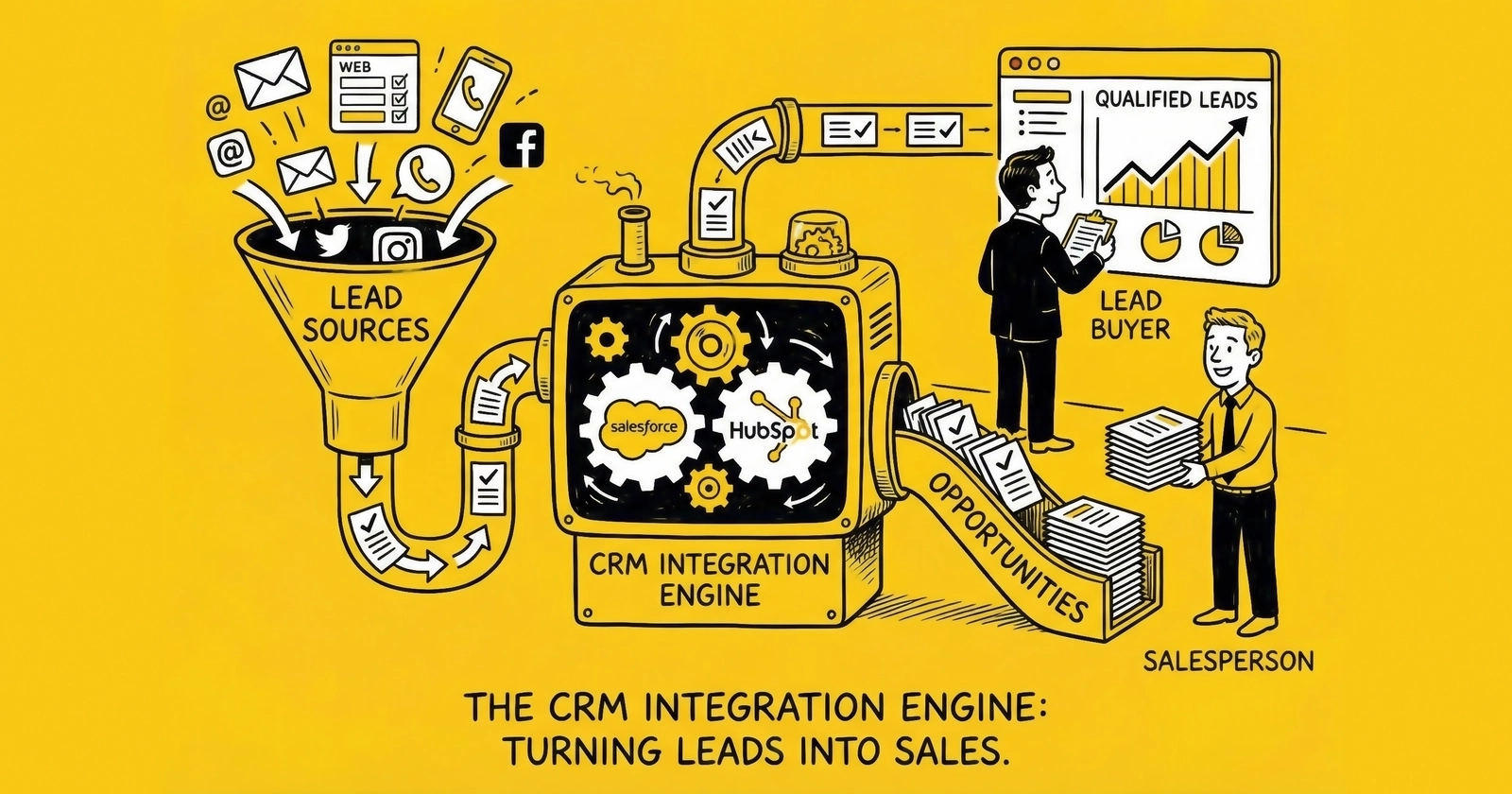
Your lead distribution platform routes leads to buyers. But what happens after the handoff determines whether those leads convert or rot in a queue. CRM integration is where lead buying becomes lead selling.
The lead arrives. Validated, compliant, ready to convert. And then it sits in a spreadsheet for three hours while your sales team finishes their morning meeting.
That lead loses 10% of its value for every hour it remains uncontacted. By hour three, you have paid for a fresh lead but delivered a stale one to your pipeline. By hour six, you have effectively purchased an aged lead at fresh lead prices.
This is not a training problem. This is an integration problem.
CRM integration is the connective tissue between lead acquisition and lead conversion. Done correctly, leads flow automatically from your distribution platform into your sales system, trigger immediate follow-up sequences, and provide closed-loop feedback that informs future purchasing decisions. Done incorrectly, you bleed margin through delayed response, lost leads, and optimization blind spots.
This guide covers the technical architecture, platform-specific implementations, and operational best practices for integrating lead sources with major CRM platforms. Whether you use Salesforce, HubSpot, Zoho, or industry-specific systems, the principles remain consistent. The implementations differ.
Why CRM Integration Matters for Lead Buyers
Lead buying is a margin business. You purchase leads at one price and convert them to revenue at another. The spread between those numbers determines whether you scale or stall.
Most practitioners focus on the purchase side: negotiating better CPLs, filtering for quality, diversifying sources. Fewer focus on the conversion side, where integration quality directly impacts close rates.
The Speed-to-Contact Reality
Industry research consistently demonstrates that leads contacted within five minutes convert at 8-10x the rate of leads contacted within 30 minutes. The specific numbers vary by vertical and study, but the pattern holds universally: faster contact drives higher conversion.
Yet the average B2B lead response time exceeds five hours according to multiple industry studies. For consumer leads in insurance, mortgage, and home services, averages often stretch to 24 hours or more. This gap between best practice and actual performance represents recoverable revenue for any operation willing to invest in proper integration.
Manual lead handling cannot achieve sub-minute response times at scale. When leads arrive via email, CSV upload, or portal download, human latency becomes the limiting factor. Sales representatives check email periodically, not continuously. Lead assignment requires review and distribution. By the time a rep dials, the consumer has moved on.
Automated CRM integration eliminates this latency. Leads post directly into your sales system, trigger immediate assignment rules, and initiate automated outreach sequences before your competitors finish their coffee.
The Data Quality Imperative
Beyond speed, integration quality affects data integrity. Manual lead entry introduces errors, duplicates, and incomplete records. A sales rep mistyping a phone number creates a permanently uncontactable lead. A misassigned territory routes opportunities to the wrong team. A missing consent certificate exposes you to TCPA liability.
Automated integration transmits complete lead records with consistent formatting, proper field mapping, and attached compliance documentation. Consent certificates link to lead records from the moment of creation. Territory assignment follows programmatic rules rather than human judgment. Data quality starts clean and stays clean.
The Attribution Feedback Loop
Sophisticated lead buying requires closed-loop attribution. You need to know not just which leads converted, but which sources, campaigns, and lead types drive actual revenue, not just form submissions.
Without CRM integration, this feedback requires manual reconciliation between lead purchase records and sales outcomes. Marketing tracks lead acquisition. Sales tracks conversions. Connecting the two requires spreadsheet exports, manual matching, and inevitable data quality issues.
Integrated systems maintain attribution throughout the customer lifecycle. When a lead converts to a sale, the original source, campaign, and cost data persist with the record. When a lead fails to convert, the reason code flows back to inform future purchasing decisions. This closed loop transforms lead buying from intuition-based purchasing to data-driven optimization.
Architecture Overview: How Lead-to-CRM Integration Works
Lead distribution platforms and CRM systems communicate through APIs, webhooks, and file transfers. Understanding these integration patterns helps you evaluate options and troubleshoot problems.
Delivery Methods
Lead distribution platforms like boberdoo, LeadExec, and LeadsPedia support multiple delivery methods for transmitting leads to buyer systems.
Webhook (HTTP POST/GET) represents the modern standard for real-time delivery. When a lead matches your criteria, the distribution platform immediately posts a JSON or XML payload to your CRM’s API endpoint. Your CRM parses the payload, creates a lead record, and triggers downstream automation. Latency from lead capture to CRM record creation typically measures in seconds.
HubSpot, Salesforce, Zoho, and most modern CRMs support webhook ingestion. The specifics vary by platform, but the pattern is consistent: configure an endpoint URL, define field mappings, and leads flow automatically.
Direct API Integration uses the CRM’s native API to create records. Rather than pushing to a webhook endpoint, the distribution platform authenticates with your CRM and calls the standard lead creation API. This approach leverages the CRM’s built-in validation and business logic but requires the distribution platform to maintain API credentials and handle authentication.
Email Delivery remains common for smaller operations or legacy systems. The distribution platform emails lead data in a structured format. Your CRM parses the email, extracts lead fields, and creates records. Email delivery introduces latency (typically 1-3 minutes minimum) and depends on email deliverability, making it less reliable than direct API integration.
FTP/SFTP Batch Delivery handles high-volume scenarios where real-time integration is impractical or unnecessary. The distribution platform writes lead data to CSV or XML files, transfers them to your SFTP server on a schedule, and your CRM imports the files periodically. Batch delivery suits operations processing thousands of leads daily with predictable workflows, but introduces hours of latency compared to real-time methods.
Lead Portal Access provides a self-service interface where your team manually downloads leads. This approach requires zero integration but introduces maximum human latency. Lead portals suit supplementary lead sources or initial testing, not primary acquisition channels.
Field Mapping
Your lead source captures data in its format. Your CRM expects data in its format. Field mapping bridges the gap.
Common mapping challenges include:
Field Name Differences. The source sends “First_Name” but Salesforce expects “FirstName” and HubSpot expects “firstname.” Mapping rules translate between naming conventions.
Data Type Conversions. The source sends state as “California” but your CRM requires “CA.” The source sends phone as “(555) 123-4567” but your CRM expects “5551234567.” Transformation logic normalizes data to your requirements.
Custom Field Mapping. Standard lead fields rarely capture everything you need. Lead sources often include vertical-specific data like property type for mortgage leads, vehicle year for auto insurance, or project timeline for home services. These custom fields require explicit mapping to custom CRM fields you have configured.
Consent Certificate Attachment. TrustedForm certificates and Jornaya LeadiD tokens must persist with lead records for TCPA compliance. Your integration should store certificate URLs in dedicated CRM fields where they can be retrieved for compliance defense.
Most distribution platforms provide configurable field mapping interfaces. You define the relationship between source fields and destination fields, specify any transformation logic, and the platform handles the translation automatically.
Response Handling
After posting a lead, your CRM responds with success, rejection, or error codes. Your distribution platform must parse these responses correctly to maintain accurate records and trigger appropriate follow-up actions.
Success Responses confirm lead creation and typically include the assigned lead ID in your CRM. Store this ID with the lead record for future reference and closed-loop attribution.
Rejection Responses indicate the CRM refused the lead, perhaps due to duplicate detection, validation failure, or capacity limits. Your distribution platform should record the rejection reason and potentially route the lead to alternative buyers or a rejection queue.
Error Responses signal technical problems rather than business decisions. Timeout errors, authentication failures, and malformed payloads require different handling than legitimate rejections. Retry logic should distinguish between transient errors (worth retrying) and permanent failures (requiring intervention).
Proper response parsing prevents two common problems: recording leads as delivered when delivery actually failed, and rejecting leads from distribution when the rejection was a temporary technical error.
Salesforce Integration for Lead Buyers
Salesforce dominates enterprise CRM with approximately 150,000 business customers and an ecosystem of over 5,200 AppExchange integrations. Most large lead buyers use Salesforce, making it the most common integration target for lead distribution platforms.
Standard Integration Methods
Web-to-Lead provides the simplest Salesforce integration path. Salesforce generates a unique endpoint URL and field IDs for your organization. Lead sources post directly to this endpoint using standard HTTP POST. Salesforce creates lead records without requiring API authentication or development work.
Web-to-Lead suits basic integrations with limited customization needs. Limitations include no real-time response for duplicate detection, limited field validation, and constraints on daily lead volume (default limits of 500 Web-to-Lead submissions per day, though this can be increased).
Salesforce REST API offers complete programmatic access to lead creation and management. Your distribution platform authenticates via OAuth 2.0, calls the Lead object’s create endpoint, and receives immediate confirmation with the new lead’s ID. The API supports all custom fields, respects validation rules, and enables real-time duplicate checking.
REST API integration requires more setup but provides the control serious operations need. Rate limits apply (100,000 API calls per 24-hour period for Enterprise Edition) but rarely constrain typical lead operations.
Bulk API handles high-volume scenarios exceeding REST API rate limits. Rather than individual lead creation calls, Bulk API processes batches of leads asynchronously. This approach suits operations importing thousands of leads daily but introduces processing latency.
Field Configuration
Salesforce’s standard Lead object includes common fields: Name, Company, Email, Phone, Address, Lead Source, Status, and Owner. Custom fields extend the object for your specific needs.
For lead generation operations, essential custom fields typically include:
- Lead Source Detail beyond the standard Lead Source picklist (specific source, campaign, publisher)
- Lead Cost to track acquisition economics
- Consent Certificate URL for TrustedForm or Jornaya documentation
- Lead Score from your distribution platform’s quality assessment
- Original Timestamp preserving the exact moment of lead capture
- Distribution Response codes from the ping/post process
Configure these fields before your first integration test. Missing fields mean lost data that cannot be recovered retroactively.
Assignment Rules and Workflow Automation
Lead assignment rules determine which sales representatives receive incoming leads. Rules evaluate lead attributes (geography, lead type, value) and assign ownership accordingly.
Best practices for lead assignment:
Round-Robin by Territory. Distribute leads evenly among qualified representatives within each territory. Prevents both overload and idle capacity.
Skills-Based Routing. Match lead types to representative expertise. Solar leads route to solar specialists. Medicare leads route to licensed agents.
Capacity-Aware Assignment. Factor in current workload when distributing leads. Representatives at capacity should receive fewer new leads until their pipeline clears.
Time-Based Escalation. If the assigned representative does not contact the lead within a defined window, reassign to an available colleague. Prevents leads from aging in inactive queues.
Salesforce Flow (formerly Process Builder and Workflow Rules) automates post-assignment actions. Common automations include:
- Create follow-up tasks with due dates
- Send email notifications to assigned representatives
- Update lead status based on elapsed time without contact
- Trigger outbound calls through integrated dialers
These automations execute immediately upon lead creation, eliminating the human latency that kills conversion rates.
Lead Management Best Practices
Duplicate Detection. Configure duplicate rules to identify leads matching existing records before creation. Salesforce’s standard matching rules check email and phone. Custom rules can add address, company, or other criteria. Decide whether duplicates should block creation, merge automatically, or alert representatives.
Lead Conversion Path. Define clear criteria for when leads convert to Contacts, Accounts, and Opportunities. Maintain the relationship between the original lead record and converted objects to preserve attribution throughout the customer lifecycle.
Closed-Loop Reporting. Build reports connecting lead acquisition to sales outcomes. Track conversion rate by source, close rate by campaign, and revenue by lead type. These metrics inform purchasing decisions and source optimization.
HubSpot Integration for Lead Buyers
HubSpot offers a comprehensive CRM platform with marketing, sales, and service hubs integrated around a shared contact database. The platform serves businesses ranging from startups to enterprises, with strong adoption in marketing-driven organizations.
Integration Architecture
HubSpot’s integration architecture centers on the Contacts API, which handles lead creation, updates, and retrieval. Unlike Salesforce’s separate Lead and Contact objects, HubSpot uses a unified Contact object with lifecycle stages distinguishing leads from customers.
Forms API provides the simplest integration path. Create a form in HubSpot, retrieve its GUID, and post lead data directly. HubSpot handles deduplication, property mapping, and workflow triggering automatically. This approach suits straightforward integrations without complex custom logic.
Contacts API v3 offers complete programmatic control. Authenticate with your API key or OAuth token, call the create/update endpoint with a JSON payload, and HubSpot creates or updates the contact record. The API supports all custom properties, respects property validation, and returns the contact ID for downstream tracking.
Private App Authentication represents HubSpot’s recommended approach for integrations. Create a private app in your HubSpot account, define the required scopes (contacts, forms, timeline), and use the generated access token for API calls. Private apps provide granular permission control and simplified credential management.
Property Configuration
HubSpot’s default contact properties cover standard fields: email, first name, last name, phone, company, and various marketing properties. Custom properties extend the schema for lead-specific data.
Essential custom properties for lead buying operations:
- Lead Source (text or dropdown) for acquisition channel tracking
- Lead Cost (number) for economics analysis
- Lead Quality Score (number) from distribution platform assessment
- Consent Certificate URL (text) for compliance documentation
- Original Capture Date (datetime) preserving the moment of lead creation
- Lead Distribution ID (text) linking to external system records
Create these properties before integration testing. HubSpot will accept API calls with unmapped properties but the data will be silently discarded.
Workflow Automation
HubSpot workflows automate actions triggered by contact creation, property changes, or custom events.
Immediate Response Workflows. Trigger automated email sequences when new leads arrive. Acknowledge the inquiry, set expectations for follow-up, and begin nurturing content delivery before a human touches the record.
Lead Scoring Automation. Update HubSpot’s native lead scoring based on lead attributes and engagement. High-scoring leads trigger immediate sales alerts. Lower-scoring leads enter nurturing sequences.
Assignment Automation. Route leads to appropriate owners based on properties. Territory-based assignment, round-robin rotation, and capacity-aware distribution all work within HubSpot’s workflow engine.
Task Creation. Automatically create follow-up tasks assigned to the lead owner with appropriate due dates. Ensure no lead enters the system without an associated action item.
Lifecycle Stage Progression. Move contacts through lifecycle stages (subscriber, lead, MQL, SQL, opportunity, customer) based on engagement and qualification criteria. This progression integrates with sales and marketing reporting.
Reporting and Attribution
HubSpot’s attribution reporting connects marketing activity to sales outcomes. For lead buyers, this translates to understanding which sources drive actual revenue.
Multi-Touch Attribution. HubSpot tracks all touchpoints in a contact’s journey. Configure attribution models (first-touch, last-touch, linear, U-shaped, W-shaped) to credit sources appropriately.
Custom Attribution Properties. Beyond HubSpot’s standard attribution, store your own source and campaign identifiers in custom properties. Build reports filtering by these properties to analyze performance by lead source, campaign, or vertical.
Revenue Tracking. Connect deals to contacts to trace revenue back to acquisition source. The original lead cost property enables true ROI calculation: (deal value - lead cost) / lead cost.
Industry-Specific CRM Systems
Beyond Salesforce and HubSpot, lead buyers often use CRMs designed for their specific verticals. These systems offer pre-built workflows, compliance features, and integrations tailored to industry requirements.
Insurance CRMs
AgentCubed serves insurance agencies and carriers with features designed for the insurance sales workflow. Lead distribution to agents, quote tracking, policy management, and commission calculation integrate into a unified system.
AgentCubed integration typically uses their proprietary API or standard HTTP POST delivery. Field mapping includes insurance-specific attributes: product type (auto, home, life, health), coverage amounts, current carrier, and policy expiration dates.
Velocify (now part of ICE Mortgage Technology but still serving insurance) handles high-velocity lead management for insurance sales organizations. The platform retrieves leads from over 1,400 integrated lead sources, automatically distributes them to agents, and prioritizes follow-up communications.
Velocify integration uses their posting URL with specific field mapping. Your distribution platform posts leads via HTTP to Velocify’s endpoint, where leads enter their prioritization and distribution engine. Velocify’s proprietary format requires specific field mapping – “First_Name” becomes “FName,” for example.
RadiusBob provides CRM functionality specifically for insurance agents, with built-in dialer, email marketing, and lead tracking. Integration occurs via their API or email parsing, with field mapping for insurance-specific data.
Mortgage CRMs
Encompass from ICE Mortgage Technology dominates mortgage lending with loan origination system (LOS) functionality integrated with CRM capabilities. Lead capture, qualification, and handoff to the lending pipeline happen within a unified system.
Encompass integration typically flows through their SDK or API, with strict data requirements around mortgage-specific fields: loan purpose, property type, estimated value, and credit tier. Compliance requirements including RESPA and ECOA add complexity to mortgage lead integration.
Velocify serves mortgage as heavily as insurance. The platform’s speed-to-contact optimization particularly suits mortgage leads, where rate shoppers contact multiple lenders and the first response often wins.
Jungo provides CRM and marketing automation specifically for mortgage professionals. The platform integrates with major lead sources and LOS systems, positioning it as middleware between lead acquisition and loan processing.
Home Services CRMs
ServiceTitan leads the home services market (HVAC, plumbing, electrical, roofing) with field service management integrated with CRM functionality. Lead capture, dispatch, scheduling, and invoicing happen in one system.
ServiceTitan integration uses their Marketing API for lead creation. The platform tracks leads through to completed jobs, enabling true ROI measurement from lead acquisition to service revenue.
Housecall Pro and Jobber serve smaller home services operations with combined CRM and scheduling functionality. Integration typically uses their APIs or Zapier connections for lead flow.
Legal CRMs
Clio dominates legal practice management with client intake, matter management, and billing in one platform. Lead integration flows through their Clio Grow module, which handles intake workflows.
Lawmatics provides CRM and intake automation specifically for law firms. The platform emphasizes automated intake sequences that qualify leads before attorney involvement, improving efficiency in high-volume practice areas.
Legal lead integration includes specific requirements around case type, jurisdiction, and intake qualification questions. Ethical rules around solicitation and advertising add compliance complexity beyond standard TCPA concerns.
Integration Best Practices
Regardless of your CRM platform, certain practices distinguish reliable integrations from fragile ones.
Connection Reliability
Retry Logic with Exponential Backoff. Transient failures happen. Networks hiccup. CRM endpoints timeout. Your integration should retry failed deliveries with increasing delays between attempts. A common pattern: immediate retry, then 30 seconds, then 1 minute, then 5 minutes, up to a maximum retry count before alerting operations.
Dead Letter Queues. When retries exhaust without success, leads should land in a dead letter queue for manual review rather than disappearing. The queue captures the lead data, the failure reason, and timestamps for troubleshooting.
Health Monitoring. Track integration success rates and response times. Alert operations when success rates drop below thresholds or response times spike. Problems identified in minutes cause less damage than problems discovered in days.
Failover Mechanisms. For mission-critical integrations, configure backup delivery methods. If webhook delivery fails repeatedly, fall back to email delivery or queue leads for manual import. The backup may be slower, but leads are not lost.
Data Quality
Pre-Delivery Validation. Validate required fields before attempting delivery. Missing email addresses, invalid phone formats, or empty names should fail validation before reaching your CRM, where they create incomplete records requiring cleanup.
Normalization. Standardize data formats before delivery. Phone numbers in E.164 format (+15551234567). States as two-letter abbreviations. Email addresses lowercase. Names in proper case. Consistent formatting prevents duplicate records and improves data quality.
Duplicate Prevention. Check for existing records before creating new ones. Use email as the primary matching key, with phone as secondary. When duplicates are detected, decide whether to merge, update, or reject based on your operational requirements.
Consent Documentation. Every lead record should include a link to its consent certificate from TrustedForm, Jornaya, or your own certification system. This documentation is not optional. TCPA litigation averages $6.6 million in settlements, and consent documentation is your primary defense.
Performance Optimization
Async Processing. For high-volume operations, process lead delivery asynchronously rather than blocking on each CRM response. Queue leads for delivery, process the queue in parallel, and handle responses asynchronously. This architecture scales to thousands of leads per hour without bottlenecks.
Batch Processing Windows. Some CRMs handle batch imports more efficiently than individual API calls. For very high volumes, accumulate leads and process them in batches during off-peak hours when CRM capacity is available.
Connection Pooling. Reuse API connections rather than establishing new connections for each lead. Connection establishment adds latency that compounds at volume.
Rate Limit Awareness. Understand your CRM’s API rate limits and design your integration to stay within them. Salesforce allows 100,000 API calls per 24 hours for Enterprise Edition. HubSpot’s rate limits vary by tier. Exceeding limits causes delivery failures that require retry processing.
Testing and Validation
Staging Environment Testing. Test integrations in sandbox or staging environments before production. Validate field mapping, response handling, and error cases without affecting live operations.
End-to-End Verification. Trace test leads from source through distribution to CRM creation. Verify every field maps correctly, consent certificates attach properly, and automation triggers fire as expected.
Load Testing. Test at production volumes before going live. An integration that works with 10 test leads may fail under the load of 1,000 leads per hour. Identify bottlenecks before they affect real operations.
Ongoing Monitoring. Monitor integration health continuously after launch. Track success rates, response times, and error patterns. Establish baselines and alert on deviations.
Closed-Loop Attribution Implementation
The ultimate value of CRM integration is closing the loop between lead acquisition and sales outcomes. This feedback enables optimization that transforms lead buying from purchasing to investing.
Tracking Lead Source Through Conversion
Your integration must preserve lead source information throughout the customer lifecycle. When a lead converts to an opportunity and eventually to a closed sale, the original source, campaign, and cost data should remain accessible.
In Salesforce, use the Campaign and Campaign Member objects to maintain this relationship. Or store source data in custom fields that copy to Opportunity and Account records upon conversion.
In HubSpot, original contact properties persist through the entire lifecycle. Configure deals to inherit relevant contact properties, or use calculated properties to roll up source data to deals.
Return Data Integration
Lead returns represent a critical feedback signal. When buyers return leads as uncontactable, duplicate, or out-of-criteria, that data should flow back to your distribution platform to inform source optimization.
Configure your CRM to export return data via API or scheduled report. Your distribution platform can then track return rates by source, adjust source quality scores, and potentially trigger return windows with suppliers.
Revenue Attribution
The ultimate measure of lead source quality is revenue generated, not just leads converted. Build reporting that connects closed revenue back to original lead sources.
Revenue by Lead Source. Sum closed revenue grouped by original lead source. Calculate ROI: (revenue - total lead cost) / total lead cost.
Time-to-Revenue by Source. Measure the sales cycle length by lead source. Faster-converting sources may justify premium pricing even if raw conversion rates appear similar.
Lifetime Value by Source. For businesses with recurring revenue or repeat purchases, extend attribution beyond initial sale to lifetime value. Some lead sources may show lower initial conversion but higher lifetime value.
Feedback Loop Automation
Automate the feedback loop so optimization happens continuously without manual intervention.
Daily Performance Exports. Schedule exports of conversion and revenue data from your CRM to your distribution platform or analytics system.
Real-Time Event Posting. For sophisticated implementations, post conversion events from your CRM to your distribution platform in real-time via webhook. This enables immediate source quality score updates.
Automated Source Scoring. Update source quality scores automatically based on conversion rates, return rates, and revenue metrics. Higher-scoring sources receive budget allocation priority.
Troubleshooting Common Integration Issues
Even well-designed integrations encounter problems. Here are the most common issues and their resolutions.
Delivery Failures
Authentication Errors. API tokens expire. OAuth tokens require refresh. Check credential validity when delivery failures spike suddenly. Most CRMs require token refresh every few hours to days.
Rate Limiting. Exceeding API rate limits causes 429 errors. Implement rate limiting in your delivery logic to stay within platform limits. If you legitimately exceed limits, contact the CRM vendor about limit increases.
Endpoint Changes. CRM vendors occasionally deprecate API versions or change endpoint URLs. Monitor vendor communications for deprecation notices. Test integrations after CRM updates.
SSL Certificate Issues. Certificate expiration or chain validation problems cause TLS errors. Ensure your integration validates certificates properly and alert on expiration.
Data Quality Problems
Field Mapping Mismatches. Fields that worked last month may fail after CRM configuration changes. When unknown field errors appear, verify mapping against current CRM schema.
Data Type Errors. Sending text to number fields, or vice versa, causes validation failures. Validate data types before delivery.
Required Field Violations. CRM validation rules may require fields your lead sources do not provide. Either collect required data at source or configure default values in your mapping.
Character Encoding Issues. Special characters in names or addresses may fail if encoding is not handled correctly. Ensure UTF-8 encoding throughout your data pipeline.
Duplicate Records
Matching Rule Gaps. Duplicates slip through when matching rules are too narrow. Expand matching to include phone variations, email domain matching, and address normalization.
Race Conditions. When multiple leads post simultaneously, duplicate detection may miss them if checks happen before prior leads are fully committed. Implement locking or queuing to prevent race conditions.
Cross-Object Duplicates. In Salesforce, duplicates may exist across Lead and Contact objects. Configure cross-object duplicate rules to catch these cases.
Performance Issues
Slow Response Times. CRM response times over 5 seconds suggest problems with the integration endpoint, CRM configuration, or network issues. Investigate CRM server load, complex validation rules, or automation bottlenecks.
Timeout Errors. Configure appropriate timeout values (typically 30-60 seconds) and implement retry logic for timeouts. Distinguish between network timeouts and CRM processing timeouts.
Queue Backlogs. If lead delivery cannot keep pace with lead arrival, queues grow indefinitely. Monitor queue depth and scale processing capacity to match volume.
Frequently Asked Questions
What is the best CRM for lead buyers?
The best CRM depends on your vertical, scale, and operational requirements. Salesforce offers the deepest customization and largest ecosystem for enterprise operations. HubSpot provides excellent value for marketing-driven organizations needing integrated marketing and sales. Industry-specific CRMs like AgentCubed (insurance), Velocify (mortgage, insurance), or ServiceTitan (home services) offer pre-built workflows that reduce implementation complexity. Evaluate based on your specific needs rather than generic rankings.
How long does CRM integration typically take to implement?
Basic integrations using standard methods (Web-to-Lead for Salesforce, Forms API for HubSpot) can be operational within days. Custom API integrations with extensive field mapping, automation configuration, and testing typically require 2-4 weeks. Enterprise implementations with multiple source integrations, complex routing logic, and closed-loop attribution may extend to 6-12 weeks. Factor in time for testing, training, and parallel operation before full cutover.
How do I connect multiple lead sources to one CRM?
Configure each lead source as a separate integration with unique source identifiers. Your CRM should have a field (Lead Source or custom equivalent) that captures which source delivered each lead. This enables source-specific performance reporting and attribution. Most distribution platforms support delivery to the same CRM endpoint with different source identifiers per source configuration.
What is the cost of CRM integration?
Integration costs vary widely. Native integrations using pre-built connectors (like Zapier) may cost $20-100/month in connector fees. Custom API integrations require development time (40-200+ hours depending on complexity) plus ongoing maintenance. Enterprise integration platforms (MuleSoft, Workato, Tray.io) cost $1,000-10,000+/month for advanced scenarios. Factor in CRM API tier costs as well: many CRM platforms restrict API access to higher-priced editions.
How do I handle lead returns through my CRM?
Configure a status or field to indicate returned leads. When a lead is returned (uncontactable, duplicate, out-of-criteria), update this field and log the return reason. Export return data to your distribution platform for source quality tracking. Automate return processing where possible: leads with invalid contact information can be automatically marked as returned based on CRM automation or dialer integration feedback.
What should I do when CRM integration breaks?
First, check for obvious causes: expired credentials, changed endpoints, exceeded rate limits. Monitor error logs for specific failure messages. Implement alerting so you learn about failures within minutes rather than hours. Maintain a dead letter queue for leads that fail delivery so data is not lost during outages. Have fallback delivery methods (email, manual import) for extended outages. Document your integration architecture so troubleshooting does not depend on a single person’s memory.
How do I measure CRM integration ROI?
Track metrics before and after integration: response time, contact rate, conversion rate, and revenue per lead. Calculate time savings from automation: hours no longer spent on manual data entry and lead distribution. Measure error reduction: fewer duplicate records, less data cleanup, fewer lost leads. The ROI formula: (revenue lift + time savings + error reduction costs) / integration investment. Most operations see positive ROI within 1-3 months.
Can I integrate my CRM with lead validation services?
Yes. TrustedForm, Jornaya, and other validation services provide APIs that integrate with CRM workflows. The most common pattern: capture the validation certificate URL during lead acquisition, store it in a custom CRM field, and access the certificate for compliance verification or dispute resolution. Some CRMs offer native integrations with validation services; others require webhook or API connections. ActiveProspect’s LeadConduit serves as middleware connecting lead sources, validation services, and CRM destinations in a unified flow.
What happens to lead data if I switch CRMs?
Lead data typically exports from your old CRM in CSV or API format and imports to your new CRM. The complexity lies in maintaining data relationships, custom fields, and historical activity data. Plan migration carefully: map fields between systems, test with sample data, and run parallel systems during transition. Consent certificates should transfer with lead records or remain accessible in your old system for compliance purposes. Budget 4-12 weeks for CRM migration depending on data volume and complexity.
How do I ensure TCPA compliance in my CRM integration?
Capture consent certificates (TrustedForm, Jornaya) at lead acquisition and store certificate URLs with lead records. Configure your CRM to require certificate documentation before enabling outbound calling. Implement DNC scrubbing before call activity. Document consent scope and limitations in CRM fields. Train sales teams on compliance requirements. Consider litigator screening services (Blacklist Alliance, Real Contact) integrated into your workflow. Consult TCPA-specialized legal counsel for your specific situation.
Key Takeaways
-
Speed-to-contact determines conversion. Leads contacted within five minutes convert at 8-10x the rate of leads contacted in 30 minutes. Manual handling cannot achieve this speed. Automated CRM integration eliminates human latency.
-
Integration architecture matters. Webhook/API delivery provides real-time lead flow with immediate response handling. Email and batch delivery introduce latency that costs conversions. Choose the fastest reliable method your systems support.
-
Field mapping requires planning. Configure custom fields in your CRM before integration testing. Map consent certificates, lead costs, and source identifiers from day one. Missing data cannot be recovered retroactively.
-
Automation drives consistency. Assignment rules, workflow automation, and immediate task creation ensure every lead receives appropriate follow-up. Human-dependent processes create inconsistency that kills conversion rates.
-
Closed-loop attribution enables optimization. Connect lead acquisition to sales outcomes through consistent source tracking, return data integration, and revenue attribution. This feedback loop transforms lead buying from expense to investment.
-
Response handling prevents data loss. Parse success, rejection, and error responses correctly. Implement retry logic for transient failures. Queue failed deliveries for recovery rather than losing leads.
-
Compliance documentation is non-negotiable. Store TrustedForm and Jornaya certificate URLs with every lead record. TCPA litigation averages $6.6 million in settlements. Documentation is your defense.
-
Test before production. Validate integrations in sandbox environments with realistic data volumes. End-to-end testing catches mapping errors, automation gaps, and performance bottlenecks before they affect live operations.
Sources
- Salesforce REST API Developer Documentation - Official documentation for Salesforce API integration methods and authentication
- Salesforce Web-to-Lead Help Article - Verifies Web-to-Lead integration method and configuration requirements
- Salesforce AppExchange - Documents the 5,200+ integration ecosystem referenced for enterprise CRM
- HubSpot Contacts API Documentation - Official documentation for HubSpot contact creation and management APIs
- HubSpot Marketing Statistics - Industry benchmark data on lead response times and conversion rates
- TrustedForm - Lead consent certification platform referenced for TCPA compliance documentation
- ActiveProspect LeadConduit - Lead distribution middleware connecting sources, validation, and CRM destinations
- 47 U.S.C. § 227 - TCPA (Cornell Law) - Primary legal source for TCPA requirements governing lead contact compliance
Platform integration capabilities and pricing verified as of late 2025. CRM features and API specifications change regularly. Consult vendor documentation for current implementation details.