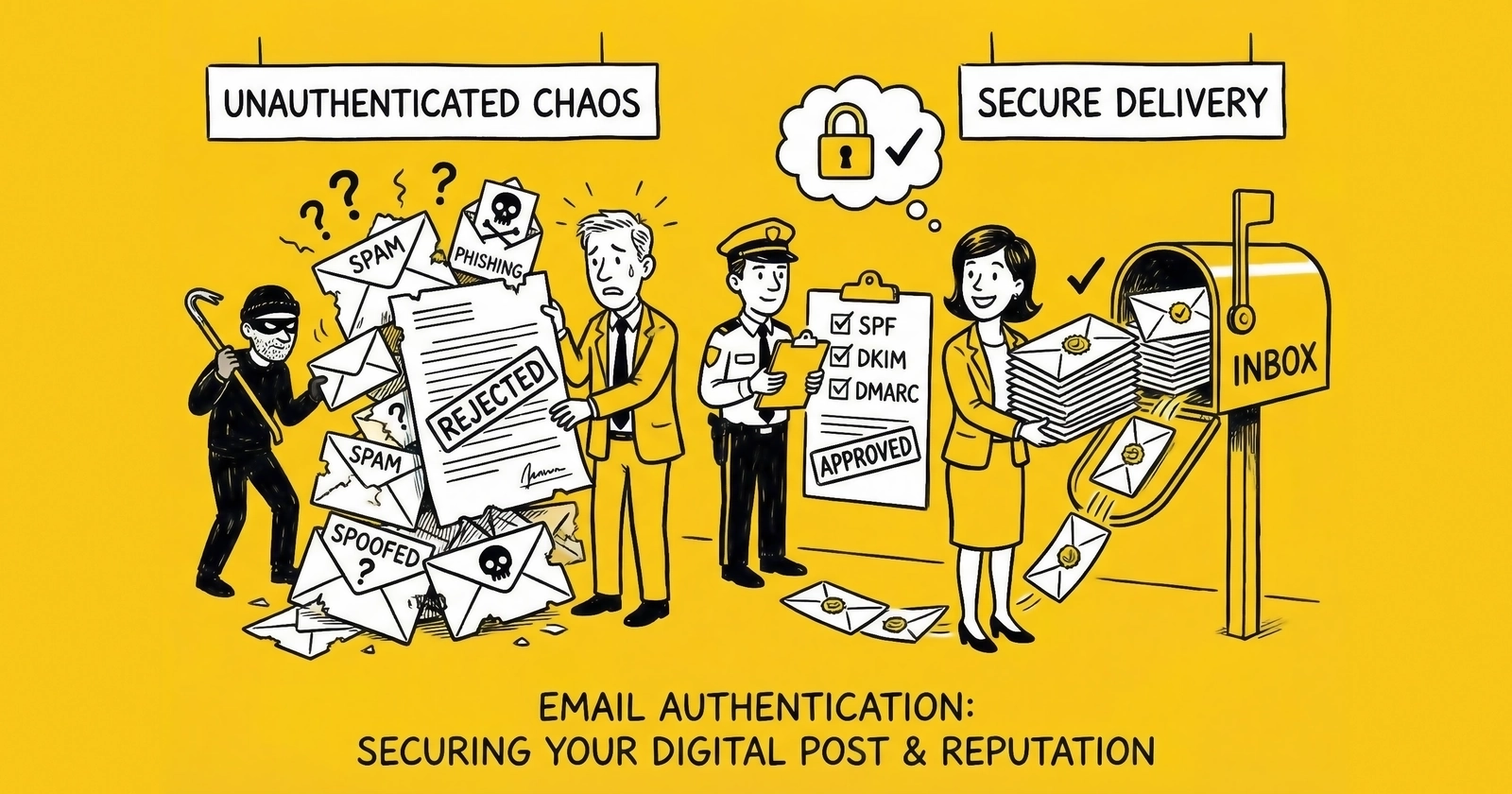
How Gmail and Microsoft’s authentication enforcement changes affect lead generation email operations, and the technical implementation required for continued deliverability.
Introduction: The Authentication Imperative
Email remains foundational to lead generation. Lead nurturing sequences, follow-up communications, confirmation messages, and marketing campaigns all depend on email deliverability. That deliverability now requires technical authentication that many lead generation operations lack.
Gmail moved to strict enforcement in November 2025, actively rejecting emails that fail authentication requirements rather than merely filtering them to spam. Microsoft followed with similar requirements. Together, these providers control approximately 60% of consumer email addresses – failure to comply means losing access to the majority of your lead contact capability.
The requirements are not optional suggestions. Organizations sending 5,000+ daily messages to Gmail addresses must implement SPF, DKIM, and DMARC authentication. They must maintain spam complaint rates below 0.3%. They must provide one-click unsubscribe functionality. Non-compliance results in message rejection, not just reduced inbox placement.
For lead generation operators, this technical infrastructure is now as essential as consent documentation. Without proper authentication, your lead follow-up emails simply will not reach recipients – regardless of how valid your consent or how valuable your content.
This guide provides the implementation framework for email authentication in lead generation operations.
Bulk Sender Status: The Threshold That Sticks
The “bulk sender” cutoff is operationally dangerous because it is easy to cross accidentally and difficult to reverse.
Google’s definition centers on a 5,000 messages per day threshold to personal Gmail inboxes. In practice, lead gen operations hit 5,000 faster than they think because the count includes:
- Multi-step nurture sequences (one lead can generate many outbound emails)
- Transactional mail (confirmations, notifications, password resets)
- Multiple systems sending “from your domain” (ESP + CRM + web app + alerts)
- Subdomains (volume often rolls up to the parent domain in enforcement models)
Treat bulk-sender compliance as permanent infrastructure. Even if you are “below 5,000 right now,” your systems should be built as if you are not.
Two practical realities drive that recommendation:
- The 5,000 threshold is not hard to hit. If you generate 1,000 leads/day and you run a 6‑touch follow-up sequence, you are already at 6,000 outbound messages/day before you add newsletters, transactional mail, and internal alerts.
- Your sending footprint expands over time. The domain you started with for “just nurture” becomes the From address for billing updates, form notifications, internal routing emails, and customer support. The volume grows and the failure modes multiply.
If you build your authentication for “small volume,” you will eventually trip the enforcement wall on the first day you run a real campaign.
One detail operators miss: bulk sender status is effectively permanent. Once you cross the threshold, you should assume you will be treated as a bulk sender going forward, even if your volume later drops.
What Changed: Inbox Providers Stopped Negotiating
For years, authentication failures mostly meant spam-folder placement and lower inbox rates. Starting in 2024, the major consumer providers moved toward hard enforcement: messages that fail requirements can be rejected during SMTP.
The practical shift for operators is this:
- If authentication is broken, you do not “recover deliverability.” You stop reaching recipients.
- If complaint rates climb, you lose margin, because list quality fixes and warmups take weeks, not days.
Lead gen email is already fragile because it is high-frequency and often sent from newer domains. Authentication enforcement removes the last cushion.
Why This Matters for Operators: Deliverability Is Revenue Infrastructure
Most marketing advice treats deliverability like a “marketing ops” concern. In lead gen, it is closer to payments infrastructure: if it fails, cashflow gets weird immediately.
The failure mode is not subtle:
- Your first-party lead follow-up stops landing. Conversion drops before anyone has a dashboard alert configured.
- Your buyers stop getting confirmations, updates, or nurture sequences that turn “cold lead” into “contactable prospect.”
- Your reps blame lead quality, and you spend money “fixing the top of funnel” while the real problem is that messages never arrived.
Email authentication is the gate you must pass to even participate. After that, reputation is the moat you defend. Both require operational discipline, not one-time setup.
Compliance Checklist (15-Minute Audit)
If you need a fast operator check before you go deep, this is the list that keeps you out of trouble:
- SPF record exists, has one TXT record, and stays under the 10 DNS lookup limit.
- DKIM signing is enabled for every sending source and uses keys that actually resolve in DNS.
- DMARC record exists and you can explain what passes (SPF and/or DKIM with alignment).
- List-Unsubscribe supports one-click (RFC 8058) for marketing mail and unsub requests are honored within 2 days.
- Spam complaint rate stays safely below 0.3% (target <0.1%) and you know how to see the number (Postmaster / provider dashboards).
- DMARC aggregate reports are being processed and you will notice when a new sender appears.
If any item is unclear, you have work to do before your next volume spike.
Understanding Email Authentication Protocols
SPF: Sender Policy Framework
SPF allows domain owners to specify which mail servers are authorized to send email on their behalf. Receiving servers check SPF records to verify that incoming messages originate from approved sources.
SPF works like a “sender allowlist” published in DNS. You declare which servers are allowed to send for your domain, and receivers check that the connecting IP matches what you published. If the IP isn’t authorized, SPF fails – and if SPF is your only path to DMARC, that failure can become a deliverability incident instead of a technical footnote.
SPF Record Structure:
v=spf1 ip4:192.0.2.0/24 include:_spf.google.com include:sendgrid.net -allThe moving pieces are simple, but they compound quickly. v=spf1 declares the SPF version. ip4:... authorizes explicit IP ranges. Each include: delegates to another domain’s published SPF (usually an ESP). And -all tells receivers to hard-fail mail from sources that aren’t on the list.
The SPF 10-DNS Lookup Limit (And How You Accidentally Break It)
SPF evaluation is capped at 10 DNS lookups. Exceed the limit and many receivers treat SPF as a permanent error (PermError), which means you lose the SPF path to DMARC.
Lookups are consumed by mechanisms like:
includeamxptr(avoid; it is expensive and unpredictable)existsredirect
Operators get burned because nested includes count too. An SPF record that “only has four includes” can still blow past 10 once each include expands into additional lookups.
If your SPF record is complex, you have three realistic options:
- Consolidate sending sources (fewer vendors using your domain).
- Prefer DKIM alignment for high-volume sources so DMARC can pass even when SPF is brittle.
- Use controlled SPF flattening (turn includes into explicit IPs) and re-flatten on a schedule.
SPF gets painful in lead gen because the domain often becomes a shared “From identity” across multiple systems: marketing automation (HubSpot, Marketo, ActiveCampaign), CRM workflows (Salesforce, HubSpot CRM), transactional senders (SendGrid, Mailgun, Amazon SES), plus whatever your product ships from custom code. Every sender that uses your domain must be authorized, which is why SPF failures often show up right after “we added a new tool.”
SPF Authenticates the Envelope Sender (Return-Path), Not the Visible From
SPF is evaluated against the envelope sender domain (Return-Path), not the From header your lead sees in the inbox.
That matters because many ESPs use a bounce domain or subdomain that differs from your From domain. SPF can pass, but DMARC can still fail if the From domain does not align to the domain that passed SPF.
Operator rule: treat SPF as “server authorization” and DKIM as “brand authentication.” For most lead gen stacks, DKIM is the more reliable path to DMARC alignment.
DKIM: DomainKeys Identified Mail
DKIM provides cryptographic verification that email content has not been altered in transit and originates from the claimed domain.
DKIM works by signing email with a private key and letting receivers verify that signature using a public key published in DNS. Unlike SPF, which is tied to the sending infrastructure, DKIM ties identity to the message itself. That’s why it is usually the more reliable path to DMARC alignment in real lead gen stacks.
DKIM DNS Record:
selector1._domainkey.yourdomain.com IN TXT "v=DKIM1; k=rsa; p=MIGfMA0GCSqGSIb3DQEBAQUAA4GNADCBiQKBgQC..."Components:
selector1- Identifier for the key (allows key rotation)_domainkey- Standard DKIM subdomainv=DKIM1- DKIM versionk=rsa- Key typep=...- Public key (base64 encoded)
You rarely need to read the DKIM signature itself until something breaks. When it does, the “DKIM-Signature” header is where the truth lives: which domain is taking responsibility for the message, which selector is being used, which headers were signed, and how strictly the message must match what was originally sent.
Here’s what a typical DKIM signature looks like (line breaks added for readability):
DKIM-Signature: v=1; a=rsa-sha256; d=yourdomain.com; s=selector1;
  c=relaxed/relaxed; h=from:to:subject:date:message-id;
  bh=...; b=...
In operator terms:
d=is the signing domain. This is the domain that must align with your visible From domain for DMARC to pass via DKIM.s=is the selector – the lookup key for the public key in DNS (selector._domainkey.domain).h=is the list of headers included in the signature. From must be signed; signing volatile headers that intermediaries add or rewrite can create false failures.bh=is a hash of the message body. If the body is modified in transit, verification breaks.b=is the actual signature value.
Two nuance points from the real world:
- Canonicalization decides whether “minor changes” break DKIM. Email often gets rewrapped in transit – whitespace changes, header folding, encoding conversions. With
c=relaxed/relaxed, DKIM tolerates common modifications while still detecting substantive tampering. Withsimple, harmless formatting differences can break verification. Relaxed canonicalization is the default you want for most lead gen stacks. - Key and algorithm choices matter, but boring is good. Gmail and Yahoo accept 1024-bit RSA as the minimum, but 2048-bit RSA is the operational default. Newer algorithms like Ed25519 reduce DNS record size and improve cryptographic margin, but adoption is not universal – if your tooling supports it end-to-end, it can be worth exploring; if not, 2048-bit RSA keeps you out of trouble.
In lead gen, the DKIM work is less about the math and more about inventory. Each sending service has its own keys and its own configuration path. You generate keys (or accept the vendor-generated keys), publish public keys in DNS, ensure each stream is actually signing, and then keep selectors sane enough that humans can audit and rotate them without breaking production mail.
If you ever need to revoke a key quickly, remember the blunt instrument: you can invalidate a selector by setting the public key value to empty (p=). That will break DKIM for any sender still using that selector, but that is the point – it forces you to stop trusting a compromised or orphaned key.
DKIM Alignment Is Usually Your DMARC Workhorse
In most modern sending stacks, DKIM is the easier path to DMARC compliance because it can align directly to the visible From domain, and it survives more infrastructure patterns than SPF (shared IPs, multi-tenant ESPs, etc).
If you only “half implement” authentication, DKIM is the half that usually keeps you alive.
DMARC: Domain-based Message Authentication, Reporting & Conformance
DMARC builds on SPF and DKIM, telling receiving servers what to do with messages that fail authentication and providing reporting on authentication results.
DMARC is the policy layer. You publish a DMARC record, receivers evaluate SPF and DKIM, and then they apply your policy when a message fails. The reporting piece matters as much as the enforcement piece: DMARC aggregate reports are how you discover “who is sending as us” before a provider discovers it the hard way.
DMARC Record Structure:
_dmarc.yourdomain.com IN TXT "v=DMARC1; p=reject; rua=mailto:dmarc@yourdomain.com; ruf=mailto:dmarc-forensic@yourdomain.com; pct=100"The key tags are straightforward: v=DMARC1 declares the standard, p= sets your policy (monitor, quarantine, reject), rua= defines where aggregate reports go, pct= lets you roll enforcement out gradually, and ruf= points to forensic reports (when a provider still supports sending them).
DMARC Tags Operators Actually Use
Most DMARC records you see in the wild are missing the tags that make rollout manageable.
pct=lets you apply policy to a percentage of mail. It is a safe lever for ramping from monitor → enforce without accidentally blocking a hidden sender.aspf=andadkim=control alignment strictness (rrelaxed,sstrict). Relaxed is the default and is usually correct for lead gen stacks.sp=sets a separate policy for subdomains. If you use many subdomains,sp=is how you prevent the mess from spreading.ri=controls report interval in seconds. Most tooling assumes daily reports, butri=is the knob.
Two practical notes:
ruf=(forensic reports) is increasingly unsupported due to privacy restrictions. Do not build your workflow around it.- DMARC is not just “anti-spoofing.” It is an inventory system. If you read reports consistently, you will catch unauthorized sending sources before providers punish you.
DMARC Policy Levels:
| Policy | Action | Recommended For |
|---|---|---|
p=none | Monitor only | Initial implementation |
p=quarantine | Send to spam | Transition phase |
p=reject | Block delivery | Full enforcement |
In lead generation, DMARC is a rollout, not a switch. Start with p=none so you can receive reports without breaking mail. Use reports to identify hidden senders and alignment failures, fix them, then progress to p=quarantine and ultimately p=reject once you trust your inventory.
Alignment: The Hidden Requirement Behind “SPF + DKIM + DMARC”
DMARC is not “SPF and DKIM exist.” It is “SPF and/or DKIM pass and align with the From domain.”
Two alignment modes exist:
Relaxed alignment (the default) allows subdomain alignment – for example, mail.example.com can align with example.com. Strict alignment requires an exact domain match. Most lead gen stacks should run relaxed alignment unless they have tight subdomain segmentation and strong operational controls.
Gmail and Microsoft Requirements (2025)
Gmail Requirements for Bulk Senders
Organizations sending 5,000+ messages daily to Gmail addresses must comply with these requirements:
Authentication Requirements:
| Requirement | Specification | Status |
|---|---|---|
| SPF | Pass for sending domain | Required |
| DKIM | Pass for sending domain | Required |
| DMARC | Policy published (minimum p=none) + From alignment | Required |
| TLS | Encrypted transmission | Required |
Spam Rate Requirements:
- Target: Below 0.1% spam complaint rate
- Maximum: 0.3% spam complaint rate
- Consequence: Rates above 0.3% trigger delivery restrictions
Unsubscribe Requirements:
- One-click unsubscribe via List-Unsubscribe header
- Visible unsubscribe link in message body
- Honor unsubscribe requests within 2 days
Message Format Requirements:
- Valid From: header matching authenticated domain
- RFC 5322 compliant message format
- No deceptive headers or content
Microsoft Requirements
Microsoft implemented similar requirements in May 2025:
Authentication:
- SPF, DKIM, and DMARC required for bulk senders
- Stricter enforcement for new or low-reputation domains
- Enhanced filtering for non-authenticated messages
Yahoo Requirements (Still Relevant)
Yahoo’s requirements closely track Google’s: authenticate, keep complaint rates low, and make unsub frictionless. If you only plan around Gmail, you will still trip issues on Yahoo/AOL domains, which are common in consumer lead verticals (home services, insurance, education).
Sender Requirements:
- Valid reverse DNS for sending IPs
- Consistent From: and Reply-To: addresses
- Functional postmaster@ and abuse@ addresses
Enforcement Timeline
| Date | Change | Impact |
|---|---|---|
| February 2024 | Gmail soft enforcement begins | Non-compliant flagged, not rejected |
| May 2025 | Microsoft strict enforcement | Non-compliant messages rejected |
| November 2025 | Gmail strict enforcement | Non-compliant messages rejected |
| Ongoing | Continuous threshold adjustment | Standards may tighten further |
Implementation Guide for Lead Generation
Step 0: Treat Authentication Like a Production System
Authentication breaks quietly: a DNS change, a new sending source, a vendor “helpfully” switching domains, or a marketing team spinning up a subdomain without coordinating DNS.
Before you touch records, decide two things:
- Who owns authentication changes (one person/team, not “whoever needs to send”).
- How you will detect regressions (Postmaster + DMARC aggregate reports + bounce monitoring).
Step 1: Audit Current Authentication Status
Before implementing changes, assess your current authentication:
Check SPF:
dig TXT yourdomain.com | grep spfCheck DKIM:
dig TXT selector._domainkey.yourdomain.comCheck DMARC:
dig TXT _dmarc.yourdomain.comUse Authentication Testing Tools:
- Google Admin Toolbox (toolbox.googleapps.com)
- MXToolbox (mxtoolbox.com)
- DMARC Analyzer (dmarcanalyzer.com)
- Mail-Tester (mail-tester.com)
Operator Reality Check: You Usually Have More Senders Than You Think
Inventory is where most operators fail. You add an ESP and you remember it. You forget the edge cases:
- Form-to-email notifications from your website
- CRM “send email” features used by reps
- Support/ticket systems
- Marketing automation connected to legacy domains
- Old integrations still sending from “noreply@”
If you do not inventory these, DMARC rollout becomes a game of whack-a-mole.
Step 2: Inventory All Sending Sources
Document every system that sends email from your domain:
| Source | Type | Volume | Current Auth |
|---|---|---|---|
| HubSpot | Marketing automation | 50,000/day | DKIM configured |
| Salesforce | CRM notifications | 5,000/day | SPF only |
| SendGrid | Transactional | 10,000/day | DKIM + SPF |
| Custom app | Lead notifications | 2,000/day | None |
Step 2B: Decide Your Domain Strategy (And Protect the Brand Domain)
Lead gen email programs tend to sprawl. The fastest way to make authentication and reputation unmanageable is to send everything from your primary brand domain and let every system touch it.
Two patterns show up in disciplined operations:
1) Separate domains or subdomains by purpose.
- Transactional mail (password resets, confirmations) uses a subdomain with tight controls.
- Marketing/nurture mail uses a separate subdomain so reputation hits do not take down transactional.
- If you run multiple brands, do not cross the streams. Each brand’s sending should be isolated.
This is not about hiding. It is about blast radius.
2) Treat new domains like new credit.
New domains and new IPs do not have reputation. If you spike volume on day one, providers treat it like fraud. Warm-up is not a deliverability “tip.” It is the cost of doing business.
Baseline warm-up rules that work for most operators:
- Start with your most engaged segment (recent opt-ins, recent clickers).
- Increase volume gradually over 2 – 4 weeks.
- Keep complaint rates low by tightening targeting, not by “clever copy.”
- Validate emails before sending at scale. A high bounce rate on a new domain is how you get throttled early.
The goal is simple: prove to mailbox providers that your mail produces low complaints and predictable behavior.
Step 3: Implement SPF
Create or update your SPF record to include all authorized senders:
Example SPF for Lead Generation Operation:
v=spf1 include:_spf.google.com include:spf.protection.outlook.com include:sendgrid.net include:spf.hubspot.com ip4:203.0.113.0/24 -allSPF Limitations:
- Maximum 10 DNS lookups (including nested includes)
- Use IP addresses for custom servers to save lookups
- Consider SPF flattening services for complex setups
SPF Failure Modes That Show Up in Lead Gen
- Multiple SPF TXT records (PermError): happens when teams “add a new SPF record” instead of editing the existing one.
- Lookup limit exceeded (PermError): common when you include several ESPs + tools + nested includes.
- Forwarding breaks SPF: many forwards rewrite the envelope path; DMARC must be able to pass via DKIM too.
If you routinely run near the lookup limit, prioritize DKIM alignment for your high-volume sources and simplify SPF.
Step 4: Implement DKIM
Configure DKIM for each sending service:
Marketing Automation (HubSpot example):
- Access HubSpot email settings
- Navigate to Domain Authentication
- Copy provided DKIM records
- Add records to your DNS
- Verify configuration in HubSpot
Transactional Email (SendGrid example):
- Access SendGrid Sender Authentication
- Generate DKIM keys
- Add CNAME records to DNS
- Verify domain ownership
- Enable signing for all outbound mail
Custom Applications:
- Generate RSA key pair (2048-bit minimum)
- Publish public key in DNS
- Implement DKIM signing in application
- Test with authentication validators
DKIM Key Management (The Part Nobody Documents)
Treat DKIM selectors like credentials:
- Use 2048-bit RSA unless you have a specific reason not to.
- Name selectors so humans can audit them (
hubspot-2026q1,sendgrid-primary,app-txn). - Rotate keys on a schedule (quarterly is a reasonable default).
- If a vendor is removed, remove its selector after the transition window.
Many deliverability failures blamed on “content” are actually broken DKIM after a DNS change or a vendor migration.
Step 5: Implement DMARC
Start with monitoring, then progress to enforcement:
Phase 1: Monitoring (2-4 weeks)
v=DMARC1; p=none; rua=mailto:dmarc-reports@yourdomain.comPhase 2: Quarantine (2-4 weeks)
v=DMARC1; p=quarantine; pct=25; rua=mailto:dmarc-reports@yourdomain.comIncrease pct gradually: 25% → 50% → 75% → 100%
Phase 3: Reject
v=DMARC1; p=reject; rua=mailto:dmarc-reports@yourdomain.comDMARC Reporting: Turn “rua” Into a Daily Signal
DMARC aggregate reports (RUA) are not for reading manually. They are for answering two questions:
- Which sources are sending “from my domain”?
- Which of those sources are failing SPF/DKIM/alignment?
If you are in lead gen and you do not have DMARC report processing, you are blind. At minimum:
- Route reports to a dedicated mailbox.
- Use a DMARC analysis tool (hosted or self-managed) to parse XML and group by source.
- Alert on new sources and on pass-rate drops.
Step 6: Lock Down Subdomains
Lead gen operations love subdomains (tracking, branded sending, geo-specific domains). DMARC lets you control subdomains explicitly:
sp=sets policy for subdomains.adkim=/aspf=set alignment strictness.
Example baseline:
v=DMARC1; p=quarantine; sp=reject; adkim=r; aspf=r; rua=mailto:dmarc-reports@yourdomain.com; pct=100This is not universally correct, but it illustrates the idea: you can keep the parent domain in quarantine while forcing subdomains to be strict.
Step 7: Implement One-Click Unsubscribe
Gmail requires RFC 8058 compliant one-click unsubscribe:
List-Unsubscribe Header:
List-Unsubscribe: <mailto:unsubscribe@yourdomain.com?subject=unsubscribe>, <https://yourdomain.com/unsubscribe?id=12345>
List-Unsubscribe-Post: List-Unsubscribe=One-Click
Most marketing automation platforms handle this automatically. Verify your platform’s configuration.
One-Click Unsubscribe in the Real World (What Breaks)
The policy sounds simple: include the right headers, provide one-click removal, honor unsub within 2 days. The operational complexity comes from how lead gen systems are stitched together.
Common breakpoints:
- Multiple lists across systems. You unsubscribe a lead in your ESP, but your CRM keeps emailing them, or a secondary platform continues sending.
- Shared “marketing” domains. A single unsub endpoint is used across many brands/subdomains and routing is wrong.
- Bad identity mapping. You store opt-out status by email address, but your systems also use phone, lead ID, or hashed identifiers, and the suppression does not propagate.
- Slow suppression. You process unsub in a nightly batch and you keep sending for 12 – 24 hours, which is enough to trigger complaints.
Operator approach:
- Decide what “unsubscribe” means. Usually it means: suppress the address across all marketing mail, and optionally keep transactional only.
- Make suppression immediate at the sending layer (ESP) and redundant in upstream systems (CRM, automation tools).
- Audit suppression monthly. The first time you test it is not during an enforcement event.
If you send from multiple domains or multiple brands, build a central suppression list and integrate it into every sender. In lead gen, unsub failures are not a compliance edge case. They are a complaint-rate driver.
Maintaining Spam Rate Compliance
Understanding Spam Rate Calculation
Gmail calculates spam rate as:
Spam Rate = (Messages marked as spam) / (Messages delivered to inbox)Target: Below 0.1% Maximum: 0.3%
Monitoring Spam Rates
Google Postmaster Tools:
- Register at postmaster.google.com
- Verify domain ownership
- Monitor daily spam rate reports
- Track authentication success rates
- Identify delivery issues early
Yahoo Sender Hub:
If you send meaningful volume to Yahoo/AOL domains, Sender Hub is your parallel visibility layer. You use it for the same operator questions as Postmaster:
- Are complaint rates rising?
- Did authentication pass rates drop?
- Are there delivery errors you should treat as urgent?
Treat Yahoo/AOL as a real segment in consumer lead gen. These domains show up disproportionately in certain verticals.
Microsoft SNDS (Dedicated IPs):
If you send from dedicated IPs, Microsoft’s Smart Network Data Services provides IP-based visibility for Outlook/Hotmail delivery. It is not as clean as Google’s tooling, but it is better than guessing.
If you are on shared IPs, you need to lean harder on ESP-level metrics and bounce diagnostics, because SNDS will not represent your individual reputation cleanly.
Key Metrics to Monitor:
| Metric | Target | Action Threshold |
|---|---|---|
| Spam rate | <0.1% | >0.2% requires investigation |
| SPF pass rate | >99% | <95% requires remediation |
| DKIM pass rate | >99% | <95% requires remediation |
| DMARC pass rate | >99% | <95% requires remediation |
Reducing Spam Complaints
List Hygiene:
- Remove bounced addresses immediately using email verification services
- Implement double opt-in for new subscribers
- Honor unsubscribe requests within 24 hours
- Suppress inactive recipients (no engagement 90+ days)
Content Optimization:
- Clear sender identification
- Relevant, expected content
- Appropriate sending frequency
- Easy-to-find unsubscribe option
Permission Practices:
- Explicit consent for email marketing following TCPA compliance requirements
- Clear expectations at sign-up
- Preference center for frequency control
- Segmentation based on engagement
ARC: When Forwarding and Mailing Lists Break Authentication
Forwarding is where “we implemented SPF/DKIM/DMARC” still fails in the wild:
- SPF often fails after forwarding because the forwarder’s IP is not authorized in your SPF record.
- DKIM can fail if the forwarder modifies content (subject prefixes, footer injection, list headers).
Authenticated Received Chain (ARC) exists to preserve authentication results through intermediaries. You do not “turn on ARC” as a sender for Gmail or Yahoo, but you should understand it because it explains why some traffic patterns behave inconsistently, especially with:
- Mailing list distribution
- Forward-to-personal mailbox rules
- Inbound routing gateways
Operational takeaway: make DKIM robust, monitor DMARC failures by source, and do not assume a single “pass” snapshot means your whole program is safe.
Troubleshooting: Why Providers Reject Your Mail
When enforcement is strict, your first signal is often a spike in SMTP bounces. Operators should be able to triage quickly.
1) Authentication Failed (SPF/DKIM/DMARC)
Symptoms:
- Sudden increase in hard bounces to Gmail/Outlook consumer domains
- Postmaster compliance status flips to Fail
First checks:
- SPF record still exists and is syntactically valid
- DKIM selectors still resolve in DNS
- The visible From domain matches the aligned domain in pass results
2) Complaint Rates Tripping Provider Thresholds
Symptoms:
- Spam rate creeping toward 0.3%
- Inbox placement drops for everything, including transactional
First mitigations:
- Stop sending to unengaged segments
- Tighten acquisition sources and validation
- Slow frequency until complaint rates stabilize
3) A New System Started Sending From Your Domain
Symptoms:
- DMARC reports show a new IP / new vendor
- Pass rate declines without an intentional change
First action:
- Identify the system and either authenticate it properly or stop it from using your domain.
BIMI: Brand Visibility Enhancement
What Is BIMI?
Brand Indicators for Message Identification (BIMI) displays your logo next to authenticated emails in supporting email clients. Gmail displays a blue checkmark for BIMI-verified senders.
BIMI Benefits:
- Brand recognition in inbox
- Visual trust indicator
- Differentiation from impersonators
- Some senders report ~10% open-rate lift after logo display (treat as secondary to trust signaling)
BIMI Requirements
| Requirement | Specification |
|---|---|
| DMARC Policy | p=quarantine or p=reject |
| Logo Format | SVG Tiny PS format |
| Certificate | VMC (Verified Mark Certificate) for Gmail |
| DNS Record | BIMI TXT record |
BIMI DNS Record:
default._bimi.yourdomain.com IN TXT "v=BIMI1; l=https://yourdomain.com/logo.svg; a=https://yourdomain.com/vmc.pem"VMC Certificate
Gmail requires a Verified Mark Certificate from approved Certificate Authorities:
- DigiCert
- Entrust
Cost: $1,000-$1,500 annually
Process:
- Trademark registration verification
- Organization validation
- Logo verification
- Certificate issuance
For lead generation operations with significant email volume, BIMI investment can improve engagement and deliverability.
Frequently Asked Questions
What happens if I do not implement email authentication?
Without proper SPF, DKIM, and DMARC implementation, your emails to Gmail addresses (November 2025) and Microsoft addresses (May 2025) will be rejected outright – not filtered to spam, but blocked from delivery entirely. For lead generation operations, this means lead nurturing sequences will fail, confirmation emails will not arrive, and marketing campaigns will not reach recipients. Given that Gmail and Microsoft control approximately 60% of consumer email addresses, non-compliance effectively cripples your email communication capability.
How long does email authentication implementation take?
Technical implementation can be completed in 1-2 days for straightforward setups. However, the full process takes 4-8 weeks when including proper testing and DMARC policy progression. You should start with DMARC p=none for 2-4 weeks to identify authentication failures, then progress through quarantine to reject policies. Rushing to p=reject without monitoring can block legitimate email from misconfigured sources you did not know were sending on your behalf.
Do these requirements apply to transactional emails?
Yes. Gmail and Microsoft requirements apply to all email from your domain, including transactional messages (order confirmations, password resets, lead notifications). The 5,000 message threshold counts all messages, not just marketing emails. Understanding lead delivery methods helps ensure all channels maintain proper authentication. Even if your marketing volume is low, high-volume transactional sending triggers bulk sender requirements. Ensure your transactional email service (SendGrid, Mailgun, Amazon SES) is properly authenticated.
What is the difference between soft and hard fail for SPF?
SPF records end with either ~all (soft fail) or -all (hard fail). Soft fail (~all) indicates that messages from non-listed sources should be treated with suspicion but not necessarily rejected. Hard fail (-all) indicates that messages from non-listed sources should be rejected. For DMARC alignment, hard fail is recommended because it provides clearer signals to receiving servers. Start with soft fail during initial implementation, then transition to hard fail once you have confirmed all legitimate sending sources are listed.
How do I handle multiple sending domains?
Many lead generation operations use separate domains for different purposes (marketing vs. transactional, different brands, different campaigns). Each domain requires its own SPF, DKIM, and DMARC configuration. You cannot inherit authentication from a parent domain. For organizations managing multiple domains, consider using subdomains of a single authenticated parent domain where possible, which simplifies management while maintaining proper authentication.
Can I implement BIMI without a VMC certificate?
You can publish a BIMI record without a VMC certificate, and some email clients will display your logo. However, Gmail specifically requires a VMC certificate to display logos and the blue checkmark. Without VMC, Gmail will not show your BIMI logo even if your record is valid. For lead generation operations where Gmail deliverability is critical, VMC investment provides the full BIMI benefit. Cost is approximately $1,000-$1,500 annually from DigiCert or Entrust.
What does DMARC “alignment” mean in practice?
Alignment is the reason operators think they are authenticated while providers think they are not.
DMARC checks the visible From domain (the brand in the inbox) and then asks: did SPF and/or DKIM pass for a domain that aligns with that From domain?
Two common ways to fail:
- Your ESP passes SPF on a bounce domain that does not align with your From domain.
- Your DKIM signing domain is a vendor domain or an old subdomain that does not align with the From domain.
If you remember one operator rule: DMARC is about making the From brand match the authenticated identity, not just publishing records.
How do I use DMARC reports without drowning in XML?
You should not read DMARC aggregate reports manually. Use them as a detection system.
At minimum, you want to see:
- All sending sources (by IP/vendor) that claim to send from your domain
- SPF/DKIM pass rates and which domain is actually passing
- Alignment pass/fail by source
Operational cadence that works:
- Daily glance for new sources or sudden drops (alerts if possible)
- Weekly review of top failing sources and remediation work
- Monthly audit of “why is this system still sending from our domain?”
If you are running a multi-vendor stack, DMARC reporting is how you keep control of your identity. Without it, you are waiting for Gmail to tell you what broke.
Key Takeaways
-
Gmail strict enforcement began November 2025, actively rejecting non-authenticated messages rather than filtering to spam – Microsoft implemented similar requirements in May 2025.
-
Three protocols are now mandatory for bulk senders: SPF (authorized sending servers), DKIM (cryptographic message signing), and DMARC (policy enforcement and reporting).
-
DMARC compliance requires alignment, not just “records exist.” Either SPF or DKIM must pass and align with the visible From domain.
-
Spam complaint rates must stay below 0.3% with a target of under 0.1% – rates above threshold trigger delivery restrictions that can devastate lead nurturing campaigns.
-
One-click unsubscribe via List-Unsubscribe header is required for all marketing messages, with unsubscribe requests honored within 2 days.
-
Implementation should follow a phased approach: start with DMARC p=none for monitoring, progress to p=quarantine, then p=reject only after confirming all legitimate sources pass authentication.
-
Every sending source requires configuration – marketing automation, CRM, transactional email, and custom applications each need SPF inclusion and DKIM signing.
-
Treat DMARC reports as monitoring, not paperwork: alert on new senders and pass-rate drops before inbox providers do.
-
BIMI with VMC certification can add brand indicators (including Gmail’s checkmark) once DMARC is enforced (p=quarantine or p=reject), but it is not a substitute for list quality and reputation.
-
Monitor authentication continuously using Google Postmaster Tools and DMARC reports to identify issues before they impact deliverability.
Sources
- RFC 7208: Sender Policy Framework (SPF) - IETF specification defining SPF email authentication protocol
- RFC 6376: DomainKeys Identified Mail (DKIM) - IETF specification for DKIM cryptographic email signing
- RFC 7489: Domain-based Message Authentication (DMARC) - IETF specification for DMARC policy enforcement and reporting
- DMARC.org - Industry consortium providing DMARC implementation guidance and best practices
- Google Postmaster Tools - Gmail deliverability monitoring for spam rates and authentication status
- MXToolbox - DNS lookup and email authentication diagnostic tools for SPF, DKIM, DMARC validation
- BIMI Group - Specification for Brand Indicators for Message Identification logo display
Technical specifications based on Gmail and Microsoft published requirements as of December 2025. Email standards continue evolving – verify current requirements with provider documentation.