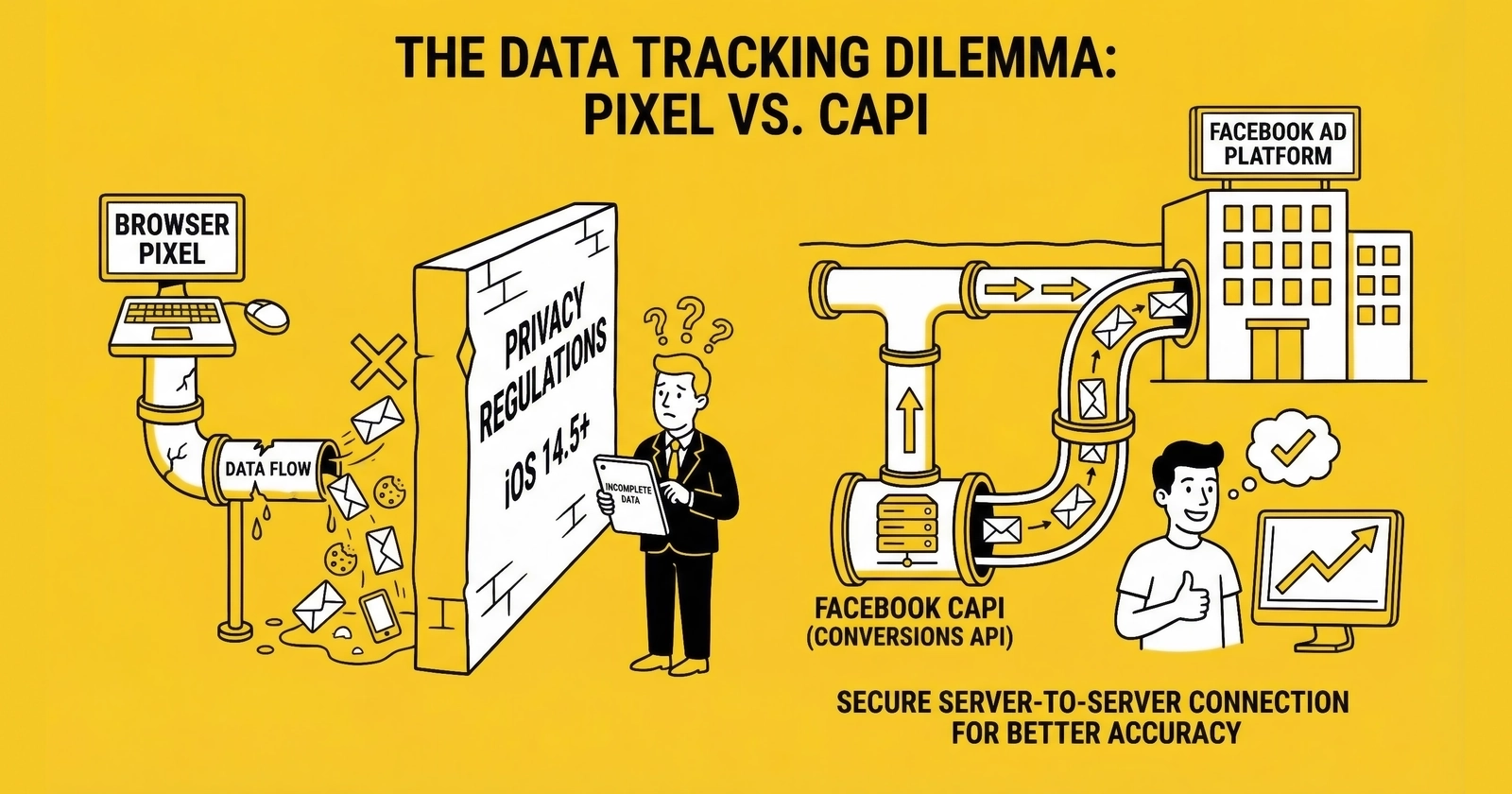
Your Facebook Pixel is hemorrhaging data. The Conversions API recovers it and gives you back the signal you need to optimize profitably.
A lead form submits. Facebook’s Pixel fires. Somewhere between that JavaScript call and Meta’s servers, the conversion signal vanishes into the void of browser restrictions, ad blockers, and iOS privacy controls. The lead exists in your CRM. The ad that drove it receives no credit. Your campaign optimization learns nothing from the conversion.
This is not a theoretical problem. It is happening to every lead generator running Meta ads right now. Apple’s App Tracking Transparency caused Facebook Pixel signal loss of 12-37% following iOS 14.5. Over 31% of internet users globally employ ad blockers, and that figure rises to 42% among ages 18-34 who represent your highest-intent prospects. Safari limits cookies to 24 hours for traffic arriving from domains classified as trackers.
The cumulative effect: Meta’s algorithms are optimizing your campaigns based on 60-70% of actual conversions. The other 30-40% happen, generate revenue, and teach the platform nothing. This signal loss compounds with the attribution challenges covered in first-touch vs last-touch attribution analysis.
The Facebook Conversions API (CAPI) routes conversion data through your servers before sending it to Meta, bypassing the browser restrictions that cause signal loss. Advertisers using CAPI alongside the Pixel achieve 13% lower cost per result and 19% additional attributed events compared to Pixel-only implementations. For lead generators operating on thin margins, this is the difference between profitable campaigns and bleeding money.
This guide covers everything you need to implement the Facebook Conversions API for lead generation: architecture fundamentals, implementation methods, Event Match Quality optimization, click ID persistence, deduplication strategies, testing protocols, and troubleshooting common issues.
Why Lead Generators Need the Conversions API
The browser-based tracking infrastructure that digital advertising was built on is collapsing. Meta’s Pixel was designed for a world where cookies persisted indefinitely, ad blockers were rare, and mobile operating systems did not block cross-app tracking. That world no longer exists.
The Signal Loss Crisis
Understanding the scale of signal loss clarifies why the Conversions API is no longer optional.
iOS App Tracking Transparency
When Apple launched ATT in April 2021, approximately 75% of iOS users opted out of tracking. For advertisers, the rate of installs with an IDFA dropped from 80% to just 27%. iOS users represent approximately 60% of US smartphone market share and skew toward higher income brackets. These are precisely the demographics most likely to convert on high-value leads like insurance, mortgage, solar, and financial services.
Browser Privacy Features
Safari’s Intelligent Tracking Prevention limits client-set cookies to seven days, and just 24 hours for traffic arriving from domains classified as trackers like Meta. Firefox Enhanced Tracking Protection blocks known tracking domains by default. Together, these browsers represent approximately 19% of traffic, all with aggressive restrictions.
Ad Blocker Adoption
Over 912 million people globally use ad blockers as of 2024. In the United States, 32.2% of users ages 16-64 block ads. Among ages 18-34, the demographic most likely to be in-market for insurance, solar, and education products, adoption reaches 42%.
Cookie Expiration
Even when cookies are set, their lifespan is shrinking. A Safari user who clicks your ad on Monday and converts on Thursday may appear as a completely new visitor if their cookie expired.
The combined effect is that client-side tracking captures only 60-70% of actual conversions. For lead generators whose profitability depends on knowing true cost per lead by source, this measurement gap is catastrophic.
How Signal Loss Distorts Campaign Optimization
The problem extends beyond missing individual conversions. Meta’s algorithms learn from conversion data. When 30-40% of conversions go unreported, the algorithm optimizes based on a distorted picture of reality.
Consider the attribution distortion:
A lead generator runs Meta campaigns targeting home insurance shoppers. The Pixel reports 100 leads at $50 CPL from iOS traffic and 200 leads at $40 CPL from Android traffic. Based on this data, budget shifts toward Android.
But the reality hidden by attribution blind spots tells a different story. iOS traffic actually generated 160 leads, with 60 going untracked due to ATT opt-outs. The true iOS CPL is $31.25, not $50. iOS users are being systematically undervalued in optimization decisions.
The budget allocation based on measured performance actively defunds your most efficient audience. And because iOS users skew toward higher income and higher intent, you are also sacrificing lead quality.
The Conversions API corrects this distortion by routing conversion data through your servers, bypassing the browser restrictions that cause measurement gaps. This is part of the broader shift toward server-side tracking for lead generation that privacy changes have made necessary.
The Specific Value for Lead Generation
Lead generation has characteristics that make the Conversions API particularly valuable.
Multi-Day Conversion Windows
Unlike e-commerce where purchases often happen in a single session, lead generation involves consideration. A consumer might see your insurance ad on Monday, research on Wednesday, and submit a form on Friday. Cookie expiration between touchpoints breaks attribution for these journeys that CAPI can preserve.
Mobile-Heavy Traffic
Lead generation verticals like insurance, solar, and home services draw heavily from mobile audiences. These audiences have the highest ATT opt-out rates and ad blocker usage, making them the most affected by client-side tracking limitations.
High Lead Values
When leads are worth $50-200 each, the signal loss from missing even 20% of conversions represents substantial misattributed revenue. A campaign generating $100,000 monthly in lead value might have $30,000 going untracked, distorting optimization decisions and budget allocation.
Downstream Conversion Tracking
The most sophisticated lead generators track not just form submissions but downstream outcomes: leads that become sales, sales that retain, customers who refer. Server-side infrastructure enables this extended attribution that client-side tracking cannot support.
How the Conversions API Works
The Conversions API sends web, app, and offline events directly from your server to Meta’s servers. Where the Pixel relies on client-side JavaScript executing in the browser, CAPI makes server-to-server API calls that bypass browser restrictions entirely.
Architecture Overview
Traditional Pixel-only tracking:
- User clicks Facebook ad and lands on your page
- JavaScript Pixel code loads (or gets blocked)
- User submits lead form
- JavaScript fires PageView and Lead events to Meta
- Requests must survive ad blockers, browser restrictions, and network issues
- Meta receives whatever data makes it through
Conversions API tracking:
- User clicks Facebook ad and lands on your page
- Your server captures the
fbclidparameter and stores it in a first-party cookie - User submits lead form
- Form data posts to your server
- Your server fires a Lead event to Meta via API
- Event includes hashed customer data plus the stored
fbclid - Meta receives the conversion regardless of browser configuration
The critical difference: server-to-server API calls cannot be blocked by ad blockers, are not affected by browser privacy settings, and use first-party cookies that persist longer than third-party tracking infrastructure.
The Redundancy Model
Meta recommends running both Pixel and CAPI together, not replacing one with the other. This redundancy model captures the best of both approaches. The Pixel captures real-time browser signals like PageView, scroll depth, and time on page. CAPI ensures conversion events are recorded even when browser tracking fails. Event deduplication prevents double-counting when both systems fire for the same conversion.
This architecture means you never rely solely on either system. If the Pixel fires successfully, you get rich browser-side data. If the Pixel fails, CAPI provides the backup. Either way, the conversion is attributed.
What Data CAPI Sends
Each Conversions API event includes several categories of data that work together to enable accurate attribution.
Required Fields
Every CAPI event must include the event name (such as Lead, Purchase, or CompleteRegistration), the event time as a Unix timestamp, the action source indicating where the event originated (website, app, or physical_store), and the event source URL where the conversion occurred.
Customer Information Parameters
These parameters enable Meta to match events to actual users. The core identifiers include hashed email address and hashed phone number (both using SHA-256), along with hashed personal data like first name, last name, date of birth, and gender. Geographic data such as city, state, postal code, and country should also be hashed before transmission. Your external ID (internal customer identifier) adds persistent cross-session matching capability. Browser-side signals include client IP address, client user agent, the fbc value derived from the fbclid URL parameter, and the fbp value from Meta’s browser ID cookie.
Custom Data
Beyond matching parameters, you can include business-specific data like lead value, lead type or category, and any custom parameters relevant to your operations. This data enables optimization toward specific outcomes rather than generic conversions.
The more customer information parameters you include, the higher your Event Match Quality score and the better your attribution accuracy.
Event Match Quality: The Critical Metric
Event Match Quality (EMQ) is Meta’s score measuring how well your customer data matches actual Meta users. It is the single most important metric for evaluating your Conversions API implementation.
Understanding EMQ Scores
EMQ ranges from 0 to 10, with each tier reflecting different levels of attribution accuracy. Scores of 0-3 indicate poor matching where Meta cannot identify most event users, meaning your CAPI implementation provides minimal value. Scores of 4-5 represent below-average performance with some matching occurring but significant gaps remaining. The 6-7 range indicates average matching with reasonable results but room for improvement. Scores of 8-9 demonstrate good matching that supports effective campaign optimization. A perfect 10 represents excellent implementation with maximum matching accuracy.
Industry benchmarks show average EMQ scores hover between 4-6, while top-performing campaigns maintain scores of 8-10. The performance implications are substantial. EMQ improvements of 2-3 points typically correlate with 15-25% better ROAS. Conversely, poor EMQ scores can increase customer acquisition costs by 40-60%. High EMQ also enables access to conversion optimization features that require reliable attribution data.
For lead generators, EMQ directly impacts campaign efficiency. Moving from EMQ 5 to EMQ 8 can reduce cost per lead by 15-25%.
Parameters That Improve EMQ
Not all customer parameters contribute equally to EMQ. Understanding the hierarchy helps prioritize implementation efforts.
Highest Value: Deterministic Matching
The most valuable identifiers enable Meta to make direct user matches with high confidence. Hashed email address stands as the single most valuable identifier and is required for any serious implementation. Hashed phone number serves as a strong secondary identifier, particularly valuable for mobile users who often have Meta accounts linked to their phone. The fbc value derived from fbclid provides deterministic attribution to specific ad clicks, while the fbp value from Meta’s first-party browser cookie enables session continuity. Your external ID (internal customer identifier, hashed) adds persistent cross-session matching capability.
Medium Value: Supplementary Identifiers
These parameters improve match rates when combined with core identifiers. First name and last name strengthen matches when paired with other data. Geographic identifiers like city, state, and postal code add matching confidence. Date of birth serves as a strong identifier when available from form submissions.
Lower Value: Probabilistic Matching
Some signals provide probabilistic rather than deterministic matching. IP address is useful but shared across multiple users on the same network. User agent provides a browser fingerprinting signal but is easily spoofed and less reliable.
When optimizing EMQ, prioritize email and phone first, then browser identifiers (fbc, fbp), then supplementary personal data. Each layer adds incremental matching accuracy.
How to Check Your EMQ
Access your EMQ scores through Events Manager by navigating to your Pixel and clicking “Overview” or specific event types. The Event Match Quality score appears prominently for each event category. Click into specific events to see the parameter breakdown showing which data points are contributing to your score.
Check EMQ weekly as part of your campaign monitoring routine. If scores drop below 6 for any significant event type, investigate immediately. Common causes include changed form flows that no longer capture email or phone data, cookie persistence issues causing fbc and fbp loss, hashing implementation errors that corrupt the data, and API transmission failures that prevent events from reaching Meta.
EMQ Troubleshooting
The remediation approach depends on your current score tier.
For EMQ below 4, your implementation has fundamental gaps. Verify you are sending hashed email and phone with every event. Check that hashing is working correctly using Meta’s Test Events tool to inspect actual transmitted values. Confirm fbc and fbp values are being captured on landing pages and transmitted with conversion events.
For EMQ between 4 and 6, you are likely missing some parameters or have intermittent transmission issues. Add all available customer data from your forms. Implement proper click ID persistence to ensure fbc values survive through conversion. Verify first-party cookie setup and check for expiration issues.
For EMQ between 6 and 8, you have a good foundation with room for refinement. Optimize by adding supplementary parameters like name, city, and postal code. Review event logs for any conversions being sent without customer data, which can drag down your average score.
For EMQ at 8 or above, you have an excellent implementation. Maintain it by monitoring weekly for regressions and keeping your integration current with Meta’s evolving requirements. Even small code changes can inadvertently break parameter transmission.
Implementation Methods
The Conversions API can be implemented through several approaches, each with different complexity and capability tradeoffs.
Method 1: Partner Integration
The fastest path to implementation uses Meta’s partner integrations. Supported platforms include Shopify, WordPress (via plugins), WooCommerce, Magento, Google Tag Manager, Zapier, Segment, and dozens of others. The partner platform handles API connections, data formatting, and event transmission, allowing you to configure settings through the platform’s interface rather than writing code.
This approach offers significant advantages for teams without dedicated development resources. Implementation takes hours rather than weeks, requires no coding, and is maintained by the platform vendor with automatic updates when Meta changes requirements.
The tradeoffs involve reduced control. You have less visibility into the exact data being sent, may encounter limitations with advanced use cases, and remain dependent on the platform’s capabilities and roadmap. Some platforms also charge additional fees for CAPI functionality.
Partner integration works best for lead generators already using standard form builders, CRM platforms, or marketing automation tools that support CAPI natively.
Method 2: Google Tag Manager Server-Side
GTM Server-Side provides a flexible implementation path for teams already using GTM. You deploy a GTM server container (separate from your web container) on cloud infrastructure. The server container receives events from your web container and forwards them to Meta via the Conversions API.
Implementation involves creating a GTM server container and deploying it to Google Cloud Platform (Cloud Run) or a specialized provider like Stape or Taggrs. You then configure the Meta CAPI tag in your server container, set up the transport mechanism from your web container to server container, configure customer parameter mapping, and implement event deduplication with your Pixel.
Hosting costs vary by provider. Google Cloud Platform runs $120-300 monthly for production volumes. Specialized providers charge $20-200 monthly depending on request volume, with Stape.io starting at $20 monthly for 500,000 requests.
The approach leverages familiar GTM interfaces with pre-built templates for common configurations, enabling centralized tracking management across multiple platforms. Documentation and community support are robust. However, the setup adds complexity to existing GTM configurations and requires understanding the client/server container interaction. Some advanced use cases still require custom code.
GTM Server-Side works best for teams with existing GTM experience who want centralized control over multiple tracking platforms.
Method 3: Direct API Integration
Direct integration connects your backend systems directly to Meta’s Conversions API without intermediary platforms. When a lead form submits, your application code makes an HTTP POST request to Meta’s Conversions API endpoint with the event data.
The API endpoint follows the format https://graph.facebook.com/v18.0/{pixel_id}/events. You need a Meta Business Account with Events Manager access, your Pixel ID, an access token for API authentication, and server-side code to format and transmit events.
Here is the basic request structure:
POST /v18.0/{pixel_id}/events
{
  "data": [
    {
      "event_name": "Lead",
      "event_time": 1702500000,
      "action_source": "website",
      "event_source_url": "https://yoursite.com/quote",
      "user_data": {
        "em": ["hashed_email"],
        "ph": ["hashed_phone"],
        "fbc": "fb.1.1234567890.abcdefghij",
        "fbp": "fb.1.1234567890.1234567890"
      },
      "custom_data": {
        "lead_type": "auto_insurance",
        "lead_value": 45.00
      }
    }
  ],
  "access_token": "your_access_token"
}
Direct API integration provides full control over data and timing with no additional infrastructure costs. Events transmit with lowest latency and integrate directly with existing lead management systems.
The tradeoffs center on development burden. You need development resources to build and maintain the integration, must keep pace as Meta evolves the API, write more code for testing, and handle all error handling and retry logic yourself.
This approach works best for teams with development capabilities who want maximum control and already have lead management systems capturing the necessary data.
Method 4: Lead Distribution Platform Integration
Modern lead distribution platforms increasingly offer built-in Conversions API support. Platforms like boberdoo, LeadsPedia, and Phonexa are adding CAPI capabilities that fire conversion events to Meta automatically based on lead status changes. For guidance on building robust distribution infrastructure, see enterprise lead distribution architecture.
These integrations can fire conversions when leads are accepted, send revenue events when leads sell to buyers, transmit return events when leads are rejected, and support multiple advertising platforms from a single integration point.
The advantages align well with existing lead generation workflows. No additional development is required since conversion data already flows through the platform. Downstream events like sale and return fire automatically, and the platform vendor maintains the integration.
The limitations involve reduced flexibility. You depend on the platform’s capabilities and roadmap, may lack options for custom scenarios, potentially incur additional platform costs if not already using the service, and have less control over exact timing and data transmission.
This approach works best for lead generators already using distribution platforms who want minimal implementation effort and automatic downstream event tracking.
Click ID Persistence: The Foundation
All Conversions API attribution depends on one critical capability: persisting the fbclid from the initial ad click through to conversion.
Why fbclid Matters
When a user clicks a Meta ad, the platform appends a unique click identifier called fbclid to the destination URL:
https://yoursite.com/landing?fbclid=IwAR0abc123xyz...
This identifier is Meta’s deterministic link between the ad click and subsequent events. Without it, CAPI events can only match probabilistically using hashed customer data and browser signals.
The difference in attribution quality is substantial. With fbclid, Meta knows exactly which ad, ad set, and campaign drove the conversion, providing deterministic and complete attribution. Without fbclid, Meta attempts to match using email, phone, IP address, and user agent, causing match rates to drop as attribution becomes probabilistic.
For lead generation, where every lead is worth $20-200 and campaigns need precise optimization, deterministic attribution is not optional.
The Persistence Challenge
The fbclid exists only in the URL of the initial landing page. If the user navigates to another page, submits a form on a different URL, refreshes the page, or returns later to convert, the click ID is gone unless you captured and stored it.
Browser restrictions compound the problem. Safari’s Link Tracking Protection can strip the fbclid entirely before your tracking code sees it. iOS Private Browsing modes strip tracking parameters automatically. Some privacy-focused browsers remove known tracking parameters as a standard feature. Your implementation must capture the identifier before any of these mechanisms can remove it.
Implementation Strategy
Your implementation must capture the fbclid immediately on page load and persist it through multiple mechanisms.
Step 1: Capture on Landing
When any page loads, check the URL for fbclid. If present, extract and store it immediately.
// Extract fbclid from URL
const urlParams = new URLSearchParams(window.location.search);
const fbclid = urlParams.get('fbclid');
Step 2: Store in First-Party Cookie
Set a first-party cookie containing the fbc value (the formatted version of fbclid):
// Format: fb.{subdomain_index}.{creation_time}.{fbclid}
const fbc = 'fb.1.' + Date.now() + '.' + fbclid;
document.cookie = '_fbc=' + fbc + '; path=/; max-age=7776000'; // 90 days
Step 3: Pass to Hidden Form Fields
When your lead form renders, populate a hidden field with the stored fbc value. This ensures the identifier persists directly with the lead record, surviving cookie deletion.
<input type="hidden" name="fbc" id="fbc_field">
<script>
  // On form render, populate from cookie
  const fbc = getCookie('_fbc');
  if (fbc) {
    document.getElementById('fbc_field').value = fbc;
  }
</script>
Step 4: Include in Server-Side Events
When firing CAPI events, always include the fbc value with user data:
{
  "user_data": {
    "fbc": "fb.1.1234567890.IwAR0abc123xyz",
    "fbp": "fb.1.1234567890.1234567890",
    "em": ["hashed_email"]
  }
}
Handling fbp (Browser ID)
Meta’s Pixel sets its own first-party cookie called _fbp containing a browser identifier. This cookie is different from _fbc in both origin and purpose. The _fbc cookie is created when a user clicks an ad and contains the click ID for attribution. The _fbp cookie is created when a user visits any page with the Pixel installed and contains a browser ID for cross-session identification.
Capture and send both values with CAPI events:
const fbc = getCookie('_fbc');
const fbp = getCookie('_fbp');
The _fbp cookie helps Meta connect events across sessions even when there was no ad click.
iOS Resilience Strategies
iOS increasingly strips tracking parameters, requiring defensive implementation strategies.
Custom Parameter Aliasing
Use a custom parameter name (like aclid) that is not on Apple’s known tracking parameter list. Configure your Meta ads to append this custom parameter. Your server captures this alias and converts it to the standard fbclid format before storing. This approach works because Apple’s blocking lists target specific known parameters rather than all URL parameters.
First-Party Redirects
Route Meta traffic through your own domain first. Your server captures the fbclid, stores it in a first-party cookie or session, then redirects to the final landing page. The tracking parameter never appears in the browser’s URL bar where Safari’s protection can strip it. This adds a small amount of latency but dramatically improves click ID capture rates on iOS.
Session ID Linking
Generate a session ID on the landing page and pass it through your form as a hidden field. Associate the fbclid with the session ID in your server-side data store. Even if the cookie gets cleared, the session ID in the form submission links back to the original click data.
Event Deduplication
When running both Pixel and CAPI (Meta’s recommended approach), you must implement event deduplication to prevent double-counting conversions.
Why Deduplication Matters
Without deduplication:
- User submits lead form
- Pixel fires a Lead event
- Server fires a CAPI Lead event
- Meta records two Lead events
- Your reported lead count is double actual leads
- CPL appears half of what it actually is
- Campaign optimization goes haywire
With proper deduplication:
- User submits lead form
- Pixel fires Lead event with
event_id: "abc123" - Server fires CAPI Lead event with
event_id: "abc123" - Meta recognizes duplicate
event_id - One Lead event recorded
- Accurate attribution and optimization
Implementing Deduplication
Step 1: Generate Unique Event ID
Generate a unique identifier on the client side when the conversion happens. This same ID must appear in both Pixel and CAPI events.
// Generate unique event ID
const eventId = 'evt_' + Date.now() + '_' + Math.random().toString(36).substr(2, 9);
Step 2: Include in Pixel Event
Pass the event ID to your Pixel call:
fbq('track', 'Lead', {
  content_name: 'Insurance Quote Request'
}, {
  eventID: eventId
});
Step 3: Pass to Server
Include the event ID in your form submission to the server:
// Hidden field or AJAX payload
formData.append('event_id', eventId);
Step 4: Include in CAPI Event
When your server fires the CAPI event, include the same event ID:
{
  "event_name": "Lead",
  "event_id": "evt_1702500000_abc123xyz",
  "event_time": 1702500000,
  ...
}
Deduplication Window
Meta’s deduplication window is 48 hours. Events with the same event_id received within 48 hours are deduplicated. After 48 hours, a duplicate event_id would create a second event.
For lead generation, this window is typically sufficient since CAPI events should fire within minutes of the Pixel event.
Common Deduplication Issues
Several patterns indicate deduplication problems that require investigation.
When CAPI events are not deduplicating with Pixel events, check that the event_id values match exactly between both systems. Verify both events have the same event_name since Meta deduplicates based on the combination of event ID and event name.
When only CAPI events appear in Events Manager, your Pixel is likely being blocked by ad blockers or browser privacy settings. This is expected behavior and demonstrates CAPI working as intended as a backup. No action required unless you expected both to fire.
When only Pixel events appear with no CAPI events, your CAPI implementation is failing. Check API responses for errors, verify your access token is valid, and confirm events are being transmitted from your server.
When double events appear despite deduplication configuration, event IDs are not matching between Pixel and CAPI. Debug by logging the exact values from both systems and comparing character-by-character. Common culprits include whitespace differences, timing mismatches, or the event ID being generated twice instead of shared.
Testing Your Implementation
Thorough testing before launch prevents attribution gaps and campaign optimization issues.
Meta’s Test Events Tool
Events Manager includes a Test Events feature specifically for validating CAPI implementations. To use it, open Events Manager and select your Pixel, then click “Test Events” in the sidebar. Copy your Test Event Code and add it to your CAPI calls during testing. Submit test conversions through your forms and view real-time results in the Test Events interface.
The Test Events tool displays whether events were received, what parameters were transmitted, Event Match Quality for each event, and any errors or warnings. This real-time feedback is invaluable during implementation.
Testing Checklist
Before considering your implementation production-ready, verify that Lead events fire successfully and Event Match Quality displays at 6 or higher. Confirm email hash is included and valid, phone hash is included and valid, fbc value is present from click ID persistence, and fbp value is present from the browser cookie. Verify the event ID is included for deduplication and that custom data like lead value and lead type appears correctly in the event payload.
Verify Deduplication
Confirming deduplication requires testing with both systems active. Enable both Pixel and CAPI, then submit a test lead form. Check Events Manager for Lead events and verify you see one Lead event, not two. The event should show both “Browser” and “Server” in the Source column, indicating Meta received the event from both systems and successfully deduplicated them.
If you see two separate events, your event IDs are not matching correctly. Review the implementation to ensure the same event ID is passed to both the Pixel and your server-side CAPI call.
Production Monitoring
After launch, monitor key metrics daily for the first week to verify the implementation is performing as expected.
Compare Pixel events versus CAPI events by volume. CAPI should capture 10-30% more events than Pixel alone, representing the conversions that would otherwise be lost to browser restrictions.
Check EMQ scores for each event type in Events Manager. Scores should be 6 or higher for major conversion events. Any event type consistently below 6 requires investigation.
Review the deduplication rate, which Events Manager displays as the percentage of events deduplicated. A healthy implementation shows 60-80% deduplication, indicating both systems are firing and working together as designed.
Compare reported conversions before and after CAPI implementation to measure attribution improvements. Expect 10-30% more attributed conversions once the implementation stabilizes. If you do not see improvement within two weeks, investigate for implementation issues.
Advanced Implementation Patterns
Once basic CAPI implementation is working, advanced patterns improve attribution accuracy and campaign optimization.
Sending Downstream Conversions
For lead generation, the form submission is not the final conversion. The lead that becomes a customer is what matters. CAPI can send downstream events back to Meta to enable this deeper optimization.
The implementation flow tracks leads through their lifecycle. When a lead submits a form, fire a Lead event with a unique lead ID. When that lead sells to a buyer, fire a Purchase event with the same lead ID. When the lead converts to an actual customer, fire a custom event with the lead ID and revenue value.
This matters because Meta’s optimization algorithms can learn which leads actually generate revenue, not just which clicks generate form fills. This enables optimization toward quality rather than quantity, reducing wasted spend on leads that never convert. Combined with proper GA4 lead generation tracking, you can build a complete picture of which traffic sources generate actual business value.
The technical approach requires storing the fbc value and customer data with each lead record in your database. When downstream events occur like sale, return, or customer conversion, retrieve this stored data and fire the appropriate CAPI event with the original identifiers. This links the downstream outcome back to the original ad click.
{
  "event_name": "Purchase",
  "event_time": 1702600000,
  "user_data": {
    "em": ["original_hashed_email"],
    "fbc": "original_fbc_value"
  },
  "custom_data": {
    "value": 85.00,
    "currency": "USD",
    "content_name": "Auto Insurance Lead"
  }
}
Multiple Lead Types
Lead generators often capture different lead types with different values. Send custom data that enables Meta to optimize by lead type.
{
  "custom_data": {
    "content_category": "auto_insurance",
    "content_name": "Full Coverage Quote",
    "value": 55.00,
    "content_ids": ["auto_full_coverage"]
  }
}
Then in Ads Manager, you can create conversion values that weight by lead type and optimize toward higher-value conversions.
Real-Time versus Batch Processing
CAPI supports both real-time and batch event transmission, each suited to different operational needs.
Real-time transmission fires events immediately when conversions happen. This provides fastest attribution and lowest latency for optimization, making it the recommended approach for most lead generation scenarios.
Batch processing collects events and sends them periodically. This approach is useful when processing high volumes or when events originate from systems without real-time capability. Meta allows maximum batch sizes of 1,000 events with a maximum delay of 7 days from event occurrence.
For lead generation, real-time transmission is preferred. Faster campaign optimization means Meta’s algorithms learn from your conversions immediately. Attribution windows are more accurate when events are timestamped at the moment of conversion. The implementation is simpler without the need for event queuing and batch management. And there is lower risk of data loss since events are transmitted before system failures can cause them to be lost.
Error Handling and Retry Logic
CAPI calls can fail due to network issues, rate limits, or data errors. Robust implementations require proper error handling for production reliability.
Meta imposes rate limits that allow up to 1,000 events per API call, with additional rate limiting based on overall Pixel volume. For high-volume implementations, implement request queuing to smooth out traffic spikes and avoid hitting limits during peak conversion periods.
Build retry logic that attempts failed requests again with exponential backoff. If the first attempt fails, wait one second before retrying, then two seconds, then four seconds. Capture failed events for manual review if all retries fail, ensuring no conversions are permanently lost.
Log all CAPI calls and responses for debugging and verification. When attribution issues arise, these logs enable tracing specific events through the system. When auditing implementation health, log analysis reveals patterns in failures and data quality issues.
Common Issues and Solutions
Fifteen years of implementing tracking systems reveals consistent failure patterns. Address these issues proactively.
Issue: Low Event Match Quality
Low EMQ manifests as scores below 6, poor attribution accuracy, and high CPL despite good lead volume.
The common causes include missing email or phone in user_data, incorrect hashing that must use SHA-256 on lowercase and whitespace-trimmed values, missing fbc and fbp browser identifiers, and events being sent without any user data attached.
The solution requires auditing your implementation parameter by parameter. Use Test Events to verify each field is transmitted correctly and appears in Meta’s received data. Focus on email first as the highest-value identifier, then phone, then browser identifiers like fbc and fbp.
Issue: Events Not Appearing in Events Manager
This issue presents as CAPI calls that succeed with 200 responses but events never appear in Events Manager.
Common causes include using an incorrect Pixel ID that routes events to the wrong account, an invalid or expired access token, events blocked by data processing restrictions in your account settings, and timezone mismatches in event_time that place events outside the viewable window.
To resolve, verify the Pixel ID matches what appears in Events Manager for your account. Generate a new access token if the current one might have expired. Check that event_time is within the last 7 days using proper Unix timestamp format. Review data processing options in Business Settings to ensure nothing is blocking event ingestion.
Issue: Duplicate Events Despite Deduplication
This issue appears when event counts in Events Manager show double what your actual conversion records indicate.
The common causes are event IDs not matching between Pixel and CAPI due to formatting or generation differences, different event_name values being used by each system, and events firing at different times that exceed the 48-hour deduplication window.
To resolve, log the exact event_id values from both Pixel and CAPI transmissions. Compare them character-by-character to identify any differences in formatting, encoding, or value. Ensure both events use identical event_name strings since deduplication requires matching on both event ID and event name.
Issue: fbc Value Missing
This issue manifests when events send successfully but the fbc value is null or missing from the user_data payload.
Common causes include fbclid not being captured on the initial landing page, cookies not persisting due to browser settings or short expiration, forms not passing the fbc value to the server through hidden fields, and Safari ITP stripping the parameter before your code can capture it.
To resolve, test the complete flow from ad click through form submission while monitoring each step. Verify the cookie is set immediately on landing page load. Check that hidden form fields populate correctly with the stored fbc value. Implement fallback strategies for iOS including custom parameter aliasing and first-party redirects.
Issue: Access Token Expired or Invalid
This issue appears when the API returns authentication errors in response to otherwise properly formatted requests.
Common causes include token expiration since system user tokens expire periodically without warning, token permissions being changed by account administrators, and tokens generated by users who subsequently lost access to the business account.
To resolve, generate a new access token from Events Manager with appropriate permissions. For production implementations, use system user tokens which are more stable than personal tokens. Set a calendar reminder to refresh tokens before expiration, typically every 60 days for system tokens.
Issue: Events Have Good EMQ But Conversions Not Improving
This frustrating issue appears when the implementation looks correct with high EMQ scores but campaign performance shows no improvement.
The common causes relate to optimization timing and volume rather than implementation. Meta’s algorithms need time to learn from new data signals, typically 2-4 weeks for meaningful pattern recognition. Budget constraints may limit the algorithm’s ability to explore and optimize effectively. Conversion volume may be too low for statistical significance in the optimization process.
To resolve, allow 2-4 weeks for Meta’s algorithms to incorporate the new data before drawing conclusions. Ensure campaigns have sufficient budget for meaningful optimization, typically at least 50 conversions per week. Compare pre and post implementation metrics over 30 or more days to account for natural variation and learning periods.
Frequently Asked Questions
What is the Facebook Conversions API and how does it differ from the Pixel?
The Facebook Conversions API (CAPI) sends conversion data directly from your server to Meta’s servers, while the Pixel uses JavaScript in the browser. The key difference is that server-side CAPI requests cannot be blocked by ad blockers, are not affected by browser privacy restrictions like Safari ITP, and use first-party data that persists longer than client-side cookies. Meta recommends running both together: the Pixel captures real-time browser signals while CAPI ensures conversions are recorded when browser tracking fails.
Do I still need the Facebook Pixel if I implement CAPI?
Yes, Meta recommends using both together for best results. The Pixel captures detailed browser-side signals like page views, scroll depth, and time on site that CAPI cannot access. CAPI ensures conversion events survive when the Pixel is blocked or fails. Advertisers using both systems with proper deduplication achieve 13% lower cost per result and 19% additional attributed events compared to Pixel-only implementations.
What is Event Match Quality and what score should I target?
Event Match Quality (EMQ) is Meta’s score from 0-10 measuring how well your customer data matches actual Meta users. Higher EMQ means more accurate attribution and better optimization. Average implementations score 4-6, while top performers achieve 8-10. For lead generation, target EMQ of 8+ by sending complete customer data: hashed email, hashed phone number, and Meta’s browser identifiers (fbc and fbp cookies). EMQ improvements of 2-3 points typically correlate with 15-25% better ROAS.
How do I prevent double-counting conversions when running both Pixel and CAPI?
Implement event deduplication by generating a unique event_id on the client side and including it in both Pixel and CAPI calls. When Meta receives two events with the same event_id within 48 hours, it recognizes them as duplicates and counts only once. The event_id must match exactly between both events, and they must have the same event_name.
What customer data should I send with CAPI events?
Prioritize deterministic identifiers that directly match Meta users. In order of importance: hashed email address (required), hashed phone number, fbc value (from fbclid URL parameter), fbp value (Meta’s browser cookie), external ID (your customer ID), and supplementary data like name, city, and postal code. All personal data must be hashed using SHA-256 before transmission. Never send unhashed personal data through CAPI.
How do I capture and persist the fbclid click identifier?
Capture fbclid from the URL immediately on page load, format it as an fbc value (fb.{subdomain_index}.{creation_time}.{fbclid}), and store it in a first-party cookie on your domain. Additionally, populate a hidden form field with this value so the identifier persists directly with the lead record. When firing CAPI events, include the fbc value in user_data. This multi-layer approach survives cookie deletion and browser restrictions.
What does CAPI implementation cost?
Implementation cost varies by approach. Partner integrations through existing platforms (Shopify, WordPress plugins, Zapier) can be free or included in platform fees. Google Tag Manager Server-Side hosting runs $20-300 monthly depending on volume and provider. Direct API integration has minimal ongoing costs but requires development time upfront. Most implementations pay for themselves within 30 days through improved campaign efficiency, as recovering 10-30% more conversion signals directly improves optimization and reduces CPL.
How long does it take to implement the Conversions API?
Implementation timeline depends on approach and complexity. Partner integrations can be configured in hours. GTM Server-Side implementations typically take 1-2 weeks including testing. Direct API integrations require 2-4 weeks for development and testing. Plan for 2-4 additional weeks of monitoring after launch to verify event volume, match quality, and deduplication before fully relying on CAPI data for optimization decisions.
Can I send downstream conversion events like lead sales through CAPI?
Yes, and this is one of CAPI’s most valuable capabilities for lead generators. When a lead sells to a buyer or converts to a customer, you can fire additional events (Purchase, custom events) with the original customer data and fbc value. This teaches Meta’s algorithms which leads generate actual revenue, enabling optimization toward quality not just quantity. Store the fbc and hashed customer data with each lead record for later event transmission.
How do I troubleshoot low Event Match Quality scores?
Start by verifying you are sending hashed email and phone with every event. Use Meta’s Test Events tool to see exactly what data is received. Common issues include: incorrect hashing (must be SHA-256, lowercase, whitespace trimmed), missing browser identifiers (fbc and fbp), events sent without user_data, or malformed parameter values. Focus on adding high-value identifiers first: email, phone, fbc, fbp. Supplementary parameters like name and location provide incremental improvement.
Key Takeaways
-
The Conversions API is no longer optional for serious lead generators. Browser restrictions, ad blockers, and iOS privacy changes cause 30-40% signal loss with Pixel-only implementations. CAPI recovers this data through server-side transmission that bypasses browser limitations.
-
Run both Pixel and CAPI together with event deduplication. Meta recommends this redundancy model. The Pixel captures browser signals; CAPI ensures conversions are recorded when browser tracking fails. Advertisers using both achieve 13% lower cost per result.
-
Event Match Quality determines attribution accuracy. Target EMQ scores of 8+ by sending complete customer data: hashed email, hashed phone, fbc (click ID), and fbp (browser ID). EMQ improvements of 2-3 points correlate with 15-25% better ROAS.
-
Click ID persistence is foundational. Capture fbclid on landing page arrival, store in first-party cookies, pass through hidden form fields, and include in all CAPI events. Without the click ID, attribution becomes probabilistic rather than deterministic.
-
Implement proper deduplication using consistent event_id values. Generate a unique event_id client-side and include it in both Pixel and CAPI calls. Matching IDs prevent double-counting when both systems fire successfully.
-
Implementation costs pay for themselves quickly. Whether using partner integrations, GTM Server-Side, or direct API development, the investment typically returns positive ROI within 30 days through improved campaign efficiency and recovered conversion signals.
-
Downstream event tracking enables quality optimization. Send Lead events when forms submit and Purchase events when leads convert to customers. This teaches Meta’s algorithms which traffic sources generate actual revenue, not just form fills.
-
Test thoroughly before trusting the data. Use Meta’s Test Events tool to verify event transmission, parameter accuracy, and match quality. Monitor for 2-4 weeks post-launch before relying on CAPI data for major optimization decisions.
-
The competitive advantage is temporary. As more advertisers implement CAPI, the advantage shifts from “better data than competitors” to “table stakes for survival.” The window to gain competitive advantage through superior measurement is now. Pair CAPI implementation with the five-minute rule for response time to maximize the value of every recovered conversion.
Sources
- Meta Conversions API Documentation - Official Meta documentation for Conversions API implementation and best practices
- Meta Business Help Center - Conversions API - Meta’s guide to setting up and optimizing the Conversions API
- Apple App Tracking Transparency - Apple’s documentation on ATT and user privacy requirements affecting iOS tracking
- WebKit ITP Blog Post - Safari’s Intelligent Tracking Prevention technical details
- StatCounter Global Stats - Browser and platform market share statistics
This guide reflects Facebook Conversions API best practices and Meta platform capabilities current as of late 2024/early 2025. Platform features, requirements, and APIs evolve continuously. Verify current documentation and test implementations thoroughly before production deployment.