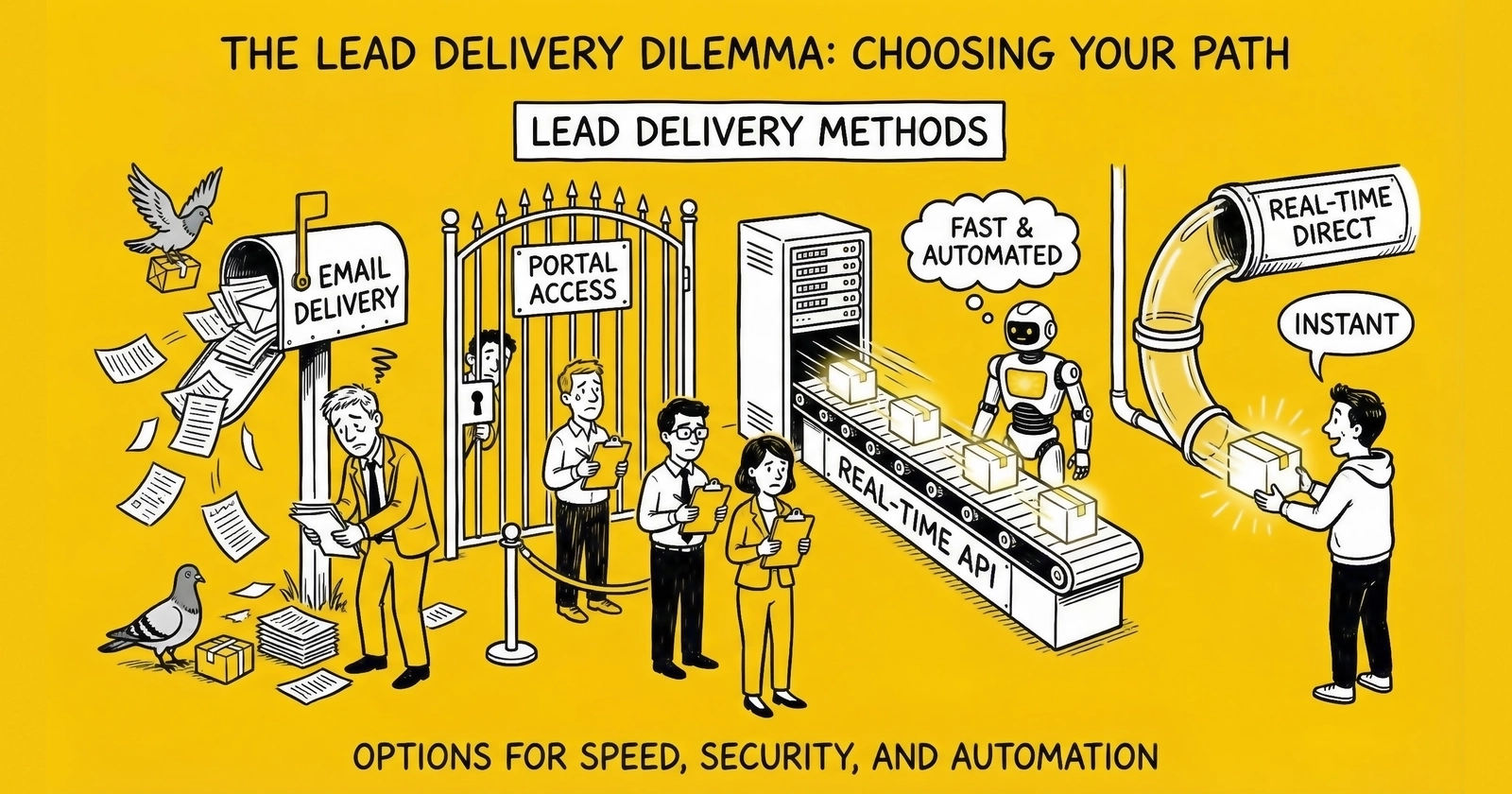
The technical infrastructure that transforms routing decisions into revenue - mastering delivery methods determines whether your lead business scales or stalls.
The moment your routing logic selects a winning buyer, the real work begins. That carefully captured lead, validated and priced through milliseconds of auction dynamics, must now traverse the gap between your system and theirs. The delivery mechanism you choose determines whether that lead arrives in seconds or hours, whether your buyer can act on it immediately or must wait for manual processing, and ultimately, whether the transaction that seemed so profitable on paper actually generates revenue.
Lead delivery is where theory meets infrastructure. You can build the most sophisticated ping/post system in the industry, capture perfect consent documentation, and negotiate premium pricing with every buyer in your network. None of it matters if your delivery fails silently at 3 AM on a Saturday, if field mappings break after a buyer updates their CRM, or if batch files land with formatting errors that reject half your leads.
This guide examines the five primary delivery methods used in professional lead distribution: HTTP POST (real-time API integration), email delivery, web portal access, batch file transfers, and live call transfers. Each method serves different buyer segments, creates different technical requirements, and demands different operational disciplines. Those who understand these distinctions build delivery infrastructure that scales. Those who treat delivery as an afterthought spend their days troubleshooting failed transactions and explaining to buyers why leads never arrived.
The Delivery Landscape: Matching Method to Buyer
Before diving into technical specifications, understand that delivery method selection is fundamentally a buyer-matching exercise. Your delivery infrastructure must accommodate the full range of buyer capabilities, from enterprise operations with sophisticated API endpoints to independent agents checking email between client meetings.
The distribution of delivery methods across the industry reflects this reality. Real-time HTTP POST dominates high-volume operations where speed-to-contact directly impacts conversion rates. Insurance carriers, mortgage lenders, and large home services companies typically demand API integration because their call centers need leads to appear in agent queues within seconds of capture. Portal access serves smaller buyers without technical resources for API integration. Email delivery persists for the simplest buyer relationships and as a fallback mechanism. Batch file transfers handle legacy enterprise systems and specific compliance documentation requirements. Live transfers represent the premium tier, connecting callers directly with buyer agents in real-time.
Most lead distribution operations support multiple delivery methods simultaneously. Your enterprise insurance carrier demands Salesforce API integration. Your mid-market buyers want leads pushed to HubSpot. Your network of independent agents logs into a branded portal. A legacy buyer still requests daily CSV files via SFTP. A pay-per-call buyer needs live transfers routed through their IVR. Each relationship requires its own delivery configuration, its own error handling, and its own ongoing maintenance.
The operational complexity compounds quickly. With twenty buyers across five delivery methods, you’re managing a hundred potential failure points. Professional operations build delivery infrastructure that handles this complexity systematically rather than reactively.
HTTP POST Delivery: The Real-Time Standard
HTTP POST delivery remains the dominant method for real-time lead transfer in the industry. When a lead converts on your landing page and wins a buyer’s auction, an HTTP POST request transmits the data to the buyer’s endpoint within seconds, often within the same web request cycle that captured the lead. This immediacy is what makes real-time lead distribution possible.
How Real-Time API Integration Works
At its core, HTTP POST delivery is straightforward. Your system sends an HTTP POST request to a buyer’s URL endpoint, transmitting lead data in the request body. The buyer’s system processes the request and returns a response indicating success or failure. The entire exchange typically completes in under one second for well-configured integrations.
The technical implementation involves several interconnected components. Your system assembles the lead data into the format the buyer expects, usually JSON or XML, though some legacy systems still use form-encoded data. You attach any required authentication credentials, whether as HTTP headers, query parameters, or fields within the payload itself. Your system then initiates the HTTPS connection, transmits the request, waits for the response, and parses the result to determine whether delivery succeeded.
Modern integrations standardize on JSON payloads over HTTPS. A typical request includes a Content-Type header specifying application/json, an Authorization header carrying an API key or bearer token, and a body containing lead fields structured according to the buyer’s specification. The buyer’s endpoint validates the authentication, processes the data, and returns an HTTP status code along with a response body containing their internal lead ID and acceptance status.
Enterprise buyers increasingly require OAuth 2.0 authentication rather than simple API keys. OAuth adds complexity but provides better security and easier credential rotation. Some buyers implement IP whitelisting as an additional security layer, requiring you to register your server IP addresses before they will accept connections.
Field Mapping: Where Integration Complexity Lives
Field mapping is where most integration problems originate and where they’re most difficult to diagnose. Your internal data model almost never matches your buyer’s expected format perfectly. You might store “first_name” and “last_name” separately while the buyer expects a single “full_name” field. Your state codes might use two-letter abbreviations while theirs expects full state names. Your date formats use ISO 8601 while their legacy system expects MM/DD/YYYY.
A robust field mapping configuration addresses several transformation types:
Static mappings connect your field directly to theirs with no transformation. Your email field maps to their email field.
Concatenation combines multiple source fields into one destination field. First name and last name join to create full name.
Splitting does the opposite, parsing a full address into separate street, city, state, and ZIP components.
Value translation converts your internal codes to their expected values. Your “1” for homeowner becomes their “Yes” or “Own.”
Format transformations handle data type conversions. Phone numbers require particular attention since different buyers expect different formats: some want 10 digits with no formatting, others expect dashes or parentheses, and international buyers might require country codes. Date formats vary widely across systems. Currency fields might need decimal adjustment or thousand separators removed.
The danger with field mapping is not getting it wrong initially. You will catch that during testing. The danger is drift over time. A buyer updates their API, adding a required field you do not know about. A developer changes your internal field names during a refactor. The mapping that worked for two years suddenly starts failing, and because nobody changed anything on your side, it takes hours to diagnose.
Professional operations maintain detailed field mapping documentation for each buyer integration, version-control their mapping configurations, and implement automated validation that compares your payload structure against the buyer’s published specification.
Error Handling and Retry Logic
Errors in HTTP delivery fall into several categories, each requiring different handling strategies.
Transport errors occur when you cannot establish a connection at all: DNS resolution failures, connection timeouts, TLS handshake problems. These typically indicate infrastructure issues on either side and often resolve on retry.
HTTP-level errors use standard status codes to communicate what went wrong. A 400 Bad Request usually means your payload structure or content is invalid: missing required fields, malformed data, values outside acceptable ranges. A 401 Unauthorized indicates authentication failure: expired tokens, incorrect API keys, revoked credentials. A 403 Forbidden suggests the authentication is valid but resource access is denied. A 404 Not Found means the endpoint URL is incorrect. A 500 Internal Server Error indicates something broke on the buyer’s side.
Application-level errors return a successful HTTP status (usually 200) but include rejection information in the response body. The buyer’s system accepted your request, processed it, and decided to reject the lead: duplicate submission, outside their geographic territory, failed their internal validation.
The critical discipline with error handling is distinguishing retryable errors from permanent failures. A connection timeout might resolve on retry. A 500 error might clear when the buyer’s system recovers. But a 400 validation error will fail every time you retry with the same payload. Retrying wastes resources and annoys the buyer’s operations team when they see the same invalid request hitting their logs repeatedly.
Implement categorized error handling that automatically retries transport and temporary server errors while immediately routing validation errors to exception processing. Log every error with sufficient context: the full request payload, response body, HTTP status, and timestamps. Diagnosing issues should not require reproducing them.
Exponential backoff is the industry standard retry approach. Your first retry happens after a short delay, perhaps two seconds. If that fails, wait four seconds, then eight, then sixteen. This pattern gives transient issues time to resolve while limiting your retry volume. Most implementations cap the maximum delay at around one minute and the total retry count at five or six attempts.
Add jitter, small random variations in your retry timing, to prevent thundering herd problems. If a buyer’s system goes down for five minutes and comes back up, you do not want every lead that failed during that window to retry simultaneously, potentially overwhelming the recovering system.
Circuit breaker patterns provide protection at a higher level. If a particular buyer’s endpoint fails repeatedly, say ten consecutive failures within five minutes, your system should open the circuit and stop attempting delivery to that buyer entirely. This protects both you and the buyer: you stop wasting resources on a clearly broken integration, and their system is not pounded with requests during an outage. After a cooling period, attempt a single probe request. If it succeeds, close the circuit and resume normal operation.
For leads that exhaust all retries, implement waterfall logic to attempt delivery to secondary buyers, as discussed in our guide on lead distribution systems and routing. A lead that could not reach the primary winner might still have value to the second-highest bidder. Capture these recovered deliveries as a key operational metric. It represents revenue you would have lost to technical failures. Industry data suggests that well-implemented waterfall-on-failure systems recover 20-40% of revenue that would otherwise be lost to post rejections, buyer timeouts, and system failures.
Response Time Benchmarks
Speed matters in HTTP delivery. Industry benchmarks for acceptable response times:
- Ping response: Sub-100 milliseconds
- Post acceptance: 500-1000 milliseconds
- Total transaction: Under 2 seconds for well-optimized systems
Buyers who consistently exceed these thresholds get fewer leads because auctions close before their responses arrive. Sellers who operate slow platforms lose buyer participation and face increased post-rejection rates as buyers time out.
CRM Integration: Direct System Connection
Direct CRM integration creates leads in the buyer’s customer relationship management system without intermediate steps. Instead of posting to a generic endpoint where the buyer’s team manually imports or reviews data, your system creates the lead record directly in their Salesforce org, HubSpot account, or other CRM platform. This eliminates friction and enables immediate sales team action.
Salesforce Integration
Salesforce dominates the enterprise CRM market, making competent Salesforce integration a competitive requirement for any lead distribution business serving larger buyers.
Web-to-Lead provides the simplest integration path. You submit form data to a Salesforce-provided URL, and Salesforce creates a Lead record. Setup requires only configuring the fields in Salesforce and embedding the endpoint URL in your delivery configuration. However, Web-to-Lead has significant limitations: you receive no confirmation of success or failure beyond the HTTP response, you cannot update existing records or check for duplicates, and field validation is limited.
Salesforce REST API provides full programmatic access to Salesforce data. You can create Lead records, update them, query for duplicates, and receive detailed error messages when operations fail. Authentication uses OAuth 2.0, requiring a Connected App setup in the buyer’s Salesforce org and periodic token refresh. The REST API supports bulk operations for high-volume scenarios and provides SOQL query capability for complex lookup requirements.
For buyers who mandate direct integration, you will need their Connected App credentials: specifically, the consumer key, consumer secret, and either a security token for password-based auth or authorization code flow configuration. Some security-conscious buyers restrict OAuth scopes to only the permissions you need, preventing accidental access to unrelated data.
HubSpot Integration
HubSpot has grown significantly in the mid-market segment, making its API integration increasingly important for lead distribution businesses.
HubSpot uses API keys or OAuth 2.0 for authentication, with OAuth preferred for security reasons. Contact creation endpoints accept JSON payloads mapping to HubSpot’s property system. Unlike Salesforce’s relatively static Lead object, HubSpot treats contacts more flexibly, allowing custom properties and lifecycle stages to be set during creation.
HubSpot’s native deduplication handles matching based on email address. If you submit a contact with an email that already exists, HubSpot updates the existing record rather than creating a duplicate. This behavior is usually desirable but requires awareness: if your buyer works different leads from the same prospect over time, they may expect separate lead records rather than updates to one contact.
The HubSpot Forms API provides an alternative approach where you submit data as if it came from a HubSpot form. This integrates with HubSpot’s workflow automation, triggering sequences the buyer has configured for form submissions.
Vertical-Specific CRMs
Beyond the major platforms, you will encounter dozens of vertical-specific CRM systems, homegrown databases, and legacy platforms that require custom integration work.
Insurance agencies use systems like AgencyZoom, EZLynx, AgencyBloc, or Applied Epic. Mortgage operations run Velocify, Encompass, or proprietary loan origination systems. Solar installers use Aurora Solar, Enerflo, or industry-specific tools. Legal intake operations use Clio, Lead Docket, or Litify.
For each custom integration, request the buyer’s API documentation and authentication requirements. Expect significant variation in API quality. Some vendors provide excellent RESTful APIs with comprehensive documentation. Others offer barely-documented SOAP services or proprietary protocols. Budget more development time for integrations with poor documentation.
When no API exists, consider whether the buyer can accept alternative delivery methods. Many legacy systems can import CSV files or receive data via email parsing. These approaches are less elegant but may be the only option for buyers whose technology predates modern API standards.
Webhook Implementations for Bidirectional Communication
Webhooks invert the typical integration direction. Instead of you pushing data to the buyer, you configure the buyer’s system to notify you when events occur.
In lead distribution, webhooks commonly provide delivery confirmation and status updates. When you deliver a lead via HTTP POST, you might receive immediate acceptance but not know whether the lead was actually contacted, converted, or returned until much later. Webhook callbacks from the buyer’s system can notify you when these downstream events occur: the lead was assigned to an agent, the agent marked it as contacted, the lead converted to a sale, or the lead was marked invalid and returned.
Implementing webhook receipt requires exposing an endpoint on your system that the buyer can call. This endpoint must be publicly accessible, secured against unauthorized access typically via shared secrets or signature verification, and designed to handle the buyer’s payload format.
Securing webhook endpoints prevents malicious actors from injecting false data into your systems. The most common pattern uses HMAC signature verification: the buyer includes a cryptographic signature in the request header, computed from the payload using a shared secret key. Your endpoint recomputes the signature and compares. Additionally, implement timestamp validation to prevent replay attacks and idempotency handling to ensure duplicate deliveries do not corrupt your data.
Portal Access: Web-Based Lead Retrieval
Not every buyer wants or can support API integration. Many smaller buyers, independent insurance agents, local contractors, and individual mortgage brokers lack technical resources for direct integration. For these buyers, web portal delivery provides lead access through a browser-based interface where agents log in to view and claim leads.
How Portal Delivery Works
A lead portal is a web application where buyers authenticate and access their purchased leads. When a lead is sold to a portal-based buyer, your system stores the lead in a database and marks it for portal access. The buyer logs into the portal, sees their available leads, and takes action: calling the prospect, updating the lead status, or requesting a return.
Portal design directly impacts buyer satisfaction and lead performance. The interface should load quickly, display lead information clearly, and enable one-click calling from the lead detail screen. Mobile responsiveness is essential since many agents work from phones and tablets rather than desktop computers. Push notifications via browser or mobile app alert agents when new leads arrive, enabling faster response.
The lead list view should provide filtering and sorting options: by date, status, or lead type. Each lead record displays contact information prominently, with secondary fields like quoted products, self-reported timeline, and source information available for context. Click-to-call functionality that logs the call initiation time supports both agent productivity and performance tracking.
Agent Assignment and Activity Tracking
Portal systems typically support multiple users within a buyer account, requiring lead assignment logic. Common approaches include round-robin distribution across agents, territory-based assignment by geography or product specialty, and queue-based systems where agents claim leads on a first-come basis.
Portal systems should capture comprehensive activity data: when leads were received, viewed, contacted, and what disposition agents recorded. Contact tracking documents buyer effort for return adjudication and provides compliance evidence. Status tracking follows leads through their lifecycle, and performance dashboards give buyer management visibility into response times, contact rates, and conversion metrics.
Portal Advantages and Limitations
Advantages:
- Low technical barrier for buyers
- Centralized activity tracking
- Built-in compliance documentation
- Works for any buyer regardless of their technology stack
- Enables self-service return requests
Limitations:
- Slower than real-time API delivery
- Requires buyer to actively check for new leads
- Does not integrate with buyer’s existing workflows
- Higher friction for high-volume buyers
- Depends on buyer remembering to log in
Portal delivery serves its market well but may require migration as buyers scale beyond its optimal range.
Email Delivery: The Simplest Method
Email delivery represents the lowest-friction approach to lead distribution. When a lead is sold, your system sends an email containing the lead information to a specified buyer email address. The buyer receives the email, reviews the lead data, and takes action.
When Email Delivery Makes Sense
Email delivery works for specific scenarios:
- Low-volume buyers receiving fewer than 10-20 leads per day
- Simple buyer relationships without complex routing or integration requirements
- Backup delivery when primary methods fail
- Initial buyer testing before investing in API integration
- Non-technical buyers who cannot implement any alternative
Email delivery also serves as a notification layer alongside other methods. A buyer receiving leads via API might also want email alerts for high-priority leads or daily summary reports.
Email Delivery Limitations
Email delivery has significant drawbacks that limit its use in professional operations:
No delivery confirmation. You know the email left your system. You do not know if it reached the buyer’s inbox, landed in spam, or was read.
No structured data. The buyer cannot automatically import email content into their CRM. Every lead requires manual data entry, creating friction and introducing errors.
Speed constraints. Email delivery is not real-time. Even with immediate sending, inbox polling intervals, spam filtering delays, and the time before the buyer checks email all add latency.
No programmatic response. The buyer cannot accept or reject leads through the email itself. You have no automated feedback loop for acceptance rates or quality issues.
Scalability ceiling. Email becomes unmanageable for high-volume buyers. Fifty leads per day in email form creates inbox chaos.
For these reasons, email delivery typically represents a transitional method used while setting up proper integration or a fallback for exceptional circumstances.
Batch Delivery: File-Based Transfer
Despite the industry’s real-time emphasis, batch file delivery remains common for certain buyer segments. Legacy enterprise systems, regulatory reporting requirements, and buyer preferences all drive continued batch demand. Some buyers simply prefer reviewing a daily file over integrating real-time systems into their workflow.
How Batch Delivery Works
Batch delivery collects leads over a time period and transmits them as a file, typically CSV, Excel, or occasionally XML. The file lands in the buyer’s system at a scheduled time, ready for import into their CRM, dialer, or manual processing workflow.
File transmission methods include:
- SFTP (Secure File Transfer Protocol): The most common for enterprise buyers, providing encrypted file transfer with key-based or password authentication
- FTPS (FTP over TLS): Similar security to SFTP with different protocol mechanics
- Email attachment: Simpler but less secure, suitable for low-sensitivity data
- Cloud storage uploads: Amazon S3, Google Cloud Storage, or Dropbox for buyers integrated with cloud infrastructure
- API-based file submission: Some buyers accept batch files through API endpoints
The file structure must match the buyer’s expected format precisely. Column headers, field order, encoding (UTF-8 is standard but not universal), and record delimiters must align with their import configuration. Date formats, number formats, and text quoting conventions require explicit specification. Differences that seem trivial, like trailing commas, byte-order marks, or line ending characters, can cause import failures.
File Format Standards
CSV (Comma-Separated Values) remains the universal interchange format. Define your standard field set and provide clear documentation of each field’s meaning, data type, valid values, and handling of null or missing values.
Excel format (XLSX) provides better handling of data types and encoding but creates larger files. Some buyers prefer Excel because they manually review files before import.
XML format is declining but still required by some legacy enterprise systems. If a buyer requires XML, request their XSD schema definition to ensure your output matches their expected structure.
Include a header row that clearly identifies each column. Include a consistent record identifier field that allows correlating batch records with your internal lead IDs. Include timestamp fields in unambiguous formats. ISO 8601 (YYYY-MM-DD HH:MM:SS) avoids MM/DD vs DD/MM confusion.
Quality Validation for Batch Files
Before transmitting batch files, implement validation to catch problems before they reach the buyer.
Record-level validation checks that required fields are present, data types are correct, and values fall within expected ranges.
File-level validation confirms record counts, file size reasonableness, and structural integrity.
Comparison validation compares the current batch against recent history. A daily file that suddenly contains ten times the normal record count suggests a system problem. A file with zero records might mean no leads qualified, or it might mean your batch job failed to query the database correctly.
Post-transmission validation confirms the file was received successfully. For SFTP delivery, check that the PUT operation completed without error and the file exists on the remote server with the expected size.
Some buyers provide feedback files confirming which records they successfully imported. Reconciling these confirmations against your transmitted records identifies rejected records that may need investigation or redelivery.
Live Transfer: Voice Connection in Real-Time
Live transfer delivery does not transmit lead data. It connects a live caller directly with a buyer’s sales agent. The consumer, already on the phone with your call center or IVR system, is transferred warm to the buyer who purchased the call. This real-time human connection delivers the highest-intent leads in the industry but requires sophisticated telephony integration.
The Live Transfer Process
When a consumer calls your tracking number, the live transfer process begins:
- IVR greeting and qualification: The system answers, greets the caller, and collects qualifying information through voice prompts or keypad inputs
- Ping/post auction: While the consumer waits (typically hearing hold music), your system executes a real-time auction to determine which buyer will receive the transfer
- Winner selection: The highest-bidding buyer who meets the lead’s criteria wins
- Call transfer: The system routes the call to the winning buyer’s call center
- Screen pop: The buyer’s agent receives the caller’s information on screen as the call connects
The entire sequence happens while the consumer is on hold, typically 10-20 seconds.
IVR and CTI Integration
Interactive Voice Response systems handle initial consumer interaction before live transfer. The IVR collects qualifying information (ZIP code, current coverage, date of birth) via keypad input or speech recognition. During qualification, your ping/post system executes in parallel, triggering buyer bids so you know the winning buyer before the consumer finishes the IVR flow. Successful IVR design balances thoroughness against abandonment, keeping scripts concise while collecting necessary qualification data.
Computer Telephony Integration (CTI) connects your phone system with your lead distribution platform. Screen pop functionality pushes lead data to the agent’s computer as the call connects, so they see caller name, contact information, and qualification data before saying hello. CTI integration uses SIP-based systems, parallel API calls, or native integrations with platforms like Salesforce Service Cloud or Five9.
Recording, Compliance, and Quality Metrics
Every live transfer should be recorded from consumer’s first contact through buyer handoff. TCPA compliance requires recording disclosures at IVR entry. Store recordings with metadata linking them to lead records: caller phone number, timestamps, IVR path, qualification responses, buyer transferred to, and outcome. Retention periods of five years are common for compliance-sensitive verticals.
Transfer quality manifests in several measurable dimensions:
Answer rate tracks what percentage of transfers connect to a live agent versus going to voicemail or disconnecting. Target: above 90%.
Hold time measures how long consumers wait after transfer initiation before an agent answers. Target: under 30 seconds.
Transfer duration captures the length of the buyer conversation. Very short calls (under 30 seconds) often indicate quality problems.
Disposition feedback from buyers closes the quality loop. Did the transferred call convert to an application, appointment, or sale?
Delivery Method Selection Framework
Choosing the right delivery method for each buyer relationship requires evaluating multiple factors.
Buyer Technical Capability
| Capability Level | Recommended Method | Implementation Notes |
|---|---|---|
| Enterprise with API infrastructure | HTTP POST / CRM Integration | Full real-time integration |
| Mid-market with IT support | HTTP POST or Portal | API if possible, portal as backup |
| Small buyer with CRM | Portal with CRM sync | Portal access with manual or scheduled sync |
| Individual agent | Portal or Email | Simple access, minimal technical requirements |
| Legacy systems only | Batch file transfer | SFTP or email-based CSV delivery |
| Pay-per-call focused | Live transfer | Telephony integration required |
Volume Considerations
| Daily Volume | Optimal Method | Rationale |
|---|---|---|
| 100+ leads | HTTP POST required | Email and manual portal cannot scale |
| 25-100 leads | HTTP POST preferred, portal acceptable | Speed matters, portal workable |
| 10-25 leads | Portal or HTTP POST | Either works, buyer preference drives choice |
| Under 10 leads | Portal, email, or batch | Low volume enables simpler methods |
Speed Requirements by Vertical
| Vertical | Speed Criticality | Recommended Method |
|---|---|---|
| Insurance (real-time quote) | Critical | HTTP POST or Live Transfer |
| Mortgage (rate sensitive) | High | HTTP POST |
| Solar (appointment setting) | Medium-High | HTTP POST or Portal |
| Home Services | Medium | Portal often sufficient |
| Legal (case intake) | Medium | Portal works, HTTP POST for volume |
| Education | Medium | Portal or HTTP POST |
Cost Comparison
| Method | Setup Cost | Maintenance Cost | Scalability |
|---|---|---|---|
| HTTP POST | Medium-High | Low (once stable) | Excellent |
| CRM Integration | High | Medium (API changes) | Excellent |
| Portal | Low-Medium | Low | Limited |
| Very Low | Very Low | Poor | |
| Batch | Medium | Low | Good |
| Live Transfer | High | Medium | Good |
Delivery Infrastructure Best Practices
Monitoring and Alerting
Build monitoring around delivery success rates to catch integration failures before they accumulate.
Real-time dashboards should show:
- Delivery success rate by buyer (target: above 95%)
- Average response time by endpoint
- Error rate by error type
- Retry queue depth
Automated alerts should trigger when:
- Success rate drops below 90%
- Response time exceeds acceptable thresholds
- A buyer endpoint returns errors for 5+ consecutive leads
- Circuit breaker opens for any buyer
Documentation Requirements
Maintain for each buyer integration:
- Complete API specification with example requests/responses
- Field mapping configuration (version controlled)
- Authentication credentials (securely stored)
- Error handling procedures
- Escalation contacts
- SLA requirements
Testing Protocol
Before going live with any new integration:
- Test with sample data in staging environment
- Verify field mapping produces expected output
- Test error handling with simulated failures
- Confirm timeout behavior under slow response
- Validate authentication refresh if using OAuth
- Test at expected volume levels
- Document test results and get buyer signoff
Redundancy and Failover
Build redundancy into critical delivery paths:
- Multiple delivery methods configured per buyer (primary and backup)
- Geographic distribution of delivery infrastructure
- Automatic failover to secondary buyers when primary fails
- Queue-based delivery to handle temporary outages
Key Takeaways
-
HTTP POST delivery dominates professional lead distribution because it enables real-time delivery with programmatic acceptance/rejection handling. Field mapping complexity grows over time; document configurations and validate continuously.
-
CRM integration eliminates friction for enterprise buyers but requires ongoing maintenance as platforms evolve. Support both Salesforce and HubSpot at minimum for enterprise and mid-market coverage.
-
Portal delivery serves buyers lacking technical resources. Agent assignment, activity tracking, and performance reporting enable both operational management and buyer success.
-
Batch delivery persists for legacy systems and specific workflows. Format precision, scheduling reliability, and pre-transmission validation prevent costly import failures.
-
Live transfer integration combines telephony and data systems. CTI screen pops, call recording, and quality monitoring ensure transferred calls deliver value to buyers and consumers alike.
-
Professional operations support multiple delivery methods simultaneously, matching method to buyer capability rather than forcing uniform infrastructure on diverse buyer segments.
-
Error handling and retry logic distinguish professional operations from amateur ones. Build categorized error handling that retries appropriately and routes failures to secondary monetization paths.
-
Monitoring, documentation, and testing are not optional. Every delivery failure represents lost revenue and damaged buyer relationships.
Frequently Asked Questions
What is the difference between API delivery and direct post?
API delivery and direct post are often used interchangeably, but there is a technical distinction. Direct post specifically refers to sending complete lead data immediately to a predetermined buyer without a bidding phase. API delivery is the broader category of using HTTP APIs for lead transmission, which includes both direct post and the post phase of ping/post systems. In practice, when someone says “API delivery” or “API integration,” they typically mean real-time HTTP POST delivery to a buyer’s endpoint, whether that comes after an auction or through a fixed relationship.
How fast should lead delivery be for optimal conversion?
Industry data on the lead decay curve consistently shows that leads contacted within five minutes convert at dramatically higher rates than those contacted later, with some studies showing 391% higher conversion for one-minute response times versus 30-minute response times. This means your delivery infrastructure should target sub-second delivery from the moment of capture to the moment the lead appears in the buyer’s system. For HTTP POST delivery, total transaction time including ping/post auction should stay under two seconds. For portal delivery, push notifications should alert agents within seconds of lead assignment. Batch delivery, by definition, introduces delay and is therefore inappropriate for time-sensitive verticals.
What causes lead delivery failures and how can I prevent them?
The most common causes of delivery failures include: authentication expiration (OAuth tokens time out, API keys get rotated), field mapping misalignment (buyer changes their API, your data structure changes), network issues (DNS failures, connection timeouts, TLS problems), buyer system downtime, and payload validation failures (missing required fields, incorrect data types). Prevention requires: monitoring delivery success rates in real-time, implementing proper retry logic with exponential backoff, maintaining current documentation for each integration, testing integrations regularly even when no changes have been made, and using circuit breakers to detect and handle persistent failures.
Should I use JSON or XML for API delivery?
JSON has become the industry standard for modern API integrations. It is more readable, more compact, and better supported by modern programming languages and frameworks. However, some legacy enterprise systems still require XML. Your platform should support both formats and transform between them based on buyer requirements. When given a choice, default to JSON. When a buyer specifies XML, ensure you have their exact XSD schema to validate your output format before going live.
How do I handle buyers who want different delivery methods?
Professional lead distribution operations support multiple delivery methods simultaneously. Your distribution platform should allow configuring different delivery methods per buyer relationship. For each buyer, determine their technical capability, volume requirements, and integration preferences during onboarding. Configure the appropriate primary delivery method and, ideally, a fallback method. Some buyers may want redundant delivery: API integration as primary with email notification as backup confirmation. Build your infrastructure to accommodate this diversity rather than forcing all buyers into a single method.
What is the role of webhooks in lead delivery?
Webhooks provide bidirectional communication after initial lead delivery. While your HTTP POST delivers the lead to the buyer, webhooks allow the buyer’s system to notify you when downstream events occur: the lead was contacted, converted to a sale, marked as invalid, or returned. This closed-loop communication enables you to track actual performance beyond initial acceptance, identify quality issues before they become billing disputes, and provide accurate conversion data to your traffic sources. Implementing webhook receipt requires secure endpoints on your system, proper authentication verification, and idempotent processing to handle duplicate notifications.
How do I ensure compliance documentation travels with lead delivery?
Consent documentation should be linked to lead records throughout the delivery process. For HTTP POST delivery, this typically means including TrustedForm or Jornaya certificate URLs or tokens as fields in your payload. For portal delivery, consent certificates should be accessible from the lead detail view. For batch delivery, certificate URLs should be included as columns in your export file. The buyer needs to be able to access proof of consent for any lead you deliver. Some platforms support attaching actual certificate data rather than URLs, providing the documentation directly rather than requiring the buyer to fetch it.
What are typical delivery success rate benchmarks?
Professional operations should target overall delivery success rates above 95%, with elite operations achieving 99% or higher. For individual buyer integrations, anything below 90% success rate warrants investigation. Break this down by error type: transport errors (connection failures) should be under 0.5% for well-maintained infrastructure, HTTP errors should be under 2% with proper field mapping, and application-level rejections depend on lead quality and buyer filters but should be tracked separately from delivery infrastructure failures. Monitor trends over time rather than absolute numbers alone; a sudden drop from 97% to 93% signals a problem even though 93% might seem acceptable in isolation.
Can I deliver the same lead through multiple methods simultaneously?
Yes, and some buyers request this. A common pattern delivers leads via HTTP POST for immediate CRM population while also sending email notifications to specific team members or triggering SMS alerts for priority leads. Portal access can coexist with API delivery, giving buyers a web interface to review leads that are also flowing into their systems programmatically. The key is coordinating these parallel deliveries so they reference the same lead record and do not create duplicates or confusion. Include consistent lead identifiers across all delivery methods so the buyer can correlate notifications with CRM records.
Conclusion
Delivery is where your lead distribution system meets the outside world. The five delivery methods covered in this guide, HTTP POST, CRM integration, portal access, batch files, and live transfers, each serve different buyer segments and technical requirements. Most lead businesses support multiple methods simultaneously, matching delivery approach to buyer capability and preference.
The common thread across all delivery methods is reliability. Leads must arrive when promised, in the expected format, with accurate data. Error handling, retry logic, and monitoring distinguish professional operations from amateur ones.
Your delivery infrastructure is not a set-it-and-forget-it configuration. Buyers change their systems, add required fields, rotate credentials, and update endpoints. Your own data structures evolve. Maintaining reliable delivery requires ongoing attention, regular testing, and the operational discipline to catch problems before they compound into lost revenue and damaged relationships.
Those who treat delivery as a core competency, investing in redundancy, monitoring, and documentation, build sustainable competitive advantages. Those who treat it as an afterthought spend their time apologizing for failed deliveries instead of growing their business.
Statistics and operational benchmarks current as of late 2025. Platform capabilities and industry practices evolve; verify current specifications with your technology vendors.