The form builder you choose determines what data you can capture, how efficiently you can capture it, and whether your compliance documentation will hold up when tested. This is not a software decision. It is an operational decision with legal implications.
You have driven traffic to your landing page. Visitors are interested. They are ready to become leads. And then they encounter your form.
What happens next depends almost entirely on the tool you use to build that form. A Typeform with conversational flow might capture 15% of visitors. A Gravity Forms implementation with conditional logic might capture 12%. A custom-built solution might capture 18% – or 6%, depending on how well it was engineered.
The lead form is the conversion mechanism. Every field, every validation rule, every piece of consent language either transforms traffic into tradeable assets or creates friction that stops the transformation. For a broader view of the lead capture process, see our guide to landing page funnels. The average lead generation operation processes thousands of form submissions monthly. A 2-percentage-point improvement in form conversion rate at that scale translates directly into revenue without spending another dollar on traffic.
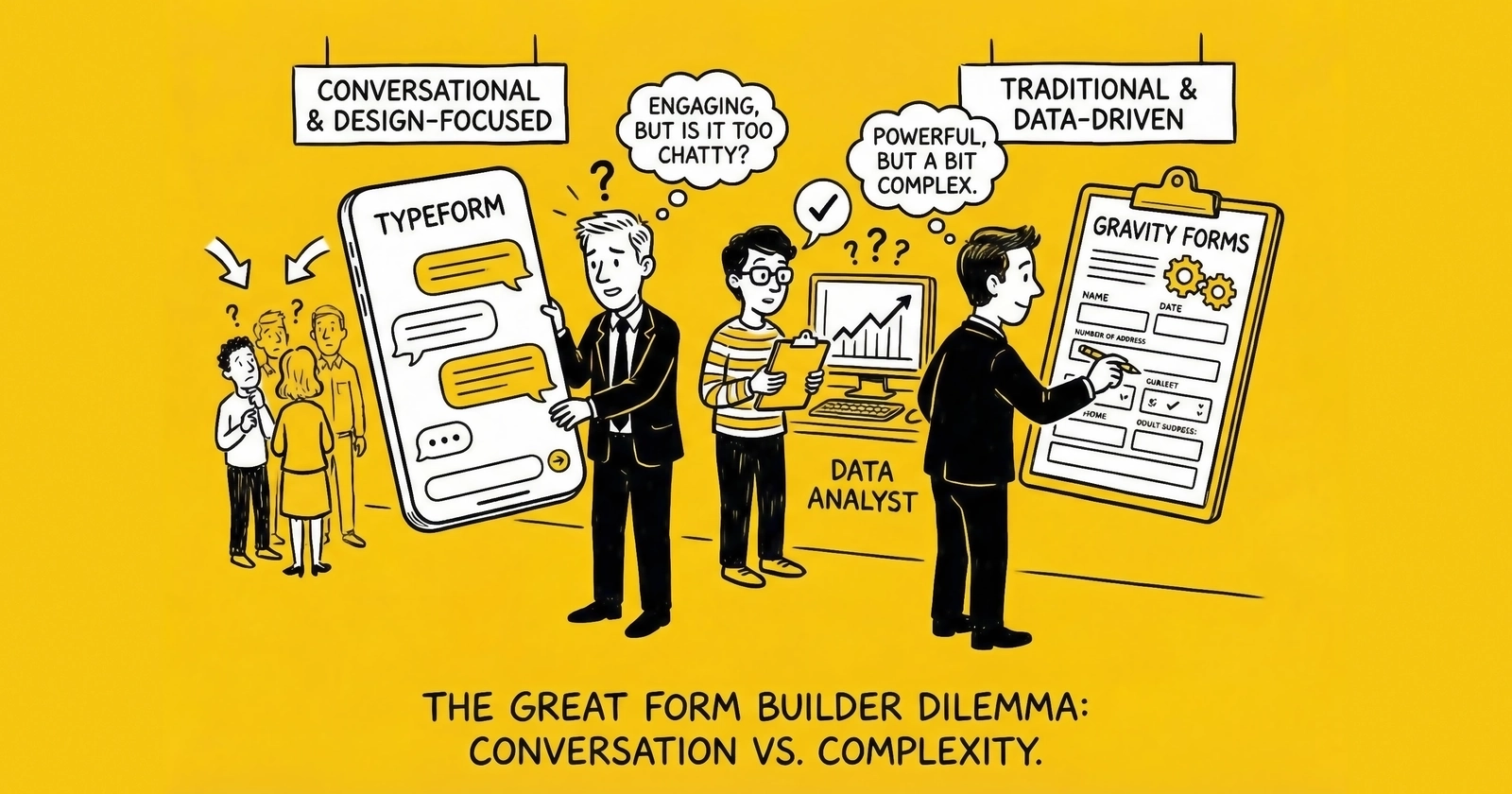
This article provides an operator’s perspective on the three primary approaches to lead form building: hosted form platforms like Typeform, WordPress plugins like Gravity Forms, and custom-built solutions. By the end, you will understand exactly when each approach makes sense, what each actually costs when you factor in operational reality, and how to make a decision that serves your business for years rather than months.
Understanding the Lead Form Landscape in 2025
The form builder market has consolidated around three distinct approaches, each serving different operational requirements and technical capacities.
Hosted SaaS platforms like Typeform, Jotform, and Formstack handle everything from form design through data storage. You build forms in their interface, embed them on your pages, and retrieve submissions through their systems. The appeal is simplicity and speed – you can have a professional form live within hours. The limitation is dependency on their infrastructure and constrained flexibility when your requirements extend beyond their feature set.
WordPress plugins like Gravity Forms, WPForms, and Ninja Forms operate within the WordPress ecosystem. Forms live on your server, data stays in your database, and you maintain control over the technical stack. Ownership and customization are the primary benefits. The trade-off is WordPress dependency and the ongoing technical maintenance that self-hosting demands.
Custom solutions involve building forms from scratch using frameworks like React Hook Form, Vue Formulate, or vanilla JavaScript. You own everything and can build anything. The appeal is unlimited flexibility to create exactly the experience your conversion testing indicates works best. The limitation is substantial development cost and the maintenance burden that comes with running your own code.
For lead generation operations specifically, five factors matter most: conversion rate impact, conditional logic capabilities, integration depth with distribution systems, compliance documentation, and total cost of ownership. Each approach performs differently across these dimensions.
Typeform: Conversational Forms at Scale
Typeform pioneered the “one question at a time” conversational form format. Rather than presenting all fields simultaneously, Typeform displays questions sequentially with animated transitions, reducing cognitive load and creating dialogue-like engagement. The company launched in 2012 and now processes millions of form submissions daily across 150,000+ customers. Typeform has become synonymous with “pretty forms” – but for lead generation, aesthetics matter less than conversion mechanics.
Performance Characteristics
Typeform’s conversational approach leverages the same progressive commitment psychology that makes multi-step forms effective. Research shows multi-step forms convert 86% higher than single-page equivalents. Typeform takes this principle further by showing exactly one question at a time.
The format works exceptionally well for high-intent, considered purchases. Insurance quotes, mortgage applications, and solar assessments benefit from the guided experience because visitors expect a thorough process and interpret the sequential format as professional qualification rather than bureaucratic friction. When you need to collect 15-20 data points, Typeform prevents the visual intimidation of a long form since each question feels manageable. For brand-conscious operations where brand perception directly affects conversion, Typeform’s design quality genuinely exceeds most alternatives.
However, the format performs less well in other contexts. Urgent or crisis leads – legal intake for personal injury, emergency home services – need minimal friction. Sequential presentation adds perceived time even when total completion time is similar. Simple lead capture like newsletter signups or basic contact requests does not benefit from conversational overhead since a straightforward form converts faster. And high-volume price-sensitive operations find Typeform’s pricing significant at scale while the hosted model limits optimization options.
Feature Depth for Lead Generation
Logic jumps enable conditional flows based on previous answers. If a visitor selects “Commercial” for property type, subsequent questions about business size appear. If they select “Residential,” those questions are skipped. This conditional logic is essential for efficient lead qualification without forcing all visitors through irrelevant questions.
Hidden fields capture attribution data, UTM parameters, and pre-filled information without visitor input. You can pass source, campaign, and medium data through URL parameters and store them with lead records – critical for understanding which traffic sources produce the best leads.
Calculator functionality enables instant quote estimates within the form flow. For insurance or solar leads, showing a preliminary estimate increases completion rates by providing immediate value before asking visitors to commit their contact information.
The integration ecosystem connects Typeform to CRMs, email platforms, and lead distribution systems. Native integrations exist for HubSpot, Salesforce, Mailchimp, Zapier, and most major platforms. For lead generation specifically, you can push submissions directly to your distribution platform via webhook.
Partial responses capture abandonment data that proves invaluable for optimization. When visitors start but do not complete your form, Typeform records what they entered. This data helps identify friction points and enables abandonment follow-up campaigns that can recover 5-15% of would-be lost leads.
Pricing Reality
Typeform uses tiered pricing that scales with response volume. The Basic Plan costs $25/month billed annually and includes 100 responses per month, single user access, basic integrations, and limited logic jumps. The Plus Plan at $50/month increases to 1,000 responses, three users, payment collection, more logic jumps, and custom thank you screens. The Business Plan at $83/month provides 10,000 responses, five users, priority support, advanced integrations, and custom branding removal. Enterprise pricing is custom for unlimited responses with SSO, advanced security, and dedicated support.
The response limits create the primary cost consideration. At $83/month, you get 10,000 responses. If you are generating 15,000 leads monthly, you pay overages or upgrade to Enterprise pricing. For high-volume operations, Typeform costs can reach $500-1,500/month depending on volume and feature requirements.
Total cost of ownership extends beyond the base subscription. Hosting costs are included, and you need no development time for basic forms. However, integration costs via Zapier add up if native integrations prove insufficient, and limited customization may require workarounds that add operational complexity.
Platform Limitations
Several constraints may affect your decision. There is no self-hosting option – your data lives on Typeform’s servers. For compliance-sensitive operations or enterprise clients with data residency requirements, this can be disqualifying.
Consent documentation presents a challenge. Typeform does not natively integrate with TrustedForm or Jornaya. You can implement these via custom code, but it requires development work and ongoing maintenance that undermines the simplicity benefits.
Customization is restricted by design. The conversational format is Typeform’s strength and limitation simultaneously. You cannot build a traditional multi-step form or implement custom interaction patterns. The format is prescribed.
JavaScript embedding adds complexity. Typeform embeds via iframe or JavaScript widget. Both add page weight and can create layout challenges. Mobile performance varies depending on implementation, which requires testing across devices.
Gravity Forms: WordPress Power at Scale
Gravity Forms is a WordPress plugin that transforms WordPress into a form-building platform. Launched in 2009, it has become the de facto standard for serious WordPress-based lead generation. Unlike Typeform, Gravity Forms runs on your server, stores data in your database, and integrates deeply with the WordPress ecosystem. The plugin has processed billions of form submissions and powers lead generation for operations ranging from single-site local businesses to multi-million-dollar media companies.
Performance Characteristics
Gravity Forms excels when you need control over every aspect of your form implementation. The plugin supports both single-page and multi-step formats, conditional logic that rivals any platform, and integration depth that hosted platforms cannot match.
Multi-step forms are native functionality. You configure pagination within the form builder, add progress indicators, and create the exact step sequence your conversion testing indicates works best. Unlike Typeform’s prescribed format, you control the experience completely – whether that means conversational one-at-a-time questions, traditional three-step sequences, or hybrid approaches that adapt based on visitor behavior.
Conditional logic operates at field, section, and page levels. Show or hide fields based on previous answers. Skip entire pages based on qualification responses. Calculate values dynamically. The logic engine handles complex branching that would require custom development in most platforms, enabling forms that feel intelligent rather than bureaucratic.
File uploads are handled natively with configurable size limits, file type restrictions, and security scanning. For lead types requiring documentation – mortgage applications, insurance claims, contractor bids – this functionality is essential for complete lead capture in a single session.
The integration ecosystem extends through official add-ons and third-party plugins. Native integrations exist for every major CRM, email platform, and payment processor. The WordPress ecosystem adds hundreds of additional integration options through plugins like WP Fusion, AutomateWP, and FluentCRM.
Feature Depth for Lead Generation
Field types include everything lead generation requires: phone fields with formatting and validation, email fields with confirmation, address fields with autocomplete, date pickers, file uploads, and signature capture. Custom field types are possible through developer hooks when standard options fall short.
Entry management provides a complete lead database within WordPress. Search, filter, export, and manage submissions directly from your admin panel. For operations not using dedicated lead distribution platforms, Gravity Forms can serve as a lightweight CRM during early growth stages.
Notifications and confirmations are highly configurable. Route notifications to different team members based on form responses. Display different confirmation messages based on lead type. Trigger webhooks to external systems immediately upon submission.
Payment integration through add-ons for Stripe, PayPal, Square, and Authorize.net enables payment collection within forms. For leads requiring deposits or application fees, payment and lead capture happen in a single flow, reducing the friction of separate payment steps.
User registration creates WordPress user accounts from form submissions. For lead types involving ongoing relationships – contractor networks, agent recruitment, affiliate programs – this automates the onboarding process.
Partial entries capture incomplete submissions similar to Typeform’s partial responses. When visitors abandon forms, you retain what they entered for analysis and potential follow-up through abandonment recovery sequences.
Pricing Reality
Gravity Forms uses annual licensing based on site count. The Basic License at $59/year covers a single site with core form functionality, standard support, and updates for one year. The Pro License at $159/year expands to three sites and adds additional field types plus quiz and survey add-ons. The Elite License at $259/year provides unlimited sites, all 40+ add-ons included, priority support, and Gravity Flow workflow automation worth $249/year alone.
The add-on model adds costs for Basic and Pro licenses. Key lead generation add-ons include Stripe/PayPal/Square (included in Pro and Elite), Zapier at $59/year or included in Elite, webhooks at $59/year or included in Elite, user registration included in Pro and Elite, and signature capture at $29/year or included in Elite.
Total cost of ownership extends significantly beyond the license fee. You need to factor in WordPress hosting costs ranging from $20-200/month depending on scale and performance requirements. SSL certificates are often included with hosting but otherwise cost $50-200/year. Security and backup plugins add $50-200/year. Developer time for customization and maintenance varies but is ongoing. Performance optimization becomes increasingly important as traffic scales.
For serious lead generation, expect $150-500/month in total stack cost rather than just the $259/year license fee. The license is the smallest component of your actual investment.
Platform Limitations
WordPress dependency is absolute. Gravity Forms only works with WordPress. If your landing pages run on Webflow, Unbounce, or custom infrastructure, Gravity Forms is not an option without significant architecture changes.
Performance overhead accompanies WordPress compared to static pages or lightweight frameworks. High-traffic landing pages require proper hosting infrastructure – managed WordPress hosting, CDN, aggressive caching – to maintain sub-two-second load times that conversion optimization demands.
Security responsibility shifts to you. Running your own WordPress installation means maintaining security. Plugin updates, core updates, security monitoring, and backup systems become your operational responsibility. Hosted platforms handle this automatically.
Design limitations exist despite high customizability. While Gravity Forms accepts extensive CSS customization, the default styling is functional rather than beautiful. Matching sophisticated brand designs requires CSS expertise or premium theme integration.
Custom Form Solutions: Maximum Control, Maximum Investment
Custom form development makes sense when your requirements exceed what off-the-shelf solutions provide, when your scale justifies the investment, or when competitive advantage depends on unique form experiences.
When Custom Development Makes Sense
Several indicators suggest custom development may be appropriate for your operation. Unique interaction patterns that no platform supports require custom development as the only path forward. If your ideal form experience involves custom UI elements, non-standard navigation, or interaction patterns specific to your vertical, platforms will constrain rather than enable.
Deep system integration often demands custom code. When forms must interact with proprietary systems, real-time pricing APIs, or complex business logic that cannot be handled by webhooks and integration platforms, custom development provides the necessary flexibility.
Performance requirements can justify the investment. If sub-second form load times are competitive requirements – and in high-competition verticals, they often are – custom lightweight forms outperform platform-based solutions with their JavaScript overhead.
Compliance requirements sometimes mandate custom implementation. Specific industries like healthcare and financial services may have compliance requirements that hosted platforms cannot satisfy. Custom development provides the control necessary for compliance certification.
Scale economics eventually favor custom development. At very high volumes – hundreds of thousands of leads monthly – the per-response costs of hosted platforms can exceed custom development amortized over time.
Technology Options
React Hook Form leads the React ecosystem with 44,000+ GitHub stars. It provides controlled and uncontrolled form handling, comprehensive validation, and minimal re-renders for performance. This is the best choice for React-based landing pages and single-page applications.
Vue Formulate and FormKit provide similar capabilities for Vue.js applications. Strong validation, schema-driven form generation, and excellent developer experience make them ideal for Vue-based marketing stacks.
Formik was the React standard before React Hook Form emerged. Still widely used with extensive documentation and community support, it is more verbose than React Hook Form but battle-tested across thousands of production implementations.
Vanilla JavaScript with HTML5 remains viable for simple forms. Native HTML5 validation, fetch API for submission, and zero framework overhead deliver maximum performance on static landing pages.
Parsley.js adds sophisticated validation to jQuery or vanilla JavaScript forms. This proves useful for enhancing existing WordPress or legacy implementations without requiring full rebuilds.
Development Cost Reality
Custom form development costs vary dramatically based on requirements. Understanding realistic ranges helps you budget appropriately.
Simple single-step forms cost $2,000-5,000 and take 1-2 weeks. This covers validation, submission handling, and basic analytics integration.
Multi-step forms with conditional logic cost $8,000-20,000 and take 3-6 weeks. Complex branching, progress indicators, and partial save functionality are included.
Full-featured lead capture systems cost $25,000-75,000 and take 2-4 months. This encompasses multiple form types, A/B testing infrastructure, analytics dashboard, integration with lead distribution, and consent documentation.
Enterprise lead generation platforms cost $100,000 or more and take 6-12 months. Custom form builders, multi-tenant architecture, white-label capability, full compliance framework, and advanced analytics characterize this tier.
Ongoing maintenance adds 15-25% of initial development cost annually for updates, security patches, and feature enhancements. This continuing investment is non-negotiable – neglected code becomes security liability.
Advantages and Risks
The advantages of custom development are substantial. Complete control means every pixel, every interaction, every data flow operates exactly as specified with no platform limitations constraining implementation. Performance optimization can achieve form loads under 100ms with proper engineering, while platform-based solutions typically add 500ms-2s of overhead. Compliance integration becomes native with TrustedForm and Jornaya SDKs implemented without workarounds. Competitive differentiation through unique form experiences that competitors cannot replicate creates conversion advantages. No ongoing platform fees means that after initial development, costs become maintenance rather than subscription – significant savings at high volumes.
The risks are equally real. Development risk includes projects exceeding timelines and budgets, technical debt accumulating without proper architecture, and developer departure creating knowledge loss. Maintenance burden encompasses security updates, browser compatibility, mobile optimization, and feature requests requiring ongoing development resources. Opportunity cost reflects time spent building forms rather than on traffic acquisition, buyer relationships, or other revenue-generating activities. Reinventing solved problems means that platform providers have already solved form-building challenges at scale, and custom development means solving them again, including edge cases you may not anticipate.
Head-to-Head Comparison
Feature Comparison Matrix
| Capability | Typeform | Gravity Forms | Custom |
|---|---|---|---|
| Multi-step forms | Conversational only | Full control | Full control |
| Conditional logic | Good | Excellent | Unlimited |
| Field types | 20+ standard | 30+ with add-ons | Unlimited |
| File uploads | Yes (limits apply) | Yes (configurable) | Yes (configurable) |
| Payment collection | Yes (fees apply) | Via add-ons | Via integration |
| Partial submissions | Yes | Yes (with add-on) | Requires development |
| A/B testing | Limited | Via plugins | Full control |
| Mobile optimization | Automatic | Theme-dependent | Developer-controlled |
| TrustedForm | Custom code required | Plugin available | Native integration |
| Jornaya | Custom code required | Plugin available | Native integration |
| Webhooks | Yes | Yes (add-on) | Native |
| API access | Yes | Limited | Full control |
| White-label | Business plan+ | Yes | Yes |
| Self-hosting | No | Yes | Yes |
| HIPAA compliance | Enterprise only | With configuration | With development |
Cost Comparison at Scale
Consider a lead generation operation processing 25,000 leads monthly across three campaigns.
Typeform costs start with the Business plan at $83/month base. Overage for 25,000 responses adds approximately $200-400/month. Total monthly cost reaches $300-500.
Gravity Forms costs include the Elite license at $259/year or about $22/month. Managed WordPress hosting runs $100-200/month. Security and backup add $30/month. SSL is included. Maintenance time of 2-4 hours monthly represents approximately $100-200 in value. Total monthly cost reaches $250-450.
Custom development costs include initial development of $15,000 amortized over 24 months at $625/month for the first two years. Hosting runs $50-150/month. Maintenance of 4-8 hours monthly represents $200-400 in value. Total in years one and two reaches $875-1,175/month. Total in year three and beyond drops to $250-550/month.
At 25,000 leads monthly, all three approaches cost roughly $300-500/month after initial investment periods. The decision should rest on capability requirements rather than cost alone.
Conversion Rate Expectations
Form builder choice affects conversion rates, but the effect size varies more by implementation quality than platform selection.
Well-implemented Typeform produces 8-15% conversion rates for qualified traffic. The conversational format works well when visitors expect a guided experience.
Well-implemented Gravity Forms produces 10-18% conversion rates for qualified traffic. Multi-step forms with proper optimization can outperform conversational formats for certain lead types.
Well-implemented custom forms produce 12-22% conversion rates for qualified traffic. Performance advantages and UX optimization potential provide the highest ceiling – but also the widest variance based on implementation quality.
Poor implementation on any platform produces sub-5% conversion rates. Platform choice matters far less than implementation quality.
Implementation Best Practices
Typeform Implementation
Start by configuring hidden fields for UTM parameters, source tracking, and campaign attribution before embedding the form anywhere. Set up logic jumps to create branching paths that skip irrelevant questions for different visitor types. Integrate with your CRM using native integration or Zapier before going live to avoid manual data transfer.
Implement a webhook to your lead distribution system for real-time delivery. Add TrustedForm via custom code injection, which requires the Business plan or higher. Test on actual mobile devices to verify performance and layout since simulator behavior can differ from real phones.
Enable partial responses to capture abandonment data for optimization insights. Configure confirmation messages to set expectations for follow-up timing so leads know what happens next.
Gravity Forms Implementation
Install on properly configured hosting with PHP 7.4+, MySQL 5.6+, and SSL. Configure form settings for multi-step pagination before adding fields to avoid restructuring later. Set up conditional logic at field and page levels for efficient qualification.
Install compliance add-ons for TrustedForm and Jornaya integration. Configure notifications to route leads to appropriate team members based on lead type or value. Set up webhooks to your lead distribution platform.
Implement caching exclusions to prevent form submission issues that aggressive caching can cause. Test all conditional paths to verify logic operates correctly across every scenario. Optimize form styling to match your landing page design. Enable entry limits and scheduling if campaigns have volume or date constraints.
Custom Form Implementation
Define complete requirements before development begins to prevent scope creep and rework. Architect for performance with lazy loading, minimal dependencies, and edge caching from the start. Implement accessibility with ARIA labels, keyboard navigation, and screen reader support to comply with accessibility requirements and capture all potential leads.
Build comprehensive validation with both client-side and server-side checks since client-side alone is insufficient for security. Integrate TrustedForm and Jornaya natively from the start rather than as an afterthought. Create structured error handling with user-friendly messages that help visitors correct issues rather than simply blocking submission.
Implement analytics events for each step and field interaction to enable detailed funnel analysis. Build an admin interface for form configuration without code changes so marketing can iterate without developer involvement. Document the codebase for future maintenance since developer knowledge loss is a primary risk. Plan A/B testing infrastructure from the beginning if conversion optimization will be ongoing.
Compliance Considerations
TCPA Documentation Requirements
TCPA compliance requires capturing and documenting prior express written consent. Your form builder must support several specific elements.
Clear consent language must be visible at the point of form submission. The disclosure must explain that the consumer authorizes calls and/or texts using automated technology in language that is unambiguous and prominent.
An unchecked checkbox must require consumers to actively indicate consent. Pre-checked boxes do not constitute valid consent under TCPA regulations.
Seller identification must disclose who may contact the consumer. If leads will be sold to multiple buyers, this must be disclosed at the point of consent capture.
Third-party certification through TrustedForm or Jornaya creates independent documentation of the consent capture event that holds up under legal scrutiny.
Platform-Specific Compliance Implementation
Typeform allows consent language as text elements and checkbox fields for consent capture. However, TrustedForm and Jornaya require custom JavaScript injection, which requires Business plan or higher. Documentation of consent capture is less robust than platforms with native compliance integration, creating potential vulnerability in disputes.
Gravity Forms benefits from third-party add-ons that provide TrustedForm and Jornaya integration. Consent checkboxes are standard functionality. Consent language placement is fully customizable. Form confirmations can reference specific consent provided.
Custom development delivers full control over consent implementation. Native SDK integration for TrustedForm and Jornaya works without workarounds. Consent language, checkbox behavior, and documentation storage can be designed exactly to compliance requirements and updated as regulations evolve.
Consent Record Retention
All platforms must provide a mechanism for retaining consent records for the TCPA statute of limitations of four years plus buffer. Industry best practice is five years or longer.
Typeform stores responses on their servers with export functionality available. Consider automated backup to your own systems to ensure access regardless of platform availability.
Gravity Forms stores entries in your WordPress database. Back up your database regularly and consider a dedicated compliance archive separate from operational backups.
Custom development provides full control over data storage and retention. Implement a compliance-specific archival system designed for long-term preservation and rapid retrieval during disputes.
Form Analytics and Optimization Infrastructure
Regardless of which platform you choose, form optimization requires measurement infrastructure. The platforms differ significantly in what they provide natively versus what you must implement.
Essential Metrics
Form view rate measures how many landing page visitors actually see your form. If your form is below the fold or behind a click, many visitors never encounter it. This baseline metric contextualizes all conversion data.
Form start rate captures how many viewers begin entering data. A high view rate with low start rate indicates friction before the first field – intimidating form length, unclear value proposition, or trust deficits.
Step completion rates for multi-step forms reveal exactly where visitors abandon. If 80% complete step one but only 40% complete step two, something about step two creates friction worth investigating.
Field abandonment analysis identifies specific fields causing problems. If visitors consistently drop off at the phone number field, that field needs optimization – different label, better explanation of why you need it, or repositioning in the sequence.
Time to completion indicates engagement quality. Completions under 8-10 seconds for complex forms suggest bot traffic or fraudulent submissions. Completions significantly above average suggest confusion.
Device-specific performance reveals mobile versus desktop differences. If mobile visitors abandon at twice the rate of desktop visitors, your mobile experience has specific issues requiring attention.
Platform Analytics Capabilities
Typeform provides built-in response analytics including completion rates, question-by-question drop-off, and average completion time. The Insights dashboard visualizes funnel drop-off clearly. For deeper analysis, you export data to external tools.
Gravity Forms offers basic entry analytics within WordPress. For comprehensive funnel analysis, implement Google Analytics 4 event tracking or use Gravity Forms add-ons like GravityView. Third-party analytics plugins extend capabilities significantly.
Custom implementations provide unlimited analytics flexibility but require building the infrastructure. Implement tracking for every interaction: field focus, field blur, validation errors, step transitions, and submissions. Most operations integrate with Google Analytics 4, Mixpanel, or Amplitude for analysis.
A/B Testing Infrastructure
Form optimization is iterative. You need infrastructure to test variations systematically.
Typeform does not provide native A/B testing. You implement testing by creating multiple forms and splitting traffic externally, or by using landing page platforms with built-in testing like Unbounce or Instapage that embed different Typeform variants.
Gravity Forms integrates with WordPress A/B testing plugins like Thrive Optimize or Google Optimize successor tools. You can also create multiple forms and route traffic via shortcode logic.
Custom implementations enable any testing methodology: true A/B splits, multi-armed bandits, contextual experiments. This flexibility justifies custom development for operations where 1% conversion improvements represent significant revenue.
Emerging Trends Affecting Form Builder Selection
AI-Powered Form Optimization
Several platforms now incorporate AI for form optimization. Typeform has introduced AI-assisted form creation that suggests questions based on your stated goals. Third-party tools analyze form submissions and recommend field ordering or wording changes.
For lead generation specifically, AI applications include smart field ordering that adapts question sequence based on visitor behavior patterns instead of fixed sequences. Dynamic validation messaging adjusts error messages based on what type of errors visitors typically make, reducing abandonment from validation friction. Predictive lead scoring begins calculating lead quality during form completion, enabling expedited processing for high-value leads.
These capabilities are emerging rather than mature. Most AI features currently work better for survey optimization than lead generation specifically. Monitor developments but do not select platforms primarily for AI features today.
Progressive Web App Form Experiences
Mobile form completion continues growing. Progressive Web App technology enables offline form completion and app-like experiences without requiring app store distribution.
Custom implementations can leverage PWA capabilities for form completion that works during network interruptions, add-to-home-screen functionality for repeat form access, push notifications for abandoned form recovery, and faster load times through aggressive caching.
Neither Typeform nor Gravity Forms provides native PWA capabilities. If mobile performance is a primary concern and you have development resources, custom PWA implementation provides advantages worth considering.
Conversational AI Integration
Chatbot and conversational AI platforms increasingly integrate with or replace traditional forms. Instead of static form fields, visitors converse with AI that captures the same information conversationally.
Current applications include pre-qualification chatbots that determine form-worthiness before presenting forms, hybrid experiences where chatbots collect initial information and hand off to forms for detailed data capture, and voice-based intake for call-tracking operations where voice AI captures lead data.
For lead generation, conversational AI works well for simple qualification but struggles with complex data capture requiring specific formats like addresses, phone numbers, and file uploads. Consider conversational AI as a complement to forms rather than a replacement.
Decision Framework
Choose Typeform When
Your situation calls for Typeform when you need forms live within days rather than weeks, when your technical team is limited or non-existent, or when brand aesthetics are a competitive factor. Operations with lead volume under 10,000 monthly, without WordPress infrastructure, and where the conversational format aligns with the lead type find Typeform an excellent fit.
Choose Gravity Forms When
Your situation calls for Gravity Forms when you already run WordPress for landing pages, when you need deep conditional logic and branching, or when self-hosting and data control are requirements. Operations whose team can manage WordPress maintenance, who want to avoid per-response pricing at scale, and who find value in WordPress ecosystem integration benefit from Gravity Forms.
Choose Custom Development When
Your situation calls for custom development when unique form experiences provide competitive advantage, when scale justifies development investment, or when performance requirements exceed platform capabilities. Operations requiring deep integration with proprietary systems, facing compliance requirements that demand custom implementation, or having development resources available should consider the custom path.
The Hybrid Approach
Many sophisticated lead generation operations use multiple approaches strategically. Typeform handles brand-focused campaigns where aesthetics drive conversion. Gravity Forms manages complex multi-step qualification sequences. Custom forms power highest-volume campaigns where performance optimization provides measurable ROI.
Platform diversity adds complexity but allows optimization per use case. The operational burden of managing multiple platforms is worthwhile when conversion rate differences exceed 2-3 percentage points.
Frequently Asked Questions
Which form builder has the highest conversion rates?
Conversion rates depend more on implementation quality than platform choice. Well-optimized forms on any platform can achieve 10-18% conversion rates for qualified traffic. Custom forms have the highest ceiling at 12-22% in optimized implementations but also the widest variance. Typeform’s conversational format typically produces 8-15% conversion rates when aligned with appropriate lead types.
Can I use Typeform for TCPA-compliant lead generation?
Yes, but with additional work. Typeform does not natively integrate with TrustedForm or Jornaya. You must implement these via custom JavaScript code injection, which requires Business plan or higher. The consent checkbox functionality is standard, but third-party consent documentation requires development effort that hosted competitors handle automatically.
How much does it really cost to build custom forms?
Simple single-step forms cost $2,000-5,000. Multi-step forms with conditional logic cost $8,000-20,000. Full-featured lead capture systems cost $25,000-75,000. Add 15-25% annually for maintenance. At high volumes of 100,000+ leads monthly, custom development costs amortize to lower per-lead costs than hosted platforms within 18-24 months.
Is Gravity Forms secure enough for lead generation?
Yes, when properly configured. Gravity Forms runs on your WordPress server, so security depends on your hosting configuration, WordPress maintenance, and security practices. Use managed WordPress hosting with SSL, implement security plugins, maintain regular backups, and keep all software updated. Enterprise operations should consider security audits and penetration testing.
Which platform works best for multi-step forms?
Gravity Forms provides the most control over multi-step form design. You configure pagination, progress indicators, and step content exactly as needed. Typeform offers conversational multi-step through its one-question-at-a-time format, but you cannot create traditional multi-step layouts. Custom development provides unlimited flexibility but requires development investment.
Can I switch form platforms without losing data?
Yes, but plan the migration carefully. Export existing submissions from your current platform. Map fields to your new platform. Redirect existing form URLs. Update integrations with lead distribution and CRM systems. For high-volume operations, run parallel implementations during transition. Budget 2-4 weeks for platform migration.
How do I integrate form builders with lead distribution platforms?
All three approaches support integration (see our lead distribution platforms comparison for more details). Typeform uses webhooks or Zapier to push submissions to distribution platforms like boberdoo, LeadsPedia, or Phonexa. Gravity Forms uses webhooks add-on or third-party plugins for the same purpose. Custom forms can directly integrate via API. Ensure your integration includes all required fields and consent documentation.
What form builder works best for mobile traffic?
Typeform automatically optimizes for mobile with its conversational format. Gravity Forms depends on your WordPress theme for mobile optimization. Custom forms provide the most control over mobile experience but require explicit mobile optimization during development. Given that 70%+ of landing page traffic is mobile, test any implementation thoroughly on actual mobile devices.
Should I use the same form builder across all campaigns?
Not necessarily. Different campaigns may benefit from different approaches. High-brand-value campaigns might justify Typeform’s aesthetic premium. Complex qualification sequences might require Gravity Forms’ conditional logic. High-volume campaigns might warrant custom optimization. Platform diversity adds operational complexity but enables optimization per use case.
How do I measure which form builder performs better?
Implement tracking for form impressions, starts, step completions, and submissions across all platforms. Calculate conversion rate as submissions divided by unique impressions, step completion rates for multi-step forms, and time to completion. A/B test platform variations on similar traffic when possible. Measure downstream metrics like lead acceptance rate and return rate to ensure form changes do not degrade lead quality.
Key Takeaways
-
Typeform excels for rapid deployment, non-technical teams, and brand-focused campaigns. The conversational format works well for considered purchases like insurance and mortgage. Expect $300-500/month at scale with custom development required for full TCPA compliance.
-
Gravity Forms provides maximum control within the WordPress ecosystem. Multi-step forms with deep conditional logic, native compliance integrations, and self-hosted data make it the choice for operations prioritizing control and customization. Budget $250-450/month total stack cost including hosting and maintenance.
-
Custom development offers unlimited flexibility at significant upfront cost. The approach makes sense for unique requirements, performance-critical applications, or scale economics. Expect $15,000-75,000 initial investment with 15-25% annual maintenance, achieving cost parity with platforms within 18-24 months at high volumes.
-
Platform choice matters less than implementation quality. A well-optimized form on any platform outperforms a poorly implemented form on the “best” platform. Invest in testing and optimization regardless of platform choice.
-
TCPA compliance requirements should influence your decision. Gravity Forms and custom solutions provide more robust compliance integration. Typeform requires additional development work for TrustedForm and Jornaya integration.
-
Consider the hybrid approach. Many successful operations use multiple platforms optimized for different campaign types. The operational complexity is worthwhile when conversion rate differences exceed 2-3 percentage points.
-
Total cost of ownership extends beyond subscription fees. Factor in hosting, maintenance, development time, integration costs, and opportunity costs when comparing platforms. The cheapest subscription is not always the lowest total cost.
The form is where traffic becomes leads. Every decision about form building, from platform selection to field ordering to consent language placement, affects your conversion rate and compliance posture. Practitioners who treat forms as strategic infrastructure rather than technical utilities build more profitable and defensible lead generation businesses.