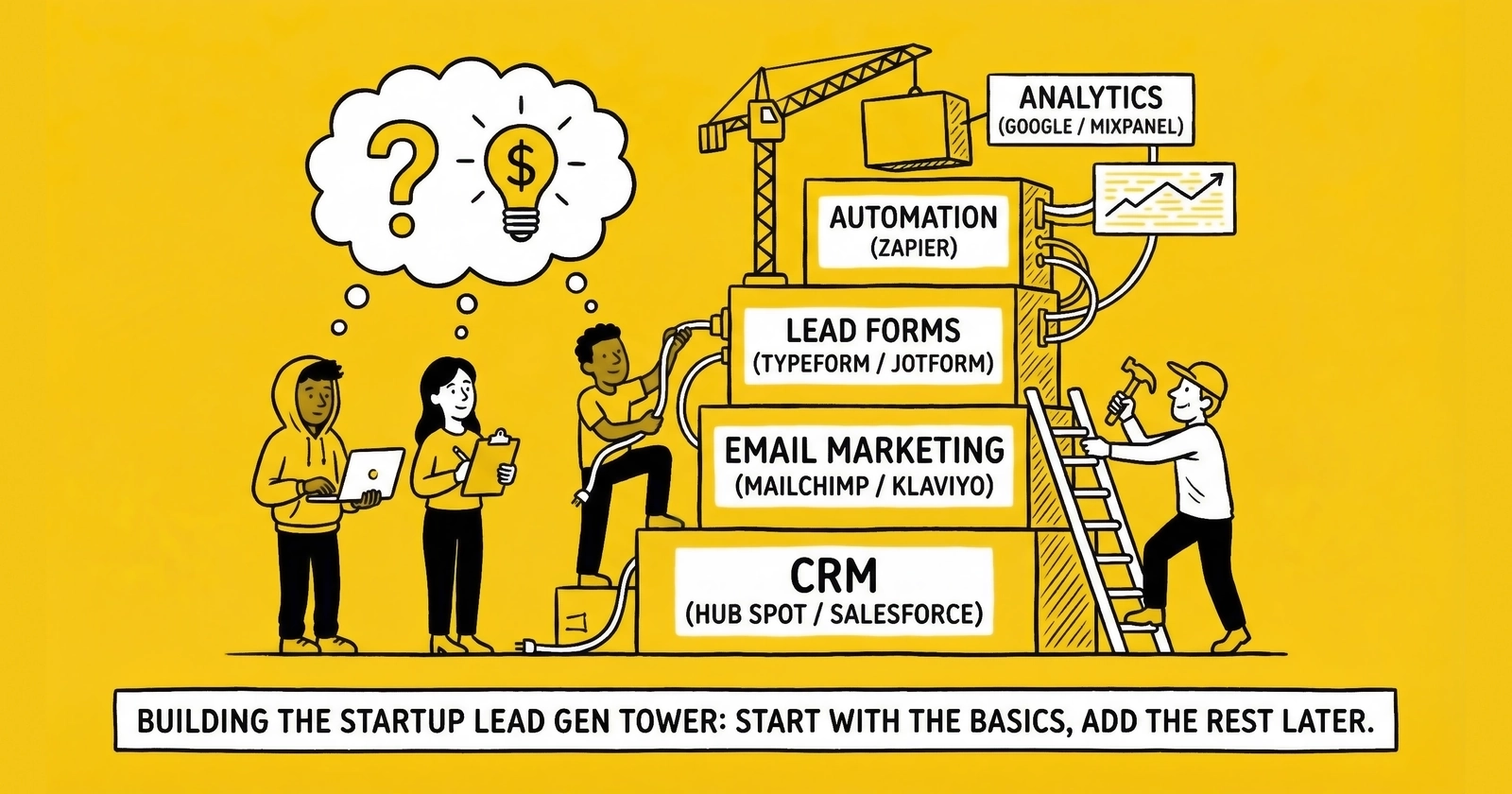
The exact technology infrastructure you need to launch a lead generation business without overspending or underbuilding. What to buy first, what to skip, and when each tool earns its place in your operation.
Introduction: Technology as Foundation, Not Distraction
Most lead generation startups fail for reasons that have nothing to do with technology. They fail because they spent money on traffic before securing buyers. They fail because they underestimated working capital requirements. They fail because they tried three verticals simultaneously and mastered none.
But technology choices still matter. The wrong stack creates friction at every step: manual processes that kill margins, compliance gaps that invite litigation, and integration headaches that consume hours better spent on optimization. The right stack becomes invisible infrastructure that scales with your business.
This guide covers the minimum viable technology stack for launching a lead generation business in 2025. Not the enterprise stack you might need at seven figures monthly. Not the comprehensive solution that platforms will happily sell you. The minimum viable setup that lets you test, learn, and grow without overspending on capabilities you will not use for months or years.
The philosophy is simple: spend as little as possible on technology until unit economics are proven, then invest strategically as specific needs emerge. Technology spending before product-market fit is gambling. Technology spending after validation is investment.
The Minimum Viable Technology Stack: Overview
A functional lead generation operation requires five core technology capabilities. Miss any one of them and your business has a structural gap. Overbuild any one of them before you have volume, and you are wasting capital that should fund traffic tests.
The Five Essential Capabilities
Lead Capture. Something that presents a form to consumers and captures their information. This can be as simple as a single landing page or as sophisticated as a dynamic creative optimization system. Start simple.
Consent Documentation. Independent third-party documentation that the consumer saw your disclosure language and agreed to be contacted. TCPA litigation increased 67% year-over-year in 2024, with average settlements exceeding $6.6 million. This is not optional.
Lead Delivery. A method to get leads from your system to your buyers in whatever format they require. This might be email for your first three buyers, or it might be API integration with their CRM systems.
Tracking and Attribution. The ability to trace each lead back to its source, campaign, and creative. Without this, you cannot optimize. Without optimization, you cannot achieve positive unit economics.
Buyer Relationship Management. Some way to track who is buying from you, at what prices, with what quality feedback, and what payment status.
That is the entire list. Everything else is optimization, not foundation.
What This Stack Costs
A minimum viable lead generation technology stack costs $500-$1,500 per month in platform fees, plus $0.20-$0.75 per lead in validation and consent documentation costs.
Here is the breakdown by category:
| Category | Minimum | Recommended | Notes |
|---|---|---|---|
| Landing Pages | $99/month | $199/month | Unbounce, Leadpages, or Instapage |
| Consent Capture | $0.15-0.50/lead | $0.25-0.50/lead | TrustedForm and/or Jornaya |
| Phone/Email Validation | $0.05-0.15/lead | $0.10-0.25/lead | Telesign, ZeroBounce, or similar |
| Lead Delivery | $0/month | $300-1,000/month | Manual email to distribution platform |
| CRM/Buyer Management | $0/month | $50-100/month | Spreadsheet to HubSpot Free |
| Analytics | $0/month | $100-300/month | GA4 to dedicated attribution |
| Monthly Total | ~$100 | ~$600-1,400 | Plus per-lead costs |
| Per-Lead Costs | ~$0.20 | ~$0.50-0.75 | Scales with volume |
The gap between minimum and recommended reflects the difference between barely functional and operationally sound. Minimum works for testing with $50-100 daily traffic spend. Recommended works for scaling to $300-500 daily spend without breaking your systems.
Layer 1: Lead Capture
Your landing page is where consumers convert from traffic into leads. Every element affects conversion rate, which directly determines unit economics. A 1% improvement in conversion rate can represent thousands of dollars monthly as you scale.
What You Actually Need
A landing page needs four elements to function as a lead capture system.
A clear headline stating consumer benefit. Not your company name. Not features. What does the consumer get? “Compare Auto Insurance Quotes in 60 Seconds” outperforms “Leading Insurance Comparison Platform” because it describes what the consumer receives, not what you think you are.
Trust elements above the fold. Partner logos, security badges, review ratings, or media mentions reduce form abandonment. Consumers need reasons to trust an unfamiliar website with personal information. If you lack real trust signals, start building them immediately.
A form that balances completion rate with lead quality. More fields improve lead quality but reduce conversion rate. Each additional field typically reduces conversion by 5-15%. Start with 4-6 fields: first name, last name, phone, email, and 1-2 qualifying questions specific to your vertical.
Mobile-responsive design. More than 60% of consumer traffic originates from mobile devices in most verticals. Forms that work on desktop but fail on mobile sacrifice the majority of your potential conversions.
Platform Options
Three landing page builders dominate lead generation for good reason.
Unbounce costs $99-199/month and offers templates designed for lead generation, built-in A/B testing, dynamic text replacement, and integrations with downstream systems. The Smart Builder uses AI to generate pages, though experienced practitioners typically prefer the Classic Builder for control. Unbounce is the most popular choice among serious lead generators.
Leadpages costs $49-99/month and offers similar capabilities at a lower price point with somewhat less flexibility. Good for operators who want simplicity over customization.
Instapage costs $149-299/month and offers the most sophisticated personalization and collaboration features. Probably overkill for startups unless you have multiple people building landing pages.
For minimum viable operations, Unbounce’s Launch plan at $99/month or Leadpages’ Standard plan at $49/month provides sufficient capability. Upgrade when you need more landing pages, domains, or A/B testing capacity than your current tier allows.
The WordPress Alternative
If you have technical skills or development support, WordPress with conversion-focused themes and lead capture plugins offers more flexibility at lower ongoing cost. The trade-off is more setup time and maintenance burden. For practitioners comfortable with WordPress, this path works. For everyone else, purpose-built landing page builders justify their cost through time savings and reliability.
What to Skip Initially
Dynamic Creative Optimization (DCO) personalizes landing page content based on traffic source characteristics. Powerful at scale, unnecessary until you have validated unit economics and meaningful traffic volume. Skip this for the first six months minimum.
Chatbots and conversational lead capture work in some verticals but add complexity. Test your basic form first. Add chat functionality after you understand your baseline conversion rate.
Multi-step forms can improve conversion in some contexts by reducing perceived friction. But they also add complexity and require more testing to optimize. Start with a single-step form. Test multi-step after you have baseline data.
Layer 2: Consent Documentation
Consent documentation is the most important technology investment you will make. Not because it generates revenue. Because its absence can destroy your business.
TCPA allows statutory damages of $500-$1,500 per violation. Class actions average $6.6 million in settlements. A single lawsuit can exceed the lifetime revenue of a startup lead generation business. Consent documentation provides the evidence to defend against claims.
The Two Essential Services
TrustedForm from ActiveProspect captures a certificate recording exactly what the consumer saw and clicked when they submitted your form. The certificate includes a session replay showing the disclosure language visible, whether consent boxes were pre-checked or actively clicked, timestamp of submission, and IP address. These certificates become evidence in litigation.
TrustedForm costs $0.15-0.50 per lead depending on volume and features. TrustedForm Verify adds automated consent language checking. TrustedForm Retain provides long-term certificate storage for compliance defense.
Jornaya LeadiD takes a different approach, generating a unique identifier for each consumer interaction and tracking the consumer journey across multiple touchpoints. TCPA Guardian layers on top, specifically validating TCPA consent requirements including disclosure prominence, contrast, and visibility.
Many buyers require either TrustedForm certificates or Jornaya LeadiDs with their leads. Some require both. Implementing both maximizes buyer compatibility, though starting with one is acceptable if budget is constrained.
Integration Requirements
Consent capture integrates at two points in your system.
First, JavaScript runs on your landing page. When the page loads, the TrustedForm or Jornaya script begins capturing the session. When the consumer submits the form, a certificate token is generated.
Second, that certificate token must flow through your system attached to the lead record. When you deliver leads to buyers, the certificate token travels with the lead. When you need to defend your consent practices years later, you can retrieve the certificate using that token.
Test this integration before launching traffic. Submit test leads. Verify certificates generate correctly. Confirm you can retrieve and view them. The time to discover consent capture is broken is before you have leads in the market, not during litigation discovery.
Disclosure Language
The disclosure language consumers see matters as much as documenting that they saw it. This is the text explaining who may contact them, by what methods, and confirming their consent.
Standard elements include identification of who may contact the consumer (your company, your buyers, and their marketing partners), the methods of contact (phone calls, text messages, email), confirmation that contact may include automated marketing calls and texts, and acknowledgment that consent is not a condition of purchase.
Have an attorney review this language before launch. The exact wording matters enormously in litigation. A disclosure reviewed by counsel is cheap insurance against million-dollar exposure.
What to Skip Initially
Litigator scrubbing identifies consumers known to file TCPA lawsuits. Services like Blacklist Alliance check phone numbers against databases of serial litigators. This becomes essential at scale but may be overkill for startup volumes. Add after you reach 1,000 leads monthly.
DNC registry scrubbing is legally required before outbound calls but may not be necessary if your buyers are making the calls. Clarify who owns this obligation in your buyer contracts.
Layer 3: Lead Validation
Invalid leads waste everyone’s time and money. A lead with a fake phone number cannot convert. A lead with a mistyped email never receives follow-up. A lead that is a duplicate of one the buyer already purchased has no value.
Validation services check lead data at the point of capture or before delivery, rejecting or flagging invalid records before they enter the market.
Phone Validation
Phone validation verifies that the number provided is real, reachable, and matches the stated type (mobile vs. landline). Services like Telesign Lookup, Twilio Lookup, or Trestle check numbers against carrier databases and identify disconnected, invalid, or risky numbers.
Phone validation typically costs $0.01-0.05 per lookup depending on volume and service level. Some services offer line type identification (mobile, landline, VoIP) at additional cost, which matters in verticals where SMS or call type affects conversion.
Email Validation
Email validation confirms that the address is properly formatted, the domain accepts mail, and the specific mailbox exists. Services like ZeroBounce, NeverBounce, or BriteVerify catch typos, fake domains, and disposable email addresses.
Email validation typically costs $0.003-0.01 per verification. Cheap enough that validating every lead makes sense even at startup volumes.
Address Standardization
For verticals where geography matters (insurance, solar, home services), address standardization verifies and normalizes addresses against postal databases. Services like SmartyStreets or Melissa Data correct formatting issues, validate that addresses exist, and provide additional data like county codes that may affect routing.
Address standardization costs $0.01-0.03 per lookup and is worth implementing from day one if geography affects your lead value.
Integration Approaches
Validation can run at two points: during form submission or before delivery.
Inline validation checks data as the consumer completes the form, rejecting invalid entries before submission completes. This improves data quality but may reduce conversion rate by rejecting consumers who mistype information.
Pre-delivery validation checks data after capture but before sending to buyers. This catches invalid data without affecting conversion but means you have already paid traffic costs for leads that will not sell.
For startups, pre-delivery validation is simpler to implement. Add inline validation after you have baseline conversion data and can measure the impact of real-time rejection on form completion rates.
What to Skip Initially
Fraud detection services like Anura identify bot traffic, human fraud farms, and suspicious patterns. Essential at scale, these services cost $0.01-0.05 per lead and add complexity. Start after you reach 500-1,000 leads monthly and have baseline data on rejection rates to measure impact.
Data enhancement services append additional information to leads (income estimates, property values, credit indicators). Useful for commanding premium prices, but add cost and complexity. Skip until you have validated basic unit economics.
Layer 4: Lead Delivery
Your leads must reach buyers in whatever format they require. The range of buyer requirements is enormous: HTTP POST with JSON payloads, XML web services, email attachments, FTP uploads, or proprietary CRM integrations.
Starting Simple: Email and Manual Delivery
For your first three buyers, email delivery may be sufficient. Export leads from your landing page system, format appropriately, and send. This does not scale, but it works while you validate unit economics and build volume.
Manual delivery costs nothing in platform fees but consumes time. If you are spending 30 minutes daily on manual delivery, that is 15 hours monthly that compounds as volume grows. Plan to automate before reaching 50 leads daily.
The Middle Ground: Webhook Integrations
Most landing page platforms support webhook delivery. When a lead submits, the platform sends data to a URL endpoint you specify. If your buyer provides an endpoint URL and accepts webhook posts, you can configure delivery without additional platforms.
Webhook delivery requires some technical understanding but not programming skills. Configure the destination URL, map your form fields to their expected format, and test. Most platforms provide delivery logs to troubleshoot failures.
Dedicated Lead Distribution Platforms
When you have multiple buyers with different requirements, a dedicated lead distribution platform becomes worthwhile. These systems handle routing logic, delivery formatting, ping/post auctions, and financial tracking.
boberdoo starts at $1,075/month plus a $250 setup fee, with volume-based pricing. The platform offers sophisticated routing, parallel ping/post processing, and financial instrumentation. Powerful but more than most startups need initially.
LeadsPedia starts at $1,500/month with tiered lead volumes included. The platform combines lead distribution with affiliate management, useful if you run affiliate programs alongside direct generation.
Lead Prosper offers accessible entry-level distribution with a focus on simplicity and profit insights. Worth evaluating for operations that want distribution platform capability without enterprise complexity.
Phonexa starts at $250/month plus setup fees, with usage-based pricing across their eight-product suite. The low entry point makes it accessible for startups, though complexity grows with the number of modules deployed.
For true minimum viable operations, skip dedicated distribution platforms initially. Use webhook delivery or even email for your first buyers. Add a distribution platform when you have 5+ buyers, need ping/post capability, or are delivering 1,000+ leads monthly.
When to Upgrade
The signals that indicate distribution platform time:
- Multiple buyers with different delivery requirements
- Need to route leads based on geography, quality, or buyer capacity
- Ping/post auctions required by buyer relationships
- Manual delivery consuming more than 1 hour daily
- Difficulty tracking which sources feed which buyers at what prices
- Buyers requesting real-time delivery instead of batch
If you reach these thresholds before 1,000 leads monthly, consider whether your operation has excessive complexity for its volume. Simplify buyer relationships if possible.
Layer 5: Tracking and Attribution
Without attribution, you cannot optimize. Without optimization, you cannot achieve sustainable unit economics. Tracking infrastructure traces each lead from its source through conversion, revealing which campaigns, creatives, and audiences actually produce profit.
The Free Foundation: Google Analytics 4
Google Analytics 4 is free and provides baseline traffic analysis. Configure it on every landing page from day one. Track page views, form starts, form completions, and any other conversion events relevant to your funnel.
GA4’s limitations are significant for lead generation: cross-device tracking is weak, privacy restrictions increasingly block data collection, and the platform is optimized for e-commerce rather than lead flows. But the price is right, and the baseline data is essential.
UTM Parameters: The Simple Solution
UTM parameters encode source information in URLs. When a consumer clicks an ad, the UTM parameters identify which platform, campaign, ad group, and creative generated that click. When they convert, that attribution data flows into your analytics.
Structure your UTMs consistently:
- utm_source: The platform (google, facebook, tiktok)
- utm_medium: The traffic type (cpc, social, email)
- utm_campaign: The campaign name
- utm_content: The specific ad or creative
- utm_term: The keyword (for search)
Every URL in every campaign should include complete UTM parameters. This discipline costs nothing and provides the attribution data that makes optimization possible.
Lead-Level Attribution
Beyond aggregate analytics, you need lead-level attribution: the ability to trace each specific lead back to its source. When a buyer returns a lead as poor quality, you need to identify which traffic source generated it. When a campaign produces high-converting leads, you need to scale it.
Implement lead-level tracking by assigning a unique identifier to each lead and capturing source information alongside consumer data. Store: traffic source, campaign, creative, landing page version, timestamp, device type, and any other dimensions relevant to your optimization.
This data flows through your system attached to each lead record. When you analyze performance, you segment by these dimensions to identify patterns.
Server-Side Tracking: Increasingly Essential
Browser-based tracking faces increasing limitations. Safari ITP limits cookies to seven days. iOS App Tracking Transparency requires user permission that most decline. Ad blockers prevent pixel fires entirely. Estimates suggest 20-40% of conversion signals are lost to these restrictions.
Server-side tracking routes attribution data through your servers before it reaches ad platforms. When a consumer clicks an ad, click IDs are captured server-side. When that consumer converts, conversion data is sent server-to-server, bypassing browser restrictions.
Google Enhanced Conversions and Meta Conversions API are the primary implementations. Both require technical setup but recover substantial conversion signal otherwise lost.
For minimum viable operations, browser-based tracking with UTM parameters works. Plan to implement server-side tracking before reaching $500 daily ad spend, as the signal recovery becomes material at that scale. Chapter 45 of The Lead Economy covers implementation details for operators ready to make this investment.
Attribution Platforms
For operations spending $5,000+ monthly on traffic across multiple platforms, dedicated attribution tools may justify their cost.
Hyros and Wicked Reports track consumers across sessions and devices, attributing conversions more accurately than platform-native tracking. Pricing typically runs $300-1,000+ monthly depending on volume.
Triple Whale serves e-commerce primarily but can work for lead generation with appropriate configuration.
These tools are expensive relative to startup budgets. Skip them until you have validated unit economics and are spending at levels where attribution accuracy materially affects decisions. The question is not whether accurate attribution is valuable. It is whether the incremental accuracy justifies the incremental cost at your current scale.
Layer 6: Buyer Relationship Management
You need some system to track who is buying from you, at what terms, with what feedback, and in what payment status. At startup scale, this does not require sophisticated CRM software. It requires discipline.
The Spreadsheet Approach
For your first 1-5 buyers, a spreadsheet works. Track:
- Buyer name and contact information
- Pricing agreements (CPL, exclusive vs. shared)
- Lead specifications (required fields, geographic coverage, quality criteria)
- Delivery method and endpoint details
- Return policy and return window
- Payment terms (Net-15, Net-30, etc.)
- Volume commitments or caps
- Payment history and outstanding balances
Update this document after every buyer interaction. Review weekly to identify issues before they become problems.
The spreadsheet approach fails when you have too many buyers to track manually, when delivery configurations require technical precision a spreadsheet cannot capture, or when financial tracking becomes too complex for manual reconciliation. These thresholds typically occur somewhere between 5-15 active buyers.
Free CRM Options
HubSpot Free CRM provides contact management, deal tracking, and basic pipeline visualization at no cost. The limitations are real (limited customization, HubSpot branding, feature restrictions), but the price is unbeatable for startups.
Notion or Airtable can serve as lightweight CRM systems with more flexibility than spreadsheets and less overhead than full CRM platforms.
For buyer relationship management specifically, a CRM adds value when you have enough buyers that relationship details exceed memory capacity, when multiple team members need access to buyer information, or when you want automated reminders for follow-up and payment collection.
When to Invest in Paid CRM
Paid CRM (HubSpot Starter at $20/month, Pipedrive at $15/month, or similar) becomes worthwhile when free tools impose unacceptable limitations. Common triggers:
- Need for automated email sequences
- Requirement to track communications history beyond basic notes
- Multiple team members requiring different access levels
- Integration requirements with other systems
- Reporting needs beyond basic lists and filters
For most startups, this threshold comes after buyer count exceeds 10-15 and/or team size exceeds 1-2 people. Invest before that point only if specific features drive clear value.
Building Your Stack: The Right Sequence
Technology decisions should follow a specific sequence. The order matters because each layer depends on or informs decisions about subsequent layers.
Phase 1: Before Any Traffic Spend
Week 1-2: Foundation
-
Choose a landing page platform. Unbounce or Leadpages for most practitioners. Sign up, build your first page, but do not launch yet.
-
Implement consent capture. Add TrustedForm JavaScript to your landing page. Verify certificates generate correctly by submitting test leads.
-
Configure basic analytics. Install Google Analytics 4. Set up conversion tracking for form submissions.
-
Structure UTM conventions. Document your UTM naming conventions before launching any campaigns. Consistency from day one prevents reconciliation headaches later.
Cost: ~$100-200/month + $0.25-0.50 per test lead
Phase 2: First Traffic Tests
Week 3-4: Validation Infrastructure
-
Add lead validation. Implement phone and email validation before your first paid lead reaches a buyer. Invalid leads damage relationships before they start.
-
Configure delivery. Set up delivery to your first 2-3 buyers. Email or webhook initially, depending on their requirements.
-
Create your buyer tracking system. Spreadsheet for now. Document every buyer agreement before leads flow.
-
Launch small-budget traffic. $50-100 daily. Enough to test systems without significant financial exposure.
Cost: ~$200-400/month + $0.40-0.75 per lead + traffic spend
Phase 3: After Validation
Month 2-3: Scaling Infrastructure
-
Evaluate distribution platform need. If you have 5+ buyers, ping/post requirements, or 1,000+ leads monthly, begin evaluating platforms.
-
Consider server-side tracking. If spending $300+ daily on traffic, the signal recovery from SST implementation likely justifies the technical investment.
-
Upgrade tools as pain points emerge. Replace spreadsheet with CRM when relationship complexity demands it. Upgrade landing page tier when you need more pages or tests.
Cost: Varies based on scale and specific needs
What Not To Do
Do not buy a distribution platform before you have buyers. Platform capability without buyer relationships generates no revenue.
Do not implement server-side tracking before browser tracking works. Master the basics before adding complexity.
Do not add fraud detection before you have fraud. Monitor rejection rates first. Invest in prevention when the problem is quantified.
Do not upgrade tiers preemptively. Platform vendors benefit from selling you capacity you do not need. Upgrade when actual usage demands it, not when projected growth justifies it.
Platform Integration: Making It Work Together
Individual tools matter less than how they connect. A stack of excellent components that do not integrate properly creates manual work that kills margins.
Integration Priority
Not all integrations are equally important. Prioritize based on frequency and impact.
Critical (daily impact):
- Landing page to consent capture (automatic certificate generation)
- Landing page to validation services (automatic data checking)
- Landing page to delivery endpoint (leads reach buyers)
- Delivery to analytics (conversion tracking for optimization)
Important (weekly impact):
- CRM to landing page (buyer specs inform form design)
- Analytics to landing page (A/B testing data)
- Financial tracking across systems (revenue reconciliation)
Nice to have:
- Automated reporting across platforms
- Single-dashboard visibility
- Advanced attribution integration
Focus on critical integrations first. Build important integrations as volume grows. Nice-to-have integrations can wait until you have dedicated operations staff or hit scale where automation saves meaningful time.
Common Integration Patterns
Webhook-based integration pushes data from one system to another when events occur. Landing page form submission triggers a webhook that sends lead data to your validation service, which triggers a webhook to your delivery endpoint, which triggers a webhook to your analytics. Most modern platforms support webhook configuration without code.
Zapier or Make integration connects systems that do not directly integrate. These middleware tools monitor one system for events and trigger actions in another. At $20-50 monthly for starter plans, they are cost-effective for startups. Limitations emerge at high volume (slow processing, action limits) but work fine for startup scale.
API integration offers the most flexibility but requires development resources. Skip custom API work until webhook or middleware solutions prove inadequate.
Testing Integration
Before launching traffic, test every integration end-to-end. Submit test leads through your form. Verify they generate consent certificates. Confirm they pass validation. Check that they deliver correctly to buyer endpoints. Trace attribution data through to analytics.
Document the expected flow and verify reality matches expectations. The time to find broken integrations is before real leads are in the market.
Technology Mistakes That Kill Lead Generation Startups
Certain technology errors appear repeatedly among failed lead generation businesses. Avoid these patterns.
Mistake 1: Platform Before Buyers
Spending $1,000+ monthly on a distribution platform before securing buyer relationships that justify it. The platform generates no revenue without buyers. Invest in buyer development before platform capability.
Mistake 2: Complexity Before Validation
Building a sophisticated technology stack before proving that consumers want what you offer and buyers will pay for it. Every hour spent on technology before validation is an hour not spent on the questions that actually matter.
Mistake 3: Skipping Consent Capture
Treating consent documentation as a nice-to-have rather than a requirement. The first TCPA demand letter will cost more to settle than a decade of TrustedForm certificates. This is not optional.
Mistake 4: No Attribution Infrastructure
Running traffic without the ability to trace leads back to sources. Optimization becomes impossible. Money flows out, some leads flow in, but you cannot identify which traffic actually produces profit. This blindness compounds: bad campaigns continue, good campaigns do not scale.
Mistake 5: Manual Processes That Do Not Scale
Accepting manual workflows that work at 50 leads daily without planning for 500. By the time manual processes break, you are losing leads while scrambling to automate. Build automation triggers into your planning: “When we hit X volume, we will implement Y.”
Mistake 6: Platform Lock-In Without Exit Strategy
Selecting platforms without considering migration difficulty. Some systems make data export difficult. Some use proprietary formats that do not transfer cleanly. Before committing to any platform, understand: What does migration away look like? What data do I retain? What integrations would break?
Mistake 7: Optimizing Technology Instead of Traffic
Spending hours configuring perfect dashboards instead of testing more ad creatives. Technology should enable business outcomes, not substitute for them. When technology work crowds out traffic optimization, prioritization has failed.
Scaling: When to Upgrade Each Component
Every technology component has a threshold where the startup version becomes inadequate. These thresholds are not precise, but patterns emerge.
Landing Pages: 10-20 Active Pages
Entry-tier landing page plans (Unbounce Launch, Leadpages Standard) typically support 1-3 domains and limited A/B testing. Upgrade when you need more simultaneous tests, more landing pages, or more domains. This usually coincides with testing multiple traffic sources or geographic markets simultaneously.
Consent Capture: 5,000+ Leads Monthly
At high volume, consent capture costs become material (5,000 leads at $0.30 each is $1,500 monthly). Negotiate volume pricing with your provider. Some operators switch between providers based on volume tiers. Others use one provider for primary documentation and spot-check with another.
Validation: 1,000+ Leads Monthly
Validation costs scale linearly with volume. At 1,000+ leads monthly, evaluate whether inline validation (rejecting bad data at form submission) reduces costs compared to validating everything pre-delivery. The conversion rate impact of inline rejection may be acceptable at scale.
Lead Distribution: 5+ Buyers or 1,000+ Leads Monthly
Manual delivery works for small buyer counts and low volume. Distribution platforms become worthwhile when you need sophisticated routing, multiple delivery formats, or real-time auctions. The platform fee should be small relative to the transaction volume it processes.
CRM: 10+ Buyers or Multiple Team Members
Spreadsheet buyer tracking fails when complexity exceeds what a single person can manage manually. Multiple team members accelerate this threshold because they need shared access to buyer information.
Attribution: $5,000+ Monthly Traffic Spend
Dedicated attribution platforms become worthwhile when their accuracy improvement affects decisions on meaningful spend. If you are spending $500 monthly on traffic, a 10% attribution improvement affects $50 monthly in decision quality. That does not justify $300 monthly platform cost. At $5,000 monthly spend, the same improvement affects $500 in decisions. The math changes.
Server-Side Tracking: $300+ Daily Traffic Spend
Server-side tracking recovers 20-40% of conversion signals lost to browser restrictions. At $300 daily spend, 30% signal recovery means $90 daily in additional attribution data. Over a month, that is $2,700 in recovered signal. The one-time implementation cost is justified.
Frequently Asked Questions
1. What is the absolute minimum technology I need to start a lead generation business?
You need four things: a landing page that captures consumer information ($50-100/month), consent documentation proving consumers agreed to contact ($0.25-0.50/lead), a method to deliver leads to buyers (email works initially), and tracking to know which traffic sources produce leads (Google Analytics, free). Total minimum cost is under $100/month plus consent fees. Everything else is optimization you can add after proving unit economics.
2. How much should I budget for technology in my first year of lead generation?
Plan for $500-1,500 monthly in platform costs plus $0.40-0.75 per lead in validation and consent expenses. For an operation generating 1,000 leads monthly, technology costs roughly $1,000-2,000/month total. This is typically 5-10% of revenue at sustainable margins. Budget conservatively and upgrade only when specific needs emerge rather than preemptively.
3. Do I need a lead distribution platform to start?
No. For your first 1-3 buyers, email delivery or webhook integration from your landing page works. Distribution platforms become worthwhile when you have 5+ buyers, need ping/post auction capability, or are processing 1,000+ leads monthly. Start simple. Add complexity when volume justifies it.
4. Which is better for consent capture: TrustedForm or Jornaya?
Both are industry-standard and many buyers accept either. TrustedForm focuses on session replay and visual documentation of the consent moment. Jornaya tracks the broader consumer journey and provides behavioral intelligence. Some buyers require one specifically; some require both. Implementing both maximizes buyer compatibility. If budget forces a choice, ask your buyers which they prefer.
5. How do I choose between boberdoo, LeadsPedia, and Phonexa for lead distribution?
Match platform strengths to your business model. boberdoo excels at financial engineering for high-volume aggregators with complex routing needs. LeadsPedia combines lead distribution with affiliate management for hybrid operations. Phonexa provides the lowest entry cost ($250/month) and strong call tracking for voice-heavy verticals. Evaluate based on your specific requirements, not feature lists. Most startups should delay this decision until volume justifies any platform.
6. What tracking should I implement before launching my first campaign?
At minimum: Google Analytics 4 on all landing pages, conversion tracking for form submissions, and consistent UTM parameters on all campaign URLs. This provides the baseline attribution data needed for optimization. Add server-side tracking when spending $300+ daily. Add dedicated attribution platforms when spending $5,000+ monthly across multiple channels.
7. How do I integrate my landing page with my lead distribution platform?
Most landing page platforms support webhook delivery. Configure a webhook to fire on form submission, pointing to your distribution platform’s lead intake endpoint. Map form fields to the platform’s expected format. Test with sample leads before launching traffic. Distribution platforms like boberdoo and LeadsPedia provide documentation for their intake APIs.
8. What happens if I skip consent capture and get sued?
TCPA statutory damages are $500-$1,500 per violation. Class action settlements average $6.6 million. Without independent consent documentation, you have limited ability to defend against claims that consumers never agreed to contact. One successful lawsuit can exceed the lifetime revenue of a startup operation. Consent capture costs $0.25-0.50 per lead. The math is obvious.
9. When should I implement server-side tracking?
Implement server-side tracking when you are spending $300+ daily on paid traffic. At this level, the 20-40% signal recovery from SST meaningfully improves optimization decisions. Earlier than this, browser-based tracking with UTM parameters provides adequate attribution. The implementation complexity is not justified until spending levels make signal recovery material.
10. How do I know when my technology stack is holding me back?
Watch for these signals: more than 1 hour daily on manual processes, inability to answer basic questions about source performance, buyer complaints about delivery speed or format, consent documentation gaps, or scaling traffic faster than you can track attribution. Any of these indicates a technology gap worth addressing.
Key Takeaways
-
The minimum viable stack costs $500-1,500/month plus $0.40-0.75 per lead. This covers landing pages, consent capture, validation, basic delivery, and tracking. Everything else is optimization you can add after proving unit economics.
-
Consent documentation is the most important technology investment. TCPA settlements average $6.6 million. TrustedForm or Jornaya certificates cost $0.25-0.50 per lead. The math is obvious. Do not launch without consent capture.
-
Start with manual or simple automated delivery. Email or webhook delivery to your first 3-5 buyers works. Distribution platforms become worthwhile at 5+ buyers or 1,000+ leads monthly, not before.
-
Tracking infrastructure must exist before traffic spend. Google Analytics 4, UTM parameters, and lead-level attribution are not optional. Without them, you cannot optimize. Without optimization, you cannot achieve sustainable margins.
-
Build in the right sequence. Consent capture and tracking before traffic. Traffic testing before distribution platforms. Validation before scaling volume. Each layer depends on the previous.
-
Upgrade based on actual pain, not projected growth. Platform vendors profit from selling capacity you do not need. Upgrade when current tools impose real limitations, not when you imagine future scale might require more capability.
-
Technology serves the business, not the reverse. Hours spent on platform configuration should be exceeded by hours spent on traffic optimization and buyer development. When technology work consumes more time than revenue-generating activity, priorities need adjustment.
-
Test every integration end-to-end before launching traffic. Submit test leads through your form, verify consent certificates generate, confirm validation passes, and check that leads deliver correctly to buyer endpoints. The time to discover broken integrations is before real leads are in the market.
Those who succeed with minimal technology stacks are not those who spend the least. They are those who match their technology investment to their operational reality. They build what they need, when they need it, and not a moment before.
This guide is part of The Lead Economy series on building and scaling lead generation businesses. Technology recommendations and pricing current as of late 2024/early 2025. Verify current pricing before making purchasing decisions.