A comprehensive guide to selecting and implementing marketing automation platforms for lead generation businesses, from entry-level tools to enterprise solutions.
Introduction: Why Marketing Automation Matters for Lead Businesses
The difference between a struggling lead generation operation and a profitable one often comes down to what happens after the initial capture. You spend significant resources acquiring leads through paid media, SEO, and content marketing. But without systematic follow-up, the majority of that investment evaporates within days.
Marketing automation solves this problem at scale.
Consider the mathematics. A typical lead generation business might capture 1,000 leads monthly. Without automation, perhaps 15-20% receive meaningful follow-up beyond the initial contact. The remaining 80% drift into the database, occasionally receiving a mass email blast, but never experiencing the personalized nurturing that converts interest into revenue.
With properly implemented marketing automation, that same operation can deliver personalized, behavior-triggered communication to 100% of leads. The conversion lift from systematic nurturing typically ranges from 20-50% over operations relying on manual follow-up or sporadic email blasts.
This article provides a comprehensive framework for selecting and implementing marketing automation for lead generation operations. We will examine platforms across the spectrum from entry-level (Mailchimp, Constant Contact) through mid-market (ActiveCampaign, Drip, HubSpot) to enterprise (Marketo, Salesforce Marketing Cloud, Pardot). More importantly, we will address the operational considerations that determine whether any platform actually delivers results in a lead generation context.
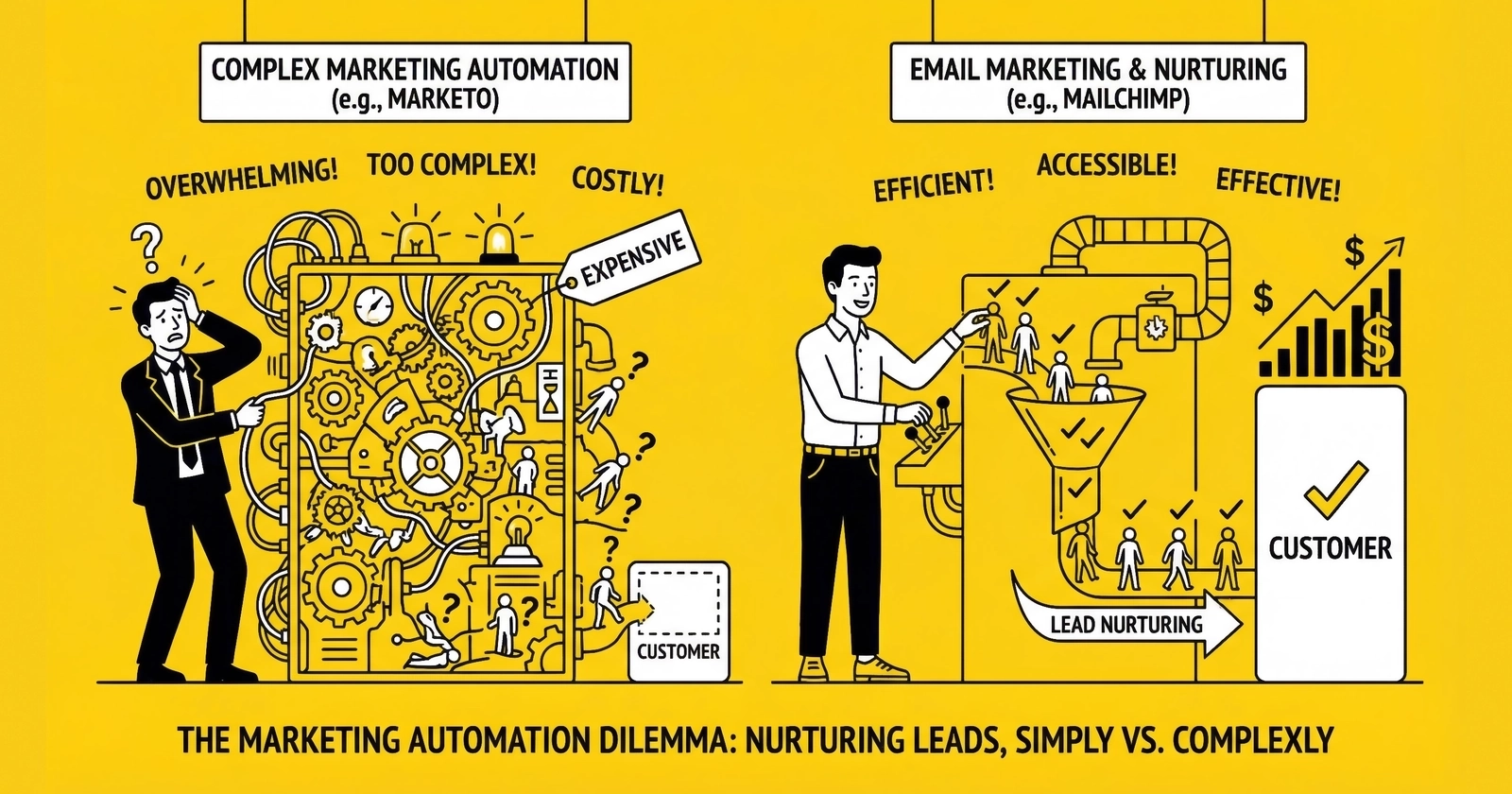
The platform itself is rarely the limiting factor. The limiting factors are strategy, implementation quality, and operational discipline. A well-implemented Mailchimp account outperforms a poorly implemented Marketo instance every time.
Understanding Marketing Automation for Lead Generation
Marketing automation refers to software platforms that execute marketing tasks automatically based on defined rules and triggers. In the lead generation context, these platforms primarily handle email communication, lead scoring, behavioral tracking, and multi-channel coordination.
The Core Functions
Email automation forms the foundation. This includes triggered emails (sent when leads take specific actions), drip sequences (time-based series of messages), and dynamic content (personalized elements based on lead data). For lead generation, email automation handles nurturing sequences, quote reminders, educational content delivery, and re-engagement campaigns.
Lead scoring assigns numerical values to leads based on their characteristics and behaviors. A lead who opens every email, visits pricing pages, and downloads comparison guides scores higher than one who has not engaged since initial capture. Scoring enables prioritization, helping sales teams focus on leads most likely to convert.
Behavioral tracking monitors how leads interact with your digital properties. Which pages do they visit? How long do they spend? What content do they consume? This data feeds both scoring models and triggers for automated communications.
Multi-channel orchestration coordinates messaging across email, SMS, retargeting, and other channels. Rather than treating each channel independently, orchestrated approaches deliver consistent messaging sequences across touchpoints.
CRM integration connects marketing automation data with sales systems. This integration enables closed-loop reporting (understanding which leads actually converted to customers) and ensures sales teams have visibility into marketing interactions.
Why Lead Generation Differs from E-commerce
Most marketing automation literature focuses on e-commerce applications: abandoned cart recovery, product recommendations, post-purchase sequences. Lead generation presents different challenges.
First, the conversion event is more complex. E-commerce measures purchases directly. Lead generation measures lead quality, which only reveals itself downstream when buyers convert leads to customers. This extended feedback loop complicates optimization.
Second, compliance requirements are stricter. Lead generation operates under TCPA, CAN-SPAM, and state-specific regulations that constrain communication timing, frequency, and content. E-commerce faces these same regulations but typically with less scrutiny because the existing customer relationship provides more communication latitude.
Third, lead value varies enormously. In e-commerce, product prices are fixed. In lead generation, a single lead might be worth $15 or $150 depending on dozens of variables. Automation must account for this variability.
Fourth, speed matters differently. E-commerce abandoned cart emails can wait hours or days. Lead generation follow-up often operates in minutes. The platforms must support this velocity.
Platform Categories and Selection Framework
Marketing automation platforms segment into distinct tiers based on capability, complexity, and cost. Understanding these tiers helps match platform selection to operational needs.
Entry-Level Platforms ($0-50/month)
Mailchimp represents the most recognized name at this tier. The platform offers email marketing, basic automation, landing pages, and audience management starting at $0 for up to 250 contacts (limited to 500 monthly sends). Paid plans begin at $13/month for the Essentials tier (up to 50,000 contacts) and scale to $350/month for Premium (unlimited contacts).
Mailchimp’s automation capabilities have expanded significantly. The platform now supports multi-step automation workflows with branching logic, though limited to 4 steps per flow on the Essentials plan and 200 steps on Standard and Premium. For lead generation operations nurturing fewer than 10,000 contacts with relatively simple sequences, Mailchimp provides adequate functionality at minimal cost.
The limitations become apparent at scale. Reporting lacks the depth needed for sophisticated attribution analysis. CRM integrations exist but lack the bi-directional synchronization that larger operations require. Lead scoring is rudimentary compared to mid-market and enterprise options.
Constant Contact occupies similar territory with slightly different strengths. The platform emphasizes ease of use and includes event marketing features that Mailchimp lacks. Pricing starts around $12/month for basic plans. For lead generation operations focused primarily on email with minimal automation complexity, Constant Contact works adequately.
Brevo (formerly Sendinblue) offers a compelling value proposition with free plans including 300 emails/day and paid plans based on email volume rather than contact count. This pricing model benefits operations with large databases but moderate send frequencies.
When entry-level works: Operations with fewer than 5,000 active contacts, simple nurturing sequences (under 10 emails), minimal integration requirements, and limited budget.
When to upgrade: When automation complexity exceeds platform capabilities, when integration limitations block critical workflows, when reporting gaps prevent optimization, or when deliverability issues emerge at scale.
Mid-Market Platforms ($50-500/month)
This tier delivers the functionality most lead generation operations actually need. The platforms balance capability with usability and offer the price-to-value ratio that makes sense for businesses generating between 1,000 and 50,000 leads monthly.
ActiveCampaign has emerged as the dominant mid-market option for lead generation operations. Pricing scales with contacts, starting around $29/month for 1,000 contacts on the Lite plan and reaching several hundred monthly for enterprise features and larger databases.
ActiveCampaign’s strengths for lead generation include robust automation with visual workflow builders, native CRM functionality (reducing integration complexity), sophisticated segmentation, and strong deliverability infrastructure. The platform handles complex conditional logic, enabling automation sequences that respond to lead behaviors, time delays, custom field values, and external triggers.
The CRM component deserves emphasis. Many lead generation operations struggle with disjointed systems where marketing and sales data live in separate databases. ActiveCampaign’s integrated CRM creates a unified view without third-party integration costs.
Limitations include a learning curve steeper than entry-level platforms and reporting that, while comprehensive, requires effort to configure properly. Enterprise-scale operations may encounter constraints in API call limits and advanced permission structures.
Drip targets e-commerce but applies well to lead generation. The platform excels at behavioral tracking and dynamic segmentation. Pricing starts at $39/month for 2,500 contacts with unlimited sends.
Drip’s automation builder is particularly intuitive, using a visual interface that non-technical users can master quickly. The platform integrates cleanly with major e-commerce platforms but also offers Zapier and API connections for lead generation use cases.
HubSpot Marketing Hub offers free entry with upgrade paths to Professional ($800/month for 2,000 marketing contacts) and Enterprise ($3,600/month for 10,000 marketing contacts). HubSpot’s strength lies in its ecosystem integration, including CRM, Sales Hub, Service Hub, and CMS.
For lead generation operations considering HubSpot, the contact pricing model requires careful analysis. HubSpot charges based on “marketing contacts” rather than total contacts, meaning you only pay for contacts you actively market to. This can be economical for operations with large databases where only a portion receives active nurturing.
HubSpot’s free CRM combined with the free tier of Marketing Hub provides a legitimate no-cost starting point. However, the upgrade from free to Professional is steep, and many critical automation features gate behind the Professional tier.
Klaviyo has become the standard for e-commerce email automation, with pricing starting around $45/month for 1,001-1,500 contacts. While optimized for retail, Klaviyo’s sophisticated segmentation and behavioral automation translate well to lead generation contexts.
When mid-market works: Operations generating 1,000-50,000 leads monthly, requiring multi-step automation with conditional logic, needing CRM integration or unified platforms, and having dedicated staff to manage the systems.
When to upgrade: When scale exceeds platform capacity, when advanced features (custom objects, unlimited API access, enterprise SLAs) become necessary, or when organizational complexity requires sophisticated permission structures.
Enterprise Platforms ($1,000-15,000+/month)
Enterprise marketing automation serves organizations with complex requirements, large databases, sophisticated integration needs, and dedicated marketing operations teams.
Adobe Marketo Engage represents the gold standard for B2B marketing automation. Pricing is not publicly listed but typically starts around $1,000-2,000/month for basic implementations and scales significantly higher for enterprise deployments with advanced features.
Marketo’s capabilities extend well beyond email. The platform offers sophisticated lead scoring with custom models, revenue attribution, account-based marketing features, advanced personalization, and extensive integration capabilities. For lead generation operations serving enterprise buyers or operating at significant scale, Marketo provides capabilities that mid-market platforms cannot match.
The complexity is real. Marketo implementations typically require dedicated administrators and often involve implementation partners. The learning curve extends over months, not days. Operations should budget for training, potentially an implementation partner, and ongoing administration.
Salesforce Marketing Cloud pricing varies dramatically by configuration. Growth Edition starts at $1,500/month, while Advanced Edition runs $3,250/month. Add-ons like Personalization ($8,000/month) and Marketing Intelligence ($10,000/month) can push costs substantially higher.
For organizations already committed to the Salesforce ecosystem, Marketing Cloud offers integration depth that standalone platforms cannot match. The Customer Data Platform (CDP) capabilities enable sophisticated audience building and cross-channel orchestration.
Salesforce’s complexity exceeds even Marketo’s. Implementation typically involves significant professional services investment, and ongoing operation requires dedicated specialists.
Pardot (now Marketing Cloud Account Engagement) occupies a middle ground within Salesforce, offering B2B marketing automation with tighter Salesforce CRM integration than Marketing Cloud but less capability for B2C use cases. Pricing starts around $1,250/month.
Oracle Eloqua serves large enterprises with extensive customization requirements. Pricing is not publicly listed but typically starts in the $2,000-4,000/month range and scales with usage.
When enterprise works: Organizations with 100,000+ contacts, complex multi-stage nurturing requirements, sophisticated attribution needs, dedicated marketing operations teams, and budgets that support both licensing and implementation costs.
The hidden costs: Enterprise platforms carry implementation costs ($10,000-100,000+), ongoing administration (full-time employee or agency), training, and integration development. Total first-year cost for Marketo or Marketing Cloud often exceeds $50,000-100,000 when accounting for these factors.
Implementation Framework for Lead Generation
Selecting a platform matters less than implementing it correctly. The following framework addresses the specific requirements of lead generation operations.
Foundation: Data Architecture
Before configuring automation, establish your data structure. Lead generation operations require specific fields beyond standard marketing automation defaults.
Lead source tracking requires fields for acquisition channel, campaign, ad group, and keyword where applicable. This data enables optimization and attribution. Ensure your lead capture forms populate these fields automatically using URL parameters or hidden form fields.
Consent documentation fields store TCPA compliance data. At minimum, track the consent timestamp, the specific consent language presented, the form URL, and ideally a TrustedForm or Jornaya certificate ID. This data must be immutable once captured.
Lead quality indicators capture validation results, scoring outputs, and buyer feedback. Fields might include phone validation status, email verification result, initial lead score, buyer disposition, and return reason if applicable.
Vertical-specific fields vary by industry. Insurance leads need quote types, coverage amounts, and current carrier. Mortgage leads require loan purpose, property value, and credit range. Solar leads need property ownership status, roof type, and utility provider.
Design your field structure before importing data or building automation. Retrofitting data architecture after launching campaigns creates significant operational disruption.
Segmentation Strategy
Effective automation depends on meaningful segmentation. Generic blasts to undifferentiated lists represent the most common automation failure mode.
Engagement-based segments separate active leads from dormant ones. A lead who opened the last three emails deserves different treatment than one who has not opened anything in 60 days. Most platforms calculate engagement scores automatically; use these to trigger segment membership.
Stage-based segments reflect where leads are in their buying journey. A lead who just requested a quote differs from one who received quotes but did not purchase, who differs from one who purchased previously. Automation sequences should vary by stage.
Source-based segments recognize that leads from different acquisition channels often exhibit different behaviors. A lead from a comparison shopping site has different intent than one from a branded search campaign. Tailor nurturing accordingly.
Quality-based segments enable differentiated treatment based on lead scoring. High-quality leads might receive more aggressive sales follow-up; lower-quality leads might enter longer educational sequences before sales contact.
Behavioral segments trigger based on specific actions. Visited the pricing page? Segment for bottom-of-funnel messaging. Downloaded an educational guide? Segment for content-focused nurturing.
Most platforms support dynamic segmentation where leads move between segments automatically based on criteria changes. Leverage this capability rather than relying on static list membership.
Automation Sequence Design
Lead generation automation sequences differ from e-commerce or content marketing sequences. The urgency and compliance context require specific approaches.
Immediate response automation triggers within minutes of lead capture. This sequence typically includes a confirmation email, any promised content delivery (quote, comparison guide), and an SMS if consent exists. Speed matters enormously; configure these automations to fire instantly rather than batching.
Early nurturing sequences cover the first 7-14 days post-capture, when leads remain most receptive. Content should provide value while building toward conversion. For a mortgage lead, this might include content about the mortgage process, rate environment analysis, and pre-qualification benefits. Each message should include a clear but non-aggressive call to action.
Mid-funnel sequences address leads who did not convert during the early window but remain engaged. These sequences typically extend 15-60 days and focus on objection handling, trust building, and maintaining top-of-mind awareness. Frequency decreases compared to early sequences; weekly or bi-weekly cadence typically works.
Re-engagement sequences target leads who have gone dormant. These sequences attempt to revive interest through compelling offers, updated information, or simple check-ins. Expect low response rates; the goal is extracting value from otherwise lost leads.
Event-triggered sequences fire based on behaviors rather than time. A lead who visits your pricing page might receive a triggered email with detailed pricing information. A lead who clicks a specific link might enter a specialized sequence related to that content.
Design sequences with explicit exit conditions. A lead who converts should exit nurturing sequences immediately rather than receiving further marketing. A lead who unsubscribes must be removed from automated sequences (this is both a legal requirement and obvious best practice).
Compliance Configuration
Lead generation automation must address regulatory requirements. Failure creates substantial legal and financial risk.
TCPA compliance requires documented consent before any automated calling or texting. Configure your automation to check consent status before triggering SMS messages. Store consent documentation in immutable fields linked to each contact.
CAN-SPAM compliance requires that all commercial emails include unsubscribe mechanisms that work within 10 business days, accurate sender information, and honest subject lines. All reputable platforms handle this automatically, but verify configuration.
State-specific requirements may impose additional constraints. California’s CCPA, for example, requires specific disclosures and opt-out mechanisms. Some states limit calling hours or impose additional consent requirements.
Suppression list management prevents communication with leads who have opted out or who should not be contacted for other reasons (known litigators, competitors, etc.). Configure automation to check suppression lists before any communication.
Build compliance into automation design rather than treating it as an afterthought. This means consent checks as the first step in any sequence, automatic suppression list checking, and audit trails documenting all automated communications.
Platform-Specific Implementation Guidance
Mailchimp for Lead Generation
Mailchimp works adequately for lead generation operations at smaller scale. Implementation considerations:
Use tags extensively. Mailchimp’s automation triggers primarily use tags or list membership. Develop a tagging taxonomy that captures lead source, quality tier, engagement level, and stage. Apply tags at capture using Zapier, Make, or direct API integration.
Leverage Customer Journeys. Mailchimp’s automation builder enables multi-step sequences with conditional branching. Design separate journeys for different lead segments rather than attempting to build one complex workflow.
Configure transactional email separately. Mailchimp’s transactional email service (Mandrill) handles high-volume, time-sensitive messages better than the marketing platform. Use Mandrill for immediate confirmation emails and real-time notifications.
Integrate your lead distribution platform. If using boberdoo, LeadsPedia, or similar, configure API integration to sync lead data bidirectionally. This ensures automation has access to lead quality data and buyer disposition.
Accept the limitations. Mailchimp will not provide sophisticated lead scoring, advanced attribution, or complex conditional automation. If these capabilities become critical, plan for platform migration.
ActiveCampaign for Lead Generation
ActiveCampaign’s integrated CRM and sophisticated automation make it well-suited for lead generation. Implementation considerations:
Utilize the native CRM. Rather than integrating a separate CRM, use ActiveCampaign’s built-in pipeline management. This eliminates synchronization issues and provides seamless data flow between marketing and sales.
Build comprehensive automations. ActiveCampaign handles complex logic well. Use wait conditions, if/then branching, and goal completion triggers to create sophisticated sequences that respond intelligently to lead behavior.
Implement lead scoring from the start. Configure scoring rules based on email engagement, page visits, and demographic criteria. Use scoring thresholds to trigger sales notifications and segment leads for differentiated treatment.
Leverage site tracking. Install ActiveCampaign’s tracking code on your web properties. This enables automation triggers based on page visits, providing valuable behavioral data for both automation and sales intelligence.
Use deals for revenue tracking. ActiveCampaign’s deal pipeline enables closed-loop reporting. Track when leads convert to customers to measure automation performance and optimize sequences.
HubSpot for Lead Generation
HubSpot’s ecosystem approach offers advantages for operations willing to invest in the platform. Implementation considerations:
Understand the contact pricing model. HubSpot charges for marketing contacts, not total contacts. Configure your database to mark only actively nurtured contacts as marketing contacts. This can dramatically reduce costs for operations with large databases.
Leverage workflows extensively. HubSpot’s workflow builder handles complex automation logic. Use lifecycle stage properties to ensure leads receive appropriate messaging based on their position in the buying journey.
Implement attribution reporting. HubSpot’s multi-touch attribution reports help understand which marketing efforts drive conversions. Configure tracking and attribution models that match your business reality.
Integrate your tech stack. HubSpot’s App Marketplace includes integrations for most lead generation tools. Prioritize integrations that maintain data consistency and enable automated data flow.
Consider the upgrade path. If starting on free or Starter tiers, understand which capabilities gate behind Professional and Enterprise. Plan your growth path accordingly.
Marketo for Lead Generation
Marketo implementations require significant planning and resources. Implementation considerations:
Invest in proper implementation. Marketo’s complexity demands professional implementation. Budget for either an implementation partner or extended ramp-up time with dedicated internal resources.
Design your program structure carefully. Marketo organizes automation into programs with specific types (engagement, default, event, email). Understanding this structure before building prevents rework.
Leverage engagement programs for nurturing. Marketo’s engagement programs are specifically designed for lead nurturing, managing content streams and transition rules automatically. This is more sophisticated than standard drip sequences.
Implement revenue cycle modeling. Marketo’s revenue cycle analytics require upfront configuration but provide powerful insights into how leads progress through stages and which marketing efforts drive revenue.
Plan for ongoing administration. Marketo requires continuous maintenance. Plan for a dedicated administrator or agency relationship.
Measuring Automation Performance
Marketing automation generates extensive data. Knowing which metrics matter prevents drowning in dashboards while missing meaningful insights.
Engagement Metrics
Open rates measure whether subject lines and sender reputation work. Benchmark open rates vary by industry, but lead generation typically sees 15-25% for nurturing sequences. Rates below 10% indicate deliverability or relevance problems.
Click-through rates measure whether content drives action. Nurturing sequences should target 2-5% CTR. Transactional and confirmation emails often see higher rates.
Unsubscribe rates indicate relevance and frequency issues. Rates above 0.5% per email suggest problems with targeting, content, or frequency. Sudden spikes warrant immediate investigation.
Deliverability rates measure whether emails reach inboxes. Target 95%+ delivery rates. Significant bounce rates indicate list quality issues or technical problems with sending infrastructure.
Conversion Metrics
Automation-attributed conversions count leads who converted after engaging with automated sequences. Attribution models vary; most operations use either first-touch (automation started the journey) or multi-touch (automation participated in the journey) attribution.
Sequence completion rates measure how many leads complete multi-step automation sequences without dropping off. Low completion rates may indicate content relevance issues or over-aggressive frequency.
Lead-to-customer conversion rates provide the ultimate measure. Segment this by automation participation to understand whether nurtured leads convert at higher rates than non-nurtured leads.
Revenue per lead for nurtured versus non-nurtured segments reveals automation’s economic impact. If nurtured leads convert at 15% versus 8% for non-nurtured, and average customer value is $1,000, each nurtured lead generates $70 more value than each non-nurtured lead.
Operational Metrics
Automation error rates track failed sends, broken triggers, and system issues. Any error rate above 1% warrants investigation. Automation should run reliably without constant monitoring.
List growth and decay rates monitor database health. Healthy operations maintain positive net growth (new leads minus unsubscribes and hard bounces). Shrinking lists indicate acquisition or engagement problems.
Time-to-first-contact measures automation’s speed in engaging new leads. For lead generation, this should be measured in minutes, not hours. If automation does not fire within 5 minutes of lead capture, troubleshoot the trigger configuration.
Common Mistakes and How to Avoid Them
Years of observing lead generation automation implementations reveal consistent failure patterns.
Over-Automation
The temptation to automate everything leads to complex, unmaintainable systems. A workflow with 47 branches and 23 conditional checks might seem sophisticated, but it is nearly impossible to troubleshoot and optimize.
Start simple. A three-email welcome sequence beats an elaborate multi-stage workflow that no one understands. Add complexity only when measurement demonstrates the need.
Under-Personalization
“Dear [First Name]” is not personalization. Effective personalization uses behavioral data, purchase history, and contextual information to deliver genuinely relevant content.
For lead generation, this means referencing the specific product quoted, the lead source, and any known preferences. A mortgage lead who inquired about a refinance should not receive first-time homebuyer content.
Ignoring Deliverability
Automation is worthless if emails land in spam folders. Deliverability requires ongoing attention to sending reputation, list hygiene, authentication configuration, and content quality.
Monitor deliverability metrics actively. Sudden drops in open rates often indicate deliverability problems, not content issues. Use deliverability monitoring tools and maintain relationships with major ISPs.
Neglecting Mobile Optimization
Over 60% of email opens occur on mobile devices. Automation content that looks good on desktop but breaks on mobile fails the majority of recipients.
Test all automated emails on mobile devices. Use responsive templates, optimize subject lines for mobile display (under 40 characters for preview), and ensure calls to action are tap-friendly.
Set-and-Forget Syndrome
Automation does not mean “build once, ignore forever.” Lead generation dynamics change constantly. Buyer preferences evolve. What worked six months ago may underperform today.
Establish regular review cycles. Monthly reviews of key metrics, quarterly content refreshes, and annual strategy reviews keep automation effective.
Compliance Shortcuts
The temptation to skip consent verification or ignore suppression lists creates existential risk. A single TCPA class action can exceed $10 million in settlements.
Build compliance into automation infrastructure from day one. Treat it as non-negotiable, not as an obstacle to marketing velocity.
The Platform Selection Decision
After examining capabilities, costs, and implementation requirements, how do you choose?
Start With Your Constraints
Budget sets the initial filter. If you have $50/month, enterprise platforms are off the table. If you have $5,000/month, entry-level limitations become unacceptable.
Technical resources determine implementation feasibility. Marketo requires dedicated administration. Mailchimp can be managed part-time. Match platform complexity to available expertise.
Scale requirements predict future needs. Starting with 1,000 leads monthly but planning for 50,000 within two years? Choose a platform that handles the target scale without migration.
Integration requirements identify must-have connections. If your operation runs on Salesforce, platforms with native Salesforce integration merit priority.
Match Platform to Maturity
Operations just starting with automation should begin with simpler platforms. Mailchimp or ActiveCampaign provides adequate capability for learning automation fundamentals. Attempting Marketo without automation experience leads to frustration and wasted investment.
Mature operations with dedicated marketing teams and proven automation success may need enterprise capabilities. The upgrade decision should be based on hitting genuine capability ceilings, not feature envy.
Plan for Migration
Whatever platform you choose, data portability matters. Ensure you can export contacts, engagement history, and automation logic if migration becomes necessary.
Document your automation sequences in platform-agnostic terms. This documentation accelerates migration and forces clarity about what you are actually trying to accomplish.
Key Takeaways
-
Marketing automation enables systematic lead nurturing at scale, but platform selection matters less than implementation quality and operational discipline.
-
Entry-level platforms (Mailchimp, Constant Contact, Brevo) work for operations with fewer than 5,000 contacts and simple nurturing requirements. Budget $0-50/month.
-
Mid-market platforms (ActiveCampaign, HubSpot, Drip) serve most lead generation operations, offering sophisticated automation with manageable complexity. Budget $50-500/month for software plus implementation time.
-
Enterprise platforms (Marketo, Salesforce Marketing Cloud, Pardot) suit large organizations with complex requirements and dedicated marketing operations teams. Budget $1,000-15,000+/month plus significant implementation investment.
-
Foundation work matters more than features. Proper data architecture, meaningful segmentation, and compliance configuration determine success regardless of platform.
-
Measure what matters: engagement metrics identify content and deliverability issues; conversion metrics prove business impact; operational metrics ensure reliability.
-
Avoid common mistakes: over-automation, under-personalization, deliverability neglect, mobile optimization failures, set-and-forget syndrome, and compliance shortcuts.
-
Start simpler than you think necessary. Add complexity when measurement demonstrates the need, not when features seem appealing.
Frequently Asked Questions
What is the best marketing automation platform for lead generation?
There is no single best platform. The right choice depends on your scale, budget, technical resources, and integration requirements. ActiveCampaign offers the best balance of capability and usability for most lead generation operations with budgets between $50-300/month. HubSpot works well for organizations wanting an integrated ecosystem. Mailchimp suffices for smaller operations prioritizing simplicity and cost. Marketo or Salesforce Marketing Cloud suits enterprise operations with dedicated marketing teams and budgets exceeding $2,000/month.
How much does marketing automation cost for lead generation businesses?
Costs range from $0 (Mailchimp Free, HubSpot Free) to $15,000+/month (Salesforce Marketing Cloud with add-ons). Most lead generation operations find adequate solutions in the $50-500/month range. Factor in implementation costs (typically 1-3x annual software cost for enterprise platforms), integration development, and ongoing administration. Total first-year costs for enterprise platforms often exceed $50,000-100,000 when accounting for all expenses.
How do I measure marketing automation ROI for lead generation?
Compare conversion rates and revenue per lead for nurtured versus non-nurtured leads. If nurtured leads convert at 15% versus 10% for non-nurtured leads, and each customer is worth $1,000, nurturing adds $50 of value per lead. Multiply by lead volume, subtract automation costs (software plus labor), and you have ROI. Most operations see 200-500% ROI on well-implemented automation.
What is the difference between Mailchimp and Marketo?
Mailchimp is an entry-level platform emphasizing ease of use and low cost, suitable for operations with simpler requirements. Marketo is an enterprise platform offering sophisticated lead scoring, revenue attribution, account-based marketing features, and extensive customization. Mailchimp might cost $50/month; Marketo implementations typically exceed $2,000/month plus significant implementation investment. The platforms serve fundamentally different market segments.
How long does it take to implement marketing automation for lead generation?
Implementation timelines vary dramatically by platform and complexity. Mailchimp basic setup takes 1-2 days. ActiveCampaign with moderate complexity requires 2-4 weeks. HubSpot Professional implementations typically run 4-8 weeks. Marketo or Salesforce Marketing Cloud implementations often extend 3-6 months. These timelines assume dedicated resources; part-time implementation takes proportionally longer.
Do I need a CRM separate from my marketing automation platform?
Not necessarily. Platforms like ActiveCampaign and HubSpot include CRM functionality. Using the integrated CRM eliminates synchronization issues and reduces total cost. However, organizations with established CRM investments (Salesforce, Microsoft Dynamics) typically prefer marketing automation that integrates with existing systems rather than replacing them.
What automation sequences should lead generation businesses implement first?
Start with immediate response automation (confirmation emails, welcome messages), then add early nurturing sequences (first 7-14 days post-capture). Once these perform well, add mid-funnel sequences, re-engagement campaigns, and behavioral triggers. Resist the temptation to build everything simultaneously; implement in phases, measuring results before adding complexity.
How do I ensure TCPA compliance with marketing automation?
Document consent at lead capture, including timestamp, specific consent language, form URL, and ideally a TrustedForm or Jornaya certificate. Configure automation to verify consent exists before sending SMS messages or triggering phone calls. Maintain suppression lists and check them before any automated communication. Build compliance checks into automation workflows as non-optional steps. Consider legal review of your consent language and automation sequences.
What is lead scoring and do I need it for lead nurturing?
Lead scoring assigns numerical values to leads based on demographics (who they are) and behaviors (what they do). Higher scores indicate greater sales-readiness. Lead scoring enables prioritization, helping sales teams focus on high-potential leads and triggering appropriate automation based on engagement level. You do not strictly need scoring for basic nurturing, but it significantly improves results for operations with meaningful lead volume.
How often should I update my marketing automation sequences?
Review key metrics monthly. Refresh content quarterly at minimum. Conduct comprehensive strategy reviews annually. High-performing sequences may need less frequent updates; underperforming sequences require immediate attention. Monitor engagement metrics continuously; declining open or click rates signal the need for immediate investigation. Treat automation as living infrastructure requiring ongoing maintenance, not as set-and-forget technology.