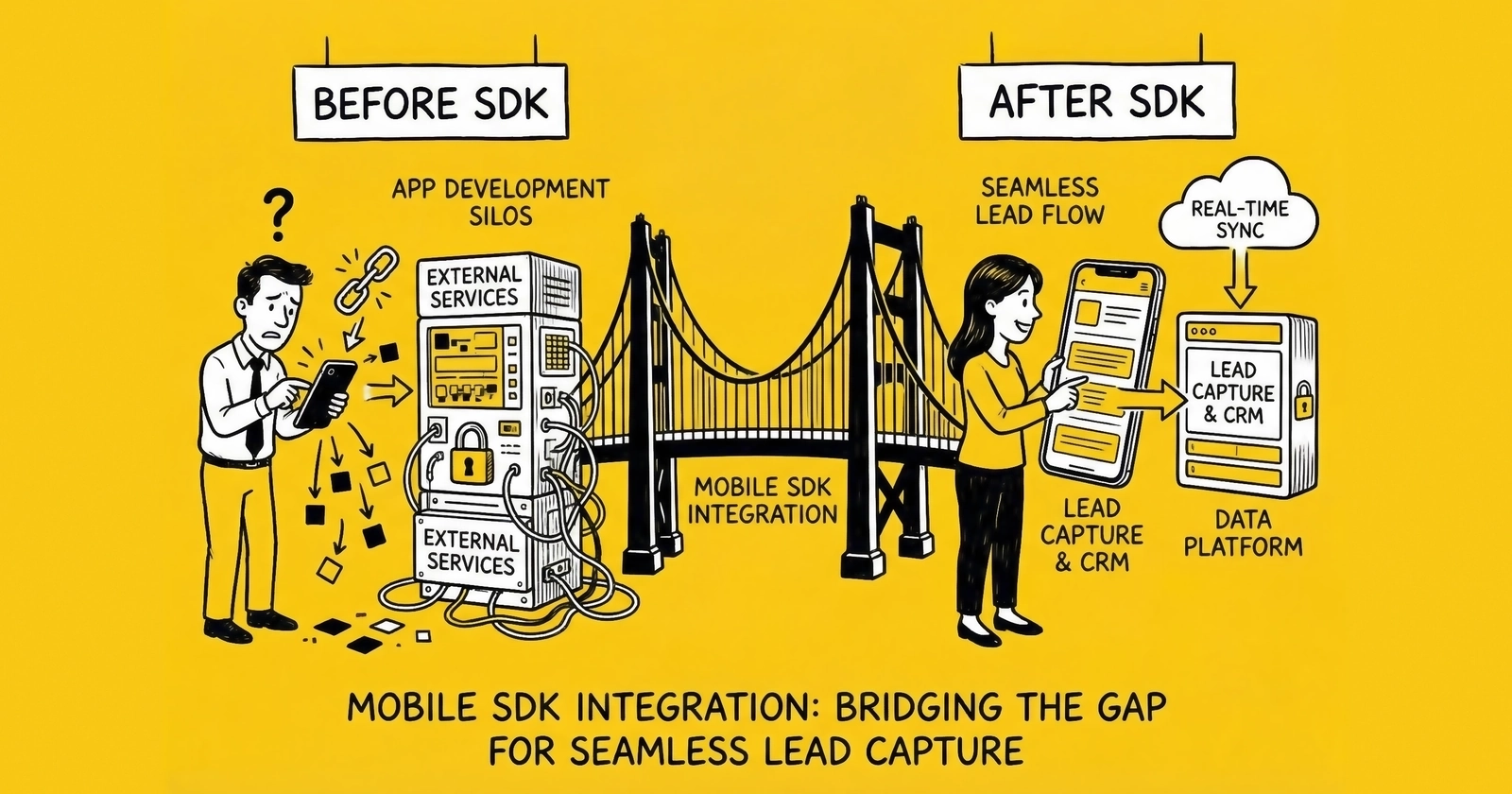
Mobile applications now drive the majority of consumer internet traffic, yet most lead generation operations still treat mobile as an afterthought. Proper SDK integration captures 25-40% more attributable conversions, enables real-time lead validation, and creates the data infrastructure required for profitable mobile lead generation at scale.
Mobile traffic represents 60-70% of consumer web activity in 2025. In verticals like insurance, solar, and home services, mobile dominates even more heavily. Yet the majority of lead generation operations struggle with mobile measurement, losing attribution signals to App Tracking Transparency, failing to capture cross-device journeys, and missing the real-time validation capabilities that separate profitable operations from money-losing ones.
The gap between mobile traffic share and mobile attribution quality creates massive inefficiencies. Lead generators spend millions acquiring mobile users, then lose 30-50% of conversion signals to iOS privacy restrictions, ad blockers, and broken cross-device attribution. Budget optimization becomes guesswork. Quality signals disappear into black boxes. Profitable traffic sources appear unprofitable while unprofitable sources appear efficient.
Mobile SDK integration solves these problems by moving data collection from the browser to the application layer, enabling first-party data capture that survives privacy restrictions, real-time lead validation at point of capture, accurate attribution across devices and sessions, and integration with advertising platforms for campaign optimization.
This guide provides the complete technical framework for mobile SDK integration in lead capture applications. You will learn which SDKs to implement and why, the implementation architecture that maximizes attribution recovery, how to handle iOS App Tracking Transparency and Android privacy restrictions, real-time validation techniques that reduce fraud and improve lead quality, and the server-side integration patterns that connect mobile capture to your distribution systems.
The Mobile Attribution Crisis
Before discussing solutions, you need to understand the problem you are solving. Mobile lead capture faces unique challenges that do not exist in web-based lead generation.
The iOS Privacy Wall
Apple’s App Tracking Transparency (ATT) framework, introduced with iOS 14.5 in April 2021, requires applications to request user permission before accessing the Identifier for Advertisers (IDFA). The IDFA was previously the universal tracking identifier that enabled cross-app attribution, audience building, and conversion measurement.
The opt-in rates are brutal. Approximately 75% of iOS users decline tracking when presented with the ATT prompt. For lead generation applications, this means three-quarters of your iOS audience becomes effectively unmeasurable using traditional methods.
iOS represents approximately 60% of the US smartphone market and skews toward higher income demographics. These are precisely the users most valuable for insurance, financial services, and high-ticket lead verticals. When 75% of your highest-value audience becomes invisible to attribution systems, your optimization becomes systemically biased toward lower-value traffic sources that happen to be more measurable.
The Android Privacy Evolution
Google has implemented its own privacy restrictions, though less aggressively than Apple. The Android Advertising ID remains available but faces increasing restrictions. Google’s Privacy Sandbox for Android, launching progressively through 2024-2025, introduces attribution APIs similar to Apple’s SKAdNetwork that provide aggregated, delayed conversion data rather than user-level real-time signals.
The practical impact: Android attribution remains more complete than iOS today, but the gap is narrowing. Operations built entirely on Android’s current permissiveness will face increasing signal loss as Google’s privacy framework matures.
The Cross-Device Attribution Gap
Mobile lead capture rarely happens in a single session. A consumer sees an ad on their phone, researches on a tablet, and completes a form on a desktop. Traditional web tracking treats these as three separate anonymous users. Without deterministic matching using authenticated identifiers, the mobile ad receives zero attribution credit for the conversion.
Research indicates 30-40% of conversions involve multiple devices. For lead generation, where the research-to-conversion timeline often spans days or weeks, the cross-device gap is even larger. Mobile advertising investment appears less efficient than it actually is, simply because conversions migrate to other devices before completion.
The Real Cost of Signal Loss
Signal loss creates compounding problems beyond simple measurement gaps:
Budget misallocation: Without accurate attribution, mobile advertising budgets shift toward measurable channels regardless of actual performance. Desktop search captures attribution credit for awareness campaigns that ran on mobile. Upper-funnel mobile campaigns appear unprofitable while actually driving conversions that appear elsewhere.
Algorithm starvation: Advertising platform optimization algorithms learn from conversion data. When 30-50% of mobile conversions go unreported, algorithms optimize toward a distorted picture of reality. They learn to avoid audiences that actually convert well but happen to block tracking.
Fraud exposure: Without real-time device-level validation, mobile lead fraud detection relies on post-submission analysis. By the time fraudulent patterns emerge, you have already purchased and distributed worthless leads.
The SDK Integration Architecture
Effective mobile SDK integration requires multiple layers working together: analytics SDKs for conversion tracking, attribution SDKs for campaign measurement, validation SDKs for lead quality, and server-side integration for platform connectivity.
Core SDK Categories
Analytics SDKs capture user behavior within your application: screen views, form interactions, button clicks, and conversion events. Firebase Analytics (Google) and Mixpanel are the primary options, with Firebase offering free unlimited event tracking and direct integration with Google Ads.
Attribution SDKs connect user actions to advertising campaigns. These SDKs handle the complex work of click-to-install attribution, deep linking, and cross-device measurement. The major players are AppsFlyer, Adjust, Branch, and Singular. Each provides similar core functionality with different strengths in specific use cases.
Validation SDKs perform real-time verification of lead data at the moment of capture. Phone validation, email verification, address standardization, and fraud detection happen within milliseconds of form submission. Melissa, Loqate, and specialized fraud detection services like TrustedForm’s mobile SDK operate in this category.
Platform SDKs connect your application directly to advertising platforms for conversion reporting. Meta’s SDK (formerly Facebook SDK), Google’s Firebase SDK, TikTok’s SDK, and Snap’s SDK each enable server-side conversion reporting that bypasses browser-based tracking limitations.
The Recommended Stack
For lead capture applications, implement this SDK hierarchy:
Foundation layer: Firebase Analytics provides the core event infrastructure. It is free, scales infinitely, and integrates directly with Google Ads Enhanced Conversions. Every lead capture app should include Firebase regardless of other SDK choices.
Attribution layer: AppsFlyer or Adjust for mobile attribution. AppsFlyer dominates market share with approximately 65% of the top apps using their SDK. Adjust offers strong privacy-focused alternatives and excellent fraud detection. Choose one based on your specific needs; implementing both creates redundancy without benefit.
Platform layer: Meta SDK for Facebook and Instagram traffic attribution. TikTok SDK if running significant TikTok campaigns. These platform-specific SDKs enable the Conversions API integration that recovers signals lost to ATT restrictions.
Validation layer: Integrate phone and email validation services via server-side calls rather than mobile SDKs when possible. This centralizes validation logic and reduces SDK bloat. However, certain fraud detection signals (device fingerprinting, behavioral biometrics) require on-device SDKs.
SDK Implementation Order
Implement SDKs in this sequence to ensure proper initialization and event flow:
- Firebase Analytics: Initialize first in application launch sequence
- Attribution SDK (AppsFlyer/Adjust): Initialize immediately after Firebase
- Platform SDKs (Meta, TikTok): Initialize after attribution SDK
- Validation SDKs: Initialize on-demand when forms are presented
The initialization order matters because attribution SDKs need to capture install events before other SDKs consume device identifiers. Firebase must initialize first to establish the event infrastructure that other SDKs will use for conversion mapping.
Firebase Analytics Integration
Firebase Analytics forms the foundation of mobile lead capture measurement. It provides event tracking, user properties, audience building, and direct integration with Google Ads.
Core Implementation
Firebase Analytics SDK automatically captures certain events upon installation: first_open, session_start, screen_view, app_update, and os_update. For lead capture, you will add custom events that track form interactions and conversions.
The essential events for lead capture applications:
form_view: Logged when the lead capture form becomes visible to the user. Include parameters for form_type (insurance quote, contact request, etc.) and traffic_source (the campaign or channel that brought the user).
form_start: Logged when the user begins interacting with the form (first field touch or keystroke). This distinguishes users who see forms from users who engage with forms.
form_field_complete: Logged as each required field is completed. Parameters should include field_name and field_order. This data reveals where users abandon forms and which fields cause friction.
form_submit: Logged when the user taps the submit button. This represents intent to convert, even if validation subsequently fails.
lead_capture: Logged only when the lead is successfully captured and validated. Include parameters for lead_value (if known), vertical_type, and any quality signals available at capture time.
lead_qualified: For applications that perform real-time qualification, log this event when a lead passes qualification criteria. Include qualification_score and disqualification_reasons if applicable.
User Properties
Firebase allows setting up to 25 user properties that persist across sessions. For lead capture applications, consider setting:
user_vertical: The primary vertical the user has shown interest in (auto insurance, home insurance, solar, etc.)
user_stage: Where the user sits in the qualification funnel (visitor, engaged, form_started, converted, qualified)
acquisition_source: The original source that brought the user to the app, persisted for lifetime value analysis
consent_status: Whether the user has opted into marketing communications, critical for TCPA compliance tracking
Google Ads Integration
Firebase Analytics connects directly to Google Ads for conversion import. This enables Enhanced Conversions functionality where leads captured in your mobile app attribute back to Google Ads campaigns automatically.
The integration requires linking your Firebase project to Google Ads and configuring conversion events. When properly configured, every lead_capture event in Firebase creates a corresponding conversion in Google Ads, with user data (hashed email and phone) enabling cross-device attribution.
This integration recovers a significant portion of conversions lost to iOS ATT restrictions. Even when IDFA is unavailable, Google can match conversions using authenticated user data.
BigQuery Export
Enable Firebase Analytics export to BigQuery for advanced analysis. The raw event data flows to your BigQuery project within hours, enabling custom analysis across your entire user base.
For lead generation specifically, BigQuery export enables:
- Cohort analysis: Track conversion rates and lead quality by acquisition cohort over time
- Attribution modeling: Build custom attribution models using raw event sequences
- Fraud pattern detection: Analyze behavioral patterns that indicate fraudulent lead submissions
- LTV modeling: Connect lead capture data to downstream revenue for value-based optimization
Attribution SDK Integration
Attribution SDKs solve the problem of connecting advertising spend to application installs and in-app conversions. They handle the complex technical challenges of click-to-install matching, deep linking, and cross-device measurement.
AppsFlyer Implementation
AppsFlyer commands the largest market share among mobile attribution providers, with SDK presence in approximately 65% of top mobile applications. Their SDK captures install attribution, deep link handling, and in-app events.
The core integration involves initializing the SDK with your AppsFlyer dev key during application launch, then logging in-app events that represent lead capture milestones.
Key events to configure:
af_complete_registration: Map this to your lead capture event. Include event parameters for lead value, lead type, and any quality signals.
af_submit_application: Use this for secondary conversion events like qualification completion or document upload.
Custom events: Define events specific to your lead capture flow. AppsFlyer supports up to 1,000 unique event names per application.
Attribution Configuration
Configure attribution settings to maximize conversion recovery:
Install attribution window: Set to 7 days for click-through attribution and 24 hours for view-through attribution. These windows should match your advertising platform settings for consistency.
Re-engagement attribution: Enable if you run retargeting campaigns to existing app users. Configure a re-engagement window (typically 7 days) that distinguishes re-engagement conversions from organic activity.
Deep linking: Implement deferred deep linking to capture attribution even when users install the app after clicking an ad. The SDK stores the click attribution data and makes it available after installation completes.
SKAdNetwork Configuration
For iOS attribution where ATT consent is declined, SKAdNetwork (SKAN) provides Apple’s privacy-preserving attribution framework. AppsFlyer (and other attribution SDKs) handle SKAN implementation automatically, but you must configure conversion values correctly.
SKAN provides a 6-bit conversion value (0-63) that you can set based on user behavior. For lead capture applications, design a conversion value schema that captures:
- Bit 0-1: Conversion event type (form view = 1, form start = 2, lead capture = 3)
- Bit 2-3: Lead quality tier if known at capture time
- Bit 4-5: Days since install (enables conversion timing analysis)
The conversion value schema determines what insights you can extract from SKAN attribution data. Design it carefully based on the decisions you need to make from that data.
Fraud Protection
Attribution SDKs include fraud protection capabilities that identify:
Install fraud: Bots that generate fake app installs to claim attribution credit for organic users.
Click fraud: Click farms and click injection techniques that hijack attribution from legitimate traffic sources.
In-app event fraud: Synthetic events generated by compromised devices or emulators to simulate conversions.
Enable fraud protection settings in your attribution dashboard. Configure alerts for anomalous patterns like sudden spikes in install rates from specific sources, unusually high or low time-to-install distributions, or geographic patterns inconsistent with your targeting.
Platform SDK Integration
Platform-specific SDKs enable direct conversion reporting to advertising platforms, bypassing the browser-based tracking that iOS ATT restrictions have degraded.
Meta SDK Integration
Meta’s SDK (formerly Facebook SDK) enables the Conversions API for Mobile, which sends conversion events directly from your application to Meta’s servers. This server-to-server connection survives iOS ATT restrictions because it does not rely on the Pixel or IDFA for user matching.
The integration involves:
SDK initialization: Initialize the Meta SDK during application launch with your Facebook App ID.
Event logging: Log standard events (fb_mobile_complete_registration for lead capture) or custom events with parameters describing the conversion.
User data hashing: Include hashed user data (email, phone) with events to enable Advanced Matching. Meta hashes this data before transmission and uses it to match conversions to user accounts.
Event deduplication: If you also report conversions via web Pixel (for users who complete on mobile web), implement event_id deduplication to prevent double-counting.
Meta Conversions API for Mobile
Beyond the standard SDK, implement the Conversions API directly from your server for maximum signal recovery. When a lead is captured in your mobile app:
- Your app sends the lead data to your server
- Your server validates the lead and stores in your database
- Your server fires a Conversions API event to Meta with the lead data
- Meta matches the conversion using authenticated identifiers
This architecture means Meta receives conversion signals even when the SDK cannot capture them due to ATT restrictions. The server-side signal includes hashed user data that enables matching at higher rates than SDK-only implementation.
TikTok Events API
TikTok’s mobile SDK and Events API follow similar patterns to Meta’s implementation. For lead capture applications running TikTok advertising:
SDK implementation: Initialize TikTok’s SDK with your App ID and log conversion events using their standard event taxonomy (CompleteRegistration for lead capture).
Events API integration: Fire server-side events for every lead captured, including hashed user data for matching. TikTok’s matching relies heavily on phone numbers, making phone-based lead capture particularly well-suited for TikTok attribution.
Event Match Quality: Monitor TikTok’s match quality metrics in Events Manager. Similar to Meta’s EMQ, higher match quality correlates with better campaign optimization.
Google Ads Integration
Google’s mobile conversion tracking operates through Firebase Analytics rather than a separate SDK. When Firebase is properly linked to Google Ads:
Automatic import: Conversion events defined in Firebase appear in Google Ads for optimization.
Enhanced Conversions: Enable Enhanced Conversions for Leads to send hashed user data (email, phone) with conversion events, improving attribution accuracy.
Conversion value: Pass lead values with conversion events to enable value-based bidding optimization.
The key configuration: ensure your Firebase lead_capture event is mapped to a Google Ads conversion action, and that the conversion action is configured to receive user data via Enhanced Conversions.
Real-Time Lead Validation
Mobile SDK integration enables validation at the moment of capture, before leads enter your distribution system. This real-time validation improves lead quality, reduces fraud, and creates better buyer experiences.
Phone Validation
Phone number validation happens in three layers:
Format validation: Verify the phone number matches expected format for the claimed country/region. This catches obvious errors like missing digits or invalid area codes.
Line type identification: Determine whether the number is mobile, landline, or VoIP. Many buyers reject VoIP numbers due to higher fraud rates. Line type data enables routing decisions at capture time.
Carrier validation: Verify the number is currently active and identify the carrier. Disconnected numbers or recently ported numbers may indicate lower intent or potential fraud.
For mobile applications, integrate phone validation via server-side API calls rather than embedding validation SDK directly in the app. Your app sends the phone number to your server, which calls the validation API and returns results to the app before displaying confirmation to the user.
This architecture centralizes validation logic, enables consistent rules across mobile and web capture, and reduces SDK bloat in your application.
Email Validation
Email validation follows similar patterns:
Syntax validation: Verify the email matches valid format and the domain exists.
Deliverability check: Confirm the email address can receive messages. Catch-all domains, disposable email services, and known spam traps get flagged.
Risk assessment: Score the email address for fraud indicators like recent creation, association with known fraud patterns, or high-risk domain categories.
Implement email validation server-side with API calls during form submission. Return validation results to the app to display appropriate error messages or warnings.
Device and Behavioral Signals
Beyond data validation, mobile SDKs can capture device and behavioral signals that indicate lead quality:
Device fingerprinting: Capture device characteristics (model, OS version, screen resolution, installed apps) that establish device identity. Consistent device fingerprints across multiple leads may indicate fraud.
Behavioral biometrics: Analyze how the user interacts with the form. Typing speed, touch patterns, scrolling behavior, and time-on-field create behavioral signatures that distinguish humans from bots.
Location validation: Compare device location to claimed address. Significant mismatches may indicate fraud or data quality issues.
App usage patterns: Time of day, session duration, and navigation patterns provide context for lead quality scoring.
These signals require on-device SDKs to capture. Services like TrustedForm offer mobile SDKs that capture these signals and provide fraud detection scoring at capture time.
Implementing Validation Flow
Structure your mobile lead capture with validation checkpoints:
- Client-side pre-validation: Basic format checks before submission
- Server-side validation: Full validation suite during form processing
- Real-time response: Return validation results to app within 2-3 seconds
- Conditional acceptance: Accept or reject based on validation results
- Quality scoring: Assign quality scores for downstream routing
The validation response should include clear, actionable messages for the user. If phone validation fails, specify whether the issue is format, line type, or connectivity. Enable users to correct errors rather than silently rejecting submissions.
Consent and Compliance
Mobile lead capture requires careful attention to consent management, particularly for leads that will be contacted via phone or text message.
TCPA Consent Capture
The Telephone Consumer Protection Act (TCPA) requires prior express written consent before making marketing calls or texts using automated systems. Mobile applications must capture this consent with the same rigor as web forms.
Key requirements:
Clear and conspicuous disclosure: The consent language must be clearly visible before form submission. On mobile screens, this often means displaying consent language directly above the submit button rather than hiding it in scrollable terms.
Affirmative consent action: The user must take an affirmative action to grant consent, typically a checkbox or toggle. Pre-checked boxes do not satisfy TCPA requirements.
Specific seller identification: Though the FCC’s one-to-one consent rule was vacated by the Eleventh Circuit in January 2025, many sophisticated buyers require consent to name the specific companies that will contact the consumer. Using a single consent to authorize contact from multiple unrelated sellers faces increasing buyer rejection.
Documentation: Capture and store the consent event with sufficient detail to defend against claims. This includes the exact language displayed, timestamp, IP address, device identifier, and user action taken.
Consent Certification Integration
Services like TrustedForm and Jornaya provide independent consent certification that creates defensible records of consent capture events.
TrustedForm’s mobile SDK captures:
- Screenshot or DOM representation of the consent page
- User interaction leading to consent
- Device and session identifiers
- Timestamp and certificate ID
This certificate provides independent third-party evidence of consent capture, valuable in defending against TCPA claims.
Jornaya’s LeadiD provides similar functionality with behavioral analytics overlaid:
- User journey through the lead form
- Behavioral patterns indicating human interaction
- Cross-device identity resolution
- Lead provenance tracking
Implement one or both services depending on your vertical’s litigation exposure and buyer requirements.
ATT Consent Handling
iOS App Tracking Transparency requires its own consent flow, separate from marketing consent. Best practices for ATT prompts:
Pre-prompt education: Before showing Apple’s ATT dialog, display a custom screen explaining why you are requesting tracking permission and what benefit the user receives. This “pre-prompt” can significantly improve opt-in rates.
Timing: Do not request ATT permission immediately upon app launch. Wait until the user has engaged with the app and understands its value. Requesting permission during onboarding or after the first valuable interaction improves opt-in rates.
Graceful degradation: Design your app to function properly regardless of ATT choice. Never block functionality based on ATT consent status. Users who decline tracking should still be able to capture leads and receive service.
State Privacy Laws
Beyond TCPA, consider state privacy laws that affect mobile data collection:
California Consumer Privacy Act (CCPA): Requires disclosure of data collection practices and provides consumers rights to access and delete their data. Your privacy policy must accurately describe mobile SDK data collection.
Virginia Consumer Data Protection Act (VCDPA) and similar state laws: Multiple states have enacted comprehensive privacy laws with varying requirements. Implement consent mechanisms and privacy controls that satisfy the strictest applicable requirements.
Server-Side Integration Architecture
Mobile SDK events must connect to your lead distribution infrastructure. Server-side integration handles this connection while adding validation, enrichment, and routing logic.
Data Flow Architecture
The recommended architecture:
- Mobile app captures lead and fires SDK events
- App sends lead data to your API endpoint
- Your server validates the lead using third-party APIs
- Server enriches lead with additional data points
- Server routes lead to distribution system
- Server fires conversion events to advertising platforms
- Server returns confirmation to mobile app
This architecture centralizes business logic on your server rather than embedding it in the mobile application. Validation rules, enrichment sources, and routing logic can change without requiring app updates.
API Endpoint Design
Design your lead capture API for reliability and observability:
Synchronous validation: Return validation results within the HTTP response. Target sub-3-second response times to maintain acceptable user experience.
Idempotency: Support duplicate submission handling using idempotency keys. Mobile networks are unreliable; users may tap submit multiple times or experience network failures that cause retries.
Detailed responses: Return structured responses that the app can display to users. Include specific validation failure reasons rather than generic error messages.
Logging: Log every submission with complete context for debugging and compliance. Include device identifiers, timestamps, validation results, and routing decisions.
Lead Distribution Integration
Connect your mobile capture to your lead distribution platform (boberdoo, LeadsPedia, Phonexa, or custom system):
Real-time posting: Post leads immediately upon capture for fastest speed-to-contact. Include device and behavioral signals as custom fields for buyer routing decisions.
Quality scoring: Apply quality scores from validation and behavioral analysis. Distribute scores to buyers for pricing and acceptance decisions.
Source tracking: Maintain attribution from mobile SDK through to distribution. Buyers benefit from source-level quality data for their own optimization.
Return handling: Implement return flows that update attribution systems. If a buyer returns a lead, that signal should flow back to optimization systems to improve future traffic decisions.
Platform Conversion Reporting
Fire server-side conversion events to advertising platforms from your API layer:
Google Enhanced Conversions: Call the Google Ads API to report conversions with hashed user data. Include the gclid if captured during app install or deep link.
Meta Conversions API: Fire CAPI events with user data and event details. Include the fbclid if available and event_id for deduplication with SDK events.
TikTok Events API: Report conversions with hashed phone number (TikTok’s primary matching identifier) and ttclid if captured.
Attribution platform callbacks: Fire postback URLs to your attribution SDK (AppsFlyer, Adjust) for any server-side events that the SDK could not capture directly.
Measuring Implementation Success
After implementing mobile SDK integration, measure these metrics to verify success:
Attribution Recovery Metrics
Attributable conversion rate: The percentage of conversions that attribute to a known traffic source. Before proper SDK integration, this might be 50-60% on mobile. After implementation, target 80-90%.
Cross-device attribution rate: The percentage of conversions where the converting device differs from the click device. Proper implementation with user matching should capture 60-70% of cross-device conversions.
ATT opt-in rate: The percentage of iOS users who consent to tracking. Industry average is approximately 25%. With effective pre-prompts and timing, target 30-40%.
Lead Quality Metrics
Real-time validation pass rate: The percentage of submissions that pass validation at capture time. Track this by validation category (phone, email, fraud) to identify specific issues.
Post-capture return rate: Leads returned by buyers after purchase. This should decrease after implementing real-time validation because poor-quality leads are rejected at capture rather than after sale.
Fraud detection rate: The percentage of submissions flagged as potentially fraudulent. Track this separately from validation failures to understand fraud exposure.
Platform-Specific Metrics
Meta Event Match Quality: Target scores of 8+ out of 10. Lower scores indicate gaps in user data transmission.
Google Enhanced Conversions coverage: The percentage of conversions that include Enhanced Conversions user data. Target 90%+ coverage.
AppsFlyer/Adjust fraud rates: Monitor fraud metrics from your attribution platform. Investigate sudden spikes or persistent high rates.
Business Impact Metrics
Cost per attributed lead: Your advertising cost divided by attributed leads only. This should decrease as attribution recovery improves.
Speed to contact: The time from lead capture to first buyer contact. Real-time validation and immediate posting should reduce this metric.
Buyer acceptance rate: The percentage of leads accepted by buyers without return. Improved validation should increase this rate.
Frequently Asked Questions
What is a mobile SDK and why do lead capture apps need them?
A mobile SDK (Software Development Kit) is a package of code libraries that developers integrate into mobile applications to add specific functionality. For lead capture apps, SDKs provide analytics tracking (understanding user behavior), attribution measurement (connecting conversions to advertising campaigns), validation services (verifying lead data quality), and platform integration (reporting conversions to advertising platforms). Without proper SDK integration, lead capture apps lose 30-50% of attribution signals to iOS privacy restrictions and cannot perform real-time validation at point of capture.
How does App Tracking Transparency affect mobile lead capture?
Apple’s App Tracking Transparency (ATT) requires iOS apps to request user permission before accessing the Identifier for Advertisers (IDFA). Approximately 75% of iOS users decline this permission, which breaks traditional cross-app attribution. For lead capture, this means campaigns targeting iOS users appear less efficient than they actually are because conversions cannot be attributed back to the ads that drove them. Proper SDK integration with server-side conversion reporting recovers a significant portion of these lost signals by using authenticated user data (hashed email, phone) for matching instead of device identifiers.
Which SDKs should I implement for a lead capture mobile app?
Implement SDKs in layers: Firebase Analytics as the foundation for event tracking and Google Ads integration; an attribution SDK (AppsFlyer or Adjust) for install and in-app attribution; platform-specific SDKs (Meta SDK, TikTok SDK) for direct conversion reporting to major advertising platforms; and validation services integrated server-side for phone, email, and fraud detection. This combination provides comprehensive measurement while minimizing SDK bloat and maintaining fast app performance.
How do I capture TCPA consent properly in a mobile app?
TCPA consent in mobile apps follows the same requirements as web forms but requires careful attention to mobile UX. Display consent language clearly and conspicuously above the submit button rather than in scrollable terms. Require an affirmative action (checkbox tap, toggle switch) to grant consent. Though the FCC’s one-to-one consent rule was vacated by the Eleventh Circuit in January 2025, many sophisticated buyers require naming the specific companies that will contact the consumer. Implement consent certification services like TrustedForm or Jornaya to create defensible records of consent capture including screenshots, timestamps, and user interaction data.
What validation should happen at mobile lead capture?
Implement multi-layer validation: format validation (correct phone number length, valid email syntax), deliverability validation (active phone line, working email address), line type identification (mobile vs. VoIP vs. landline), and fraud detection (behavioral biometrics, device fingerprinting, velocity checks). Perform validation server-side via API calls during form submission and return results to the app within 2-3 seconds. This real-time validation rejects poor-quality leads before they enter your distribution system, reducing return rates and improving buyer satisfaction.
How does server-side conversion tracking work for mobile apps?
When a lead is captured in your mobile app, your server receives the lead data, validates it, and then fires conversion events directly to advertising platforms via their APIs (Google Enhanced Conversions, Meta Conversions API, TikTok Events API). This server-to-server communication bypasses the browser and device restrictions that cause signal loss in client-side tracking. Include hashed user data (email, phone number) with conversion events to enable matching even when device identifiers are unavailable. This architecture recovers 25-40% of conversions that would otherwise be lost to privacy restrictions.
How do I handle cross-device attribution in lead capture?
Cross-device attribution requires deterministic matching using authenticated identifiers. When a user provides their email or phone number in your lead form, that data enables matching across devices where the user is logged in with the same credentials. Implement Enhanced Conversions (Google) and Advanced Matching (Meta) to send hashed user data with conversion events. Your attribution SDK (AppsFlyer/Adjust) provides additional cross-device graphs based on probabilistic matching and partner data. Together, these systems can attribute 60-70% of cross-device conversions that would otherwise go unmeasured.
What is SKAdNetwork and how should I configure it?
SKAdNetwork (SKAN) is Apple’s privacy-preserving attribution framework that provides aggregated, delayed conversion data when users decline ATT permission. SKAN gives you a 6-bit conversion value (0-63) that you can set based on user behavior. Design a conversion value schema that captures what matters most for optimization decisions: conversion type, lead quality tier, and time since install. Your attribution SDK handles SKAN implementation automatically, but you must configure the conversion value mapping in your attribution platform dashboard.
How do I measure if my SDK integration is working correctly?
Track attribution recovery metrics: attributable conversion rate (target 80-90%), cross-device attribution rate (target 60-70% capture), and ATT opt-in rate (target 30-40% with good pre-prompts). Monitor platform-specific metrics: Meta Event Match Quality (target 8+), Google Enhanced Conversions coverage (target 90%+), and attribution SDK fraud rates. Business metrics should improve: cost per attributed lead should decrease, buyer acceptance rates should increase, and return rates should decrease as validation catches issues before distribution.
What are the performance implications of adding multiple SDKs?
Each SDK adds to app size and initialization time. Typical SDK sizes: Firebase Analytics (500KB-1MB), AppsFlyer (200-400KB), Meta SDK (1-2MB), TikTok SDK (200-500KB). Total impact typically adds 3-5MB to app size and 100-500ms to cold start time. Minimize impact by lazy-loading SDKs that are not needed at launch, using the smallest SDK configurations possible, and avoiding redundant SDKs with overlapping functionality. The attribution and measurement benefits typically far outweigh these performance costs for lead generation applications.
Key Takeaways
-
Mobile traffic represents 60-70% of consumer activity but faces severe attribution challenges from iOS ATT (75% opt-out rate), ad blockers, and cross-device fragmentation. Without proper SDK integration, lead generators lose 30-50% of mobile conversion signals.
-
Implement SDKs in layers: Firebase Analytics as foundation, attribution SDK (AppsFlyer/Adjust) for campaign measurement, platform SDKs (Meta, TikTok) for direct conversion reporting, and validation services integrated server-side.
-
Server-side conversion tracking recovers 25-40% of lost attribution signals by sending conversion events with hashed user data directly to advertising platforms, bypassing browser and device restrictions.
-
Real-time validation at point of capture improves lead quality and reduces returns. Validate phone, email, and fraud signals server-side during form submission with sub-3-second response times.
-
Configure SKAdNetwork conversion values strategically to extract maximum insight from Apple’s privacy-preserving attribution. Design schemas that capture conversion type, quality tier, and timing.
-
TCPA consent capture in mobile apps requires clear conspicuous disclosure, affirmative consent action, specific seller identification (many sophisticated buyers require one-to-one consent), and robust documentation through services like TrustedForm or Jornaya.
-
Cross-device attribution depends on authenticated identifiers. Implement Enhanced Conversions (Google) and Advanced Matching (Meta) to match conversions using hashed email and phone data.
-
Centralize business logic server-side rather than in the mobile app. Validation rules, enrichment sources, and routing decisions can change without requiring app store updates.
-
Measure implementation success through attribution recovery rate (target 80-90%), platform match quality scores (target 8+), and business metrics like cost per attributed lead and buyer acceptance rates.
-
The mobile attribution crisis is permanent. Operations that build robust SDK infrastructure now will maintain measurement capability as privacy restrictions continue tightening. Those that delay will face increasing optimization blindness.
This article is part of The Lead Economy series on lead generation technology and measurement. For complete coverage of attribution, tracking, and platform integration, explore related guides on server-side tracking implementation and third-party cookie deprecation.