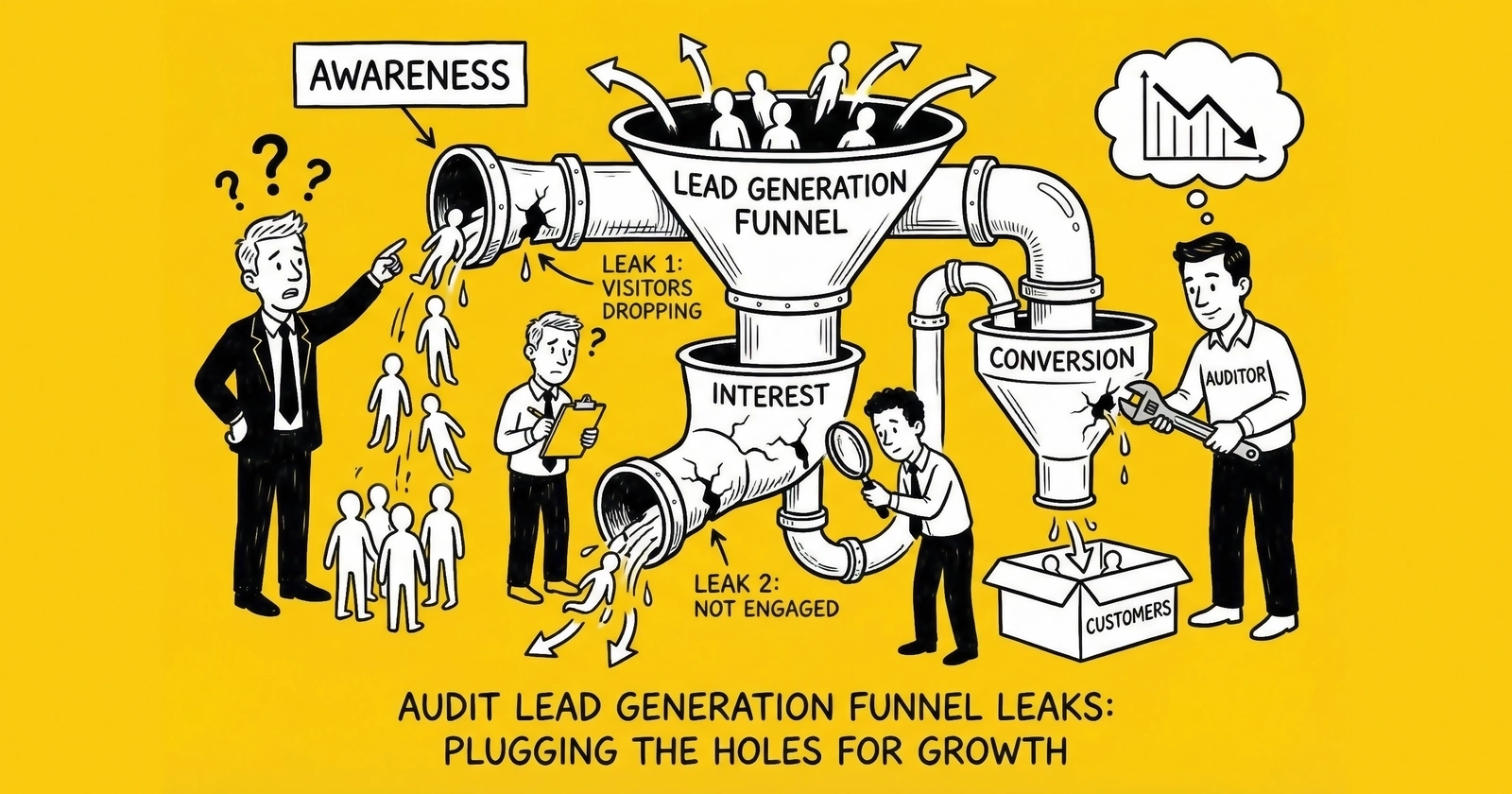
A systematic guide to finding and fixing the revenue gaps hiding in your lead generation process, with specific benchmarks, measurement methods, and audit frameworks.
Your lead generation funnel leaks money every day.
The question is not whether you have leaks. Every funnel has them. The question is whether you know where they are, how much they cost you, and what to do about them.
most practitioners track top-line metrics: how much traffic arrived, how many leads came out, what the cost per lead was. This tells you almost nothing about the actual health of your funnel. A $45 CPL could represent a tightly optimized machine or a hemorrhaging system that happens to have cheap enough traffic to mask the bleeding.
This guide breaks down the seven critical points where leads leak from your funnel, how to measure each one with precision, and how to build a systematic audit process that turns leak detection from an occasional project into an operational discipline. For the economics of lead value, see our guide on calculating true cost per lead.
Those who master funnel auditing do not hope for better results. They engineer them.
The 7 Points Where Leads Leak
Every lead generation funnel follows a predictable path. Traffic enters at one end. Revenue exits at the other. Between those two points sit seven specific junctures where potential value disappears. Understanding these leak points is the foundation of any serious audit.
Leak Point 1: Ad to Landing Page (Bounce Rate)
The first leak occurs before a visitor even sees your form. They click your ad, arrive at your landing page, and leave without any engagement. This is your bounce rate, and it represents traffic you paid for that produced nothing.
The causes are usually mechanical rather than mysterious. Slow page load times punish you severely, with each second of delay reducing conversions by approximately 7%. Message mismatch between ad creative and landing page content creates cognitive dissonance that sends visitors reaching for the back button. Poor mobile experience alienates over 60% of your traffic. Confusing or cluttered page design overwhelms instead of converts. Aggressive pop-ups that trigger before value is established feel like an ambush rather than an offer.
Benchmark your bounce rate against these ranges: below 35% is excellent, between 35% and 50% is acceptable, 50% to 70% indicates a problem requiring attention, and anything above 70% represents a critical issue demanding immediate investigation.
Leak Point 2: Landing Page to Form Start
The visitor stayed on your page. They did not immediately leave. But they also did not begin filling out your form. This gap between “interested enough to stay” and “committed enough to start” represents your second leak.
Several factors create this hesitation. Forms positioned below the fold force visitors to hunt for what should be obvious. An unclear or unconvincing value proposition fails to answer the visitor’s fundamental question: what do I get for giving you my information? Forms that appear too long or invasive trigger privacy concerns before engagement begins. The absence of trust signals, such as reviews, security badges, or social proof, leaves visitors questioning your legitimacy. Weak or hidden call-to-action buttons make the next step feel uncertain rather than obvious.
For benchmark purposes, above 50% of non-bounced visitors starting the form is excellent. Between 30% and 50% is acceptable. Form start rates between 15% and 30% signal a problem. Below 15% means your landing page is fundamentally failing to convert interested visitors into form initiators.
Leak Point 3: Form Start to Form Complete
A visitor began your form. They entered something in the first field. Then they abandoned. This is form abandonment, and it is one of the most expensive leaks because these visitors demonstrated clear intent before something drove them away.
The culprits are predictable. Overly long forms cause fatigue, with each additional field reducing completion by 4% to 6%. Asking for sensitive information too early feels like an interrogation rather than a conversation. Confusing field labels or instructions create friction where none should exist. Multi-step forms without progress indicators leave visitors wondering if they are halfway through or barely started. Validation errors that frustrate rather than guide turn minor mistakes into abandonment triggers. Required fields that seem unnecessary make visitors question whether you really need that information or just want it.
Completion rate benchmarks tell the story clearly: above 70% is excellent, between 50% and 70% is acceptable, 30% to 50% indicates a problem, and below 30% means your form is actively repelling qualified leads.
Leak Point 4: Form Complete to Validation Pass
The lead submitted. Your system received the data. Now validation runs: phone verification, email validation, duplicate checking, fraud detection. Leads that fail validation represent data you cannot sell or use.
These failures have identifiable sources. Fake or mistyped phone numbers slip through basic form validation. Disposable email addresses satisfy format requirements but represent no real person. Bot submissions that passed initial CAPTCHA reveal themselves under deeper scrutiny. Duplicate leads from the same session or person waste buyer capacity. Data that fails buyer-specific validation requirements never had a market in the first place. For validation best practices, see our guide on lead validation for phone, email, and address.
Your validation pass rate tells you how clean your submissions really are. Above 90% is excellent. Between 80% and 90% is acceptable. A pass rate of 70% to 80% indicates a problem worth investigating. Below 70% means either your traffic quality is poor or your validation rules need calibration.
Leak Point 5: Validation to Buyer Acceptance
The lead is valid. The phone works. The email delivers. But your buyers do not want it. This leak point measures the gap between what you generate and what the market actually accepts.
The mismatches take several forms. Geographic mismatches occur when leads come from states your buyers do not serve. Demographic mismatches happen when age, income, or other criteria trigger buyer exclusions. Buyer capacity constraints kick in when daily caps are reached. Poor lead data quality triggers buyer rejection even when technical validation passes. Timing issues arise when leads submit outside buyer operating hours.
Benchmarks vary by distribution model. For exclusive leads, above 85% acceptance is excellent while below 70% is critical. For shared leads, above 65% average fill rate is excellent and below 40% is critical. In ping/post systems, above 75% match rate is excellent but below 50% signals serious problems.
Leak Point 6: Acceptance to Conversion
The buyer accepted the lead. They paid for it. Now they need to convert it into a customer. This is technically the buyer’s responsibility, but if conversion rates drop too low, they will stop buying from you.
Low conversions stem from several sources. Poor contact rates mean the lead does not answer. Poor lead quality means the person is not actually in-market. Slow buyer response time means a competitor reached them first. Misaligned buyer-lead matching puts the right lead in front of the wrong buyer. Consent issues prevent effective follow-up even when contact is made.
Contact rate benchmarks are straightforward: above 50% is excellent, below 30% is critical. Conversion rates vary dramatically by vertical. Auto insurance typically sees 8% to 15% lead-to-quote rates. Mortgage closes at 2% to 5% lead-to-close. Solar converts 5% to 12% of leads to appointments. Legal sees 15% to 25% lead-to-intake.
Leak Point 7: Conversion to Payment
The lead converted. The buyer made a sale. Now they need to pay you. This final leak point captures the gap between accepted leads and collected revenue.
The money disappears through several channels. Return disputes occur when buyers claim leads were invalid after the fact. Payment failures happen when cards decline or ACH transfers bounce. Bad debt accumulates when buyers go out of business or refuse to pay. Billing errors leave leads uninvoiced entirely. Chargeback disputes reverse revenue you thought was secured.
Payment benchmarks define healthy buyer relationships. Return rates below 8% are excellent, above 15% are critical. Collection rates above 95% are excellent, below 85% are critical. Days sales outstanding under 30 is excellent, over 60 is critical.
How to Measure Each Leak Point
Knowing the leak points means nothing without precise measurement. The funnel math framework makes this concrete.
The Funnel Math Framework
Start with 1,000 ad clicks and trace the journey through each stage. With a 45% bounce rate, you retain 550 non-bounced visitors. Apply a 40% form start rate and 220 begin your form. A 60% completion rate yields 132 completed submissions. Validation passes at 85%, leaving 112 valid leads. Buyer acceptance at 80% means 90 leads sold. Conversion rate of 10% produces 9 conversions. Collection rate of 95% results in 8.5 paying outcomes.
| Stage | Metric | Calculation | Example |
|---|---|---|---|
| Clicks | 1,000 | Starting point | 1,000 |
| Non-bounced | 1,000 x (1 - bounce rate) | 1,000 x 0.55 | 550 |
| Form starts | Non-bounced x start rate | 550 x 0.40 | 220 |
| Form completes | Starts x completion rate | 220 x 0.60 | 132 |
| Validation pass | Completes x pass rate | 132 x 0.85 | 112 |
| Buyer acceptance | Valid x acceptance rate | 112 x 0.80 | 90 |
| Conversion | Accepted x conversion rate | 90 x 0.10 | 9 |
| Payment | Conversions x collection rate | 9 x 0.95 | 8.5 |
The cumulative leak rate from 1,000 clicks to 8.5 paying conversions is 99.15%. This is normal. The goal is not to eliminate leakage but to optimize each stage.
Setting Up Measurement
Effective measurement requires the right tracking infrastructure. You need an analytics platform with enhanced ecommerce or custom events, whether Google Analytics 4 or Adobe Analytics. A form analytics tool like Hotjar, Microsoft Clarity, or dedicated form tracking captures field-level data. Your lead distribution platform must provide stage-by-stage reporting. A CRM with lead status tracking follows each lead through its lifecycle. Your financial system must track collections to close the loop.
The critical data points to capture include timestamp at each stage, traffic source details covering campaign, keyword, and creative, lead attributes such as vertical, state, and age, buyer assignment, and outcome at each stage.
Traffic Quality Audit: Are You Buying the Right Clicks?
Before auditing your funnel mechanics, verify that your traffic is worth optimizing for. Bad traffic creates bad leads regardless of how good your funnel is.
Q: How do I know if my traffic sources are the problem?
Compare your leak rates by traffic source. If one source shows dramatically different performance at the same funnel stage, the traffic quality differs, not your funnel mechanics. Consider this example analysis:
| Source | Bounce | Form Start | Completion | Valid | Accepted |
|---|---|---|---|---|---|
| Google Search | 35% | 45% | 65% | 88% | 82% |
| 55% | 32% | 58% | 75% | 68% | |
| Native | 68% | 22% | 52% | 62% | 55% |
| Affiliate A | 78% | 15% | 45% | 48% | 42% |
Affiliate A is not a funnel problem. It is a traffic problem.
Traffic Quality Audit Checklist
Work through these dimensions systematically. Start with intent verification: does the search query or ad placement suggest genuine purchase intent? Move to demographic match: does the traffic source reach your target demographic? Evaluate device quality: what is the mobile versus desktop split, and does your funnel perform on both? Analyze time patterns: when does this traffic convert, and are there suspicious patterns like all clicks arriving at 3 AM? Check geographic distribution: does the traffic come from regions your buyers serve? Finally, assess fraud indicators: what percentage of clicks never load a page, and what is the invalid click rate?
Red Flags That Indicate Traffic Problems
Certain patterns scream traffic quality issues rather than funnel issues. Bounce rates consistently above 75% indicate visitors who never intended to engage. Form start rates below 20% for non-bounced traffic suggest visitors who stayed but found nothing compelling. Validation fail rates above 30% point to fraudulent or fake submissions. High volume of duplicate phone numbers from the same source reveals recycled or manufactured data. Sudden spikes followed by quality crashes suggest bot attacks or fraud rings. Click patterns matching bot signatures, with evenly spaced timing and identical behavior, confirm automated traffic rather than human interest.
Landing Page Audit: Where Visitors Decide to Stay or Leave
Your landing page is the conversion chokepoint. A 10% improvement in landing page conversion can transform your unit economics.
Q: What metrics matter most for landing page performance?
Three metrics define landing page health. Bounce rate measures the percentage who leave without interaction. Form engagement rate tracks the percentage who interact with the form. Conversion rate captures the percentage who complete the form. Everything else is supporting data.
Heat Map Analysis
Deploy heat mapping tools such as Hotjar, Microsoft Clarity, or Lucky Orange to understand visitor behavior in ways raw numbers cannot reveal.
Click maps answer critical questions: Are visitors clicking your CTA or something else? Are there rage clicks indicating frustration? What elements attract attention that should not? Scroll maps reveal how far visitors scroll, whether critical content sits below the average scroll depth, and where visitors stop scrolling. Session recordings show how visitors actually navigate, where they hesitate, and what causes them to leave. These qualitative insights transform vague hunches into specific hypotheses you can test.
Load Time Audit
Page speed directly impacts conversion in ways that compound throughout your funnel. Load times under 2 seconds establish your baseline. Between 2 and 3 seconds, expect conversion impacts of 7% to 15%. At 3 to 5 seconds, the damage reaches 15% to 30%. Above 5 seconds, you lose 30% to 50% of potential conversions.
Measurement tools include Google PageSpeed Insights, which is free and provides Core Web Vitals; GTmetrix for detailed waterfall analysis; and WebPageTest for real browser testing. Your target metrics should be First Contentful Paint under 1.5 seconds, Largest Contentful Paint under 2.5 seconds, Cumulative Layout Shift under 0.1, and First Input Delay under 100 milliseconds.
Diagnostic Tools for Landing Page Issues
Beyond behavioral analytics, several diagnostic tools help identify specific performance problems.
Lighthouse audits provide automated scoring across performance, accessibility, best practices, and SEO. Run audits in both mobile and desktop modes. Performance scores below 70 indicate issues worth addressing. Pay particular attention to the Opportunities section, which identifies specific improvements and their estimated impact.
Real User Monitoring (RUM) captures actual visitor experience rather than synthetic test results. Tools like Google’s Chrome User Experience Report, New Relic Browser, or Datadog RUM show how real visitors experience your pages across different devices, networks, and geographies. Synthetic tests show what could happen; RUM shows what actually happens.
A/B testing platforms – Optimizely, VWO, or Google Optimize’s successor – allow you to test hypotheses about landing page improvements. Rather than guessing which changes will improve conversion, test variations against control and let data guide decisions. Statistical significance matters; premature conclusions based on insufficient data lead to false optimization.
| Tool Category | Purpose | Example Tools | Cost Range |
|---|---|---|---|
| Synthetic Testing | Baseline speed measurement | PageSpeed Insights, GTmetrix, WebPageTest | Free |
| Real User Monitoring | Actual visitor experience | Chrome UX Report, New Relic, Datadog | $0-$500+/mo |
| A/B Testing | Hypothesis validation | Optimizely, VWO, Convert | $100-$1,000+/mo |
| Session Recording | Qualitative behavior | Hotjar, Microsoft Clarity, FullStory | $0-$400+/mo |
Mobile Optimization Audit
With 60% to 70% of traffic arriving on mobile devices, your mobile experience determines success. Audit tap target sizes to ensure buttons are at least 44x44 pixels. Verify font sizes with body text at least 16px. Check form field sizing to confirm inputs are large enough to tap accurately. Confirm keyboard optimization so fields trigger appropriate keyboards, such as numeric for phone numbers. Test autofill support to verify fields allow browser autofill. Evaluate viewport behavior to ensure the page adapts without horizontal scrolling.
Form Audit: Field-by-Field Drop-Off Analysis
Forms are where commitment happens. Every field is a decision point. Every decision point creates potential abandonment.
Q: How do I identify which form fields cause the most drop-offs?
Use field-level analytics to track four dimensions. Field abandonment rate shows what percentage of users leave at each field. Time to complete reveals how long each field takes. Error rate indicates how often users make mistakes on each field. Retry rate captures how many times users re-enter a field.
Certain fields consistently cause problems. Phone fields trigger formatting confusion and privacy concerns; address this with masked input and clear explanations of why the number is needed. Email fields suffer from typos and fake addresses; implement real-time validation that shows warnings. Date of birth fields create confusion around formats and year selection issues; use dropdowns rather than free text entry. Address fields face autocomplete failures and require too many separate fields; use an address lookup API instead. Social security numbers, when required, cause privacy concerns and abandonment; move them to the final position, explain necessity clearly, and display security indicators prominently.
| Field Type | Common Issues | Optimization |
|---|---|---|
| Phone | Formatting confusion, privacy concerns | Use masked input, explain why needed |
| Typos, fake addresses | Real-time validation, show warnings | |
| DOB | Format confusion, year selection issues | Use dropdowns, not free text |
| Address | Autocomplete failures, too many fields | Use address lookup API |
| SSN (if required) | Privacy concerns, abandonment | Move to last, explain necessity, show security |
Form Length Analysis
Optimal form length depends on lead value. Leads worth under $25 justify 3 to 5 fields and typically see 65% to 75% completion rates. Leads valued at $25 to $75 support 5 to 8 fields with 50% to 65% completion. Leads worth $75 to $150 can sustain 8 to 12 fields and see 40% to 55% completion. High-value leads above $150 justify 12 to 20 fields despite completion rates of only 30% to 45%. The logic is straightforward: higher-value leads justify longer forms because buyers need more qualification data to pay premium prices.
Multi-Step Form Audit
If you use multi-step forms, audit each step independently. Track step-to-step drop-off to see what percentage complete each step. Evaluate progress clarity to confirm users know how many steps remain. Verify data capture to ensure partial data is captured if users abandon mid-form. Review step logic to confirm steps are ordered from easiest to hardest commitment.
The optimal step structure follows a commitment escalation pattern. Step one captures low-commitment fields such as project type and zip code. Step two requests medium-commitment fields like timeline and preferences. Step three asks for high-commitment fields including contact information and detailed requirements. This structure gets visitors invested before asking for sensitive information. For detailed form design guidance, see our guide to high-converting lead forms.
Validation Audit: False Positives and False Negatives
Your validation layer protects lead quality. But validation that is too strict rejects good leads. Validation that is too loose passes bad ones.
Q: How do I calibrate my validation settings?
Track two error types systematically. False positives occur when bad leads pass validation. This manifests as leads passing validation but buyers rejecting them, leads passing but data later proven invalid, or leads passing but actually being duplicates of existing records. False negatives occur when good leads are rejected. This appears as leads failing validation that would have been valid, leads failing for temporary issues like phone carrier lookup failures, or leads failing due to overly aggressive duplicate matching.
Validation Accuracy Framework
Calculate your validation performance across four metrics. True positive rate is the ratio of valid leads that should be valid to all leads marked valid, with a target above 95%. False positive rate is invalid leads marked valid divided by all leads marked valid, targeting below 5%. False negative rate is valid leads marked invalid divided by all leads marked invalid, targeting below 3%. Overall accuracy is correct decisions divided by total decisions, targeting above 92%.
| Metric | Calculation | Target |
|---|---|---|
| True positive rate | (Valid leads that should be valid) / (All leads marked valid) | Above 95% |
| False positive rate | (Invalid leads marked valid) / (All leads marked valid) | Below 5% |
| False negative rate | (Valid leads marked invalid) / (All leads marked invalid) | Below 3% |
| Overall accuracy | (Correct decisions) / (Total decisions) | Above 92% |
Phone Validation Audit
Phone validation delivers the highest impact of any single check. Audit these dimensions: line type detection accuracy in identifying landlines, mobile, and VoIP; carrier lookup currency to verify carrier responses are current; disconnected number detection to determine how many validated numbers are actually disconnected; and fraud pattern matching to assess whether known fraud patterns are being caught.
Phone validation benchmarks establish clear targets. Validated numbers that are contactable should exceed 85%. Validated numbers that are actually live should exceed 90%. False rejection rate should stay below 2%.
Duplicate Detection Audit
Duplicate detection protects buyers but can reject legitimate leads when calibrated incorrectly. Define your match criteria clearly: what fields define a duplicate? Establish your time window: how long before a lead is no longer considered duplicate? Address cross-source handling: how do you treat the same person from different sources? Clarify household handling: do you treat household members as duplicates?
Duplicate detection benchmarks are specific. True duplicate catch rate should exceed 95%. False duplicate rate, meaning unique leads incorrectly rejected, should stay below 1%.
Buyer Relationship Audit: Return Patterns and Feedback Loops
Your buyer relationships determine revenue stability. Audit them with the same rigor you apply to your funnel mechanics.
Q: What return rate is acceptable?
Return rates vary by lead type and vertical. For exclusive leads, below 8% is acceptable, 8% to 15% is concerning, and above 15% is critical. For shared leads, below 12% is acceptable, 12% to 20% is concerning, and above 20% is critical. Live transfers have the tightest tolerance: below 5% is acceptable, 5% to 10% is concerning, and above 10% is critical. Aged leads have the most latitude: below 15% is acceptable, 15% to 25% is concerning, and above 25% is critical.
| Lead Type | Acceptable | Concerning | Critical |
|---|---|---|---|
| Exclusive | Below 8% | 8-15% | Above 15% |
| Shared | Below 12% | 12-20% | Above 20% |
| Live Transfer | Below 5% | 5-10% | Above 10% |
| Aged Leads | Below 15% | 15-25% | Above 25% |
Return Pattern Analysis
Do not just track overall return rates. Analyze patterns that reveal the underlying causes.
Examine returns by timing. Returns in the first hour indicate immediate quality issues. Returns in the first day suggest contact failures. Returns at the end of the return window raise suspicions about buyers gaming the system.
Analyze returns by reason code. Invalid data points to your validation problem. No contact suggests a buyer speed problem. Not interested indicates quality mismatch. Already a customer reveals a duplicate detection problem. Wrong vertical exposes a routing problem.
Compare returns by buyer. Some buyers return more than others receiving similar leads. Identify buyers who may be abusing return policies by comparing their rates against peers.
Feedback Loop Implementation
The best buyer relationships include structured feedback beyond return rates. Conversion reporting means buyers share what happened with each lead. Outcome tracking connects lead source to final outcome. Regular reviews are scheduled discussions about quality trends. Collaborative optimization is joint effort to improve match quality.
Feedback loop benchmarks set expectations. Target 80% or more of buyers providing conversion data. Aim for 70% or greater lead-to-outcome tracking visibility. Expect feedback response within 48 hours. Act on feedback within one week.
Building a Systematic Audit Schedule
Auditing is not a one-time project. It is an operational discipline that compounds value over time.
Daily Monitoring
Check these metrics every day: traffic volume and CPL by source, bounce rate and form conversion rate, validation pass rate, buyer acceptance rate, and return volume. This daily review should take 15 to 30 minutes and surfaces problems before they compound.
Weekly Deep Dives
Each week, allocate 1 to 2 hours for deeper analysis across five areas. Traffic source performance comparison reveals which sources are improving or declining. Form field drop-off analysis identifies any field showing increased abandonment. Validation accuracy checks detect whether false positive or negative rates are changing. Buyer return pattern reviews spot unusual patterns. Revenue reconciliation confirms billed revenue matches collected revenue.
Monthly Comprehensive Audits
Conduct full audits monthly, dedicating 4 to 8 hours to systematic review. The traffic quality audit provides full analysis of all traffic sources. The landing page audit examines heat maps, load times, and mobile performance. The form audit delivers field-by-field analysis and A/B test reviews. The validation audit calculates false positive and negative rates. The buyer relationship audit assesses return patterns, feedback integration, and relationship health.
Quarterly Strategic Reviews
Every quarter, step back from operational metrics to assess strategic position. Benchmark comparison evaluates how your metrics compare to industry standards. Trend analysis determines whether you are improving or declining over time. Competitive positioning examines what competitors are doing that you should test. Technology evaluation questions whether your tools still meet your needs. Process optimization identifies audit processes that can be automated.
This quarterly review requires a half day to full day but provides the strategic perspective that daily metrics cannot.
Vertical-Specific Benchmarks
Funnel performance varies significantly by vertical. Using industry-wide averages when your vertical performs differently leads to misallocated optimization effort. These benchmarks provide vertical-specific targets for calibrating your audit expectations.
Auto Insurance
Auto insurance represents the highest-volume lead generation vertical with mature infrastructure and aggressive competition.
| Metric | Below Average | Average | Above Average | Top Performers |
|---|---|---|---|---|
| Bounce Rate | >55% | 45-55% | 35-45% | <35% |
| Form Start Rate | <25% | 25-35% | 35-45% | >45% |
| Form Completion | <50% | 50-60% | 60-70% | >70% |
| Validation Pass | <80% | 80-87% | 87-93% | >93% |
| Buyer Acceptance | <70% | 70-78% | 78-85% | >85% |
Auto insurance leads face intense speed-to-contact pressure. Contact rates decline rapidly after the first five minutes. Buyers expect real-time delivery via ping-post systems. Return rates above 12% signal quality issues requiring immediate attention.
Home Services (Solar, HVAC, Roofing)
Home services leads require longer forms with more qualification data but generate higher per-lead values.
| Metric | Below Average | Average | Above Average | Top Performers |
|---|---|---|---|---|
| Bounce Rate | >60% | 50-60% | 40-50% | <40% |
| Form Start Rate | <20% | 20-30% | 30-40% | >40% |
| Form Completion | <40% | 40-55% | 55-65% | >65% |
| Validation Pass | <75% | 75-85% | 85-92% | >92% |
| Buyer Acceptance | <60% | 60-72% | 72-82% | >82% |
Solar and HVAC leads benefit from homeownership verification early in the funnel. Adding property type and ownership status questions reduces downstream rejection but may impact form completion. Geographic precision matters significantly – leads from areas without contractor coverage have zero value regardless of other quality indicators.
Mortgage and Refinance
Mortgage leads involve complex qualification with credit sensitivity and significant regulatory requirements.
| Metric | Below Average | Average | Above Average | Top Performers |
|---|---|---|---|---|
| Bounce Rate | >65% | 55-65% | 45-55% | <45% |
| Form Start Rate | <18% | 18-28% | 28-38% | >38% |
| Form Completion | <35% | 35-48% | 48-58% | >58% |
| Validation Pass | <70% | 70-80% | 80-88% | >88% |
| Buyer Acceptance | <55% | 55-68% | 68-78% | >78% |
Credit tier significantly impacts mortgage lead value. Self-reported credit indicators early in forms allow segmentation that matches leads to appropriate lenders. Timing matters – rate environment affects shopping behavior and lead quality simultaneously. During refinance booms, quality typically decreases as less-qualified borrowers enter the market.
Legal (Personal Injury, Mass Tort)
Legal leads require careful case qualification and face strict advertising restrictions.
| Metric | Below Average | Average | Above Average | Top Performers |
|---|---|---|---|---|
| Bounce Rate | >70% | 58-70% | 48-58% | <48% |
| Form Start Rate | <15% | 15-25% | 25-35% | >35% |
| Form Completion | <30% | 30-45% | 45-55% | >55% |
| Case Qualification | <40% | 40-55% | 55-70% | >70% |
| Attorney Acceptance | <45% | 45-60% | 60-75% | >75% |
Legal lead qualification differs from other verticals. “Validation” matters less than case qualification – does the lead have a viable legal claim? Strong qualifying questions on forms reduce volume but dramatically improve downstream value. Mass tort leads require specific injury criteria that cannot be validated through standard phone or email checks.
Tools for Funnel Auditing
The right tools make auditing efficient and accurate. Your stack should scale with your operation.
Analytics Platforms
Google Analytics 4 costs nothing and provides traffic analysis, conversion funnels, and audience insights sufficient for most operations. Adobe Analytics costs $50,000 or more annually but delivers the detailed attribution enterprise operations require.
Behavior Analytics
Hotjar costs $0 to $389 per month and excels at heat maps, session recordings, and landing page optimization. Microsoft Clarity is free and provides budget-conscious operators the behavioral data they need. Lucky Orange costs $14 to $200 monthly and offers form-specific analytics with real-time session viewing.
Form and Validation Tools
Zuko Analytics at $100 or more monthly provides dedicated field-level analytics, timing data, and error analysis. For phone validation, Twilio Lookup charges $0.005 to $0.01 per lookup while Ekata costs $0.02 to $0.05 per lookup. Email validation services including ZeroBounce, NeverBounce, and Kickbox all charge approximately $0.008 per verification.
Lead Distribution Platforms
boberdoo, LeadsPedia, and Phonexa all provide built-in funnel analytics including buyer reporting, return tracking, and validation integration. Choose based on your scale and whether you handle calls, forms, or both.
Frequently Asked Questions
Q1: How often should I audit my lead generation funnel?
Daily metric reviews, weekly trend analysis, monthly comprehensive audits, and quarterly strategic reviews. High-volume operations generating 10,000 or more leads monthly should add real-time monitoring dashboards with automated alerts.
Q2: What is a good overall conversion rate from click to lead?
Click-to-lead rates range from 3% to 12% depending on traffic source. Search traffic converts at 8% to 15%. Social media converts at 2% to 6%. Display and native convert at 1% to 4%. Your target depends on unit economics: what rate makes your CPL profitable given your lead value?
Q3: Should I prioritize fixing bounces or form abandonment?
Fix the biggest absolute leak first. A 60% bounce rate on 10,000 visitors loses 6,000 opportunities. A 40% form abandonment on 4,000 who start loses 1,600 opportunities. Calculate actual impact, not just percentages.
Q4: How do I calculate the ROI of funnel optimization?
Calculate current leak rates, estimate improvement potential which is typically 10% to 30%, multiply by lead value, and compare to cost. For example, improving form completion from 50% to 60% on 10,000 monthly starts adds 1,000 leads. At $50 per lead, that represents $50,000 in monthly revenue.
Q5: What is an acceptable validation rejection rate?
Validation rejection rates between 10% and 20% are normal. Below 10% suggests validation is too loose. Above 25% indicates poor traffic or overly aggressive rules. Focus on downstream performance: what percentage of validated leads do buyers accept and convert?
Q6: How do I handle buyers with unusually high return rates?
Verify returns are legitimate by auditing manually. Compare to buyers receiving similar leads. Have a direct conversation. If returns continue, adjust pricing because a 25% return rate means 25% less per lead, require documentation, or reduce allocation.
Q7: What are the most common causes of sudden conversion drops?
Page speed issues, tracking breakage, traffic source changes, form modifications, or competitive shifts. Investigate in order: verify tracking works, check page speed, analyze traffic source composition.
Q8: How much should I invest in analytics tools?
Target 1% to 3% of lead revenue. At $100,000 monthly lead revenue, invest $1,000 to $3,000 in analytics. The minimum viable stack consisting of GA4, Microsoft Clarity, and basic validation costs under $500 monthly.
Q9: How do I track the same lead across multiple systems?
Implement a consistent lead identifier such as GCLID, internal ID, or hashed email that persists across analytics, forms, validation, distribution, and CRM. Without this foundation, you cannot perform true funnel auditing.
Q10: When should I rebuild my funnel versus optimize it?
Optimize when rates are within 50% of benchmarks and issues are fixable. Rebuild when the fundamental structure is wrong, technical debt blocks changes, or patches have made the system unstable.
Key Takeaways
Every funnel has seven leak points. Track each one independently: bounce, form start, form completion, validation pass, buyer acceptance, conversion, and payment. Optimizing the wrong stage wastes resources.
Leak measurement requires stage-by-stage tracking. Deploy analytics at every transition point. Without field-level data and buyer feedback loops, you are guessing.
Traffic quality determines funnel ceiling. No amount of optimization fixes bad traffic. Audit sources first. Cut those that consistently underperform.
Form fields are decision points. Track field-by-field drop-off. Move high-friction fields later. Remove fields that cause more abandonment than they add in lead quality.
Validation must balance false positives and negatives. Passing bad leads costs returns. Rejecting good leads costs revenue. Target 92% or greater accuracy with false negatives below 3%.
Buyer relationships require structured feedback. Return rates tell you something is wrong. Return patterns tell you what. Build feedback loops with significant buyers.
Auditing is operational discipline. Daily monitoring, weekly analysis, monthly audits, quarterly reviews. This cadence catches problems before they become crises.
Tool investment should match scale. Start free with GA4 and Clarity. Add paid tools as volume justifies. Target 1% to 3% of lead revenue for analytics.
Sources
- Google PageSpeed Insights - Free tool for measuring Core Web Vitals and page load impact on conversion
- Microsoft Clarity - Free behavioral analytics platform for heat maps, session recordings, and form analytics
- Google Core Web Vitals Documentation - Technical specifications for LCP, FID, and CLS performance thresholds
- Think with Google Mobile Speed Data - Research on conversion impact from mobile page load delays (7% per second)
- boberdoo Lead Distribution - Platform documentation for ping/post systems and buyer acceptance tracking
- LeadExec - Scalable, automated lead capture, validation, routing, and distribution platform
- LeadsPedia - Lead management platform documentation for validation and distribution analytics
This guide provides operational frameworks for lead generation funnel auditing. Specific benchmarks vary by vertical, traffic source, and business model. Measure your own baseline before setting improvement targets. Audit data current as of late 2024.