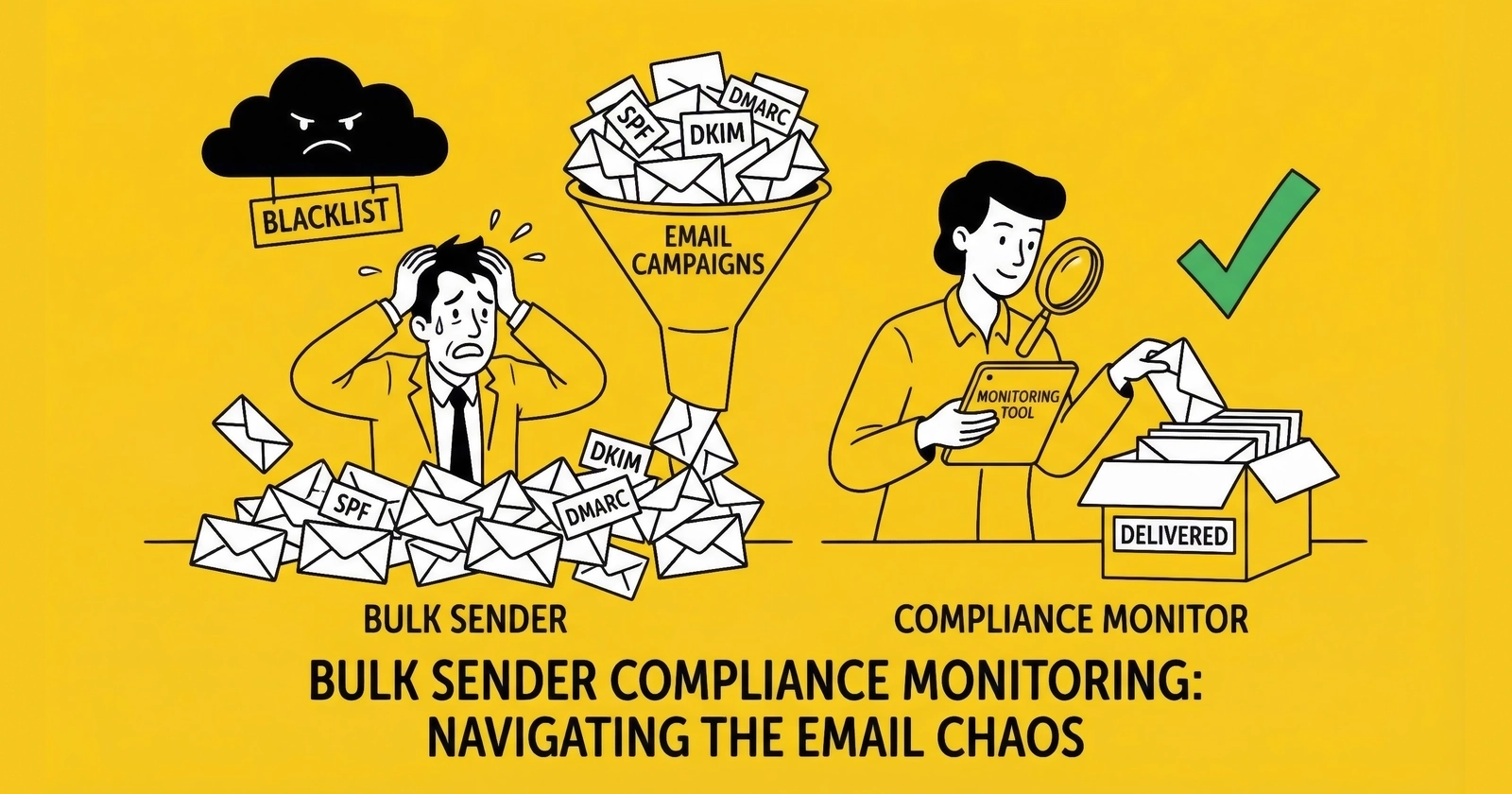
Deliverability monitoring as revenue protection – the metrics, cadence, and incident playbooks that keep bulk senders in the inbox.
Email authentication is now table stakes. Monitoring is what keeps you compliant when the system changes underneath you.
In a lead generation operation, deliverability is not a “marketing problem.” It is a revenue dependency. When messages stop landing, conversion drops first, attribution blames everything else second, and by the time someone looks at the bounce logs you have already burned a week of pipeline.
Here’s the pattern most teams recognize only after it happens:
It’s Monday. Your acquisition spend is stable. Lead volume is stable. But the sales team starts saying the leads feel “worse.” Reply rates are down. Appointment confirmations “aren’t showing up.” The CRM looks normal because it only knows you sent email, not whether anyone received it. The marketing dashboard looks normal because it still reports “delivered,” which in email means “accepted by a server,” not “landed in an inbox.”
By the time someone checks the raw SMTP responses, the answer is sitting there in plain text: rejects, deferrals, and policy failures that started days ago. The provider already made a decision about your program. You just didn’t instrument the place where that decision shows up.
This guide is the operational layer: how to instrument deliverability, what to watch daily and weekly, and how to respond when inbox providers start pushing back.
If you have not implemented SPF/DKIM/DMARC and one-click unsubscribe, start with Email Authentication Compliance Guide and treat this article as the monitoring and incident-response companion.
What follows is not a list of tips. It’s an operator playbook: the signals that predict pain, the routines that prevent emergencies, and the moves that limit blast radius when you do get hit.
Compliance vs Deliverability: Two Different Failure Modes
Operators blend these together and it creates bad decisions.
Compliance failure is binary. If authentication breaks or required headers are missing, providers can reject mail during SMTP. You do not “optimize deliverability” out of that hole – you restore basic functionality.
Deliverability failure is probabilistic. Your mail gets accepted, then placed in spam or throttled, and the degradation shows up as a slow leak: lower open rates, higher complaint rates, higher deferrals, and eventually widespread filtering.
The workflow is different:
Compliance failures demand tight ownership of DNS, sending domains, and vendor configuration. Deliverability failures demand list discipline, reputation management, and a response playbook when metrics drift.
The mistake is treating both as a one-time “setup.” The infrastructure is not static. Vendors change endpoints. Marketing teams add tools. Domains get reused. A new campaign changes complaint rates. Monitoring is how you catch changes early enough to fix them without turning off email for a week. For the foundational setup, see the bulk sender requirements from Gmail, Yahoo, and Microsoft.
The Core Metrics That Predict Pain
Inbox providers ultimately care about user experience. Your monitoring should map to the same reality.
1) Spam Complaint Rate (The Metric That Ends Conversations)
Gmail’s published threshold is simple:
- Target: < 0.1%
- Maximum: 0.3%
Those numbers are not “best practice.” They are the boundary between being treated as a normal sender and being treated as a problem.
Operator note: complaint rate is not evenly distributed. One bad acquisition source, one aggressive frequency change, or one “surprise” campaign to an old segment can spike complaints fast enough to trip provider systems.
Build a Baseline Before You Need It
Complaint rate is a trend metric. You want to know:
- what “normal” looks like for your program
- what happens when you change frequency
- which verticals, sources, and templates run hotter
A practical baseline workflow:
- Track complaint proxy metrics per campaign (unsub rate, “this is spam” flags if the ESP exposes it, reply-to complaints if you run a monitored inbox).
- Tag campaigns by list source and list age (fresh opt-in vs reactivation).
- Treat any new list source as a controlled experiment: low initial volume, high monitoring.
Most programs don’t get “randomly” throttled. They get throttled after they do something that changes recipient sentiment and they did not instrument it.
2) Authentication Pass + Alignment (SPF/DKIM/DMARC)
You do not monitor “records exist.” You monitor pass rates and alignment:
- SPF pass rate
- DKIM pass rate
- DMARC pass rate
- From alignment (is the visible brand aligned with the authenticated identity)
If any of these drops, treat it like a production outage. It usually means:
- DNS changes
- a new sending source
- a vendor migration
- a subdomain that started sending without the right keys
The Fastest “Auth Failure” Story in the World
This is the most common operational failure pattern:
- A team adds a new tool that sends email (“just notifications”).
- The tool sends using your domain but with its own envelope sender or signing domain.
- SPF/DKIM “pass” in isolation, but DMARC alignment fails.
- Provider dashboards flip, rejects start, and everyone argues about content.
If you treat authentication as a shared responsibility, this happens eventually. If you treat it as a single-owner production system, you catch it in DMARC reports before it becomes an outage.
3) Bounce / Reject / Deferral Rates (Your Early Warning System)
Most teams only watch “delivered” and “open.” Operators watch the delivery pipeline:
- Hard bounces / rejects (5xx): something is fundamentally wrong (invalid addresses, policy rejects, blocked).
- Deferrals (4xx): you are being throttled. This is often the earliest sign of reputation risk during warmup or after a complaint spike.
- Soft bounces: can be normal, but trends matter.
When providers flip into strict mode, you see it in SMTP responses before you see it in dashboard charts.
4) Engagement Quality (Not Vanity Engagement)
Mailbox providers use engagement to infer whether recipients want your mail. You can’t see their full models, but you can track what correlates:
- open rate trends (direction matters more than the absolute number)
- click rates in engaged segments
- unsubscribe rate by campaign
- complaint signals by segment (even if you only see partial data)
The operational move is to treat disengaged segments as risk, not as “untapped value.”
The Operator KPI Table (Targets and Red Flags)
These are not universal, but they are a good default set for bulk senders:
| Metric | Healthy target | “Stop and investigate” |
|---|---|---|
| Gmail complaint rate | <0.1% | >0.2% (especially if rising) |
| Hard bounce rate | <1% | >2% (or sudden spike) |
| Deferral rate (4xx) | low/stable | rising week-over-week |
| DMARC pass rate | ~100% | <98% (or new failing source) |
| DKIM pass rate | ~100% | sudden drop after DNS/vendor change |
| Unsubscribe rate | stable for stream | spikes after campaign or source change |
Use this table as a trigger system, not a report card. The point is to detect drift early.
In practice, teams miss incidents because they look at one metric in isolation. They notice open rate falling but don’t notice deferrals rising. They notice unsubscribe spikes but don’t notice that a single acquisition source is driving the spike. A KPI table is useful because it forces cross-checking – it turns “something feels off” into a concrete starting point.
Google Postmaster Tools: Your Primary Bulk Sender Console
Postmaster Tools is where Gmail tells you whether you are behaving like a legitimate sender or like spam. It is not perfect, but it is the closest thing to a provider-authored dashboard you get.
Setup and Verification
The mechanics are simple and the mistakes are predictable:
- Add your sending domain in Postmaster Tools.
- Verify domain ownership via DNS TXT record.
- Add subdomains separately if you send from them (do not assume inheritance).
Operators fail when they verify a marketing domain but forget transactional subdomains, then they wonder why “everything looks fine” while a critical stream is failing silently.
The Post-2025 Reality: More Binary, Less Debate
In October 2025, Google retired the older Postmaster Tools interface and leaned harder into compliance status over “reputation as a gradient.” The real-world meaning is simpler than most teams want it to be: providers increasingly treat compliance as pass/fail, there is less room for “mostly fine” configurations, and if you are non-compliant, you get rejected, not “placed in spam.”
Plan your monitoring for binary changes. You want alerts that trigger the same day, not a weekly report.
Postmaster’s most useful framing is that it answers two different questions:
First, “are we compliant?” – SPF, DKIM, DMARC, alignment, TLS, DNS hygiene, one-click unsubscribe. If any core requirement flips, you have an outage condition whether your team calls it that or not.
Second, “are users turning on us?” – the user-reported spam rate is the early indicator that your list or frequency strategy is drifting into complaint territory. The nuance that trips teams up is that Gmail’s spam-rate metric is based on messages that landed in the inbox (not messages filtered to spam), and it only appears once you have enough volume for privacy protection.
How to Interpret the Signals
You are trying to answer operator questions, not collect charts:
Question 1: Are we compliant today?
- DMARC alignment passing?
- DKIM passing for each stream?
- SPF passing without permerrors?
- One-click unsubscribe present for marketing mail?
Question 2: Are we accumulating reputation debt?
- complaint rate drifting upward?
- increasing deferrals (4xx)?
- rising spam-folder placement inferred by falling engagement in otherwise stable segments?
Question 3: What changed?
- new sending source in DMARC reports?
- new IPs showing up in logs?
- a vendor “feature” that changed the envelope sender?
The best teams treat Postmaster like a change-detection layer. Not a performance dashboard.
Operational Moves That Improve Gmail Outcomes
Gmail is not “rewarding good content.” It is rewarding behavior it can trust.
Moves that consistently reduce risk are operational, not creative. Suppress unengaged segments – in lead gen, the highest-risk mail is mail sent to people who forgot you exist. Control frequency, because sudden increases are complaint multipliers even when content is “good.” Separate streams so transactional mail stays insulated from marketing volatility.
And if your stack supports it, use Feedback-ID headers so complaint signals can be attributed to specific streams instead of disappearing into aggregate noise. A common format looks like:
Feedback-ID: CampaignID:CustomerID:MailType:SenderNone of these are glamorous. They are the difference between a stable sending program and a program that gets periodic “mystery” deliverability collapses.
Postmaster Tools is valuable, but it has sharp edges you need to design around:
- It is not real-time. Expect roughly a 48-hour delay in many dashboards.
- Data only appears when volume is high enough for privacy protection (commonly ~250+ daily messages to Gmail).
- Historical data retention is finite (commonly ~120 days).
- Reporting is aggregated daily, which is why your SMTP logs and event streams still need to be your first stop during an incident.
Common Gmail Failure Signals in Bounce Logs
Postmaster Tools is not real-time. Your logs are. When enforcement tightens, you see:
new 4xx deferrals (rate limiting), 5xx rejects for policy/authentication failures, and sudden stream-specific failures where one tool broke alignment while the rest still passes.
Your incident playbook should start with: “what does the SMTP response say?” before anyone opens a dashboard.
Yahoo Sender Hub: The Quiet Segment That Still Hurts
Consumer lead gen still has a meaningful Yahoo/AOL footprint in several verticals. Operators who ignore Yahoo often misread their own data because the complaint dynamics can differ by provider.
Use Yahoo Sender Hub to answer:
Are we authenticated and aligned in Yahoo’s view? Are complaint trends rising? Are we seeing delivery errors that correlate with a list source or a campaign?
Complaint Feedback Loops (Where Available)
Some providers offer complaint feedback loops (CFL/FBL) that send reports when a user marks mail as spam. Gmail is the exception (no traditional FBL), which makes Yahoo/Microsoft feedback more valuable when you can get it.
Operator approach:
Treat a complaint as an immediate unsubscribe, suppress across all marketing senders (not “just this list”), and look for complaint clustering by source – a bad partner reveals itself quickly when you have visibility.
If you do not operationalize complaint processing, you will repeatedly mail complainants and teach the provider you do not control your list.
Microsoft SNDS: Useful, But Only If You Have Dedicated IPs
Microsoft’s Smart Network Data Services is IP-centric. That makes it helpful for dedicated infrastructure and less helpful for shared pools.
If you have dedicated IPs, SNDS can show:
- complaint rate ranges
- filter results (green/yellow/red)
- spam trap hits
- volume patterns
If you are on shared IPs, you should still monitor Microsoft outcomes, but rely on:
- ESP dashboards (delivery, blocks, deferrals)
- bounce logs (SMTP codes and explanations)
- segmentation controls (send less to risky segments)
Operator note: Microsoft is often less forgiving with new domains and low-reputation senders. If you warm up aggressively, Microsoft is the first place you see throttling.
Blacklists and Blocklists: What to Check (And What Not to Panic About)
Blacklist monitoring is noisy. Some lists are low signal. Some are existential.
The operator goal is not “zero listings.” The goal is:
- know when you are listed somewhere that matters to your traffic
- know why you got listed
- have a path to remediation and delisting
Practical workflow:
- Monitor a small set of high-signal lists consistently (weekly, or daily during warmup).
- When listed, correlate the timing with:
- acquisition changes
- volume spikes
- a new IP or domain
- complaint spikes
- Fix the root cause before you request delisting. Delisting without remediation is how you end up re-listed quickly.
If you send from shared IPs, a listing may be your ESP’s problem more than yours. That does not mean you ignore it; it means you escalate with vendor context and focus on the parts you control (list quality, complaint rate).
DMARC Aggregate Reports: Your Inventory System for “Who Is Sending As Us”
DMARC reports are not a compliance checkbox. They are an attribution feed for your domain identity.
You use them to answer:
- Which systems are sending mail claiming to be from our domain?
- Which of those systems are failing authentication or alignment?
- Did a new sender appear without approval?
The Practical Way to Use DMARC Reports
Most reports are XML. Do not read them manually. Your workflow should be:
- route
ruareports to a dedicated mailbox - parse into a tool that groups by source (IP, vendor, domain)
- alert on:
- new sending sources
- pass-rate drops
- alignment failures
If you run multiple sending tools, DMARC reporting is the only reliable way to detect “shadow senders” that marketing or engineering teams forgot to tell you about.
The “New Sender” Alert That Saves You
The single highest value alert in DMARC reporting is:
- a previously unseen IP/domain starts sending mail claiming to be from your domain
This is how you catch:
- abandoned integrations that got re-enabled
- a vendor switching infrastructure without telling you
- a compromised system sending mail you didn’t authorize
You do not need perfect DMARC tooling. You need enough visibility to notice new sources.
List Hygiene: The Work That Prevents Complaint Spikes
Deliverability failures are often blamed on content because content is visible and infrastructure is not. In practice, list quality is the quieter killer.
The business problem is that list quality degradation looks like a marketing problem until it becomes a provider problem. You can get away with it for a while – mailing people who don’t respond, reactivating old cohorts, buying volume from a partner whose standards slipped – and then the program hits a wall. Complaint rates climb, throttles appear, inbox placement collapses, and suddenly you’re doing emergency list hygiene under pressure.
Disciplined programs do the opposite. They treat list hygiene as continuous maintenance, not as a quarterly cleanup when revenue is soft.
Email Validation (At Collection and Before Dormant Sends)
Validation catches:
- invalid syntax and non-existent domains
- disposable addresses
- role accounts that complain more frequently
- high-risk catch-all domains (depending on your validator)
Two timing rules:
- At collection: validate in real time when leads enter your system (catch typos and junk immediately).
- After dormancy: always validate before mailing a list that has not been contacted in 90+ days.
Sunset Policies (Stop Mailing the Dead)
Sunset policies define when subscribers are removed from active mailing based on engagement. Without them, lists accumulate disengaged subscribers who eventually complain or become spam traps. This discipline is central to maintaining the deliverability best practices that keep programs viable.
Inactivity definitions should match cadence:
- Daily senders: 60 – 90 days without opens/clicks
- Weekly senders: 90 – 180 days without engagement
- Monthly senders: 6 – 12 months without engagement
Operational rollout:
- segment by engagement recency (30/60/90/180+ days)
- reduce frequency to long-inactive segments
- run re-engagement campaigns with clear value
- send a final warning
- suppress non-responders permanently (do not delete; suppress)
Sunset policies feel like “shrinking the list.” In reality they protect your ability to reach the part of the list that still pays.
Double Opt-In (Friction That Buys Reputation)
Double opt-in adds friction, but it:
- eliminates typos
- filters low-intent signups
- reduces spam traps
- provides clearer consent evidence
Typical tradeoff: 20 – 30% of signups do not confirm. Operators who run paid acquisition at scale often find the quality lift worth the reduction, especially in high-complaint verticals.
Bounce Management (Don’t Teach Providers You’re Careless)
- Hard bounces: remove immediately after first occurrence.
- Soft bounces: retry with backoff for 24 – 72 hours; if consistent for 3 – 5 attempts, suppress.
- Complaint signals: treat as unsubscribe requests.
In lead gen, bounce discipline is not cosmetic. It is one of the fastest ways to signal list quality to mailbox providers. For operations that also handle phone outreach, similar discipline applies to consent documentation and retention.
Reactivation Campaigns: The Highest-Risk Mail You Send
Reactivation (mailing old or dormant segments) is where complaint spikes are born.
If you must do it, do it like an operator:
- Validate the list first (syntax + deliverability checks).
- Start with the “least dormant” cohort (e.g., 90 – 120 days) before 180+ days.
- Keep frequency low and messaging explicit: why they are receiving this, what they signed up for, and a clear opt-out.
- Monitor complaints and deferrals daily during reactivation windows.
- If metrics go bad, stop. Do not “push through.” Providers interpret pushing as abuse.
Reactivation is often pitched as “found revenue.” It can also be “found reputation damage” if you treat it like a normal campaign.
Case Study Pattern: The Dormant List That Nukes a Domain
This failure mode is so common it is practically a rite of passage.
An operator has a list that “used to perform.” It has been dormant for months, sometimes years. A new quarter starts. Revenue is soft. Someone asks: “Why aren’t we mailing the full database?”
So they do.
What happens next is predictable:
- Complaint rate spikes. Dormant recipients forgot they opted in. Some never opted in (bad acquisition, partner quality drift). The spam button becomes the unsubscribe mechanism.
- Deferrals rise. Providers throttle because they detect a sudden increase in negative signals.
- Engagement collapses. Even the engaged cohort sees lower inbox placement because reputation is a shared asset at the domain/IP level.
- Internal blame begins. Sales blames lead quality. Marketing blames copy. Engineering blames the ESP. Everyone misses the root cause: the list decision.
The fix is not clever. It is operational:
- Never reactivate in one blast. Start with recent engagement cohorts and ramp.
- Use explicit messaging that acknowledges the gap (“you’re receiving this because…”).
- Put an easy opt-out in front of them, not buried.
- Stop quickly if complaint proxies rise. The goal is to preserve future inbox access, not squeeze one campaign.
The painful lesson: the list is not an asset unless you can reach it. Reputation is what turns a list into revenue.
Warmup: How to Build Reputation Without Triggering Throttles
New sending domains and IPs have no reputation. Providers assume the worst until you prove otherwise.
A Practical Warmup Schedule (Domain or IP)
Baseline pattern:
- Week 1: send only to the most engaged (opened/clicked in last 30 days). Start at 50 – 200/day and ramp steadily.
- Week 2: expand to 60-day engaged subscribers.
- Week 3: include 90-day engaged subscribers.
- Week 4+: expand toward full volume as long as complaints and deferrals stay under control.
If you see deferrals rising, slow down. Warmup failure is usually a pacing problem or a list-quality problem. Often both.
What “Warmup Problems” Look Like
- rising bounce/deferral rates
- spam-folder placement on seed addresses
- sudden complaint spikes on expanded segments
- blacklisting (rare if you are disciplined, common if you blast)
Warmup is not a campaign. It is controlled reputation building.
A Concrete Warmup Table (Example)
Exact numbers vary, but the shape should look like this:
| Day range | Audience | Volume guidance | What you monitor |
|---|---|---|---|
| 1 – 3 | 0 – 30 day engaged | very low | deferrals, bounces, seed inbox placement |
| 4 – 7 | 0 – 30 day engaged | ramp steadily | complaint proxies, Gmail/Yahoo signals |
| 8 – 14 | 0 – 60 day engaged | continue ramp | provider throttling patterns |
| 15 – 21 | 0 – 90 day engaged | ramp if stable | sustained trend checks |
| 22+ | broader | expand cautiously | do not “jump” inactive cohorts |
Warmup is slow by design. When teams “speed it up,” they typically skip the engaged-only constraint, which turns warmup into a complaint generator.
Domain and Subdomain Strategy: Blast Radius Management
Separating domains is not inherently “better.” It is a tool for controlling risk.
When Separation Helps
- you have distinct mail streams (transactional vs marketing)
- one stream is inherently higher risk (cold outreach, reactivation)
- you have enough volume per stream to build reputation (low volume fragments can leave you with “no signal” everywhere)
When Separation Hurts
- you split into too many subdomains and none of them reach meaningful volume
- you create a new subdomain every time reputation drops (providers notice)
- you lose operational control over DNS and keys across subdomains
Operator rule: separation is only useful if you can manage it. If you cannot maintain authentication and monitoring per subdomain, you are building fragility.
Instrumentation Blueprint: What to Log and Where to Look
Operators lose weeks because they don’t have the right data in one place. You want a minimal instrumentation stack that answers:
- what did we send?
- to whom did we send it?
- what did the provider do with it (accept/deferral/reject)?
- did recipients complain, unsubscribe, or engage?
Data Sources to Wire Up
- ESP event webhooks (delivered, bounced, deferred, blocked, opened, clicked, unsubscribed).
- SMTP response logs (especially if you run any self-hosted sending or dedicated relays).
- DMARC aggregate reports (sender inventory + alignment status).
- Provider dashboards (Postmaster / Sender Hub / SNDS where applicable).
- Acquisition metadata (source, partner, landing page, time window).
The key is joining events to acquisition source. In lead gen, “the list” is not one thing. It is a collection of sources with different intent and different complaint propensity.
The Minimal Dashboard Set
You do not need 40 charts. You need 6 views you trust:
- delivery pipeline by stream (marketing vs transactional)
- complaint proxies by stream and by source
- DMARC pass/alignment summary + new sender alerts
- deferrals/rejects by provider domain (gmail vs yahoo vs outlook)
- warmup tracking (volume vs deferrals vs complaints)
- incident view (what changed in last 7 days: DNS, vendors, campaigns, list sources)
If you build these, you reduce “mystery failures” dramatically.
Monitoring Cadence: The Routine That Prevents Emergencies
You do not need “more dashboards.” You need cadence and escalation paths.
Daily (High-Volume Senders)
- delivery pipeline by stream: delivered / deferred / rejected
- bounce rate by campaign and by acquisition source
- complaint signals (ESP dashboards, Yahoo/Microsoft feedback where available)
- spikes in unsub rate
Weekly (All Bulk Senders)
- Google Postmaster review
- Yahoo Sender Hub review
- DMARC report summary (new sources, pass-rate changes)
- blacklist checks (Spamhaus, Barracuda, etc.)
Monthly
- engagement trend review (segments and acquisition sources)
- list hygiene execution (sunset, re-engagement outcomes)
- authentication audit (SPF lookup count, DKIM selectors, DMARC policy)
- warmup plans for any new domain/IP work
The point of cadence is not busywork. It is catching drift before it becomes a provider-level enforcement event.
Incident Response: What to Do When Deliverability Breaks
When inbox placement collapses, you do not have time for debates. You need a playbook.
Severity Levels
- Level 1 (Critical): widespread rejection, major blacklist listings, compliance failures. Pause sending, fix root cause, then resume with controlled ramp.
- Level 2 (High): authentication failures above ~5%, complaint rate approaching 0.3%, widespread spam placement. Same-day investigation and targeted pauses.
- Level 3 (Medium): gradual decline, minor blacklist hits, anomalies confined to one provider. Investigate within 24 hours.
- Level 4 (Low): normal fluctuations. Document and monitor.
Investigation Checklist (Fast Triage)
- Check authentication pass + alignment on live messages.
- Check DMARC reports for new sources and pass-rate drops.
- Check blacklists and blocklists.
- Check complaint signals and unsubscribe spikes.
- Identify recent changes (content, frequency, list source, vendor, DNS).
- Check infrastructure status (ESP incidents, DNS propagation issues).
Remediation Moves That Actually Work
If authentication broke: fix DNS/keys, verify, resume slowly. Do not “test” by blasting volume.
If complaints spiked: stop mailing the risky segments. Move to the most engaged recipients only. Fix acquisition sources before you resume broad sends.
If throttling increased: reduce volume by 50%, hold for several days, then ramp. Throttles are often providers telling you “slow down.”
If blacklisted: identify why, remediate, request delist if applicable, then keep volume low until signals normalize.
Deliverability recovery is rarely fast. The win is preventing a bad week from becoming a bad quarter.
Change Management: How to Avoid Self-Inflicted Outages
Most deliverability outages are not caused by inbox providers changing rules overnight. They are caused by you changing your system without realizing the blast radius.
High-risk changes:
- modifying SPF includes (lookup limit mistakes are common)
- rotating DKIM keys without a transition window
- changing Return-Path / bounce domains at the ESP
- migrating to a new sending platform
- turning on new sending features inside CRMs and support systems
Operator approach:
- Maintain a list of “approved senders” (systems allowed to send from each domain).
- Require approval for new senders (even internal tools).
- When making DNS changes, verify records from multiple resolvers and keep a rollback plan.
- After major changes, monitor DMARC and Postmaster daily for a week.
Deliverability is unforgiving because failures cascade. If you break alignment, providers may reject mail. If you break unsub processing, recipients complain. Monitoring catches the early stage before it becomes the expensive stage.
Organizational Ownership: Deliverability Is a Cross-Team Problem
Deliverability touches multiple teams and fails when everyone assumes someone else owns it.
- Marketing owns content, frequency, and acquisition quality.
- Engineering owns authentication, DNS, and sending infrastructure.
- Operations owns monitoring and incident response.
- Compliance owns consent and suppression policy.
- Leadership owns priorities (including “no, we are not blasting the 180-day inactive segment today”).
The best programs write down:
- the list of sending domains/subdomains
- who is allowed to send from each
- how new senders get approved
- how suppression works across systems
- what metrics trigger a pause
If you cannot answer “who owns this” in a meeting, you will eventually learn the answer from Gmail’s reject logs.
Frequently Asked Questions
How do I know whether a problem is “compliance” or “reputation”?
Start with the delivery pipeline.
- If you see widespread 5xx rejects tied to authentication, missing headers, or policy failures, it is a compliance outage. Fix configuration first.
- If mail is accepted but engagement collapses, deferrals rise, or spam placement increases over days, it is reputation drift. Fix list quality, targeting, and volume pacing.
The mistake is “optimizing copy” while providers are telling you you are technically non-compliant.
What’s the fastest way to find the root cause during an incident?
Treat incidents like production outages:
- Identify which streams are failing (marketing vs transactional, which sending tool).
- Compare SMTP response patterns by provider domain (gmail vs yahoo vs outlook).
- Check DMARC reports for new sources or alignment failures.
- Ask “what changed in the last 7 days?” (DNS, vendor settings, list source, frequency).
Most deliverability incidents are tied to a recent change, not random bad luck.
Should we pause sending when metrics go bad?
Often yes, but do it surgically.
- Pause the risky stream first (reactivation, cold segments, new acquisition sources).
- Keep high-signal streams alive when possible (transactional mail, the most engaged recipients).
The goal is to stop feeding negative signals to providers while you diagnose. “Push through” is how a manageable problem becomes a longer-term reputation repair project.
Do we need dedicated IPs?
Dedicated IPs are not a magic upgrade. They are a tradeoff.
They make sense when:
- you have stable volume (enough to build reputation)
- you want control of your reputation independent of other senders
- you have the operational maturity to warm, monitor, and manage
If you do not have those, dedicated IPs can make things worse because you lose the “reputation pooling” benefit of good shared infrastructures and you inherit full responsibility for warmup and incident response.
How do we prevent “shadow senders” from appearing?
You can’t prevent them purely with policy. You prevent them with detection and control:
- document approved senders per domain
- lock down who can change DNS and ESP identity settings
- alert on new senders via DMARC reports
- run quarterly audits: “what is still sending from our domain and why?”
Shadow senders are normal in growing companies. Unnoticed shadow senders are how authentication and compliance break unexpectedly.
How do we handle multi-brand or multi-vertical sending?
Assume complaint risk differs by vertical and by acquisition source.
Operationally:
- keep brands isolated at the identity level (domains/subdomains)
- tag every message stream with source metadata
- segment aggressively by engagement, not by what the list “could be worth”
- treat new sources as controlled rollouts
Lead gen operators win by controlling variance. Multi-brand systems create variance unless you add structure.
Appendix: The “On-Call” Deliverability Checklist
If you only keep one checklist, keep this one. It is designed for the moment you realize mail is not landing and you need answers quickly.
1) Identify Scope
- Which sending domains are affected?
- Which providers are affected (gmail vs yahoo vs outlook)?
- Which streams are affected (transactional vs marketing)?
- Did the failure start at a specific time?
2) Check the Delivery Pipeline
- Are you seeing 4xx deferrals (throttling) or 5xx rejects (policy/compliance)?
- Did bounce volume spike relative to normal baseline?
- Did a specific vendor or IP start producing most failures?
3) Verify Authentication on a Live Message
- SPF: pass/fail and which domain was evaluated
- DKIM: pass/fail and which signing domain/selector
- DMARC: pass/fail and alignment status
If alignment fails, stop debating content. Fix identity configuration.
4) Check for “New Senders”
- Review DMARC reports for new sources.
- Look for recent tool changes: CRM, support system, marketing automation, form notifications.
5) Reduce Risk While Investigating
- Pause reactivation and cold segments.
- Reduce frequency for borderline segments.
- Continue transactional mail and the most engaged cohort if compliant.
6) Document and Prevent Repeat Incidents
- Write down what changed and why it caused the failure.
- Add an alert or a process step so the same failure does not repeat.
Most teams fix incidents. The best teams prevent the second incident.
Key Takeaways
- Monitoring is how you keep email functioning after authentication is implemented.
- Complaint rate is the metric that ends arguments; keep it safely below 0.3% (target <0.1%).
- DMARC reports are a sender inventory system; use them to detect new sources and alignment failures early.
- Warmup is controlled trust-building; blasting new domains/IPs is how you get throttled.
- Cadence and incident playbooks prevent “deliverability emergencies” from becoming revenue outages.
Sources
- Yahoo Sender Hub Best Practices - Yahoo’s official bulk sender guidelines and complaint rate thresholds
- DMARC.org Overview - Authoritative source on DMARC protocol implementation and reporting
- IETF RFC 7208 - SPF - Official SPF (Sender Policy Framework) specification
- IETF RFC 6376 - DKIM - Official DKIM (DomainKeys Identified Mail) specification
- IETF RFC 7489 - DMARC - Official DMARC specification and aggregate reporting format
If this feels heavy, it should. Bulk sender email is no longer a “newsletter.” It is a regulated channel with enforcement, thresholds, and operational consequences. The operators who treat it like production infrastructure keep inbox access when everyone else is arguing about subject lines.
The practical test is simple: when a provider flips a requirement or a vendor changes infrastructure, do you notice within 24 hours, and do you have a reversible change process? If the answer is no, your next deliverability issue will be expensive.
Build the discipline now.