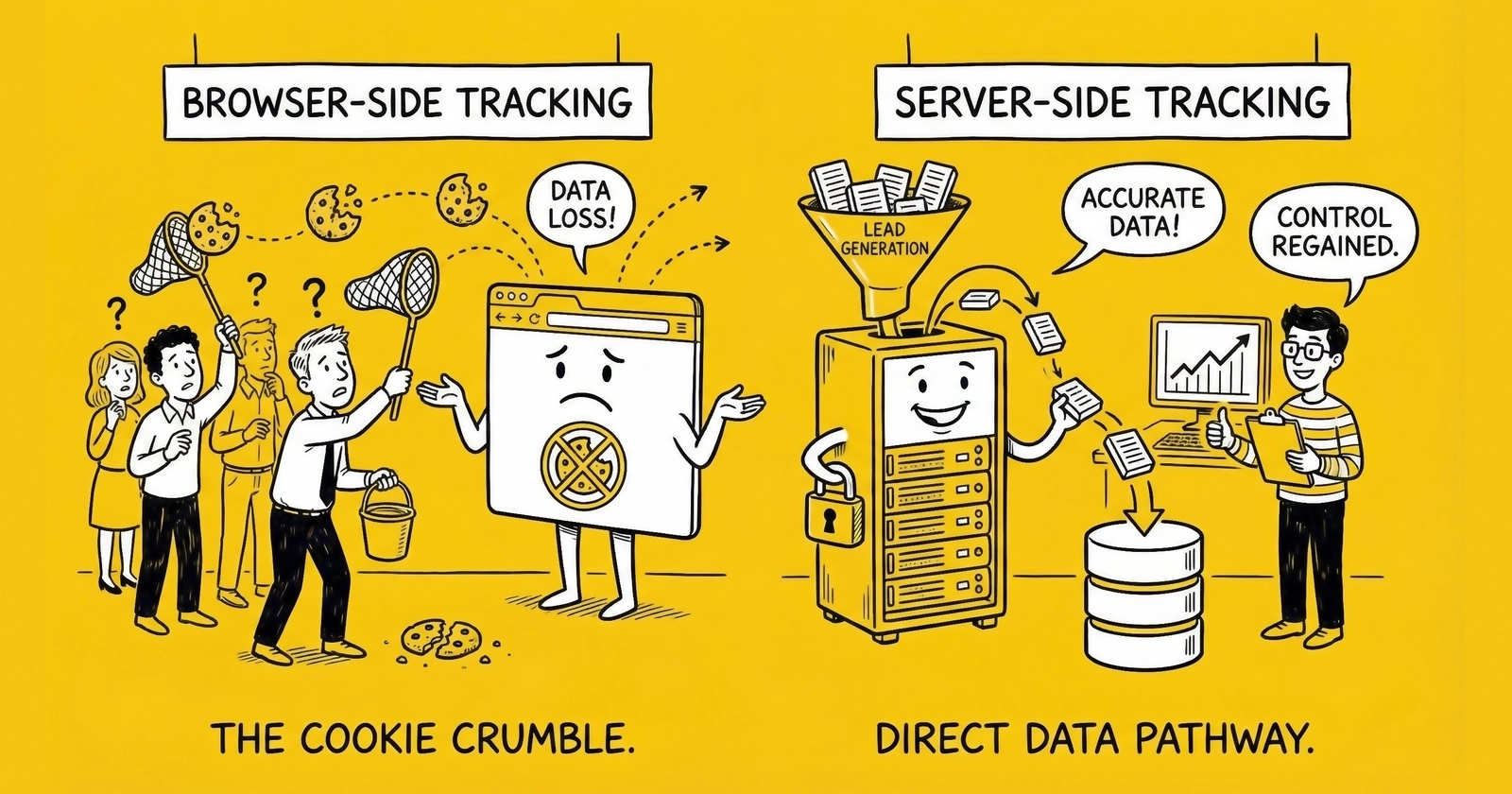
Your ad platforms are seeing only 60-70% of your actual conversions. The rest vanish into browser privacy features, ad blockers, and iOS restrictions. Server-side tracking recovers them.
Between the consumer’s click and your analytics dashboard, data disappears. Not occasionally. Consistently. And at rates that worsen every quarter.
The measurement infrastructure that powered two decades of lead generation is failing. Safari deletes cookies after 7 days. Firefox blocks tracking domains by default. iOS users opt out of tracking at 75% rates. Ad blockers run on 31% of browsers worldwide, rising to 42% among users ages 18-34. Combined, these restrictions mean client-side tracking captures only 60-70% of actual conversions in typical lead generation scenarios.
For practitioners whose business model depends on traffic arbitrage, buying clicks at one price and selling leads at another, this signal loss is not merely inconvenient. It is economically devastating. You cannot optimize what you cannot measure. When 30-40% of conversion signals vanish, you allocate budget based on distorted data, potentially funding unprofitable sources while starving your best performers.
Server-side tracking (SST) restructures how conversion data reaches ad platforms. Instead of relying on browser-based pixels that face a gauntlet of restrictions, SST routes data through your own servers and forwards it via direct API connections. These server-to-server calls bypass ad blockers entirely, survive browser privacy features, and recover 20-40% of previously lost conversion signals.
This guide covers the tracking crisis in detail, explains exactly how server-side tracking works, provides implementation guidance for Google Enhanced Conversions and Meta Conversions API, and addresses the specific challenges facing lead generation operations in 2025.
The Tracking Crisis: Understanding Signal Loss
Browser restrictions and privacy regulations have not merely complicated tracking. They have created a measurement crisis costing lead generators millions in misallocated budgets annually.
Three Layers of Signal Loss
The tracking collapse operates across three distinct mechanisms, each compounding the others.
Layer 1: Browser Privacy Features
Safari’s Intelligent Tracking Prevention (ITP) launched in 2017 and has tightened restrictions with each iteration:
-
ITP 2.1 reduced first-party cookie lifespan to 7 days for cookies set via JavaScript. Your carefully placed tracking cookies now expire within a week, breaking attribution for any conversion cycle longer than seven days.
-
ITP 2.2 shortened cookie duration to just 24 hours when traffic arrives with link decoration (query parameters like
gclidandfbclid) from domains classified as trackers. Google and Meta are on that list. A Safari user who clicks your Google ad on Monday and converts on Wednesday appears as a completely new visitor. -
ITP 2.3 extended restrictions to local storage, eliminating the workaround developers had implemented to persist identifiers in localStorage instead of cookies.
Firefox’s Enhanced Tracking Protection (ETP) has blocked known tracking domains by default since 2019. Edge follows with similar restrictions. Together, Safari, Firefox, and Edge represent approximately 23% of browser market share, and their restrictions apply regardless of Google’s Chrome policies.
Layer 2: Ad Blockers
Ad blocker adoption reached 912 million people globally as of 2024, representing 31.5% of internet users ages 16-64. In the United States, adoption sits at 32.2%. Among ages 18-34, the demographics most likely to be in-market for insurance, solar, financial services, and education products, usage rises to 42%.
Desktop users block at higher rates than mobile: 37% of US desktop users employ ad blockers compared to 15% on mobile devices. But iOS restrictions hit mobile hardest, making the mobile tracking gap even more severe than desktop blockers create.
Layer 3: iOS App Tracking Transparency
When Apple launched App Tracking Transparency (ATT) in April 2021, approximately 75% of iOS users opted out of tracking when given the choice. For advertisers, the rate of installs with an IDFA (the identifier used for cross-app tracking) dropped from 80% to just 27%.
iOS users represent approximately 60% of US smartphone market share and skew toward higher income brackets. These are precisely the demographics most likely to convert on high-value leads. When three-quarters of your highest-value audience becomes unmeasurable, your attribution model does not just lose precision. It systematically misrepresents reality.
What About Chrome’s Third-Party Cookie Decision?
Google announced plans to deprecate third-party cookies in Chrome in 2020, setting a timeline that shifted repeatedly. In July 2024, Google reversed course, choosing to retain third-party cookies. In April 2025, Google eliminated even the planned user-choice prompt, keeping Chrome’s current functionality.
many practitioners exhaled with relief. Crisis averted.
Except the crisis was never about Chrome alone. Chrome represents roughly 67% of global browser share. The remaining 33% already blocks third-party tracking by default. Waiting for Google’s decision ignored the reality that a third of your audience was already unreachable.
And Chrome’s decision does not address first-party cookie restrictions, ad blocker prevalence, or iOS ATT. The fundamental tracking infrastructure remains broken regardless of what Chrome does with third-party cookies.
The Combined Impact on Lead Generation
These three layers compound into a measurement gap of 30-40%:
- 75% of iOS users opt out via ATT (affecting approximately 60% of high-value smartphone traffic)
- Safari limits cookies to 7 days, or 24 hours for link-decorated traffic from ad platforms
- 31% of internet users globally employ ad blockers (42% among ages 18-34)
- Cross-device conversions (30-40% of total) go unmeasured without deterministic matching
Research indicates client-side tracking captures only 60-70% of actual conversions in many lead generation scenarios. But the missing conversions are not a random sample. They systematically under-represent younger users, mobile users, privacy-conscious consumers, and multi-device conversion paths.
When you optimize campaigns based on this distorted signal, you make budget allocation decisions that appear rational but compound measurement bias. For lead generators operating on 10-20% net margins, a 30-40% attribution gap destroys the fundamental feedback loop that makes traffic arbitrage profitable.
Attribution Distortion: The Hidden Cost
The attribution problems browser restrictions create are not evenly distributed. They systematically distort specific aspects of lead generation economics in ways that damage profitability.
Upper-Funnel vs. Lower-Funnel Signal Loss
Consider a lead generator running Google Search, Meta Display, TikTok Video, and native advertising. The dashboards show:
- Google Search: 1,000 leads at $40 CPL = $40,000 spend
- Meta Display: 600 leads at $60 CPL = $36,000 spend
- TikTok Video: 500 leads at $80 CPL = $40,000 spend
Based on this data, budget shifts toward Google and away from TikTok. But the measurement is fundamentally broken.
Google Search captures users with high intent who have already been exposed to the brand through other channels. These users are less likely to use ad blockers, more likely to convert on desktop (where tracking persists longer), and more likely to complete conversion in a single session (avoiding multi-day cookie expiration). Google might only be losing 10% of conversion signals.
TikTok reaches younger users on mobile who are extremely likely to use ad blockers or have ATT enabled. They are researching, not ready to convert. When they do convert three days later via a Google Search branded query, TikTok gets zero credit while Google gets 100%. TikTok might be losing 50-60% of its actual conversions.
The actual reality hidden by attribution blind spots:
- Google Search: 1,100 leads (10% signal loss) at $36.36 true CPL
- Meta Display: 800 leads (25% signal loss) at $45 true CPL
- TikTok Video: 1,000 leads (50% signal loss) at $40 true CPL
TikTok is actually your most efficient channel. Your budget allocation based on measured performance actively defunds your best source.
The Campaign Optimization Cascade
The signal loss compounds through platform optimization algorithms. Ad platform algorithms respond to data volume. Google’s automated bidding strategies and Meta’s Advantage campaigns both perform better with more conversion data.
When 30-40% of conversions go unreported, the algorithm learns from a distorted picture of reality. It optimizes toward what it can measure, not toward what actually converts.
The feedback loop becomes self-reinforcing. Campaigns that suffer higher signal loss show worse performance, receive less budget, and generate even less data for the algorithm to learn from. Meanwhile, campaigns with better signal preservation appear stronger, receive more budget, and accumulate even more data advantage.
Server-side tracking does not just recover individual conversions. It corrects the feedback loop that informs campaign optimization.
Cross-Device Attribution Failure
Consumer behavior has become inherently multi-device. A user might see your solar ad on their iPhone during a morning commute, research options on their desktop during lunch, and finally submit a lead form on their iPad that evening.
Traditional cookie-based tracking cannot connect these touchpoints. Each device maintains separate identifiers, and browser restrictions prevent cross-device matching.
Industry analysis suggests that 30-40% of conversions involve multiple devices in the path to purchase. Without deterministic identifiers (like hashed email addresses) matched across devices, these multi-device journeys appear as separate, unrelated sessions. Your attribution model credits only the final device touchpoint, systematically undervaluing upper-funnel campaigns that initiate consideration on different devices.
For lead generators running brand awareness campaigns alongside direct response, this attribution blind spot devastates budget allocation. Display campaigns that introduce your offer on mobile show zero conversions while desktop search campaigns that capture already-aware users appear to drive everything.
How Server-Side Tracking Works
Server-side tracking restructures data flow to bypass the browser restrictions causing signal loss. The architectural difference is fundamental.
Client-Side Tracking: The Legacy Approach
Traditional client-side tracking operates entirely within the user’s browser:
- Consumer visits your landing page
- JavaScript tracking code loads (or gets blocked by ad blockers)
- When conversion happens, JavaScript fires a request to the ad platform pixel
- That request must survive: ad blockers, browser privacy settings, cookie restrictions, and network issues
Every step represents a potential failure point. If any element breaks, the conversion goes unrecorded. The ad platform never learns that the campaign worked.
Server-Side Tracking: The Modern Approach
Server-side tracking moves the critical data transmission step to infrastructure you control:
- Consumer visits your landing page
- Your server captures click identifiers (
gclid,fbclid,ttclid,msclkid) and stores them in first-party cookies - When conversion happens, your server receives the form submission (this works regardless of browser configuration)
- Your server retrieves stored click identifiers from cookies or form data
- Your server fires API calls directly to Google, Meta, TikTok, and other platforms
- Conversion data reaches ad platforms via server-to-server connection
To the browser, the tracking request looks like a standard form submission to your domain. There is nothing for ad blockers to intercept because the tracking communication never goes to a third-party domain from the client side.
Why First-Party Data Survives
The fundamental advantage of server-side tracking is that data collection happens on infrastructure you control, using first-party cookies set by your own domain.
Browser restrictions target third-party cookies and cross-site tracking. They do not restrict a website’s ability to track behavior on its own domain using its own infrastructure.
When a user lands on your site from a paid ad, server-side tracking captures the click identifier, browser and device information, landing page and referring source, and timestamp. This data is stored in a first-party cookie on your domain.
When the user later submits a lead form (whether seconds or days later), your server retrieves the click ID from the cookie and fires a conversion event to the ad platform via API. The entire flow happens server-to-server.
Because the cookie is genuinely first-party (set by your domain, stored on your domain, used only by your domain), Safari’s ITP and Firefox’s ETP treat it more permissively. When implemented correctly with cookies set server-side rather than via JavaScript, the 7-day limitation can extend because the browser recognizes this as legitimate first-party storage rather than tracking infrastructure.
Signal Recovery Expectations
Companies implementing server-side tracking consistently report 20-40% more tracked conversions compared to client-side only implementations. The specific recovery depends on your audience composition:
High mobile/young demographic: 25-35% signal recovery. These audiences have the highest blocking rates from ad blockers, ATT opt-outs, and multi-device journeys. They also represent your largest measurement gap, so recovery has the biggest impact.
Mixed desktop/mobile: 15-25% signal recovery. The blend of device types means some traffic already tracked well, but significant gains remain from mobile and Safari users.
B2B desktop-heavy: 10-15% signal recovery. Desktop users with longer sessions and single-device journeys already tracked better, but improvements still materialize from ad blocker circumvention and extended cookie duration.
Implementation Approaches
Server-side tracking can be implemented through several approaches, each with different complexity and capability tradeoffs.
Google Tag Manager Server-Side
GTM Server-Side provides the most accessible entry point for teams already using Google Tag Manager.
You deploy a server container (a separate GTM environment running on cloud infrastructure) that receives events from your web container. The server container processes data and forwards it to ad platforms via their APIs.
Hosting options:
- Google Cloud Platform’s Cloud Run: $120-300/month for production volumes
- Specialized providers (Stape.io, Taggrs, Addingwell): $20-200/month depending on request volume
- Self-hosted on AWS, Azure, or other cloud providers: variable based on infrastructure
Stape.io offers hosting starting at $20 per month for up to 500,000 requests, scaling to $100+ monthly for higher volumes. These specialized providers optimize infrastructure specifically for server-side tagging, making them more cost-effective than general cloud hosting for most operations.
Advantages:
- Familiar GTM interface for teams already using client-side GTM
- Pre-built tags for major platforms (Google, Meta, TikTok, LinkedIn)
- Managed infrastructure options reduce DevOps burden
- Strong documentation and community support
Limitations:
- Adds complexity to existing GTM setup
- Requires understanding of client/server container interaction
- Some advanced use cases require custom code
Platform-Specific API Integration
Direct API integration bypasses GTM entirely, connecting your backend directly to ad platform APIs.
When a form submission processes through your lead management system, your code makes API calls to Google, Meta, TikTok, and other platforms as part of the same transaction.
Available APIs:
- Google Ads API for Enhanced Conversions
- Meta Conversions API (CAPI)
- TikTok Events API
- Microsoft UET for server-side events
- LinkedIn Conversions API
Advantages:
- No additional infrastructure required beyond your existing servers
- Full control over data and timing
- Lower latency than GTM route
- Integrates directly with existing lead management systems
Limitations:
- Requires development resources to build and maintain
- Must update integrations as platforms evolve their APIs
- Less abstraction means more custom code per platform
Lead Distribution Platform Integration
Modern lead distribution platforms increasingly offer built-in server-side tracking capabilities.
When leads process through platforms like boberdoo, LeadsPedia, Phonexa, or LeadExec, the platform can fire conversion events to ad platforms automatically based on lead status changes.
Capabilities typically include:
- Conversion firing when leads are accepted
- Revenue events when leads sell through ping/post or direct routing
- Return events when leads are rejected
- Multi-platform support from a single integration
Advantages:
- No additional development required if your platform supports it
- Conversion data already flows through the platform
- Can fire downstream events (sale, return) automatically
- Managed by platform vendor
Limitations:
- Dependent on platform capabilities and development roadmap
- May lack flexibility for custom scenarios
- Additional platform costs if upgrading plans for access
Platform-Specific Implementation Guides
The following detailed guides walk through server-side tracking implementation for the major platforms. Each guide reflects current best practices and common pitfalls observed in production deployments.
GTM Server-Side: Step-by-Step Implementation
Google Tag Manager Server-Side provides the most accessible entry point for teams already familiar with GTM’s web container interface. The implementation involves creating a server container, configuring data flow from your web container, and setting up platform-specific tags.
Step 1: Create Your Server Container
Navigate to tagmanager.google.com and create a new container. Select “Server” as the container type rather than “Web.” This creates a distinct container that runs on cloud infrastructure rather than in browsers.
You will be prompted to choose a hosting option. For initial testing, use Google’s free provisioning option which provides limited monthly requests. For production, configure either Google Cloud Platform hosting or a third-party provider.
Step 2: Set Up Hosting Infrastructure
For Google Cloud Platform hosting, you need a Google Cloud project with billing enabled. GTM Server-Side uses Cloud Run, Google’s serverless container platform. Typical costs range from $120-300 monthly for lead generation traffic volumes of 100,000-500,000 monthly events.
For third-party hosting, services like Stape.io offer managed hosting starting at $20 monthly for lower volumes. Stape handles infrastructure management, SSL certificates, and scaling automatically. For teams without dedicated DevOps resources, managed hosting significantly reduces implementation complexity.
Configure your first-party domain by creating a subdomain (such as tracking.yourdomain.com) and pointing it to your server container endpoint. First-party domains are essential because they allow cookies set by your server container to be treated as genuine first-party cookies rather than third-party tracking.
Step 3: Configure Web-to-Server Data Flow
In your existing web GTM container, modify your Google Analytics 4 configuration tag to send data to your server container instead of directly to Google. Set the “Server Container URL” field to your first-party domain (tracking.yourdomain.com).
Create a GA4 client in your server container to receive incoming GA4 events. The client parses incoming requests and makes event data available to server-side tags.
Test the connection by triggering events on your website and verifying they appear in your server container’s preview mode. You should see incoming requests from your web container being processed by the GA4 client.
Step 4: Create Server-Side Tags
With data flowing to your server container, create tags that forward conversion events to ad platforms.
For Google Ads Enhanced Conversions, add the “Google Ads Conversion Tracking” tag template. Configure it with your conversion ID and label. Enable Enhanced Conversions and map user data fields (email, phone) from your event data. The tag will hash personal data automatically before sending to Google.
For Meta Conversions API, add the “Facebook Conversions API” tag from the template gallery. Configure with your Pixel ID and access token (generated in Meta Events Manager). Map event parameters and user data fields. Include the event_id parameter from your web pixel events to enable deduplication.
Step 5: Implement Click ID Persistence
Server-side tracking requires click IDs (gclid, fbclid) to persist from landing page through conversion. Configure your server container to:
- Read click IDs from incoming page view events
- Set first-party cookies storing these identifiers
- Include stored click IDs when firing conversion events
Many practitioners use the “Cookie Monster” variable template in GTM Server-Side to simplify cookie management. This template provides functions for reading and writing cookies from server-side code.
Common GTM Server-Side Pitfalls
Cookie domain configuration errors cause most failed implementations. Ensure cookies are set on your root domain (yourdomain.com) rather than a subdomain to maintain persistence across your site.
Event timing issues occur when conversion events fire before click ID cookies are set. Implement fallback logic that retrieves click IDs from form hidden fields when cookies are unavailable.
Deduplication failures happen when event_id values do not match between web pixel and server-side events. Generate event_id values client-side and pass them to both browser tags and server-side events through the data layer.
Google Enhanced Conversions: Direct API Implementation
For operations with development resources, direct API integration with Google’s Enhanced Conversions bypasses GTM entirely and provides maximum control over conversion data transmission.
Authentication Setup
Google Enhanced Conversions uses OAuth 2.0 authentication. Create a Google Cloud project, enable the Google Ads API, and generate OAuth credentials. Store credentials securely and implement token refresh logic since access tokens expire after one hour.
For server-to-server communication, use a service account rather than OAuth user credentials. Service accounts do not require user interaction for authentication and work better for automated systems.
API Endpoint and Request Format
Enhanced Conversions uses the Google Ads API conversion upload endpoint. The request includes your customer ID, conversion action ID, and an array of conversion objects containing:
- gclid (the original click identifier)
- conversion_date_time (in specified timezone format)
- conversion_value (revenue amount)
- currency_code
- user_identifiers (hashed email, phone, address components)
All user identifiers must be SHA-256 hashed before transmission. Google provides client libraries for Python, Java, PHP, and other languages that handle hashing and request formatting automatically.
Offline Conversion Import vs. Enhanced Conversions
Google offers two server-side conversion methods. Offline Conversion Import transmits basic conversion data (gclid, timestamp, value). Enhanced Conversions adds hashed user data for improved matching when gclids are unavailable.
For lead generation, implement both. Use gclid-based attribution as the primary method since it provides deterministic matching. Use Enhanced Conversions user data as fallback when gclids are lost due to cookie expiration or browser restrictions.
Error Handling and Retry Logic
Google’s API may reject conversions for various reasons: invalid gclids, expired click windows (conversions beyond 90 days), or formatting errors. Implement structured error handling that:
- Logs failed conversions with error details
- Categorizes errors as recoverable or permanent
- Retries recoverable errors with exponential backoff
- Alerts on improved failure rates indicating systemic issues
A healthy implementation should see less than 2% error rates. Rates above 5% indicate configuration problems requiring investigation.
Meta Conversions API: Production Implementation
Meta’s Conversions API (CAPI) requires more careful implementation than Google’s Enhanced Conversions due to its dual-tracking model (Pixel + CAPI) and the importance of Event Match Quality scores.
Access Token Generation
Generate a CAPI access token in Meta Events Manager. Navigate to your Pixel settings, select “Conversions API,” and generate a system user token. This token authenticates your server’s API requests.
Store the token securely using environment variables or a secrets manager. Never commit access tokens to source control or expose them in client-side code.
Event Payload Construction
CAPI events require a specific JSON structure:
{
  "data": [{
    "event_name": "Lead",
    "event_time": 1672531200,
    "event_id": "abc123",
    "event_source_url": "https://yourdomain.com/form",
    "action_source": "website",
    "user_data": {
      "em": [hashed_email],
      "ph": [hashed_phone],
      "client_ip_address": "1.2.3.4",
      "client_user_agent": "Mozilla...",
      "fbc": "_fbc_cookie_value",
      "fbp": "_fbp_cookie_value"
    }
  }]
}
The fbc parameter contains Meta’s click identifier derived from the fbclid URL parameter. The fbp parameter is Meta’s browser identifier cookie. Including both significantly improves Event Match Quality.
Maximizing Event Match Quality
Event Match Quality (EMQ) scores range from 0-10 and directly impact attribution accuracy. Target EMQ of 8+ for optimal performance.
To maximize EMQ:
Include both fbc and fbp values when available. These provide the strongest match signals and should be prioritized over all other identifiers.
Hash email addresses after normalizing (lowercase, trim whitespace). Meta requires SHA-256 hashing with no salt. Include the hashed value in an array even for single values.
Include phone numbers in E.164 format (country code, no formatting characters) before hashing. Multiple phone formats can be included as separate array elements.
Add IP address and user agent string for every event. These parameters enable probabilistic matching when deterministic identifiers are unavailable.
Deduplication Implementation
When running both Pixel and CAPI, implement event_id matching to prevent double-counting.
Generate a unique event_id when the conversion occurs (form submission). Pass this ID to your Pixel tracking code so it includes the ID in its server call. Also pass the ID to your backend, which includes it in the CAPI call.
Meta’s deduplication window is 48 hours. Events with matching event_id values within this window are automatically deduplicated, counting only once regardless of which arrived first.
Test deduplication by monitoring Event Manager for duplicate warnings. A properly configured implementation should show zero duplicate events after the initial testing period.
Batch Processing vs. Real-Time
CAPI supports both real-time event posting and batch uploads. For lead generation with moderate volume (under 10,000 daily conversions), real-time posting provides the fastest data availability for campaign optimization.
For high-volume operations, batch processing reduces API overhead. CAPI accepts up to 1,000 events per request. Implement queuing logic that accumulates events and posts batches every few minutes.
TikTok Events API Implementation
TikTok’s Events API follows patterns similar to Meta CAPI but with platform-specific requirements.
Authentication and Setup
Generate an access token in TikTok Ads Manager under Events Manager settings. TikTok uses a permanent access token model rather than OAuth refresh tokens, simplifying implementation but requiring manual rotation if tokens are compromised.
Configure your Pixel ID and access token in your server-side code. Unlike Meta, TikTok does not require dual-tracking (Pixel + API) for all implementations. API-only tracking is acceptable if you capture sufficient user identifiers.
Click ID Handling (ttclid)
TikTok’s click identifier (ttclid) persists in the URL when users click TikTok ads. Capture this parameter on landing page arrival and store it in a first-party cookie.
The ttclid attribution window is 28 days for view-through and click-through conversions. Ensure your cookie expiration aligns with this window.
User Data Parameters
TikTok Events API accepts hashed email (sha256_email), hashed phone (sha256_phone), and external_id (your customer identifier, hashed) for user matching.
Unlike Meta, TikTok does not use browser identifier cookies (no equivalent to fbp). This makes email and phone collection more important for accurate attribution on TikTok traffic.
Include IP address (ip) and user agent (user_agent) with every event for probabilistic matching support.
Google Enhanced Conversions Implementation
Google Enhanced Conversions supplements standard conversion tracking by sending hashed first-party customer data alongside conversion events. Google matches this data against its user database to improve attribution, particularly for cross-device conversions.
How Enhanced Conversions Works
When a lead submits your form, you capture their email address, phone number, and other identifying data. Before sending to Google, you hash this information using SHA-256, a one-way encryption that protects privacy while enabling matching.
Google compares the hashed data against hashed versions of information in Google accounts. When a match occurs, Google can attribute the conversion even when the original click identifier has been lost or the conversion happened on a different device.
Implementation Requirements
Enhanced Conversions requires:
- Google Ads account with conversion tracking enabled
- First-party customer data captured during lead submission (email required, phone recommended)
- Server-side infrastructure to hash and transmit data (or GTM Server-Side)
- Consent compliance ensuring users agreed to data processing
The data you send to Google includes:
- Hashed email address (required, SHA-256)
- Hashed phone number (recommended, SHA-256)
- First name and last name (optional, hashed)
- Street address, city, region, postal code (optional, for higher match rates)
Enhanced Conversions for Leads
For lead generation specifically, Enhanced Conversions for Leads creates closed-loop attribution from ad click through to sale.
The complete flow:
- User clicks Google ad, arrives on landing page with
gclidparameter - Your server captures
gclidand stores in first-party cookie - User submits lead form with email and phone
- Your server fires conversion event to Google with hashed email/phone plus stored
gclid - Lead enters your CRM and distribution system
- Lead sells to buyer, buyer contacts, sale closes (days or weeks later)
- Your server fires “purchase” conversion event with hashed email and revenue value
- Google attributes the purchase back to the original click
This enables optimization toward leads that actually generate revenue, not just leads that fill out forms.
Performance Expectations
Google reports that advertisers using first-party data alongside GCLIDs see a median 10% increase in conversions compared to standard offline conversion imports. For comprehensive implementation guidance, see the GA4 tracking guide. The feature enables cross-device and engaged-view conversions that would otherwise go unattributed.
Meta Conversions API Implementation
Meta’s Conversions API (CAPI) sends conversion events directly from your server, complementing browser-based Pixel tracking. Meta recommends running both together: the Pixel captures real-time browser signals while CAPI ensures conversion events survive when browser-based tracking fails.
Event Match Quality: The Critical Metric
Event Match Quality (EMQ) is Meta’s score (0-10) reflecting how well your customer data matches actual Meta users. EMQ directly determines attribution accuracy and campaign optimization performance.
Industry benchmarks show average EMQ scores between 4-6. Top-performing campaigns maintain scores of 8-10. EMQ improvements of 2-3 points typically correlate with 15-25% better ROAS. Poor EMQ scores can increase customer acquisition costs by 40-60%.
Your EMQ score depends on the identifiers you send with each event:
High-value identifiers (deterministic matching):
- Hashed email address
- Hashed phone number
- External ID (your customer ID, hashed)
- Meta’s
_fbpcookie value (browser ID) - Meta’s
_fbcvalue (derived fromfbclidURL parameter)
Lower-value identifiers (probabilistic matching):
- IP address
- User agent string
The more high-value identifiers you include, the higher your EMQ score and the better your attribution accuracy.
Deduplication: Running Pixel and CAPI Together
When running both Pixel and CAPI (Meta’s recommended approach), you must implement event deduplication to prevent double-counting conversions.
The solution: include a consistent event_id parameter in both browser and server events. When the same event_id appears in both a Pixel event and a CAPI event, Meta recognizes them as duplicates and counts only once.
Generate the event_id on the client side when the conversion happens. Pass it to your server along with the form data. Include the same ID in your CAPI call that the Pixel included in its call.
Without proper deduplication, conversions get counted twice, inflating metrics and distorting optimization.
Performance Improvements
Meta’s data shows advertisers using CAPI alongside Pixel achieve:
- 13% lower cost per result
- 19% additional attributed events
- Improved optimization from higher signal volume
These improvements come from recovering events that Pixel alone would miss due to ad blockers, browser restrictions, and iOS ATT.
Click ID Persistence: The Foundation
All server-side tracking depends on one critical capability: persisting click identifiers from the initial landing page through to conversion.
Why Click IDs Matter
When a user lands on your page from a paid ad, the ad platform appends a unique click identifier:
- Google:
gclid - Meta:
fbclid - TikTok:
ttclid - Microsoft:
msclkid - LinkedIn:
li_fat_id
Without these identifiers, ad platforms cannot connect conversions back to the clicks that drove them. Your server-side conversion event becomes unattributable, matching only on probabilistic signals rather than deterministic click data.
The Persistence Challenge
Click IDs exist only in the URL of the landing page. If the user navigates away, submits a form on a different page, or returns days later to convert, the click ID is gone unless you captured and stored it.
Browser restrictions make this worse: Safari’s Link Tracking Protection can strip click IDs from URLs entirely before your tracking code sees them.
Implementation Approach
Your implementation must:
-
Capture click IDs on landing page arrival. Parse URL parameters for
gclid,fbclid,ttclid,msclkidon every page load. -
Store in first-party cookies. Set a cookie on your domain containing each click ID, with appropriate expiration (30-90 days typical).
-
Pass to hidden form fields. When the lead form renders, populate hidden fields with stored click IDs. This ensures the identifier persists directly with the lead record even if cookies are cleared.
-
Include in server-side events. When firing conversion events to ad platforms, include the relevant click ID for proper attribution.
Handling iOS Link Tracking Protection
iOS progressively strips click identifiers in certain contexts. A resilience strategy includes:
Custom parameter names: Use custom parameter names (like aclid for Google’s gclid) that are not on Apple’s known tracking parameter list. Your server container swaps these back to native names before forwarding to ad platforms.
First-party redirects: Route ad traffic through your own domain first, capturing click IDs before the final landing page load.
Hidden form field backup: Even if cookies are blocked or deleted, click IDs captured in form fields persist with the lead record and can be used for delayed attribution.
Lead Generation-Specific Applications
While server-side tracking benefits any digital marketing operation, lead generators face specific attribution challenges that make SST particularly valuable.
Traffic Source Arbitrage
Lead generation economics depend on traffic arbitrage. You buy clicks from multiple sources: paid search, display networks, native advertising, affiliate publishers. You sell leads to buyers at higher prices. Margin depends entirely on knowing true cost per lead by source.
When browser restrictions cause 30-40% signal loss, you optimize traffic mix based on incomplete data. A source showing 50% more conversions than actually occurred receives disproportionate budget. Margin suffers accordingly.
SST recovers the conversion signals that reveal which sources actually deliver profitable leads versus which merely appear profitable due to measurement gaps.
Publisher Performance Tracking
Publishers posting leads into your system deserve accurate conversion feedback. SST enables closed-loop attribution where downstream buyer outcomes, including contact rates, appointment sets, sales, and returns, flow back to inform publisher optimization.
This feedback loop justifies premium payments to high-performing sources and provides leverage when renegotiating with underperformers. Without SST, you manage publisher relationships with incomplete performance data.
Buyer Conversion Integration
The most sophisticated SST implementations extend beyond traffic source attribution to capture buyer-side conversions. A lead that converts to a sale weeks after delivery should attribute back to its original traffic source.
Server-side infrastructure can receive buyer webhooks when sales close and associate conversion events with original click IDs, enabling true ROI measurement across the complete lead lifecycle from ad impression through buyer sale.
This allows optimization toward leads that generate actual revenue, not just leads that pass validation and sell through your distribution system.
Cost-Benefit Analysis
The infrastructure investment for server-side tracking is modest relative to the value recovered.
Infrastructure Costs
Cloud hosting route: Google Cloud Platform’s Cloud Run costs approximately $120-300 monthly for production environments handling typical lead generation volumes.
Specialized hosting route: Providers like Stape.io offer hosting starting at $20 per month for up to 500,000 requests, scaling to $100-200 monthly for higher volumes.
Custom implementation: Building server-side tracking directly into your lead management platform eliminates additional hosting costs since tracking happens on servers you already run.
ROI Calculation
Compare these costs to the value recovered. If you spend $50,000 monthly on advertising and recover 20% more conversions, your apparent CPL drops proportionally.
Example calculation:
- Monthly ad spend: $50,000
- Measured conversions (before SST): 1,000 leads at $50 CPL
- Actual conversions (with SST): 1,200 leads at $41.67 CPL
- Signal recovery: 200 leads worth $8,333 in perceived efficiency
- SST infrastructure cost: $100-300/month
- Net benefit: $8,000+/month
For most lead generation operations spending over $10,000 monthly on paid traffic, server-side tracking pays for itself within the first month through improved campaign efficiency and proper budget allocation.
Frequently Asked Questions
What is server-side tracking and how does it differ from client-side tracking?
Server-side tracking routes conversion data through your own servers before sending it to ad platforms like Google and Meta. Client-side tracking uses JavaScript in the browser to send data directly to ad platform pixels. The key difference is that server-side requests cannot be blocked by ad blockers, are not affected by browser privacy restrictions like Safari’s ITP, and use first-party cookies that persist longer. This architecture recovers 20-40% of conversion signals that client-side tracking loses to browser restrictions.
How much signal recovery can I expect from implementing server-side tracking?
Signal recovery rates depend on your audience composition. Operations targeting younger, mobile-heavy audiences typically see 25-35% recovery because these users have the highest blocking rates from ad blockers, iOS ATT opt-outs, and multi-device journeys. Mixed desktop/mobile audiences see 15-25% recovery. B2B operations with desktop-heavy traffic see 10-15% recovery. The recovered signals come from ad blocker circumvention, extended cookie duration, and proper attribution of multi-device conversions.
Do I still need browser-side tracking if I implement server-side?
Yes, best practice is running both together. Meta explicitly recommends using Conversions API alongside Pixel. The browser-based tracking captures real-time signals and user interactions. Server-side tracking ensures conversions are recorded even when browser tracking fails. When running both, implement event deduplication using consistent event_id parameters to prevent double-counting conversions.
What does server-side tracking cost to implement and maintain?
Costs vary by approach. Google Tag Manager Server-Side on Google Cloud Platform runs $120-300 monthly for typical lead generation volumes. Specialized hosting providers like Stape.io offer plans from $20-200 monthly. Custom implementations integrated with your existing backend infrastructure have minimal additional costs beyond development time. Most implementations pay for themselves within 30 days through improved campaign efficiency and recovered conversion signals.
How does server-side tracking handle privacy and consent requirements?
Server-side tracking does not bypass consent requirements. You must still obtain proper consent before tracking users and sharing data with ad platforms. The difference is architectural: data routes through your servers before reaching ad platforms, giving you control over what information is shared. This can actually improve compliance by providing a central point for consent enforcement and data filtering. Always ensure your implementation respects user consent choices and complies with GDPR, CCPA, and other applicable regulations.
What is Event Match Quality and why does it matter for Meta Conversions API?
Event Match Quality (EMQ) is Meta’s score (0-10) measuring how well your customer data matches actual Meta users. Higher EMQ means better attribution accuracy and improved campaign optimization. Average implementations score 4-6, while top performers achieve 8-10. EMQ improvements of 2-3 points typically correlate with 15-25% better ROAS. Poor EMQ can increase customer acquisition costs by 40-60%. Improve your EMQ by sending complete customer data: hashed email, hashed phone number, and Meta’s browser identifiers (_fbp and _fbc cookies).
How do I persist click IDs when cookies are blocked or deleted?
Implement a multi-layer persistence strategy. First, capture click identifiers (gclid, fbclid, ttclid) on landing page arrival and store in first-party cookies. Second, populate hidden form fields with these identifiers when forms render. The hidden field approach ensures click IDs persist with the lead record even if cookies are cleared. For iOS resilience, consider using custom parameter names that are not on Apple’s known tracking parameter list, then swap to native names in your server-side container before forwarding to ad platforms.
Can server-side tracking help with cross-device attribution?
Yes, when combined with enhanced conversions using hashed customer data. When you send hashed email addresses or phone numbers with conversion events, ad platforms can match conversions across devices where users are logged in. A user who clicks an ad on mobile but converts on desktop gets properly attributed because the hashed email matches across both sessions. This deterministic matching is impossible with cookie-based tracking where each device has separate identifiers.
What platforms support server-side tracking for lead generation?
All major ad platforms now offer server-side options. Google supports Enhanced Conversions and Offline Conversion Import. Meta provides Conversions API. TikTok offers Events API. Microsoft has Universal Event Tracking for server-side events. LinkedIn provides Conversions API. Each platform has specific implementation requirements, but the core concept is consistent: send conversion data directly from your servers via API rather than relying solely on browser-based pixels.
How long does it take to implement server-side tracking?
Implementation timeline depends on approach and complexity. A basic GTM Server-Side setup can be operational in 1-2 weeks for teams familiar with GTM. Direct API integrations typically take 2-4 weeks for a single platform, longer for multiple platforms. Lead distribution platform integrations may be as fast as configuration changes if the platform already supports the capability. Plan for 2-4 weeks of testing before fully relying on server-side data, ensuring deduplication works correctly and signal volume matches expectations.
Key Takeaways
-
The tracking crisis is real and quantifiable. Over 31% of internet users employ ad blockers, 75% of iOS users opted out via ATT, and Safari limits cookies to 7 days or 24 hours for ad traffic. Combined, client-side tracking captures only 60-70% of actual conversions.
-
Signal loss is not random. Missing conversions systematically underrepresent younger users, mobile users, multi-device journeys, and upper-funnel channels. This bias distorts budget allocation toward bottom-funnel tactics while starving the awareness campaigns that feed them.
-
Server-side tracking recovers 20-40% of lost signals. The specific recovery depends on audience composition, with mobile-heavy and younger demographics showing the highest recovery rates.
-
Implementation costs pay for themselves quickly. Infrastructure runs $20-300 monthly depending on approach. Typical implementations achieve positive ROI within 30 days through improved campaign efficiency.
-
Run browser and server tracking together. Best practice is complementary implementation with event deduplication. The Pixel captures real-time signals; server-side ensures conversions are recorded when browser tracking fails.
-
Click ID persistence is foundational. Capture
gclid,fbclid,ttclid, andmsclkidon arrival, store in first-party cookies, and pass through hidden form fields. Without the click ID, conversions cannot attribute to their source campaigns. -
Enhanced conversions improve attribution further. Sending hashed customer data (email, phone) enables cross-device matching and extends the attribution window beyond cookie expiration.
-
Meta’s Event Match Quality determines CAPI effectiveness. Target EMQ scores of 8+ by sending complete customer data with each event. Poor EMQ scores can increase customer acquisition costs by 40-60%.
-
Lead distribution platforms increasingly support server-side. Check whether your existing platform offers conversion API integrations. This may be the fastest path to implementation.
-
The competitive advantage is temporary. As more operators implement server-side tracking, the advantage shifts from “better data” to “table stakes for survival.” The window to gain competitive advantage through superior measurement is now.
This article is part of The Lead Economy series on lead generation technology and attribution. For comprehensive coverage of tracking, attribution models, and campaign optimization in the privacy-first era, explore the related guides on cookie deprecation impact, first-party data strategies, and multi-touch attribution frameworks.