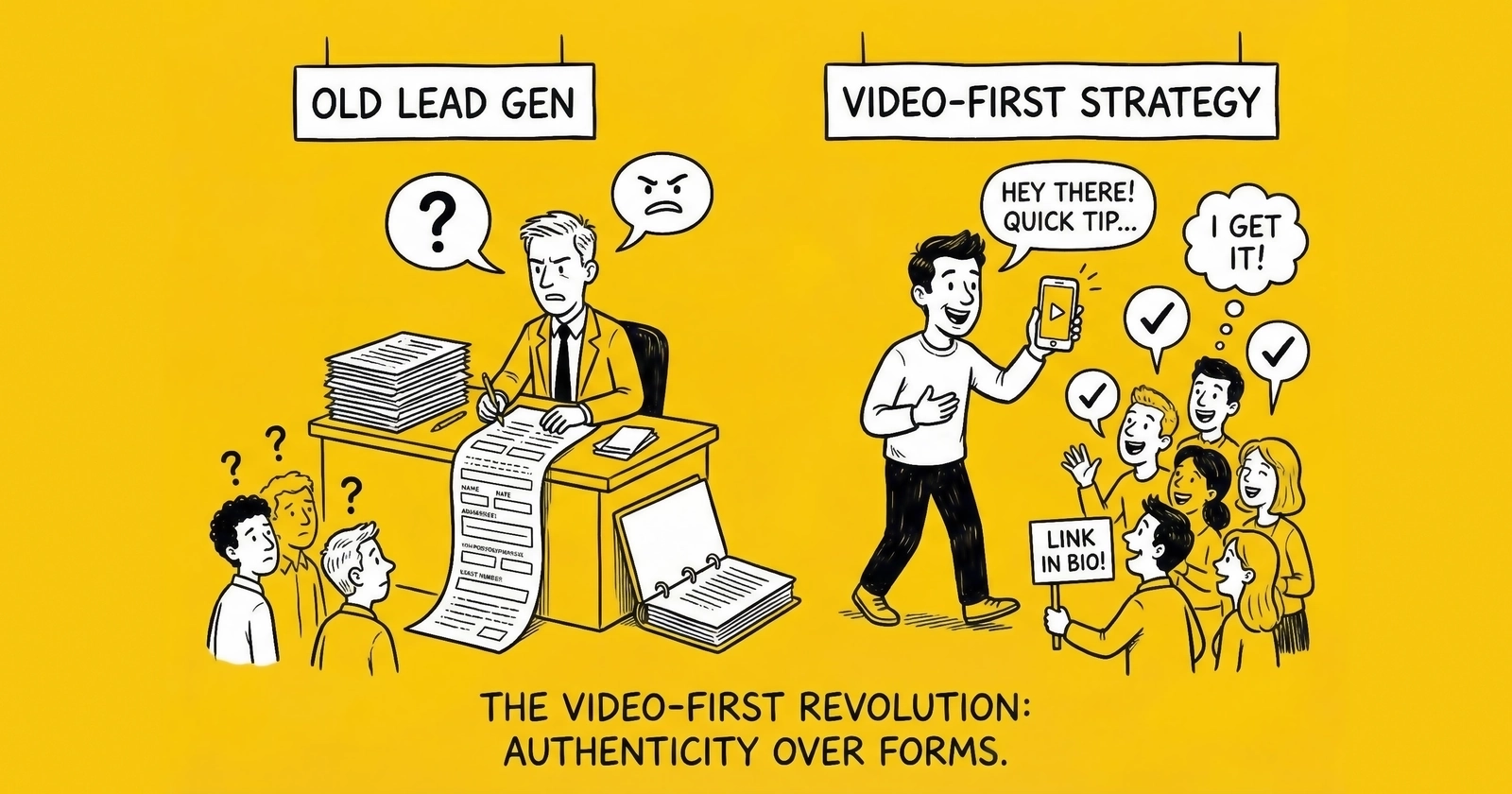
How to leverage video’s conversion advantages across the lead generation funnel, from advertising through qualification to nurturing.
Introduction: The Video Conversion Advantage
Video has evolved from marketing enhancement to conversion requirement, and the data is unambiguous. Video landing pages increase conversions by 80% or more. Seventy-two percent of customers prefer video when learning about products and services. Including video in email increases click-through rates by more than 300%. Viewers retain 95% of video messages compared to just 10% of text content. Landing pages with video hold visitor attention 2.6 times longer than those without.
For lead generation, these statistics translate directly to performance: more form completions, higher quality leads, faster qualification, and stronger conversion through the funnel.
Yet most lead generation operations remain text-centric. Landing pages feature stock images and bullet points. Email sequences deliver paragraph after paragraph of copy. Sales follow-up relies on phone calls and written proposals. Each represents a conversion gap that video-first approaches can close.
This guide provides the implementation framework for video-first lead generation: where video delivers maximum impact, how to produce effective video content, technical requirements for video-enhanced lead capture, and platform-specific strategies for video advertising.
The Video-First Framework
Where Video Drives Conversion
Not all funnel stages benefit equally from video. Prioritize video investment where conversion impact is highest.
The highest-impact applications deliver dramatic returns. Landing page explainer and hero videos generate 80% or greater conversion lift. Email nurturing with personalized video achieves 300% click-through rate increases. Video proposals in sales follow-up drive 35% higher close rates. Customer video testimonials prove 62% more influential than written alternatives.
Highest Impact:
| Stage | Video Type | Conversion Impact |
|---|---|---|
| Landing pages | Explainer/hero video | 80%+ conversion lift |
| Email nurturing | Personalized video | 300% CTR increase |
| Sales follow-up | Video proposal | 35% higher close rate |
| Testimonials | Customer video | 62% more influential |
Moderate-impact applications still justify investment for most operations. Video ads typically deliver 20-30% lower cost per acquisition. Case study videos increase trust by approximately 25%. Response videos addressing FAQs and objections reduce support questions by 40%.
Moderate Impact:
| Stage | Video Type | Conversion Impact |
|---|---|---|
| Paid advertising | Video ads | 20-30% lower CPA |
| Social proof | Case study video | 25% trust increase |
| FAQ/objection handling | Response video | 40% reduced questions |
Lower priority applications offer limited returns and should only be pursued after higher-impact opportunities are addressed. Confirmation videos in transactional emails deliver limited ROI. Privacy policy explainer videos are rarely watched. Technical documentation tutorials depend heavily on product complexity.
Lower Priority:
| Stage | Video Type | Note |
|---|---|---|
| Transactional emails | Confirmation video | Limited ROI |
| Privacy policy | Explainer video | Rarely watched |
| Technical documentation | Tutorial video | Depends on product |
Video-First vs. Video-Enhanced
Understanding the distinction between video-first and video-enhanced approaches helps match strategy to context.
Video-First Approach
In a video-first approach, video serves as the primary content while supporting text plays a secondary role. The page leads with video, and users are expected to watch before proceeding. This approach works best for landing pages promoting high-consideration products, complex product explanations requiring visual demonstration, personalized sales outreach where human connection matters, and customer testimonials where authenticity is paramount.
Video-Enhanced Approach
In a video-enhanced approach, video supports primary text content rather than replacing it. Users can consume the page without watching, while video provides optional depth for those who want it. This approach works best for blog content and resources, product feature pages, help documentation, and email campaigns where video complements written messaging.
Match your approach to user intent and content complexity.
Video Landing Pages
Why Video Landing Pages Convert
Video landing pages outperform text-based alternatives through several mechanisms.
Attention Capture
Video auto-play (muted) captures attention within 3 seconds of page load. Movement naturally attracts eye tracking, drawing visitors to your core message. This initial engagement reduces bounce rate by holding attention during the critical first moments of page interaction.
Information Density
One minute of video communicates the equivalent of approximately 1.8 million words of text. Complex value propositions that would require lengthy copy can be communicated quickly and clearly. This density reduces cognitive load on visitors, making your message easier to absorb and act upon.
Trust Building
Human faces create emotional connections that text cannot replicate. Production quality signals legitimacy and professionalism. Customer testimonials on video feel authentic in ways that written quotes cannot match.
Action Motivation
Video viewers are 64-85% more likely to purchase after watching product content. Emotional response drives action more effectively than logical arguments alone. Clear calls-to-action presented after video viewing maintain momentum while the message is fresh.
Landing Page Video Best Practices
Video Placement
Optimal landing page structure places video prominently while supporting conversion goals.
┌─────────────────────────────────────┐
│         HEADLINE (8 words max)       │
├─────────────────────────────────────┤
│                                      │
│     ┌─────────────────────────┐     │
│     │                         │     │
│     │      VIDEO PLAYER       │     │
│     │      (16:9 ratio)       │     │
│     │                         │     │
│     └─────────────────────────┘     │
│                                      │
│    [CTA Button - Watch to unlock]    │
│                                      │
├─────────────────────────────────────┤
│    Supporting benefits (3 bullets)   │
├─────────────────────────────────────┤
│    Social proof / testimonials       │
└─────────────────────────────────────┘
Video Length by Purpose
Different video purposes require different durations. Hero and explainer videos perform best at 60-90 seconds, with value front-loaded in the opening moments. Product demonstrations can extend to 2-3 minutes, showing rather than telling. Testimonials work best at 30-60 seconds focused tightly on outcome. Case studies require 2-4 minutes to fully develop the problem-solution-result narrative.
| Purpose | Optimal Length | Notes |
|---|---|---|
| Hero/explainer | 60-90 seconds | Front-load value |
| Product demo | 2-3 minutes | Show, don’t tell |
| Testimonial | 30-60 seconds | Focus on outcome |
| Case study | 2-4 minutes | Problem-solution-result |
Technical Specifications
Video technical requirements ensure quality across devices and connection speeds. Resolution should be 1080p minimum, with 4K reserved for high-end productions. Aspect ratio should be 16:9 for landscape viewing or 9:16 for mobile-first experiences. Use MP4 format with H.264 codec for universal compatibility. Create custom, high-quality thumbnails rather than relying on auto-generated frames. Always include captions since 85% of video is watched muted. Optimize load time to reach first frame in under 3 seconds.
Auto-Play Considerations
Auto-play with muted audio is both acceptable and effective, drawing attention without disrupting users. Auto-play with sound is blocked by modern browsers and should not be attempted. Provide a clear play button for users who wish to unmute. Include captions to ensure message delivery for muted viewing. Test mobile experience separately since behavior differs from desktop.
Video-Gated Lead Capture
Video can gate lead capture forms to improve both quantity and quality of submissions.
The watch-to-unlock approach presents a video thumbnail on the landing page. When the user clicks play, the video plays for 30-90 seconds. Upon video completion, the form appears. The user completes the form to access the next step in the process.
This approach pre-qualifies engaged visitors before asking for their information. It educates prospects before form completion, ensuring they understand your value proposition. Form completion rate increases because visitors have already invested time and attention. Lead quality improves because every lead has watched the full video.
Implementation Example:
// Video completion tracking
video.addEventListener('ended', function() {
    document.getElementById('lead-form').style.display = 'block';
    trackEvent('video_completed', { video_id: 'hero_explainer' });
});
Video in Email Marketing
Email Video Performance
Adding video to email dramatically improves engagement across all key metrics. Open rates increase from a baseline of 15-25% to 19-31% – a 26% improvement. Click-through rates jump from 2-5% to 8-14%, representing a 300% increase. Conversion rates improve from 1-3% to 2.5-6%, a 150% gain. Time on page extends from 30 seconds to over 2 minutes, tripling engagement depth.
| Metric | Without Video | With Video | Improvement |
|---|---|---|---|
| Open rate | 15-25% | 19-31% | +26% |
| Click-through rate | 2-5% | 8-14% | +300% |
| Conversion rate | 1-3% | 2.5-6% | +150% |
| Time on page | 30 seconds | 2+ minutes | +300% |
Video Email Implementation
Email clients do not support embedded video playback, requiring workaround approaches.
Animated GIF Preview
The animated GIF approach creates a 3-5 second GIF from your video’s most compelling moments. Embed this GIF as an image in your email, then link the GIF to a landing page hosting the full video. Track click-throughs to measure engagement with the video content.
Static Thumbnail with Play Button
The static thumbnail approach creates a video thumbnail image and overlays a play button graphic. Link this image to your video landing page. A/B test different thumbnail designs to optimize click-through rates.
Best Practices for Video Email
Include “Video” in your subject line – this single word increases open rates by 19%. Place the video thumbnail above the fold where it is immediately visible. Use action-oriented CTAs such as “Watch 60-Second Demo” rather than generic “Click Here” language. Track video views as a conversion event in your analytics. Follow up based on video engagement, prioritizing viewers who completed the video.
Personalized Video Outreach
Personalized video messages achieve exceptional response rates that justify the additional production effort. Research shows 81% of buyers prefer personalized video over text communication. Response rates are 5 times higher than text email. Reply-to-meeting conversion improves by 35%. Click-through rates increase 8 times compared to text-only messages.
Tools for Personalized Video:
| Platform | Key Features | Best For |
|---|---|---|
| Vidyard | Screen recording, analytics | Sales outreach |
| Loom | Quick recording, async comms | Internal/external |
| BombBomb | Email integration | Real estate, mortgage |
| Hippo Video | AI personalization | Scale personalization |
| Sendspark | Video messaging platform | Sales teams |
Personalization Levels
Basic personalization includes saying the recipient’s name, mentioning their company name, and referencing specific context from prior conversations. Advanced personalization shows the recipient’s website or LinkedIn profile on screen, references recent company news, and addresses specific pain points relevant to their situation. AI-scaled personalization enables dynamic name insertion, company-specific B-roll footage, and industry-specific messaging at volume.
Video Nurture Sequences
Structure video-enhanced nurture campaigns to guide prospects through the buying journey.
During the awareness stage, provide industry problem overview videos (2-3 minutes), solution category education (2-3 minutes), and your approach differentiation (90 seconds). The consideration stage introduces product demonstration (3-4 minutes), customer testimonials (60-90 seconds), and ROI or case study walkthroughs (2-3 minutes). The decision stage delivers implementation overview (2 minutes), team introduction (90 seconds), and personalized proposal video (3-5 minutes). For more on structuring these sequences, see our guide on speed-to-lead strategies.
Track video engagement to trigger stage advancement. For more on structuring these sequences, see our guide on speed-to-lead strategies. Viewers who watch 75% or more should advance to the next stage. Those watching less than 25% should receive different content in a retry sequence. Viewers who watch multiple videos warrant priority follow-up.
Video Testimonials and Social Proof
Why Video Testimonials Convert
Video testimonials outperform written testimonials across every meaningful metric. They are 62% more influential in purchase decisions. They are trusted twice as much as brand-produced content. They generate 12 times more shares than text or image testimonials. When viewed, they increase purchase intent by 97%.
Capturing Effective Testimonials
Pre-Production
Start by identifying enthusiastic customers through NPS surveys, support interactions, or sales team recommendations. Schedule a 30-minute video call. Provide a question guide rather than a script – you want authentic responses, not rehearsed lines. Explain how the video will be used so customers understand the context. Obtain a signed release for video usage rights.
Interview Questions
Structure questions for problem-solution-result narrative:
- “What challenge were you facing before [product/service]?”
- “What other solutions did you consider?”
- “What made you choose us?”
- “What results have you achieved?”
- “What would you tell someone considering us?”
Technical Setup
Use Zoom or Teams with recording enabled. Request that the customer choose a location with good lighting and a quiet environment. Record in 1080p minimum resolution. Capture multiple takes if needed to get natural-sounding responses. Get permission for editing at the end of the session.
Post-Production
Extract 30-60 second highlights from the longer interview. Add captions – this is essential, not optional. Include a title card with the customer’s name and company. Brand consistently with your visual identity. Create multiple cuts (15-second, 30-second, and 60-second versions) for different uses across channels.
Deploying Video Testimonials
Deploy testimonials strategically across your lead generation assets. On landing pages, place them below the hero section and near forms to reduce anxiety. Use industry-specific testimonials on vertical-focused pages. In email campaigns, include testimonials in case study follow-ups, objection handling sequences, and final decision-stage emails. In the sales process, send relevant testimonials before calls, use them for post-demo reinforcement, and include them as proposal accompaniment. On social media, upload natively to each platform, use platform-specific formatting (vertical for Stories and Reels), and invest in paid amplification of top performers.
Platform-Specific Video Strategies
YouTube for Lead Generation
YouTube is the second-largest search engine, making SEO optimization essential for discovery. Optimize with keyword-rich titles that front-load primary keywords. Write detailed descriptions of 500 or more words. Include relevant tags and hashtags. Create custom thumbnails designed for high click-through rates. Add closed captions which are searchable by YouTube’s algorithm.
Lead Capture Approaches:
| Method | Conversion Rate | Best For |
|---|---|---|
| End screens with CTA | 2-5% | High-intent content |
| Video description links | 1-3% | Evergreen content |
| Cards (mid-video) | 3-7% | Tutorial content |
| Pinned comments | 1-2% | Community engagement |
Structure your content strategy by funnel stage. Top of funnel content should be educational and keyword-targeted to capture search traffic. Middle of funnel content includes product comparisons and how-to guides for researchers evaluating options. Bottom of funnel content features customer stories and detailed demos for those ready to decide.
TikTok and Short-Form Video
Short-form video platforms require fundamentally different approaches than long-form content.
For more on TikTok lead generation specifically, see our TikTok lead generation guide.
TikTok/Reels/Shorts Specifications:
| Element | Specification |
|---|---|
| Aspect ratio | 9:16 (vertical) |
| Length | 15-60 seconds optimal |
| Text | On-screen captions essential |
| Audio | Trending sounds increase reach |
| Posting | 1-3x daily for growth |
Lead generation tactics for short-form platforms include optimizing your bio link to drive traffic to landing pages, using “Link in bio” CTAs within videos, leveraging native lead forms on TikTok Lead Gen, engaging in comments to move conversations to DMs and then conversion, and partnering with creators using trackable links.
Effective content approaches include educational tips that lead with value, behind-the-scenes content that builds authenticity, customer transformation stories, trend participation with a brand angle, and problem-agitation-solution format videos.
LinkedIn Video
LinkedIn video reaches B2B decision-makers where they spend professional time. Upload videos natively rather than sharing YouTube links – native video gets far better reach. Optimal length is 1-3 minutes for feed content. Use square (1:1) or vertical (4:5) format. Captions are essential since LinkedIn autoplays video muted. Aim for professional but authentic production quality.
Lead generation approaches on LinkedIn include creating educational content that drives profile visits, connections, and conversations. Post video comments on prospect posts to demonstrate expertise. Send direct messages with personalized video. Use video in InMail for premium accounts. Include video in newsletters with embedded content.
The performance benchmarks are compelling: video posts get 5 times more engagement than text. Native video reaches 20 times more people than shared links. Video messages have 75% higher response rates than text.
Video Production for Lead Generation
Production Quality Spectrum
Match production quality to purpose and budget across three tiers.
DIY/Authentic Production
The lowest-cost approach uses a smartphone with natural lighting, basic editing in CapCut or iMovie, screen recordings with face overlay, and user-generated content style. This works best for personalized outreach, social media content, and authenticity-focused messaging where polish might feel inauthentic.
Mid-Tier Professional Production
This approach uses a DSLR or mirrorless camera with a basic lighting kit, professional editing, and simple graphics or animations. It works best for landing page videos, testimonials, and product demos where quality matters but budgets are constrained.
High Production
Professional-grade production involves hiring a professional videographer, studio or location shooting, motion graphics, and professional voice-over. This level works best for brand hero videos, high-stakes landing pages, and advertising campaigns where production quality directly impacts perception.
Essential Equipment
Minimum Viable Setup ($500-1,000)
A smartphone with a good camera (iPhone or Samsung flagship), ring light or softbox light, lapel microphone for clear audio, simple tripod or mount for stability, and basic editing software provide everything needed to start.
Professional Setup ($2,000-5,000)
A mirrorless camera such as the Sony a6400 or Canon M50, 2-3 point lighting kit, shotgun microphone, quality tripod, external monitor for framing, and professional editing software like Adobe Premiere or Final Cut Pro enable studio-quality production.
Editing and Post-Production
Essential Elements
Every video needs captions and subtitles since 85% of viewers watch without sound. Include intro and outro branding but keep it to 5 seconds maximum. Add music from royalty-free or licensed sources. Overlay calls-to-action at appropriate moments. Create compelling thumbnails for each video.
Editing Software Options:
| Software | Level | Cost |
|---|---|---|
| CapCut | Beginner | Free |
| DaVinci Resolve | Intermediate | Free |
| Adobe Premiere | Professional | $21/month |
| Final Cut Pro | Professional | $300 one-time |
Measuring Video Impact
Key Video Metrics
Engagement Metrics
View count measures reach and should show growth over time. Watch time indicates content quality with a target of greater than 50% average viewing. Completion rate measures engagement depth with a target of greater than 30%. Click-through rate shows CTA effectiveness with a target of greater than 2%.
| Metric | What It Measures | Target |
|---|---|---|
| View count | Reach | Growth over time |
| Watch time | Content quality | >50% average |
| Completion rate | Engagement | >30% |
| Click-through rate | CTA effectiveness | >2% |
Conversion Metrics
Video-to-lead rate measures funnel effectiveness with a target of greater than 5%. Influenced pipeline tracks revenue attribution and should be monitored consistently. Time to conversion measures sales velocity and should decrease over time. A/B lift documents the performance difference between video and no-video variants.
| Metric | What It Measures | Target |
|---|---|---|
| Video-to-lead rate | Funnel effectiveness | >5% |
| Influenced pipeline | Revenue attribution | Track |
| Time to conversion | Sales velocity | Decrease |
| A/B lift | Video vs. no video | Document |
Attribution and Tracking
Effective video attribution requires systematic implementation. Use UTM parameters on all video CTAs to track source. Track video engagement events in your analytics platform. Integrate your video platform with your CRM to connect viewing to pipeline. Create video engagement scoring to prioritize follow-up.
Video Engagement Score Example:
Watched 25%: +5 points
Watched 50%: +10 points
Watched 75%: +15 points
Watched 100%: +25 points
Clicked CTA: +20 points
Shared video: +30 points
Frequently Asked Questions
Do I need professional video production for lead generation?
No. Authentic, DIY-quality video often outperforms polished production for certain applications. Personalized sales videos, social media content, and testimonials frequently convert better with authentic production because viewers perceive them as more genuine. However, landing page hero videos, advertising campaigns, and brand content benefit from professional production. Match production quality to context: use authentic production for personalization and trust-building, professional production for first impressions and paid amplification.
What is the ideal length for lead generation videos?
Optimal length varies by placement and purpose. Landing page hero videos should be 60-90 seconds – long enough to communicate value, short enough to maintain attention. Product demonstrations can extend to 2-3 minutes for interested viewers. Video ads should be 15-30 seconds for awareness, 30-60 seconds for consideration. Testimonials work best at 30-60 seconds. Email video thumbnails should link to videos under 3 minutes. Always front-load the most important content in the first 10 seconds regardless of total length.
How do I add video to email without embedding issues?
Email clients do not support embedded video playback. Instead, create a compelling thumbnail image (screenshot with play button overlay), embed that image in your email, and link it to a landing page where the video plays. Alternatively, use animated GIFs (under 1MB) to show 3-5 seconds of video motion. Include “Video” in your subject line to set expectations and increase open rates. Track clicks on the video thumbnail as a key engagement metric. Video email platforms like Vidyard and BombBomb streamline this process with tracking and analytics.
What video metrics matter most for lead generation?
Focus on conversion-oriented metrics rather than vanity metrics. Video completion rate indicates content quality – target 30%+ completion for landing page videos. Click-through rate on video CTAs measures action motivation – target 2%+ for effective videos. Video-to-lead conversion rate (viewers who become leads) is the ultimate measure – track this by comparing landing pages with and without video. Watch time helps identify where viewers drop off, enabling optimization. View count matters less than engagement depth for lead generation purposes.
How do I capture video testimonials from customers?
Start by identifying enthusiastic customers through NPS surveys or support interactions. Reach out personally explaining the request and how the video will be used. Schedule a 30-minute video call (Zoom/Teams) and provide a question guide covering their challenge, solution selection, and results achieved. Get signed release for video usage rights. Record in highest quality available, capture multiple takes, and edit to 30-60 second highlights. Always include captions. Create multiple versions (15s, 30s, 60s) for different placements.
Should I use video on mobile landing pages?
Yes, but optimize for mobile viewing. Use vertical (9:16) or square (1:1) aspect ratios rather than landscape. Ensure videos load quickly (compress appropriately). Always include captions since mobile viewers often watch without sound. Consider whether auto-play is appropriate for your mobile audience. Test video placement – above the fold works for desktop but may push form below view on mobile. A/B test video versus no-video on mobile specifically, as performance may differ from desktop patterns.
Key Takeaways
-
Video landing pages increase conversions by 80% or more through attention capture, information density, trust building, and action motivation – making video investment essential for high-traffic landing pages.
-
Video in email boosts click-through rates by 300% using the thumbnail-with-play-button approach linked to video landing pages, with “Video” in subject lines increasing open rates by 19%.
-
Personalized video outreach achieves 5 times higher response rates than text email, with tools like Vidyard, Loom, and BombBomb enabling scaled personalization for sales follow-up.
-
Video testimonials are 62% more influential than written testimonials, with customer video capturing problem-solution-result narratives in 30-60 second highlights.
-
Platform-specific strategies differ significantly: YouTube requires SEO optimization and end screens, TikTok and Reels demand vertical format and trend participation, and LinkedIn native video gets 5 times more engagement than text.
-
Production quality should match purpose: authentic smartphone video for personalization and social media, professional production for landing pages and advertising campaigns.
-
Always include captions since 85% of social video is watched without sound – captions ensure message delivery regardless of viewing context.
-
Track conversion metrics over vanity metrics: video-to-lead rate, influenced pipeline, and A/B test lift matter more than view counts for lead generation measurement.
Performance statistics based on industry research and platform data through December 2025. Video platform features and specifications evolve – verify current capabilities with platform documentation.