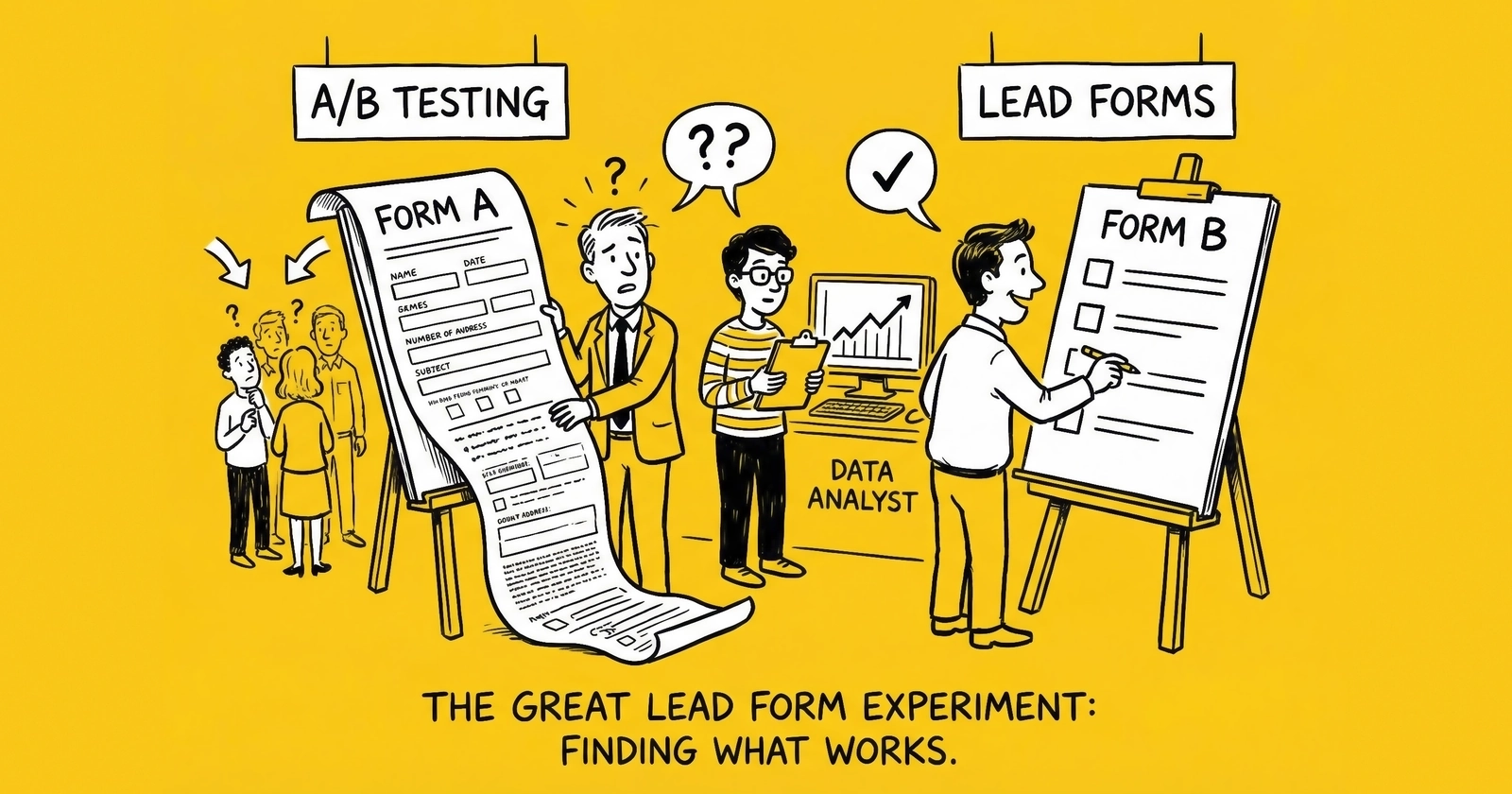
Testing is how you find the extra 2% that transforms unit economics from marginal to profitable.
The difference between a 4.2% conversion rate and a 6.4% conversion rate looks insignificant on a dashboard. It is not insignificant on a P&L.
That 2.2 percentage point improvement means 52% more leads from the same traffic spend. If you are buying 10,000 visitors per day at $2.50 each, a 4.2% conversion rate produces 420 leads. A 6.4% conversion rate produces 640 leads. Same $25,000 daily spend, 220 additional leads. At $45 per lead, that is $9,900 in additional daily revenue. Over a month, $297,000.
This is what systematic testing produces. Not theoretical gains. Actual revenue.
Most lead generation operators approach form optimization the wrong way. They read blog posts about button colors, make random changes, declare winners after 200 visitors, and wonder why nothing improves. They are not testing. They are guessing with extra steps.
Real A/B testing requires a framework: knowing what to test first, understanding statistical significance, measuring the right outcomes, and building testing into ongoing operations. This article covers all of it. By the end, you will have the methodology to systematically improve your lead forms and the judgment to interpret what your tests actually reveal.
What to Test First: The Prioritization Framework
Testing capacity is finite. Every test consumes traffic, takes time, and delays other experiments. Those who win are not the ones who run the most tests. They are the ones who run the right tests in the right order.
Prioritize tests using this formula: Potential Impact x Probability of Success / Effort Required. High-impact, high-probability, low-effort tests come first. Low-impact, uncertain, labor-intensive tests come last. This is not rocket science. It is discipline that separates systematic optimizers from random guessers.
The Testing Hierarchy
Not all tests are created equal. The hierarchy follows a clear pattern from highest to lowest impact.
Tier 1: Structural tests produce the largest swings because they determine the fundamental architecture of your form. These tests address whether you use a single-step or multi-step format, how many fields you include, what sequence questions appear in, and how many fields remain visible at any given time. Structural tests regularly produce 20-80% conversion lifts. A multi-step form converting 86% better than a single-step equivalent is documented across verticals. This is where you start. Always.
Tier 2: Messaging tests determine how visitors perceive your offer. These include headlines and value propositions, button copy, trust signals and social proof, and how you present consent language. Messaging tests typically produce 10-30% improvements. Still significant, still worth prioritizing after structure is optimized.
Tier 3: Design tests refine the visual experience once you have the structure and messaging right. Button colors and sizes, field styling, progress indicator formats, and mobile-specific optimizations all fall into this category. Design tests usually produce 5-15% changes, which matter after you have squeezed the bigger gains from structure and messaging.
Tier 4: Micro-optimizations polish the details at the margin. Placeholder text, error message wording, field border styles, and background colors rarely exceed 5% impact. Save these for mature forms where major opportunities are exhausted.
The common mistake is inverting this hierarchy. Operators test button colors while their form asks 15 questions on a single page. They debate shades of blue while their headline says “Get Started” instead of communicating specific value. Always work from highest impact to lowest.
High-Impact Test Elements
These are the levers that move conversion rates. Each one deserves focused experimentation.
Headlines: The Biggest Lever
Your form headline is the final piece of persuasion before visitors commit to providing information. It answers one question: “What do I get for filling this out?”
Consider the difference between weak and strong approaches. A weak headline like “Get a Quote” is generic and passive. A strong headline like “Compare Rates from 25 Top Carriers in 90 Seconds” specifies the number of options (25 carriers), sets time expectations (90 seconds), and implies a benefit (comparison shopping saves money).
When testing headlines, explore multiple dimensions. Specificity matters – test vague promises against concrete benefits with numbers. Time frames work because visitors want to know how long the process takes. Social proof statements like “87% of users save an average of $423” can dramatically shift perception. Action orientation varies in impact – “Get” versus “Compare” versus “See” versus “Discover” each trigger different psychological responses. Risk reversal language like “Free, no obligation” often outperforms no risk language at all.
Headline tests consistently produce double-digit conversion changes. A 2019 study of 40,000 landing pages found that headlines with numbers outperformed headlines without numbers by 36%. Specificity converts.
Run at least three headline variations before concluding you have optimized this element. The first test tells you what direction works. The second test refines within that direction. The third test confirms you have found the local maximum.
Form Length: The Visibility Paradox
Here is the counterintuitive finding that changed how the industry approaches form design: showing fewer fields increases conversion, even when total fields remain constant.
Research from HubSpot found that forms with five or fewer visible fields convert 120% better than longer alternatives. But multi-step forms collect 15-20 fields across multiple screens while maintaining the psychological simplicity of showing only 3-4 fields at once. The conversion difference is dramatic. Industry benchmarks show multi-step forms averaging 13.85% conversion compared to 4.53% for single-step forms. That is an 86% improvement from the same total fields in a different format.
Testing form length involves several dimensions. Start with the fundamental question of single-step versus multi-step format. Then examine the number of fields per step – does 2-3 perform differently than 4-5 or 6+? Consider total field count by testing minimum viable fields against qualification-heavy approaches. Most importantly, measure how field removal affects lead quality downstream.
The trade-off is real: removing fields increases conversion but may reduce lead quality. Test not just conversion rate but downstream metrics. A 30% conversion improvement means nothing if it creates leads that do not sell or convert for buyers. Understanding lead return rates and benchmarks helps you evaluate whether your optimizations are truly improving economics.
Field Order: The Commitment Ladder
Not all form fields carry equal psychological friction. Strategic sequencing builds commitment before asking for sensitive information.
Low-friction fields include multiple-choice selections like “What type of coverage are you looking for?”, yes/no questions, dropdown menus, range sliders, and preference questions. These feel consultative rather than invasive. High-friction fields trigger more resistance: email addresses, phone numbers, street addresses, Social Security numbers, and open-ended text fields all require visitors to overcome privacy hesitation.
The optimal sequence starts with low-friction questions that feel consultative and saves high-friction questions for later steps when visitors have invested effort. Research on insurance lead forms confirms this pattern: forms asking about vehicle information before personal information outperform forms that lead with contact details.
When testing field order, consider several approaches. Compare low-friction first against high-value-information first. Test whether phone before email outperforms email before phone. Examine whether qualifying questions should come before or after contact fields. Try breaking sensitive fields across multiple steps versus grouping them together.
A note on sunk cost psychology: once visitors complete 60% of a multi-step form, completion rates increase sharply. The strategic goal is getting visitors past that commitment threshold before introducing the fields most likely to cause abandonment.
Button Copy: The Final Friction Point
The submit button is where visitors make their final decision. Generic copy creates generic results.
Weak button copy like “Submit” is passive and vague. Strong button copy like “Get My Free Quotes” is action-oriented, includes a benefit (free), specifies the outcome (quotes, plural), and uses first-person language (My) that increases psychological ownership.
Test multiple dimensions of button copy. Compare generic options like “Submit” and “Continue” against benefit-oriented alternatives like “Get My Quotes.” Test first person language (“Get My…”) against second person (“Get Your…”). Experiment with length – single word versus short phrase versus detailed action. Try urgency language with “Now” or “Today” against neutral phrasing. Test risk reduction language including “Free” and “No obligation” against omission.
Button copy tests are easy to run and frequently produce 10-30% improvements. Test at least five variations before moving on. Button design matters separately from copy – ensure sufficient contrast with the form background, adequate size for mobile taps (minimum 44x44 pixels), and clear loading states that provide feedback when clicked.
Trust Signals: Reducing Perceived Risk
Trust operates in layers. Different visitors need different levels of reassurance. First-time visitors from cold display traffic need more trust signals than returning visitors from retargeting campaigns.
Immediate trust signals appear visible within the form area itself. These include security badges like SSL, TRUSTe, and Norton Secured logos, brand logos of carriers or service providers, “As Seen In” media mentions, and privacy commitment statements. Reinforcing trust signals sit adjacent to the form and include testimonials, ratings and review counts, specific numbers like “500,000+ quotes delivered,” and industry certifications.
Research suggests 92% of consumers read testimonials when considering providing information. Testimonials placed directly adjacent to the form increase submission rates by up to 50%.
When testing trust signals, explore multiple variations. Compare forms with badges against forms without badges. Test the number of badges – does 1 perform differently than 3 or 5? Examine testimonial presence and placement. Compare specific social proof numbers against generic claims. Test privacy statements at different prominence levels – prominent versus subtle versus omitted entirely.
Trust signal tests require segmenting by traffic source because cold traffic responds differently than warm traffic. Your retargeting audience already trusts you enough to return. Your first-touch display audience does not.
Images: Visual Context and Distraction
Images present a trade-off between emotional engagement and conversion focus. The research is mixed. Arguments for images include emotional connection, humanization, and providing a visual break from text. Arguments against images include distraction, slower load times, and visual clutter. A 2023 study found that every additional second of load time reduces conversion by 4.4%. Optimize images aggressively or remove them entirely.
Sample Size and Statistical Significance
This is where most testing programs fail. Operators declare winners based on feelings rather than statistics. A test showing Variant B converting 15% better than Control sounds exciting. If the sample size is 200 visitors, that result will reverse with more data.
Understanding Statistical Confidence
Statistical significance measures the probability that observed differences are due to the test changes rather than random chance. Industry standard is 95% confidence, meaning there is only a 5% probability the result is statistical noise.
That 95% threshold is not arbitrary. At 80% confidence, one in five “winning” tests will be false positives. At 90% confidence, one in ten. At 95%, one in twenty. This error rate compounds across multiple tests. Run 20 tests at 80% confidence and you will implement approximately four false winners.
Before launching any test, calculate the sample size needed to detect your minimum desired effect. This depends on three variables. Baseline conversion rate matters because lower-converting forms need larger samples – a form converting at 3% requires more data than a form converting at 15% to detect the same relative improvement. Minimum detectable effect (MDE) determines sample requirements because smaller improvements require larger samples – detecting a 20% relative lift needs fewer visitors than detecting a 5% lift. Statistical power, which is the probability of detecting a real effect when it exists, is typically set at 80%. For a deeper exploration of these concepts, see our complete guide to A/B test statistical significance.
For a form with 5% baseline conversion and desire to detect 15% relative improvement (5% to 5.75%), you need approximately 30,000 visitors per variant. At 10% baseline and 20% MDE, you need approximately 3,800 visitors per variant. Use a sample size calculator before every test. Search “A/B test sample size calculator” and use any of the standard options like Evan Miller, Optimizely, or VWO. Running tests without predetermined sample sizes produces unreliable results.
The Peeking Problem
Peeking is the practice of checking test results repeatedly and stopping when one variant appears to be winning. This dramatically inflates false positive rates. If you check a test 10 times during its run, your effective false positive rate increases from 5% to over 30%. The more you peek, the more likely you are to stop at a random fluctuation rather than a real difference.
The solution is pre-registration: commit to your sample size before the test starts and do not stop early regardless of intermediate results. This requires discipline. Watching a variant “lose” for three weeks without intervening is difficult. It is also necessary for reliable results.
How Long to Run Tests
Test duration depends on traffic volume and required sample size. The math is straightforward: Duration equals Required Sample Size divided by Daily Unique Visitors. If you need 30,000 visitors per variant (60,000 total) and receive 2,000 visitors per day, the test runs 30 days. If you receive 500 visitors per day, the test runs 120 days.
Low-traffic forms face a difficult reality: meaningful tests take months. A form with 100 daily visitors testing a 15% improvement at 5% baseline conversion requires 600+ days per test. This is why low-traffic operators must prioritize ruthlessly and consider pooled testing across multiple forms.
The Two-Week Minimum and When to Extend
Regardless of sample size, always run tests for at least two complete weeks. This captures day-of-week effects because Monday traffic differs from Saturday traffic. It captures payroll cycles since consumer behavior shifts around pay periods. It accounts for promotional fluctuations from your ads and competitors’ ads. And it reveals seasonal patterns in your vertical. A test reaching sample size on day 5 should still run through day 14 to capture weekly variance.
Extend a test beyond the minimum duration when results are close to your significance threshold but not over (92-94% confidence), when you observe unusual traffic patterns during the test window, or when external factors like competitor changes, news events, or seasonality may have influenced results. But do not extend indefinitely. If a test cannot reach significance within 4-6 weeks, the difference between variants is probably too small to matter operationally. Declare no significant difference and move to the next test.
Reading Your Results: Conversion Versus Quality
A/B testing conversion rate is the easy part. Testing lead quality is harder and more important.
The Quality Trap
A form variation that increases conversion by 40% looks like an obvious winner. It is not obvious until you know what happened to lead quality. Higher conversion often correlates with lower quality. Reducing form fields means less qualification. Softer consent language means less intent. More aggressive headlines attract tire-kickers. The form that converts best may produce leads that do not sell, convert poorly for buyers, or generate excessive returns.
Metrics That Matter Beyond Conversion
Sell-through rate measures what percentage of generated leads actually sell to buyers – a test winner that reduces sell-through from 85% to 60% is not a winner. Return rate tracks what percentage of sold leads come back as returns, and an increase from 8% to 18% return rate erases most conversion gains. Revenue per visitor, calculated as conversion rate multiplied by average lead value after returns, captures the economic reality in a single metric. Properly calculating lead ROI ensures your testing program optimizes for profit, not just conversion volume. Downstream conversion matters if you have buyer feedback – track what percentage of leads convert to customers, because leads that never answer the phone are worthless regardless of form metrics. Contact rate reveals what percentage of leads answer initial contact attempts, and fake phone numbers, disconnected lines, and wrong numbers all indicate quality problems.
The Lookback Window
Lead quality metrics take time to materialize. Returns happen 7-30 days after sale depending on buyer terms. Downstream conversion data arrives 30-90 days later. Contact rate feedback may take weeks. This creates a testing dilemma: you cannot wait 90 days for every test.
The solution is establishing baseline quality metrics and implementing rapid quality signals available immediately. These include TrustedForm certificate validity, phone number verification status, email deliverability check results, time-on-form (bots complete forms in 2-3 seconds), and duplicate rate against your existing database. Comprehensive lead validation across phone, email, and address provides the real-time quality signals you need for rapid test evaluation. If rapid signals deteriorate with a new variant, pause the test and investigate before scaling.
Delayed quality signals become available 2-4 weeks post-test and include return rate comparison versus control period, buyer feedback on lead quality, and contact rate from sales teams. Long-term quality signals available 6-12 weeks post-test include customer conversion rate, customer lifetime value, and buyer retention and satisfaction. Run full quality analysis on major structural tests. For minor copy tests, rapid signals usually suffice.
Multivariate Testing Versus A/B Testing
A/B testing compares two variants of a single element. Multivariate testing (MVT) tests multiple elements simultaneously and measures interaction effects.
Use A/B testing when you have limited traffic (under 5,000 visitors per day), when you are testing structural changes like single-step versus multi-step, when you want clear attribution of cause and effect, or when you are early in your optimization journey. A/B testing is simpler, faster to reach significance, and produces unambiguous results. For most lead generation forms, A/B testing is the right approach.
Use multivariate testing when you have high traffic volume (10,000+ visitors per day), when you are testing multiple elements with potential interactions, when you have exhausted major A/B test opportunities, or when you have statistical sophistication to interpret complex results. MVT requires dramatically larger sample sizes. Testing three headlines and three button copies (9 combinations) requires 9x the sample size of a single A/B test. At 50,000 visitors needed per variant, MVT demands 450,000 visitors minimum.
The practical recommendation: start with sequential A/B tests. Test headlines and pick a winner. Test button copy and pick a winner. Test trust signals and pick a winner. You will reach reliable conclusions faster than attempting MVT.
Testing Tools: What to Use in 2025
Google Optimize was the default free A/B testing tool until Google sunset it in September 2023. The market has fragmented since then.
Enterprise platforms costing $10,000-$200,000+ per year include Optimizely, VWO, and AB Tasty. These offer full-featured statistical engines, visual editors, and advanced segmentation. Mid-market options ranging from $4,000-$60,000 per year include Convert, which focuses on privacy and GDPR/CCPA compliance, and Kameleoon with its AI-driven targeting. Accessible entry points include PostHog with its free tier, Unbounce Smart Traffic at $99-$500 per month, and GA4 Experiments with free but limited functionality.
Match tool capabilities to your operation. Under 10,000 monthly visitors, use your landing page builder’s native testing or manual split testing – dedicated testing tools are overkill. Between 10,000 and 100,000 monthly visitors, entry-level tools provide sufficient capability without enterprise pricing. Above 100,000 monthly visitors, invest in enterprise platforms for statistical rigor and advanced segmentation.
The tool matters less than the methodology. A disciplined testing program with basic tools outperforms an undisciplined program with enterprise software every time.
Building a Testing Calendar
Systematic testing requires planning. Ad hoc experiments produce inconsistent results.
A sample 12-month calendar illustrates the progression. Q1 establishes structural foundation with Month 1 testing single-step versus multi-step format, Month 2 optimizing fields per step if multi-step won, and Month 3 refining question sequence. Q2 focuses on messaging optimization with Month 4 running three headline variants, Month 5 testing five button copy variations, and Month 6 examining trust signal presence, type, and placement. Q3 refines the experience with Month 7 addressing mobile-specific optimizations, Month 8 improving error message and validation UX, and Month 9 testing progress indicators. Q4 pursues advanced optimization with Month 10 re-testing the Q1 winner against a refined challenger, Month 11 running personalization tests by traffic source, and Month 12 deploying a full-page redesign incorporating all learnings.
For every test, document the hypothesis, variants, duration, sample size, results, quality impact, decision, and next test suggested. This documentation becomes institutional knowledge. New team members can understand your optimization history. You can identify patterns across tests. You avoid repeating failed experiments.
Common Testing Mistakes
Eight mistakes recur across testing programs. Understanding them helps you avoid them.
Declaring winners too early is the most common failure. A variant leading by 25% after 500 visitors will often reverse by 5,000 visitors. Calculate required sample size before the test. Do not stop early.
Testing too many things simultaneously makes results uninterpretable. Running five tests on one form creates noise that obscures signal. One test per form at a time. Sequential testing produces clean attribution.
Ignoring segment differences leads to missed opportunities and false conclusions. A test winner for desktop traffic may be a loser for mobile. Analyze results by major segments. Consider segment-specific variations.
Testing trivial changes wastes traffic and time. Moving a button 10 pixels will not produce detectable differences. Focus on changes likely to produce 10%+ improvements.
Copying competitors without testing assumes their optimization is complete and their audience matches yours. Neither assumption is reliable. Use competitor forms as hypotheses, not conclusions.
Optimizing for conversion only ignores the economics that matter. A test that increases conversion 30% while reducing quality 40% loses money. Track revenue per visitor, not just conversion rate.
Abandoning testing after initial wins treats optimization as a project with an end date. It is not. Form optimization is ongoing. Mature forms should still run 4-6 tests per year.
Testing without traffic quality consideration corrupts your data. Bot traffic converts differently than legitimate visitors. Monitor traffic quality during tests and filter before analysis.
Frequently Asked Questions
What should I A/B test first on my lead form?
Start with structural tests: single-step versus multi-step format and total field count. These produce the largest conversion impacts (20-80% improvements are common). Once structure is optimized, move to messaging (headlines, button copy) then design (trust signals, visual elements).
How long should I run an A/B test on a lead form?
Duration depends on traffic volume and required sample size. Calculate samples needed before starting. Minimum duration is two weeks regardless of sample size to capture weekly variance. Typical tests run 3-6 weeks. Low-traffic forms may require 2-3 months.
What is a statistically significant result in A/B testing?
Industry standard is 95% confidence, meaning only a 5% probability that the observed difference is due to random chance. Never act on results below 90% confidence unless other evidence supports the decision.
How many visitors do I need for an A/B test?
Sample size requirements vary based on baseline conversion rate and minimum detectable effect. A form converting at 5% testing for 15% relative improvement needs approximately 30,000 visitors per variant. A form converting at 15% testing for 20% improvement needs approximately 2,500 per variant.
Should I use A/B testing or multivariate testing for lead forms?
Use A/B testing in most cases. It requires smaller sample sizes, produces clearer results, and suits the sequential optimization most forms need. Reserve multivariate testing for high-traffic forms (10,000+ daily visitors) where you have exhausted major A/B opportunities.
How do I know if my test results are reliable?
Reliable results meet three criteria: (1) reached predetermined sample size, (2) achieved 95%+ statistical significance, (3) ran for at least two complete weeks capturing day-of-week variance.
What A/B testing tools work for lead generation forms in 2025?
Enterprise options include Optimizely and VWO. Mid-market tools include Convert and Kameleoon. Accessible entry points include PostHog, Unbounce Smart Traffic, and GA4 Experiments. Match tool sophistication to traffic volume and team capability.
How often should I A/B test my lead forms?
Mature forms should run 4-6 tests per year minimum. High-traffic forms can sustain monthly testing. Never consider a form finished. User behavior, competitive landscape, and traffic sources evolve continuously.
How do I test lead quality alongside conversion rate?
Track quality metrics separately: sell-through rate, return rate, contact rate, downstream conversion. Use rapid quality signals (phone verification, TrustedForm validity, time-on-form) for immediate feedback. Wait 2-4 weeks for return rate data before full deployment of major changes.
What is a good conversion rate to aim for on a lead form?
Benchmarks vary by vertical, traffic source, and traffic temperature. Cold traffic typically converts 3-8%. Warm traffic converts 10-20%. Hot traffic can convert 25%+. Compare your rates to historical performance and test continuously rather than targeting generic benchmarks.
Key Takeaways
-
Prioritize tests by impact: structural tests first (format, field count), then messaging (headlines, buttons), then design elements. A 2.2 percentage point conversion improvement on $25,000 daily spend produces $297,000 additional monthly revenue.
-
Calculate sample size before every test. Never declare winners without reaching 95% statistical significance. At 90% confidence, one in ten “wins” are false positives.
-
Run tests for minimum two complete weeks regardless of sample size to capture weekly variance. Low-traffic forms require months, not weeks, for reliable results.
-
Conversion rate alone is misleading. Track sell-through rate, return rate, and downstream conversion. A 30% conversion improvement that doubles return rate loses money.
-
Build testing into operations, not projects. Mature forms should run 4-6 tests annually. User behavior, traffic sources, and competitive landscape evolve continuously.
-
Document every test: hypothesis, variants, results, quality impact, decisions. This institutional knowledge compounds over time and prevents repeating failed experiments.
-
Match testing tools to traffic volume and team capability. Sophisticated tools with undisciplined methodology produce worse results than basic tools with rigorous process.
Sources
-
Optimizely: A/B Testing Glossary - Covers A/B testing fundamentals, statistical significance requirements, and the importance of reaching 95% confidence before declaring winners.
-
VWO: A/B Testing Guide - Explains split testing methodology, sample size requirements, and why running tests for minimum duration matters regardless of early significance.
-
Penn State STAT 200: Statistical Significance - Provides the statistical foundation for understanding 90% vs 95% confidence levels and the corresponding false positive rates (1 in 10 vs 1 in 20).
-
Unbounce: A/B Testing Guide - Landing page optimization reference covering form testing priorities, including multi-step form performance and field count optimization.
-
NIST Engineering Statistics Handbook - Technical reference for hypothesis testing methodology, Type I/II errors, and the statistical theory underlying conversion rate testing.
Those who build sustainable lead generation businesses share one trait: they treat testing as a system, not an occasional activity. Every percentage point of conversion improvement compounds across every visitor, every day, for years. That compounding is how testing transforms marginal economics into profitable operations.