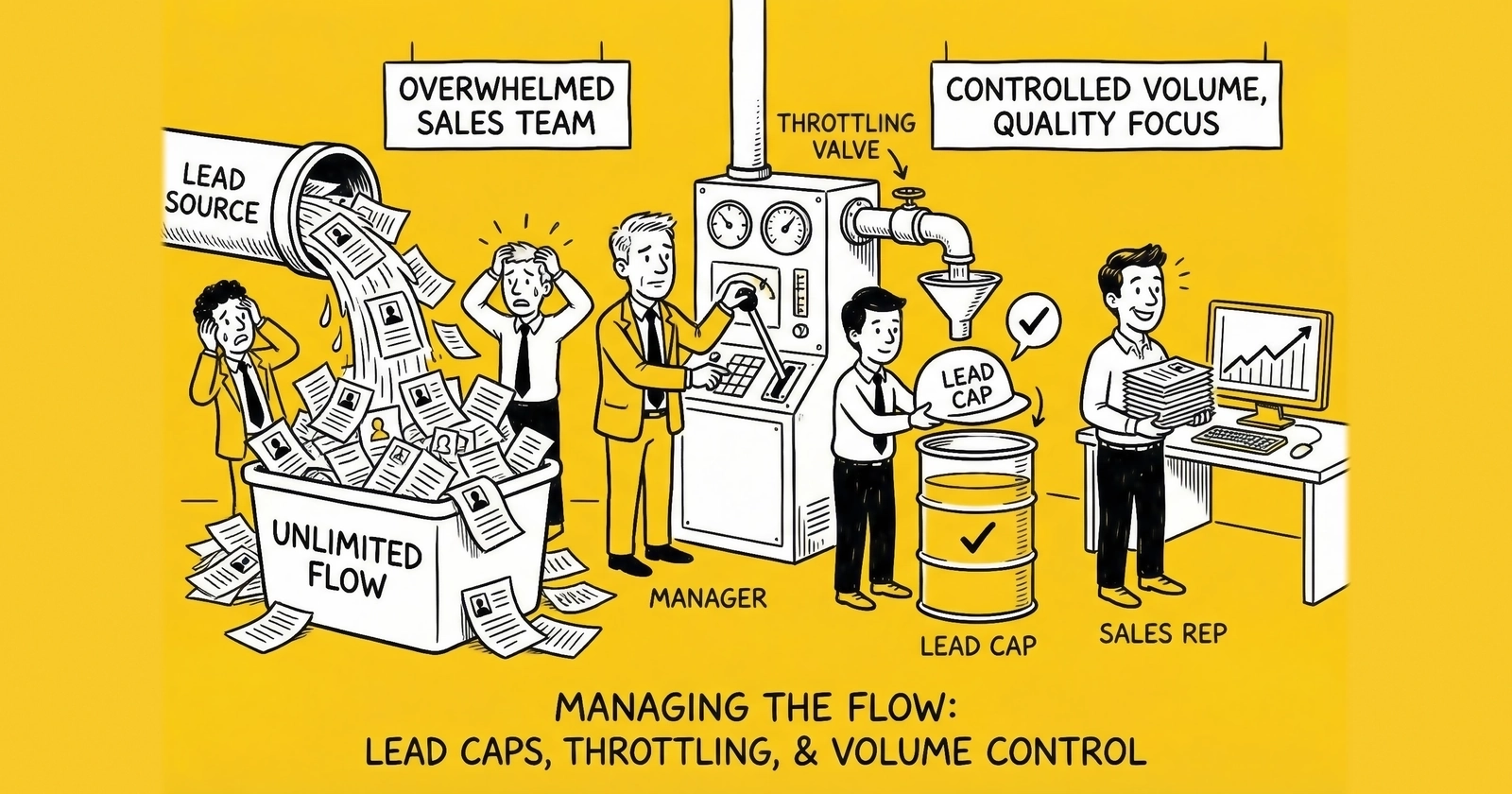
Master the volume control mechanisms that protect relationships, optimize revenue, and prevent operational chaos. Learn how to configure, manage, and strategically deploy caps and throttling in your lead distribution operation.
The phone rings at 2:47 PM on a Tuesday. It is your largest buyer, and they are not calling to increase their order. Their call center has been overwhelmed since 10 AM. Forty-three leads arrived in the past two hours when their team can only work twenty. Half those leads are now aging in queue while their agents struggle to keep up. Contact rates are plummeting. Returns are inevitable.
“We need to pause,” they say. “We will call you when we are ready.”
This is what happens when lead volume exceeds buyer capacity. Not gradually, not with warning signs you can address, but suddenly and catastrophically. The leads that were generating revenue yesterday are now generating friction, returns, and relationship damage.
Lead caps and throttling exist to prevent exactly this scenario. They are the volume control mechanisms that govern how many leads flow to each buyer, how quickly those leads arrive, and what happens when demand exceeds capacity. Those who master these controls build stable, scalable businesses. Those who ignore them lurch from crisis to crisis, burning buyer relationships and leaving money on the table.
This guide covers everything you need to know about lead caps and throttling: the fundamental concepts, the implementation approaches, the configuration strategies, and the operational considerations that separate professional operations from amateur ones. Whether you are building your first lead distribution system or optimizing an established operation, these principles determine whether your volume management creates value or destroys it.
What Are Lead Caps?
Lead caps are hard limits on the number of leads a buyer can receive within a defined time period. When a buyer reaches their cap, the distribution system stops routing leads to them regardless of whether those leads match their filters and criteria.
Think of caps as the maximum capacity constraint. A buyer might want leads from California with credit scores above 700 in the auto insurance vertical. Those are their filters, defining what they will accept. But filters alone do not control volume. A buyer might qualify for thousands of leads daily while only having capacity to work a hundred. Caps bridge this gap between qualification and capacity.
Why Caps Exist
Caps serve multiple essential functions in lead distribution operations:
Protecting buyer operations. Sales teams have finite capacity. A team of five agents making 60 calls per day can work approximately 300 leads weekly. Sending them 500 leads does not generate 66% more revenue. It generates overwhelmed agents, aging leads, declining contact rates, and eventual relationship damage. Caps prevent this overload before it occurs.
Managing financial exposure. Buyers typically commit to specific lead volumes based on their budget allocation. A buyer who budgeted $15,000 monthly for leads at $50 each expects 300 leads. Sending them 400 leads exceeds their budget by 33%. Even if they technically “accepted” those leads in the moment, you have created a billing dispute and strained the relationship. Caps align delivery with financial commitments.
Enabling predictable operations. Both sellers and buyers need predictability for planning. Sellers need to know how much inventory their buyer network can absorb. Buyers need to know how to staff their teams. Caps create the constraints that enable this planning.
Supporting fair distribution. In round-robin or weighted distribution systems, caps ensure that one buyer’s high demand does not monopolize inventory at the expense of others. When Buyer A hits their cap, leads that would have routed to them flow to Buyers B, C, and D instead.
Types of Lead Caps
Lead distribution platforms typically support multiple cap types, each serving different operational needs:
Daily caps limit leads per calendar day. This is the most common cap type, typically resetting at midnight in a specified time zone. A buyer with a 50-lead daily cap receives no more than 50 leads in any 24-hour period. Daily caps work well for buyers with consistent daily staffing patterns.
Weekly caps limit leads per calendar week or rolling seven-day period. Weekly caps provide more flexibility than daily caps, allowing buyers to absorb uneven daily distribution while maintaining overall volume control. A buyer with a 200-lead weekly cap might receive 50 leads Monday, 30 Tuesday, and 40 Wednesday without triggering limits, as long as the weekly total stays under 200.
Monthly caps limit leads per calendar month. These often reflect contracted volume commitments: “Buyer A committed to 500 leads monthly at $55 each.” Monthly caps ensure you deliver against commitments without exceeding them.
Budget caps limit by spend rather than lead count. A buyer with a $5,000 monthly budget cap stops receiving leads when their accumulated charges reach that threshold, regardless of lead count. Budget caps are essential when lead prices vary by quality tier or auction dynamics.
Concurrent caps limit the number of unworked leads in queue. Unlike time-based caps, concurrent caps focus on current workload rather than historical delivery. If a buyer has a concurrent cap of 25 and currently has 23 leads in their unworked queue, they can receive 2 more leads regardless of how many they received today. This requires real-time queue visibility through system integration.
Hourly caps provide granular pacing for buyers who need even distribution throughout the day. A buyer with a 10-lead hourly cap receives no more than 10 leads per hour, preventing the 10 AM surge that overwhelms their morning team.
Cap Configuration Example
A typical buyer configuration might include multiple cap types working together:
| Cap Type | Limit | Purpose |
|---|---|---|
| Daily | 75 leads | Match daily call center capacity |
| Weekly | 350 leads | Allow flexibility within the week |
| Monthly | 1,400 leads | Align with contracted commitment |
| Budget | $70,000/month | Prevent billing surprises |
| Hourly | 12 leads | Ensure even pacing |
| Concurrent | 30 leads | Prevent queue backup |
When any cap triggers, the buyer exits rotation until that cap resets or clears. The system continuously evaluates all applicable caps before routing each lead.
What Is Lead Throttling?
While caps set hard limits, throttling controls the rate and timing of lead delivery. Throttling answers the question: “Even if this buyer could receive more leads, should we slow down delivery?”
Think of the difference this way. Caps are the size of the bucket. Throttling is how fast you pour water into it. A 100-lead daily cap defines maximum capacity. Throttling determines whether those 100 leads arrive evenly across 10 hours or all in the first 2 hours.
Why Throttling Matters
Throttling addresses operational realities that caps alone cannot handle:
Preventing burst overload. Even a buyer with capacity for 100 daily leads cannot productively receive 50 of them between 9:00 and 9:30 AM. Their sales team would be overwhelmed, leads would queue, and contact rates would suffer. Throttling spreads delivery across the workday.
Matching delivery to staffing patterns. Call centers staff differently throughout the day. A center with eight agents from 9-11 AM, twelve from 11 AM-3 PM, and six from 3-5 PM has variable capacity. Throttling can align delivery rates with these staffing levels.
Accommodating processing time. Some buyers need time between leads to complete data entry, research, or preparation before their next call. Throttling ensures they receive leads at a pace matching their workflow.
Protecting lead freshness. A lead that arrives and immediately reaches an available agent converts better than one that waits in queue. By pacing delivery to match work rate, throttling keeps leads fresh and contact rates high.
Managing system load. High-volume operations can stress technical infrastructure. Throttling prevents delivery spikes that might overwhelm buyer APIs, CRMs, or phone systems.
Throttling Mechanisms
Distribution platforms implement throttling through several mechanisms:
Time-based pacing spreads delivery evenly across defined time windows. A buyer who wants 60 leads delivered between 8 AM and 6 PM would receive approximately 6 leads per hour rather than front-loading in the morning.
Rate limiting caps leads per time unit regardless of other factors. A 10-leads-per-hour rate limit means exactly that: no more than 10 leads in any 60-minute window, even if the buyer has daily cap remaining and matching leads are available.
Queue-aware throttling adjusts delivery based on buyer queue depth. If integration reveals that a buyer’s current queue holds 15 unworked leads, the system might pause delivery until queue depth drops below a threshold (say, 10 leads).
Dynamic throttling adjusts rates based on real-time signals. If buyer response times slow (indicating overload), the system automatically reduces delivery rate. When response times normalize, rates increase. This requires sophisticated platform capabilities and buyer integration.
Dayparting restricts delivery to specific hours. A buyer might only want leads during their call center hours (8 AM-6 PM local time) with no delivery outside those windows. While this is technically a filter rather than throttling, it serves the same purpose of matching delivery to capacity.
Throttling Configuration Example
A buyer’s throttling configuration might specify:
| Setting | Value | Purpose |
|---|---|---|
| Delivery window | 8 AM - 6 PM EST | Match call center hours |
| Maximum rate | 8 leads/hour | Prevent hourly overload |
| Minimum spacing | 5 minutes | Allow processing time |
| Queue threshold | 20 leads | Pause if queue exceeds |
| Weekend delivery | Disabled | No Saturday/Sunday leads |
This buyer would receive no more than 8 leads per hour during business hours, with at least 5 minutes between each delivery, pausing entirely if their queue exceeds 20 unworked leads.
Caps vs. Throttling: When to Use Each
Caps and throttling serve different purposes, and sophisticated operations use both in combination. Understanding when each applies helps you configure systems that protect relationships while maximizing revenue.
Use Caps When:
Controlling total volume. Caps define how many leads a buyer receives over time. Use daily, weekly, or monthly caps to match contracted commitments, budget constraints, or absolute capacity limits.
Enforcing commitments. When a buyer commits to 500 leads monthly, a monthly cap ensures you deliver exactly that: not 450 (under-delivery) and not 550 (over-delivery that exceeds their budget).
Managing financial exposure. Budget caps prevent billing surprises for buyers and revenue disappointments for sellers. When a buyer’s spend reaches their allocated budget, delivery stops automatically.
Enabling fair distribution. In multi-buyer systems, caps ensure that high-demand buyers do not monopolize inventory. When Buyer A hits their cap, leads flow to other buyers rather than piling up with one account.
Use Throttling When:
Controlling delivery rate. Throttling determines how fast leads arrive, not how many total. Use throttling to match delivery pace to operational capacity.
Preventing burst overload. Even buyers with high daily caps can be overwhelmed by delivery spikes. Throttling spreads delivery evenly to prevent queue backup.
Matching staffing patterns. When buyer capacity varies throughout the day, throttling aligns delivery with available resources.
Protecting lead freshness. Leads contacted immediately convert better than leads queued for hours. Throttling ensures leads arrive when agents are available to work them.
Accommodating processing requirements. Some buyers need time between leads for research, data entry, or preparation. Throttling enforces minimum spacing.
Combined Example
Consider a buyer with these requirements:
- Contracted for 400 leads monthly at $60 each ($24,000 budget)
- Call center operates 9 AM - 6 PM Eastern, Monday through Friday
- Team of 4 agents averaging 20 leads worked per day each
- Prefers even distribution throughout the day
The configuration would include:
Caps:
- Monthly cap: 400 leads
- Budget cap: $24,000
- Daily cap: 25 leads (400/month divided by approximately 20 business days)
Throttling:
- Delivery window: 9 AM - 6 PM Eastern
- Maximum rate: 4 leads per hour (25 daily leads / 9 delivery hours, with buffer)
- Weekend delivery: Disabled
This combination ensures the buyer receives their contracted volume (caps) at a pace matching their operational capacity (throttling), during hours when they can actually work the leads (delivery windows).
Implementation: Platform Capabilities
Lead distribution platforms vary significantly in their cap and throttling capabilities. Understanding what your platform supports helps you configure appropriate controls.
Essential Cap Features
Multiple cap types. At minimum, your platform should support daily, weekly, and monthly caps. More sophisticated platforms add hourly, budget, and concurrent caps.
Buyer-level configuration. Caps should be configurable per buyer, not just system-wide. Buyer A might need 50 daily leads while Buyer B needs 200.
Automatic reset. Caps should reset automatically at defined intervals. Daily caps reset at midnight (in a specified time zone); weekly caps reset Sunday or Monday; monthly caps reset on the first.
Real-time tracking. The system must track cap utilization in real-time, not in batch processes that might allow overages.
Cap status visibility. Operators need dashboards showing current cap utilization for each buyer: “Buyer A: 37/50 daily cap consumed (74%).”
Overflow handling. When a buyer hits their cap, the system needs clear rules for what happens next. Options include routing to other buyers, queuing for later, or marking the lead unsold.
Essential Throttling Features
Rate limiting. The ability to set maximum leads per time unit (per hour, per 15 minutes, etc.).
Delivery windows. Restricting delivery to specific hours when the buyer can work leads.
Pacing algorithms. Rather than burst delivery up to the rate limit, sophisticated platforms spread delivery evenly across the available window.
Time zone handling. Proper time zone support for buyers in different regions. A buyer’s 9 AM-6 PM window means their local time zone, not yours.
Weekend and holiday handling. Options to pause delivery on weekends or specified holidays when buyer operations are closed.
Advanced Capabilities
Queue-aware throttling. Integration with buyer systems to monitor queue depth and adjust delivery accordingly. Requires API connection to buyer CRM or lead management system.
Dynamic rate adjustment. Automatic rate changes based on buyer response patterns. If buyer acceptance rate drops (suggesting overload), reduce delivery rate automatically.
Conditional throttling. Different throttling rules based on lead characteristics. Premium leads might have different pacing than standard leads.
Capacity prediction. Using historical patterns to predict buyer capacity and adjust delivery proactively.
Platform Comparison: Cap and Throttling Features
Different lead distribution platforms offer varying levels of cap and throttling sophistication:
| Platform | Daily Caps | Budget Caps | Hourly Throttling | Queue-Aware | Dynamic Adjustment |
|---|---|---|---|---|---|
| boberdoo | Yes | Yes | Yes | Via integration | Yes |
| LeadExec | Yes | Yes | Yes | Via integration | Limited |
| LeadsPedia | Yes | Yes | Yes | No | No |
| Lead Prosper | Yes | Yes | Limited | No | No |
| Custom Build | Depends on implementation | Depends on implementation | Depends on implementation | Depends on implementation | Depends on implementation |
When evaluating platforms, test cap and throttling features with realistic scenarios. Ask: What happens when a buyer hits their cap mid-day? How does the system handle time zone differences? Can I configure different throttling for different buyer segments?
Strategic Cap Management
Beyond basic configuration, cap management involves strategic decisions that affect revenue, relationships, and operational efficiency.
Setting Appropriate Cap Levels
Start with buyer capacity. The foundational question: how many leads can this buyer productively work? Consider their sales team size, average calls per day per agent, and target contact rate. A team of 5 agents making 50 calls daily can work approximately 250 leads weekly, assuming all leads answer. Factor in realistic contact rates (40-60% for fresh exclusive leads) and you get actual working capacity.
Buffer for variability. Set caps slightly below theoretical maximum capacity. If a buyer can work 50 leads daily, set their cap at 40-45. This buffer accounts for:
- Daily productivity variation
- Staff absences or turnover
- Time spent on administrative tasks
- Lead quality variation requiring more attention
Align with commitments. If buyers have contracted volume commitments, caps should match those commitments exactly. A buyer committed to 300 leads monthly should have a 300-lead monthly cap, with appropriate daily and weekly sub-caps for even distribution.
Consider seasonality. Buyer capacity often varies seasonally. Insurance agents have different capacity during open enrollment versus off-season. Mortgage brokers scale with rate environment. Adjust caps based on known seasonal patterns.
Cap Utilization Monitoring
Track cap utilization metrics to optimize your buyer network:
Utilization rate. What percentage of cap does each buyer typically consume? A buyer using only 60% of their cap might accept a cap reduction (freeing inventory for others) or might indicate capacity for expansion if they want more volume.
Time-to-cap. How quickly do buyers reach their caps? A buyer hitting their daily cap by 10 AM every day needs either a cap increase (if they want more volume) or throttling (to spread delivery through the day).
Cap-out patterns. Are certain days or times consistently seeing buyers cap out? This might indicate demand/supply imbalance that requires buyer network expansion.
Unsold rate correlation. Does your unsold rate increase when key buyers hit caps? This indicates over-dependence on certain buyers or insufficient buyer coverage.
Overflow Strategies
When buyers hit caps, leads need somewhere to go. Effective overflow strategies recover value from leads that primary routing cannot place:
Secondary buyer tiers. Route to lower-tier buyers at reduced prices. Your primary buyers might pay $60 per lead; secondary overflow buyers might pay $40. Recovered revenue beats unsold inventory.
Waterfall recovery. Configure multiple fallback levels: primary buyers first, then secondary, then tertiary. Well-implemented waterfall systems recover 20-40% of leads that initial routing cannot place.
Aged lead routing. Hold leads for later delivery to buyers who accept aged inventory at discounted prices. As covered in our aged leads vs fresh leads analysis, a lead that cannot sell at $50 real-time might sell at $20 after 24 hours.
Cross-vertical routing. Some leads qualify for multiple verticals. A home insurance lead that exhausts insurance buyer capacity might have value to home improvement buyers.
Dynamic pricing. When primary buyers cap out, reduce floor prices to attract bids from buyers who were previously priced out.
Cap Negotiation with Buyers
Cap discussions are part of ongoing buyer relationship management:
Regular cap reviews. Schedule quarterly cap reviews with major buyers. Their capacity changes over time with staffing, budget, and business conditions.
Cap flexibility. Consider offering flexible caps that adjust based on buyer performance. Buyers with strong conversion and low returns might earn cap increases automatically.
Trial increases. When buyers request cap increases, start with a trial period. “Let us increase your daily cap from 30 to 40 for two weeks and evaluate performance.”
Performance-based caps. Tie caps to performance metrics. If a buyer’s return rate exceeds thresholds, automatically reduce their cap until performance improves.
Strategic Throttling Management
Throttling optimization requires understanding buyer operations and lead decay dynamics.
Matching Delivery to Buyer Operations
Map buyer staffing patterns. Understanding when buyers have capacity informs throttling configuration. A call center with heavy morning staffing might want 60% of leads before noon. A team that ramps up after lunch might prefer afternoon-weighted delivery.
Consider industry patterns. Different verticals have different optimal contact windows. B2B leads might contact best during business hours. Consumer leads might answer better in evenings. Insurance quotes convert best when consumers are actively shopping (often evenings and weekends).
Account for processing time. Some buyers need time between leads for research, data entry, or preparation. A solar installer might need 10 minutes per lead to research the property before calling. Space delivery accordingly.
Lead Freshness Optimization
Lead value decays over time, as detailed in our guide to the lead decay curve. Strategic throttling protects freshness:
Minimize queue time. The goal is delivery when an agent is immediately available to work the lead. Leads that queue for hours before contact have already lost significant value.
Match delivery to work rate. If a buyer works 5 leads per hour, deliver 5 leads per hour. Delivering 10 per hour means half sit in queue for an hour before contact.
Real-time capacity signals. If possible, integrate with buyer systems to understand real-time capacity. Pause delivery when queue builds; resume when agents become available.
Throttling for Different Lead Types
Not all leads require the same throttling approach:
High-value leads. Premium leads with high close probability deserve priority routing and immediate attention. Consider routing these outside normal throttling rules to ensure instant delivery.
Time-sensitive leads. Leads with explicit urgency (e.g., “I need insurance today”) should bypass queue-based throttling.
Lower-quality leads. Leads with marginal quality scores might accept slower delivery without significant value loss.
Aged leads. Leads already 24+ hours old have already experienced significant decay. Strict freshness-based throttling matters less.
Operational Considerations
Day-to-day cap and throttling management requires ongoing attention and systematic processes.
Morning Review
Include cap status in your daily morning review:
- Which buyers hit caps yesterday?
- Which buyers are currently capped this morning?
- What is the projected cap utilization for today based on current lead flow?
- Are any unsold leads attributable to cap constraints?
Real-Time Monitoring
Build dashboards that show:
Cap utilization by buyer. Visual indicators showing percentage consumed: green (under 70%), yellow (70-90%), red (over 90% or capped).
Time-to-cap estimates. At current delivery rate, when will each buyer hit their cap?
Overflow metrics. How many leads are routing to fallback options because primary buyers are capped?
Throttling status. Which buyers have active throttling restrictions? What are current delivery rates versus configured rates?
Alert Configuration
Configure alerts for cap and throttling events:
Cap approaching. Alert when a buyer reaches 80% of cap to prepare for overflow routing.
Unexpected cap-out. Alert when a buyer hits cap significantly earlier than usual, indicating either a volume spike or reduced buyer capacity.
Delivery rate deviation. Alert when actual delivery rate differs significantly from configured throttle rate, possibly indicating system issues.
High unsold rate. Alert when unsold rate increases, possibly indicating insufficient buyer capacity or too many capped buyers.
Troubleshooting Common Issues
Buyer consistently hitting cap too early:
- Check if volume projections are accurate
- Review throttling configuration to ensure even distribution
- Discuss cap increase if buyer has capacity
- Improve overflow routing to prevent unsold leads
Leads queuing despite buyer capacity:
- Verify throttling settings are not overly restrictive
- Check for system issues delaying delivery
- Confirm buyer integration is functioning properly
High return rates from buyers receiving max volume:
- May indicate leads are queuing too long before contact
- Tighten throttling to reduce queue backup
- Reduce cap temporarily while investigating
- Review lead return rate benchmarks to contextualize performance
Buyers complaining about uneven delivery:
- Review throttling configuration for pacing
- Check for time zone mismatches in delivery windows
- Verify hourly rate limits are appropriately set
Best Practices for Caps and Throttling
Drawing from industry experience and operational realities, these practices help optimize your cap and throttling management:
Configuration Best Practices
Document all cap and throttling configurations. Maintain records of what each buyer’s settings are and why. This documentation proves essential when troubleshooting issues or when team members change.
Use consistent time zones. Establish a standard for how caps and throttling interpret time (e.g., all caps reset at midnight Eastern Time) and communicate this clearly to buyers.
Test configuration changes. Before applying new cap or throttling settings, test with a small lead sample to verify behavior matches expectations.
Build in reset buffer. When daily caps reset at midnight, avoid routing leads for a brief window (e.g., 11:45 PM - 12:15 AM) to prevent edge cases where leads route just before reset and cause morning overload.
Relationship Best Practices
Communicate proactively. When approaching caps, notify buyers before they experience delivery stoppage. “You have consumed 85% of your daily cap as of 2 PM” gives them opportunity to request adjustment if needed.
Honor cap commitments. If a buyer sets a cap, respect it completely. Do not route “one more lead” because they are technically under for the week. Caps exist for reasons even if those reasons are not visible to you.
Be transparent about throttling. Buyers should understand how throttling affects their delivery. Explain that they will receive leads evenly throughout the day rather than all at once.
Negotiate regularly. Buyer capacity is not static. Quarterly cap and throttling reviews ensure configurations stay aligned with buyer operations.
Operational Best Practices
Treat cap data as real-time. Stale cap data leads to overages. Ensure your system tracks cap consumption in real-time and blocks routing immediately when caps trigger.
Plan for overflow before you need it. Establish secondary buyer relationships and configure fallback routing before your primary buyers cap out. Scrambling to place leads after caps trigger is reactive and costly.
Monitor cap utilization trends. A buyer consistently using only 50% of their cap might accept a reduction, freeing inventory for buyers who want more. A buyer constantly hitting caps might justify a cap increase or might indicate you are over-dependent on one account.
Correlate caps with performance. Track whether leads delivered late in a buyer’s cap cycle (when they are near capacity) perform differently than leads delivered early. If late-cycle leads show higher returns or lower conversion, that buyer’s cap might be too high.
Frequently Asked Questions
What is a lead cap?
A lead cap is a maximum limit on how many leads a buyer can receive within a specified time period. When a buyer reaches their cap, the distribution system stops routing leads to them until the cap resets. Caps protect buyers from receiving more leads than they can productively work, align delivery with budget commitments, and enable fair distribution across multiple buyers.
What is lead throttling?
Lead throttling controls the rate and timing of lead delivery rather than the total quantity. Throttling spreads lead delivery evenly across time periods, matches delivery pace to buyer staffing patterns, and prevents delivery bursts that overwhelm sales teams. While caps define total capacity, throttling defines how quickly that capacity receives leads.
What is the difference between daily caps and budget caps?
Daily caps limit the number of leads delivered per day regardless of price. A 50-lead daily cap means exactly 50 leads maximum, whether they cost $30 or $80 each. Budget caps limit total spend per period. A $5,000 monthly budget cap stops delivery when accumulated charges reach that amount, which might be 100 leads at $50 each or 167 leads at $30 each. Use daily caps for volume control and budget caps for financial control.
How do I determine the right cap level for a buyer?
Start with buyer capacity: team size multiplied by average leads worked per agent per day. A 5-agent team working 40 leads each daily has 200 daily capacity. Set caps at 80-90% of theoretical capacity to buffer for variability. Align with volume commitments if applicable. Review quarterly and adjust based on utilization patterns and buyer feedback.
What happens when a buyer reaches their cap?
When a buyer reaches their cap, the distribution system immediately stops routing leads to them. Leads that would have matched that buyer route instead to other qualified buyers through overflow logic. If no other buyers qualify, leads either queue for later distribution, route to fallback buyers at reduced prices, or mark as unsold depending on system configuration.
How does throttling protect lead freshness?
Lead value decays over time. A lead contacted within one minute converts at 391% higher rates than one contacted after 30 minutes. Throttling ensures leads arrive when agents are available to work them immediately rather than queuing in the buyer’s system. By matching delivery rate to work rate, throttling minimizes the time between lead arrival and first contact attempt.
Should I use hourly caps or hourly throttling?
Use hourly caps when you need hard limits per hour that cannot be exceeded under any circumstances. Use hourly throttling when you want to pace delivery evenly but can tolerate some flexibility. For most buyer relationships, hourly throttling provides sufficient control while allowing the system to optimize delivery timing.
How do I handle buyers in different time zones?
Configure delivery windows in each buyer’s local time zone. A buyer in California requesting 8 AM-5 PM delivery should receive leads during Pacific Time business hours, not your time zone. Most distribution platforms support per-buyer time zone configuration. Document which time zone governs cap resets (typically configured system-wide) to prevent confusion.
What is queue-aware throttling?
Queue-aware throttling monitors how many unworked leads sit in a buyer’s system and adjusts delivery accordingly. If a buyer’s queue exceeds a threshold (say, 20 leads), delivery pauses until queue depth decreases. This requires integration with buyer CRM or lead management systems to provide real-time queue visibility. Not all platforms support this capability.
How often should I review cap and throttling settings?
Conduct formal cap and throttling reviews quarterly with major buyers. Perform informal reviews monthly by examining utilization metrics and buyer feedback. Review immediately when significant changes occur: buyer staffing changes, volume commitment changes, performance issues, or buyer complaints about delivery patterns.
Key Takeaways
-
Lead caps set hard limits on total volume a buyer can receive within defined time periods. Use daily, weekly, monthly, budget, and concurrent caps to control volume, align with commitments, and enable fair distribution.
-
Lead throttling controls delivery rate and timing, spreading leads evenly across time periods and matching delivery pace to buyer capacity. Use throttling to prevent burst overload, protect lead freshness, and align delivery with staffing patterns.
-
Caps and throttling serve different purposes and work best in combination. Caps define maximum capacity (bucket size); throttling defines delivery pace (pour rate). Configure both to protect buyer relationships and maximize lead value.
-
Platform capabilities vary significantly. Evaluate your distribution platform for cap types supported, throttling mechanisms available, and advanced features like queue-aware or dynamic throttling. Choose platforms that match your operational requirements.
-
Strategic cap management involves setting appropriate levels, monitoring utilization, and building overflow strategies. Caps set too high overwhelm buyers; caps set too low leave revenue on the table. Regular review and adjustment optimize across your buyer network.
-
Throttling protects lead freshness by matching delivery to work rate. Leads contacted immediately convert dramatically better than leads that queue for hours. Configure throttling to minimize time between delivery and first contact attempt.
-
Operational monitoring and alerting catch issues before they become crises. Track cap utilization in real-time, alert when buyers approach limits, and troubleshoot delivery issues before they damage relationships.
-
Documentation and communication build strong buyer relationships. Document configurations and rationale, communicate proactively about cap and throttling status, and review settings regularly as buyer needs evolve.
This guide provides educational information about lead cap and throttling management. Platform capabilities, configuration options, and operational practices vary. Verify current specifications with your distribution platform provider and adapt practices to your specific operational context.